Anyone who has assembled an episode from two microphones, or a playlist from files gathered over years, has met the same problem: one source is noticeably quieter than another, and turning up the quiet one either does nothing useful or makes it distort. The fix is not more gain. It is measuring the right thing in the first place.
Peak and loudness are different measurements
A digital audio file is a sequence of numbers describing the position of a speaker cone over time. The peak is the largest of those numbers. Loudness is how loud it seems to a listener over time. They are only loosely related, and treating one as a proxy for the other is where most levelling problems begin.
Consider two recordings. One is a steady voice with a single loud cough at the end. The other is that same voice recorded consistently loud throughout, with no cough. Both can have exactly the same peak, because the cough sets it in the first file. To a listener the second is obviously louder for almost its whole duration.
Peak normalization, which is what most simple volume tools do, finds the highest sample and scales everything so that it sits at a chosen ceiling. On the first file, that means scaling to fit the cough. The voice is barely affected, and the file is still quiet, which is precisely the experience of turning up a podcast and finding it no louder.
What LUFS measures
LUFS stands for Loudness Units relative to Full Scale, and it is a standardised model of perceived loudness rather than a raw measurement of signal size.
It does two things a peak reading does not. It applies a frequency weighting that approximates how sensitive human hearing is at different pitches, so energy in the range where speech lives counts more than the same energy at the extremes. And it integrates over time, with a gating mechanism that excludes near-silent passages so that a recording with long pauses is not scored as quiet simply for containing gaps.
The scale is referenced to full scale, so values are negative. Lower is quieter. A rough orientation: around -23 is the European broadcast convention, around -16 is a common target for podcasts and speech, and streaming music services sit in the region of -14. Those numbers are conventions rather than physical constants, and they differ because the content and listening situations differ.
Two passes, because one is not enough
Doing this properly requires knowing what the file measures before deciding what to do to it, which is why competent loudness normalization runs twice.
The first pass analyses only. It measures the integrated loudness of the whole programme, its loudness range, and its true peak, and produces those figures without writing any audio. The second pass applies the correction, using the measured values from the first to compute exactly the right adjustment.
Our audio normalization tool works this way, and the defaults are worth unpacking because each is a real decision. The integrated target defaults to -16 LUFS, the common podcast and streaming figure. The true peak ceiling is set to -1.5, which deliberately leaves headroom below zero. And the loudness range parameter is 11, which is the underlying filter’s own default.
The single-pass alternative exists and is faster, but it has to guess at the correction as it goes and cannot know at the start what the loudest part will turn out to be. On material with an uneven distribution, which is most real recordings, the two-pass result is meaningfully more accurate.
Why the ceiling is below zero
Setting a true peak ceiling at -1.5 rather than 0 looks like wasted headroom and is not.
The samples in a file are points, and playback reconstructs a continuous waveform passing through them. That reconstructed curve can rise above the highest stored sample, in the gaps between samples, which is what “true peak” means and why it differs from the sample peak your editor displays.
That matters at two later stages. A lossy encoder does not preserve sample values exactly, and its output can exceed the input’s peak. A digital-to-analogue converter reconstructing the waveform can overshoot. If the file was mastered right up to zero, either of those produces clipping that was not present in the file you checked. Leaving a decibel or so of headroom costs nothing perceptible and prevents a class of distortion that is otherwise invisible until somebody else’s playback chain introduces it.
When plain gain is the right tool
None of this means a simple volume adjustment is useless. It means it answers a different question.
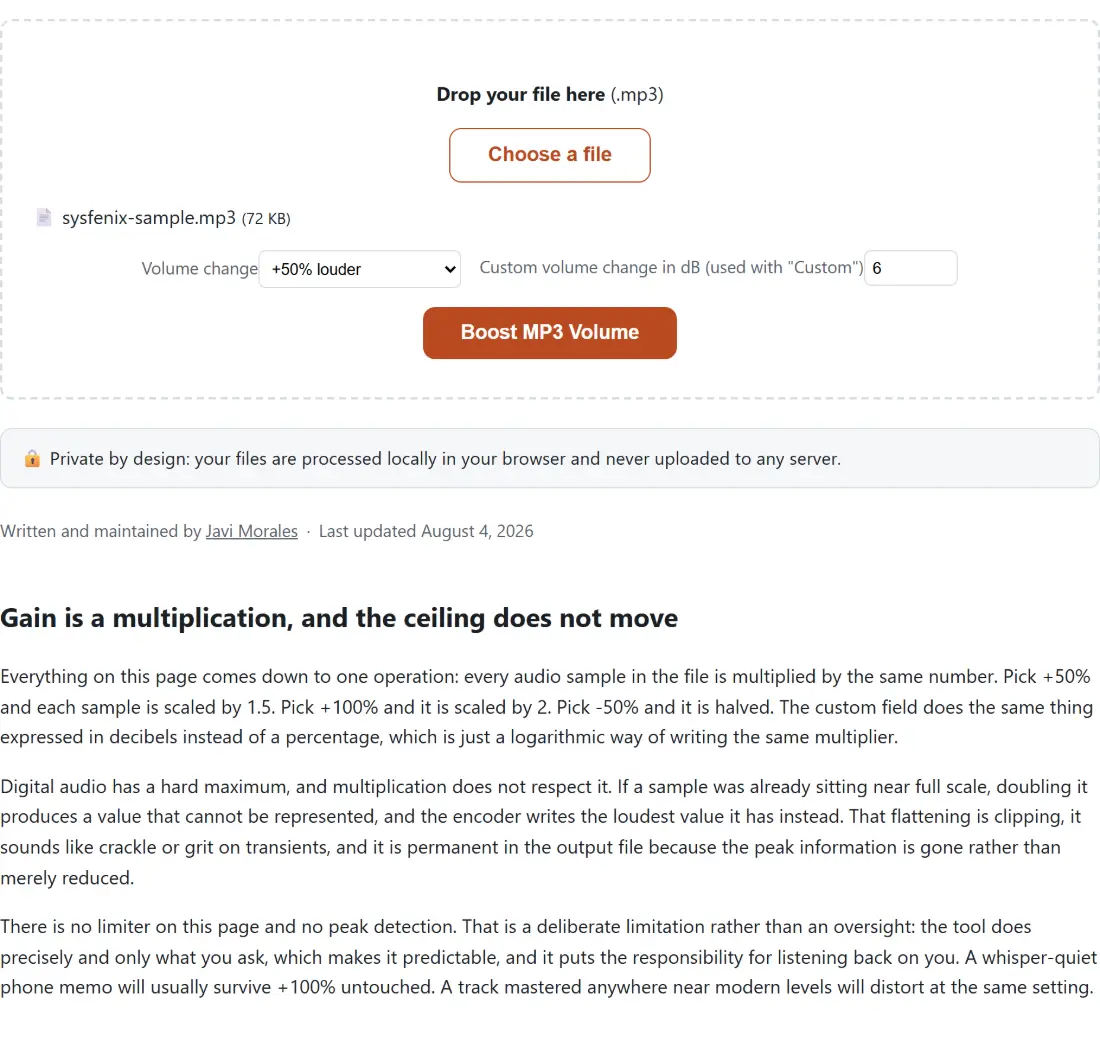
If a file is uniformly quiet, with no problematic peak and no dynamic range issue, applying a fixed gain is exactly right and it is simpler and more predictable than a loudness pass. Boosting an MP3’s volume does this directly, and it accepts either a multiplier or a value in decibels, which is worth understanding because they are different scales: a factor of 2.0 is a doubling of amplitude, which is about 6 decibels, and decibels are logarithmic so equal steps are equal ratios rather than equal amounts.
The same applies to video, where the audio track is frequently the thing that needs attention while the picture is fine. Raising a video’s volume is the equivalent operation, and the practical caution is the same: gain applied above the point where the loudest moment already sits produces clipping, and clipping is not recoverable. If a boost makes a recording harsh rather than louder, the answer is loudness normalization, not more boost.
Silence is part of the loudness picture
Long gaps interact with all of this in a way that is easy to miss.
Loudness measurement gates out near-silent passages precisely so they do not drag the average down, which is the correct behaviour for measurement. But silence still affects the listener’s experience: a recording with long gaps feels slower and less present regardless of what the meter says, and the gaps consume file size and running time for no content.
Removing silence from a recording addresses that directly, and it is a genuinely fiddly operation rather than a simple gate. The parameters that matter are the threshold, meaning how quiet counts as silence, and the durations, meaning how long a quiet stretch has to be before it is treated as a gap and how much of it to leave behind. Setting the threshold too high clips the quiet ends of words; leaving no silence at all produces speech with an unnatural, breathless rhythm. The right order of operations is to trim silence first and normalize afterwards, so the measurement reflects the programme you are actually shipping.
What to do, in order
Record with sensible levels, leaving headroom rather than pushing for loudness at capture. Edit and remove dead air. Then normalize to a target appropriate for the destination, rather than to whatever sounds loud on your own monitors.
And resist mastering louder in the hope of standing out. Every major platform normalizes on playback, so a track pushed hard is turned back down to sit alongside everything else, arriving with less dynamic range than it started with. The loudness war is over, and the way to sound good now is to hit the target and keep the dynamics.