A block that describes the page to a machine
Search engines read your page as text and infer what it is. Structured data lets you tell them directly: this is a recipe, this is a product with this price and this rating, this is a set of questions and answers.
The format is JSON-LD, a block of JSON in a script tag. It sits alongside your content rather than being woven into it, which is why it has won: you can add it, review it, and delete it without touching a single line of your markup, and getting it wrong cannot break your layout.
Seven types are covered here, each with its own form. Article, FAQ Page, How-To, Local Business, Product, Breadcrumb and Organization, which between them cover most of what an ordinary site needs.
Generating a block
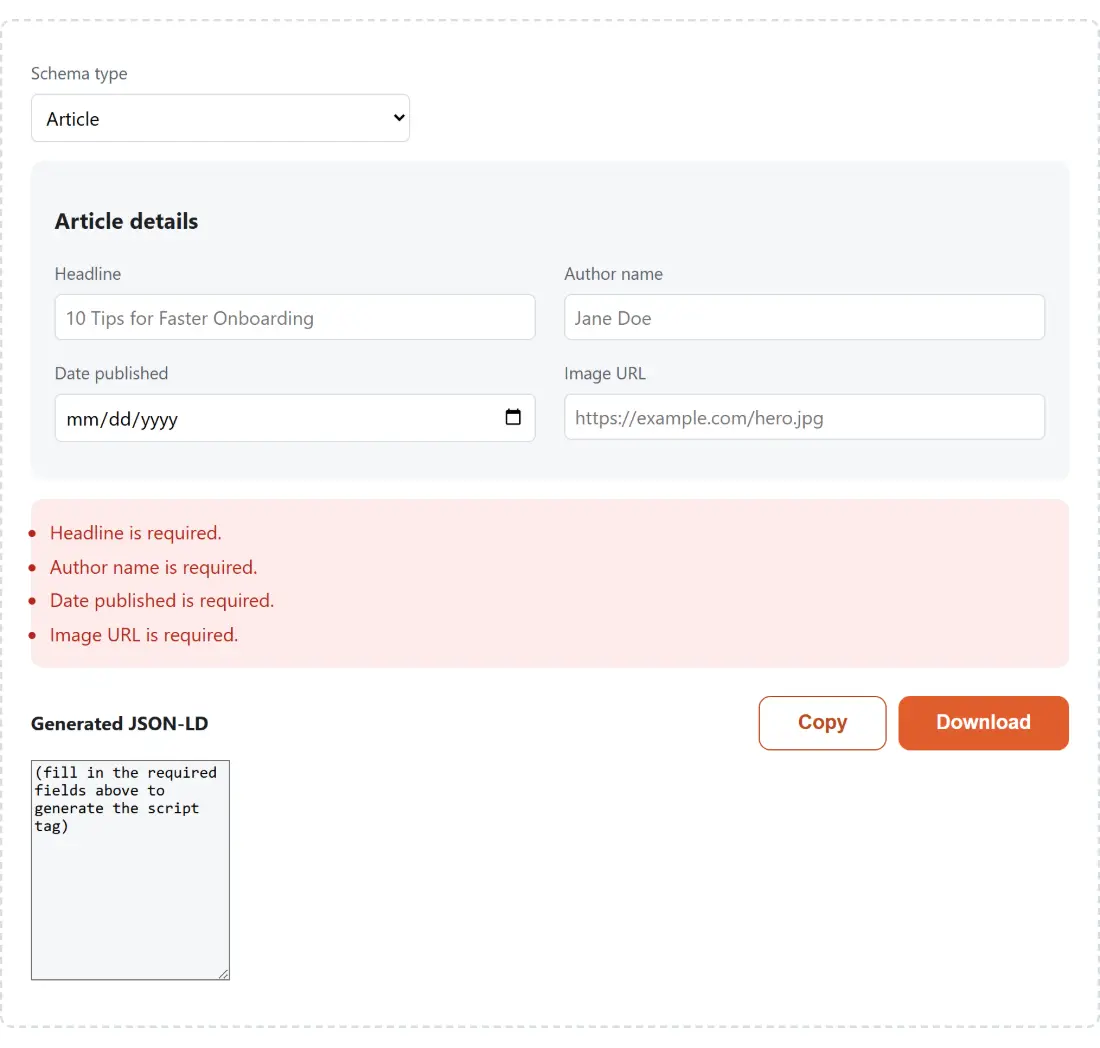
- Pick the schema type you need. The form underneath changes to match it.
- Fill in that type’s fields. Required ones are validated, so you are told what is missing rather than handed a block that silently fails.
- For the list-based types, add or remove entries as you go. FAQ pairs, how-to steps and breadcrumb segments all work this way.
- Watch the Generated JSON-LD panel update as you type.
- Click Copy to take the block.
- Paste it into a script element with the JSON-LD type, in the head of the page it describes.
- Test it with a search engine’s own structured data testing tool before you ship it.
That last step is worth the two minutes. Valid JSON is not the same as valid structured data, and a testing tool checks against the current guidelines rather than against a snapshot of them.
The escaping detail that matters
There is one genuine security consideration in generating JSON-LD, and it is easy to miss.
The block goes inside a script element. A browser’s HTML parser looks for the closing script sequence in the raw text, without understanding that it is inside a JSON string. So a field value containing that sequence, typed by whoever fills in your CMS, ends the script element early and dumps the rest of the JSON into the page as visible text, or worse.
Every less-than character in the output here is written as a Unicode escape instead. JSON parsers treat that as identical to the literal character, so the structured data is unchanged, while the HTML parser never sees a closing tag it could act on.
This is the same escaping this site applies to its own structured data, and it is the sort of thing generated markup should handle for you rather than leaving as a footgun.
Required fields, and why validation is the point
Structured data fails quietly. A block missing a required property is not rejected with an error; it is simply ignored, and the page carries on looking exactly as it did while producing no rich result at all.
That is why each type validates its own required set before the output is considered complete. It converts a silent failure into a visible one at the moment you can still do something about it.
The list-based types are where hand-written markup goes wrong most often. An FAQ page needs each question paired with its answer in the right nested shape, a how-to needs its steps in order, and a breadcrumb needs each segment with its position. Building those from a form removes an entire class of typo.
What structured data will not do for you
Valid markup makes a page eligible for a rich result. It does not cause one.
Search engines decide whether to show a rich result based on the page’s quality, its relevance to the query, and their own current preferences about which types to display. Types that produced rich results two years ago sometimes do not today.
The other rule worth internalising is that the markup must describe what is actually on the page. FAQ markup for questions that appear nowhere, a rating nobody left, or a price different from the one displayed, are all guidelines violations, and the penalty is losing rich results across the site rather than just on that page.
The rest of the on-page set
Meta Tags Generator produces the title, description and social preview tags, which is the other block of markup every page needs. SEO Title & Description Pixel Counter then checks the two that get truncated in a search result.
Robots.txt Generator covers what crawlers are allowed to fetch in the first place, and UTM Builder handles the campaign parameters on the links pointing back to the page. The rest is on the dev tools hub.