A handshake agreement from 1994, not a lock
Robots.txt began as an informal convention among early web crawler authors and stayed informal for decades before finally being written up as a standard. That history explains its two most misunderstood properties.
First, it is entirely advisory. A crawler reads the file, decides to respect it, and skips the paths you listed. A crawler that does not care simply requests them. There is no enforcement anywhere in the chain, which is why a Disallow line is closer to a sign on a door than a lock on one.
Second, it is public by design. Your robots.txt sits at a fixed, guessable URL that anyone can
open. Listing Disallow: /internal/exports/ advertises the existence of that directory to
every person who thinks to look. If a path is sensitive, the file is the wrong place to name it;
block the parent, or better, put real authentication in front of it.
Both facts matter most for the “Staging lockdown” preset. It genuinely does keep well-behaved search engines out of a staging subdomain, which is the usual goal, but it does not make the site private in any meaningful sense.
Longest match wins, not first match
This is the rule that catches almost everyone. Read a robots.txt top to bottom and it looks like a firewall config where order decides the outcome. It is not. Within the rule group that applies to a bot, every Allow and Disallow pattern that matches the requested path is collected, and the one with the most characters wins. A tie on length goes to Allow.
WordPress makes the canonical example. The pattern /wp-admin/ is 10 characters and
/wp-admin/admin-ajax.php is 24, so the narrow Allow wins for that one file and the
broad Disallow still covers everything else in the directory. Nothing about that outcome depends
on which line you wrote first, and moving the Allow above the Disallow changes nothing.
Where this bites is when you assume the reverse. Writing Disallow: / followed by
Allow: /blog does work, because /blog is longer than /. Writing Disallow: /products/hidden/
and expecting a later Allow: /products/ to override it does not, because the Disallow pattern
is longer. That is why the tester exists below the generated file rather than as an afterthought.
What the tester actually reports
Type a path and a user-agent and it walks the same three steps a crawler does. It picks the most
specific rule group for that bot, preferring an exact name match over the * group. It collects
every pattern in that group that matches your path. Then it applies longest-wins with the
Allow tie-break and tells you which pattern decided it, quoted verbatim so you can find the line
you need to change.
Two default-allow cases are worth knowing, because they surprise people who expect a blocked
answer. If no rule group applies to the bot at all and there is no * group, the path is
allowed. If a group does apply but none of its patterns touch your path, the path is also
allowed. Robots.txt has no implicit deny; anything you did not disallow is fair game.
The matching itself is deliberately spec-faithful in a couple of small ways. An empty value
after Disallow: never counts as a match, because a bare Disallow: means “no restriction”
rather than “block everything”. And comparisons are case-sensitive, so /Admin/ and /admin/
are two different paths as far as a crawler is concerned.
What * and $ do inside a path
Every pattern is a prefix match by default, so /private already covers /private/notes.html
without any wildcard at all. The two extra characters change that.
An asterisk matches any run of characters, including none. /*.pdf therefore matches
/reports/q3.pdf and also /q3.pdf. A trailing dollar sign anchors the pattern to the end of
the URL, so /*.pdf$ matches /q3.pdf but not /q3.pdf?download=1, which is exactly the
distinction you want when a query string is appended to your file downloads. Note that a
wildcard counts as one character for the longest-match comparison, so a heavily wildcarded
pattern is not automatically the more specific one.
Building the file and where it has to live
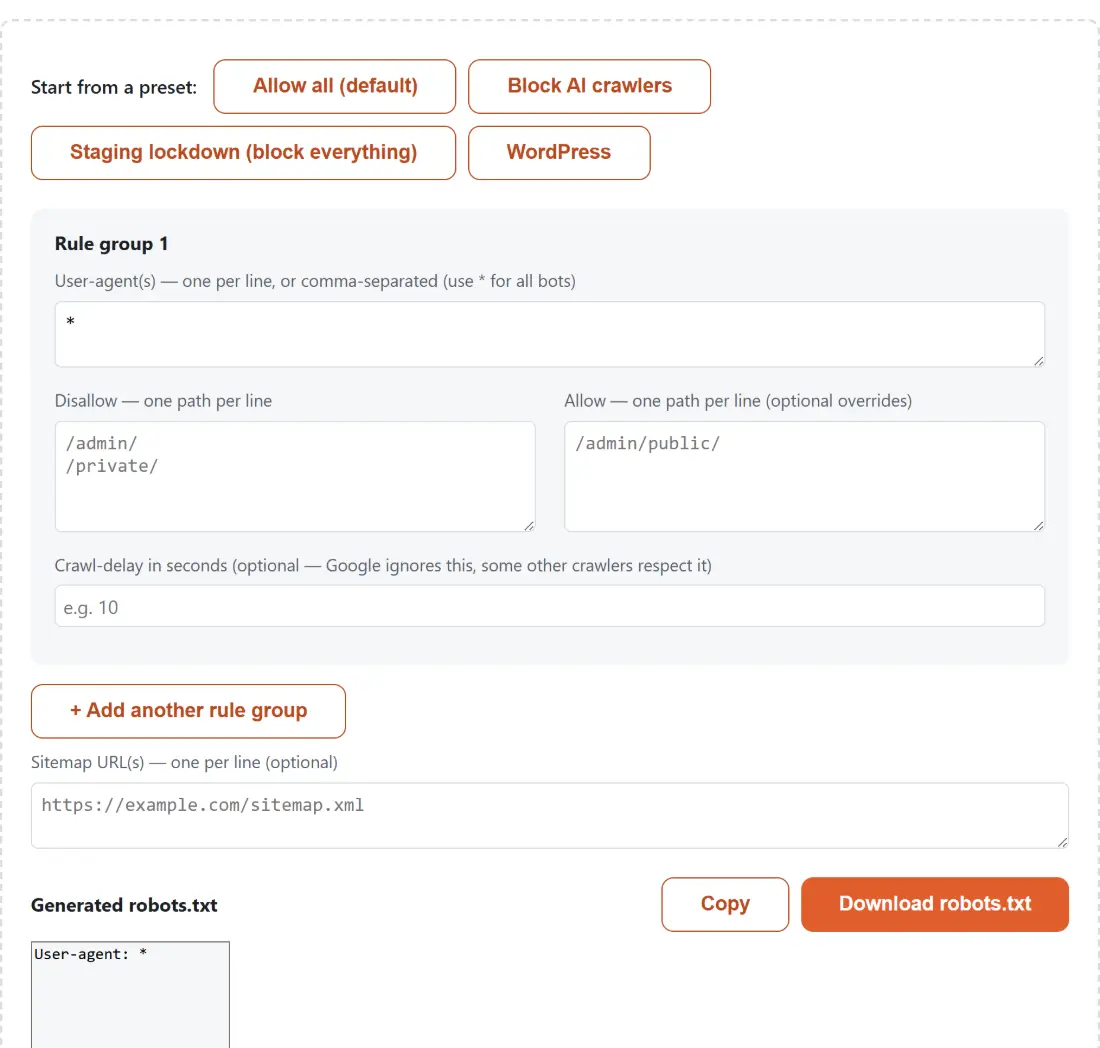
- Start from a preset. “Allow all” is the open baseline, “Block AI crawlers” loads the eleven
AI user-agent tokens into a single shared rule group, “Staging lockdown” blocks everything for
every bot, and “WordPress” sets up the
/wp-admin/plusadmin-ajax.phppair described above. - Edit the rule group. User-agents accept commas or one per line; Disallow and Allow take one path per line. Blank lines are dropped, and a group with no user-agent at all is skipped entirely rather than emitting orphaned rules.
- Add more groups if different bots need different treatment, for example an open
*group plus a stricter group naming one crawler. - List your sitemap URLs. They are written as
Sitemap:lines at the end of the file, which is valid anywhere but conventional there. - Test the paths you care about, then copy or download the result.
The finished file has to be named exactly robots.txt and served from the root of the host it
applies to, as in https://example.com/robots.txt. A crawler will never look in a subfolder for
it, and rules on one host do not apply to another; a subdomain needs its own file. While you are
assembling a site’s launch checklist, Schema Markup Generator covers
the structured-data side, Privacy Policy Generator the legal page,
and SERP Pixel Counter checks whether your titles survive Google’s width
limit.