An expression box, not a row of buttons
The button-at-a-time calculator is a hardware compromise from the 1970s. It hides what you have entered, it makes correcting a mistake mean starting over, and it gives you no way to check that the machine understood the same expression you did.
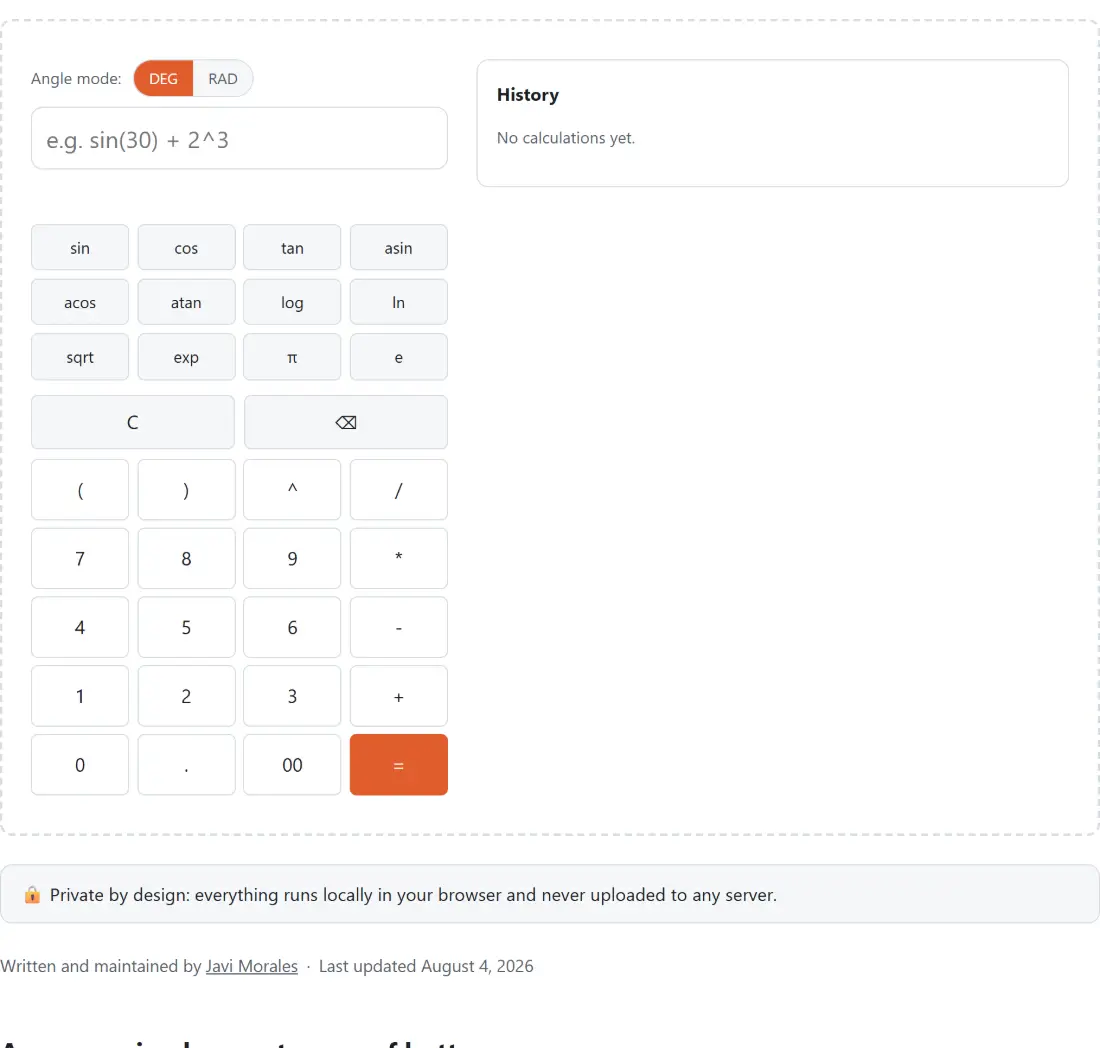
Here the whole expression lives in a text field and the answer updates underneath it as you type. You can see the brackets. You can go back and fix a digit in the middle. You can select the whole thing, copy it, and paste it into an email so somebody else can check your working.
The keypad and the function buttons are still there, but they insert text into that field rather than pushing state into a hidden machine. On a laptop, typing is faster.
Working out a trig expression
- Set the angle mode by clicking DEG or RAD. This affects trig functions in both directions.
- Type into the expression box. The placeholder shows the shape it expects, with a function call and a power.
- Watch the line under the box. While the expression is valid it shows the running answer with an equals sign in front of it.
- Use the function buttons for sin, cos, tan, asin, acos, atan, log, ln, sqrt and exp, plus the two buttons that insert pi and e.
- Press Enter, or the equals key on the keypad, to commit the calculation to the history list.
- C clears the expression, and the backspace key removes the last character.
- The History panel keeps your recent calculations. Its Clear button empties it.
The two constants are typed as pi and e. There is no implicit multiplication, so two times pi has to be written with an explicit operator between them.
Precedence, spelled out
Getting this right is the whole job of a calculator, so here is the exact order, from the tightest binding outward.
Brackets, function calls, numbers and constants come first. Then the power operator, which associates right to left, so a stacked exponent resolves from the top down. Then unary plus and minus, which sit deliberately below the power operator, which is why negating a square gives a negative answer. Then multiplication and division, left to right. Then addition and subtraction, left to right.
Two consequences catch people out. Two times three squared is eighteen rather than thirty-six, because the exponent is resolved before the multiplication. And ten minus three minus two is five rather than nine, because subtraction groups from the left.
A unary sign can also stack or sit directly after another operator, so a double negative resolves to a positive and multiplying by a negative works without brackets.
Errors that name the problem
Every failure comes back as a sentence rather than as a number you cannot trust. There is no path that returns a silent NaN or an infinity.
Division by zero is reported as division by zero. The square root of a negative number, a logarithm at or below zero, and an inverse sine or cosine outside the range of minus one to one each report their own domain rather than a generic complaint. A negative base raised to a fractional power is reported as having no real result, which is the honest answer for a calculator that works in real numbers.
Syntax problems are just as specific. A missing operator or a mismatched bracket is reported as an unexpected token, quoting the character where the parser stopped, so you can see exactly what confused it.
Twelve significant figures, and why
Results are rounded to twelve significant figures before they are shown. That is well beyond what any practical calculation needs, and it quietly removes the artifacts of binary floating point arithmetic.
The sine of thirty degrees is a good example. The underlying computation lands a hair under a half, at a value whose last decimal places are wrong. Rounded to twelve figures it prints as exactly 0.5, which is the answer you were looking for. A tenth plus two tenths prints as 0.3 for the same reason. A result that rounds to nothing prints as a plain zero rather than a negative one.
When another tool fits better
For a specific equation shape rather than a free expression, Quadratic Equation Solver takes three coefficients and gives you both roots, the discriminant and the vertex, including the complex case this calculator declines to enter.
For arithmetic that must stay exact rather than decimal, Fraction Calculator works in fractions throughout. For the three ways of phrasing a percentage question, Percentage Calculator is more direct than typing the division yourself. And if the point is to write the formula rather than evaluate it, LaTeX Equation Editor renders it properly. The rest is on the calculators hub.