Two rational numbers, and the four things done to them
Everything on this page is exact rational arithmetic. Each side of the calculation is turned into a single improper fraction first, the operation runs on integer numerators and denominators, and only at the very end is a decimal produced for convenience. No floating point creeps into the answer itself, which is why 1/2 plus 1/3 comes back as 5/6 rather than as 0.8333333333333334.
Addition and subtraction need a shared denominator, found as the least common multiple of the two inputs. Multiplication runs straight across. Division flips the second fraction and multiplies. The report walks through whichever of those routes applies, then reduces the outcome by its greatest common divisor. That divisor comes from the Euclidean algorithm already written and tested for the Aspect Ratio Calculator, imported here rather than written a second time, which is a small thing that removes an entire class of copy-paste bug.
Filling the seven number boxes, and what an emptied one becomes
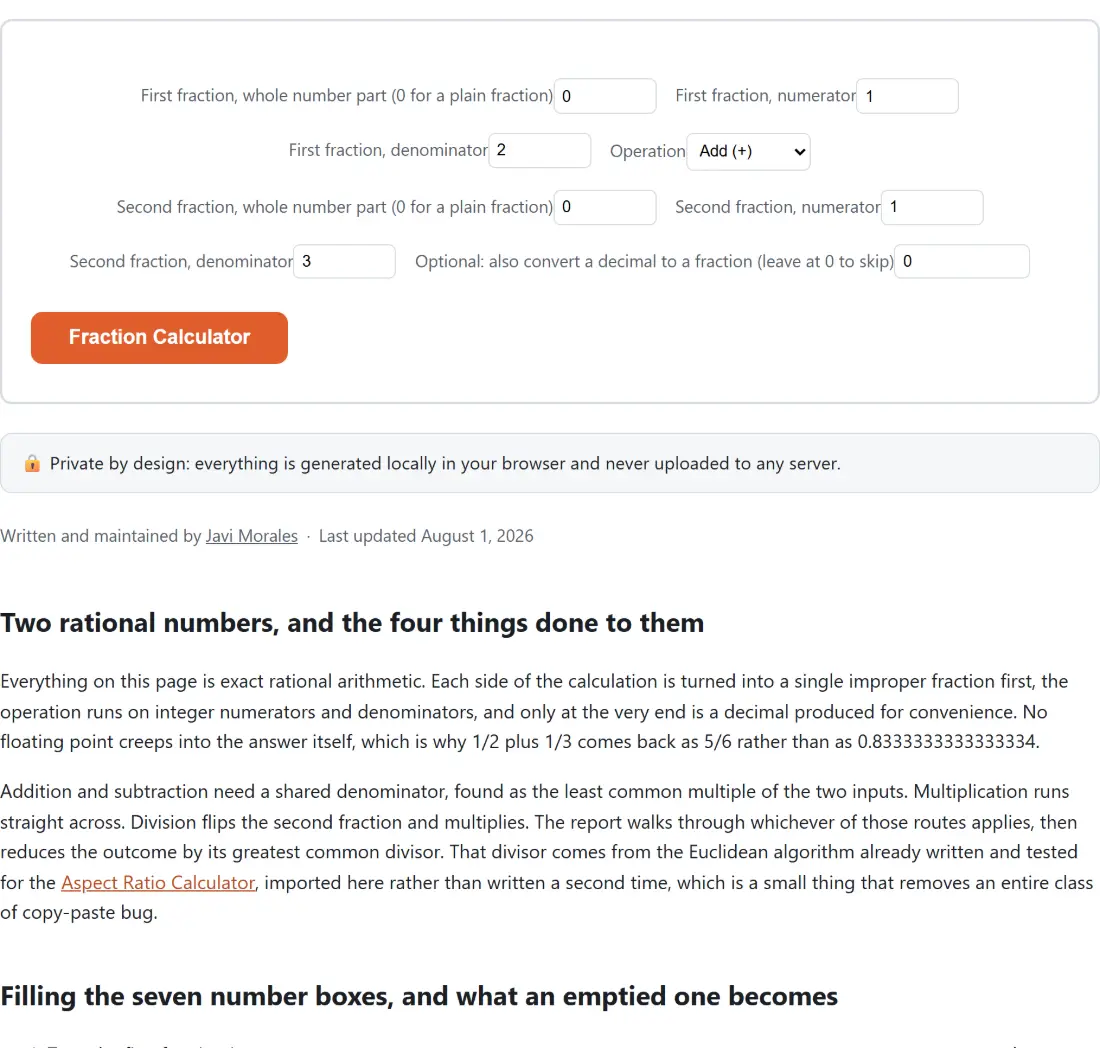
- Type the first fraction into
First fraction, whole number part (0 for a plain fraction),First fraction, numeratorandFirst fraction, denominator. - Pick one of
Add (+),Subtract (−),Multiply (×)orDivide (÷)under Operation. - Type the second fraction into
Second fraction, whole number part (0 for a plain fraction),Second fraction, numeratorandSecond fraction, denominator. - Optionally type a value into
Optional: also convert a decimal to a fraction (leave at 0 to skip), which runs as an entirely separate conversion. - Press the action button, labelled with the page’s own name, Fraction Calculator.
Two behaviours are worth knowing before you trust an odd-looking answer. An emptied number box is read as zero, so clearing a denominator does not restore the value it started with, it produces a denominator of 1, and your fraction quietly becomes a whole number. And fractional entries are rounded to integers first, so typing 2.6 into a denominator gives you a denominator of 3.
Multiply and divide skip straight from step 2 to step 4
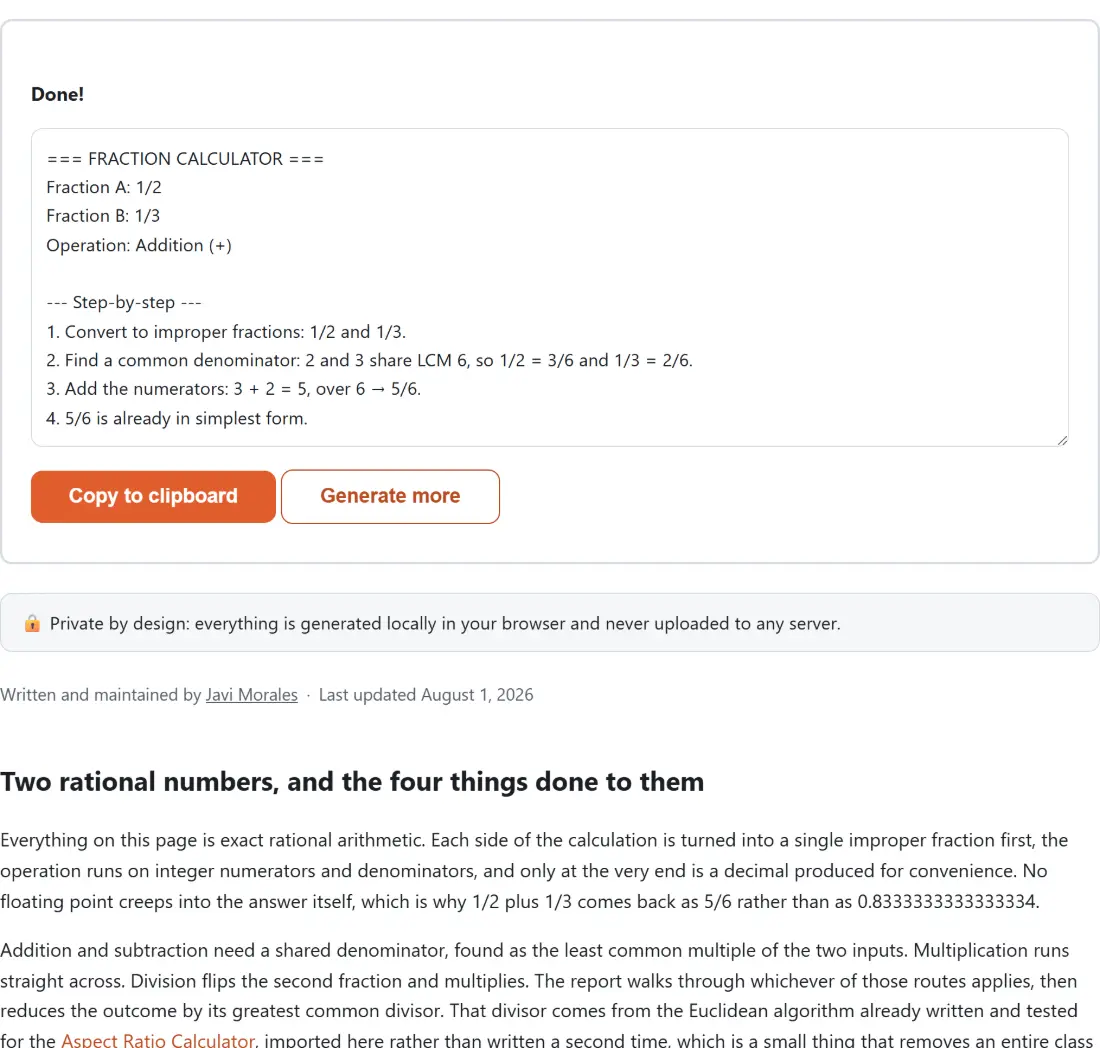
Run the defaults, 1/2 plus 1/3, and the working reads as steps 1, 2, 3 and 4: convert to improper fractions, find that 2 and 3 share the least common multiple 6, add 3/6 and 2/6 to make 5/6, and confirm 5/6 is already in simplest form.
Now switch to multiplication with 3/4 and 2/3. Step 1 converts, step 2 multiplies across to give 6/12, and the next line printed is step 4, simplifying 6/12 to 1/2 by dividing both parts by 6. There is no step 3. The simplification line is hard-coded with the number 4 because addition and subtraction always fill that slot, and multiply and divide do not. The arithmetic is complete and correct; only the numbering has a hole in it. Division behaves the same way: 5/8 divided by 1/4 prints a step 2 showing the reciprocal, then jumps to step 4 to reduce 20/8 to 5/2, and finishes with the answer as the mixed number 2 1/2 alongside the improper form and a decimal of 2.5.
One display detail in the division line surprises people. The reciprocal of 1/4 is 4/1, and a fraction with a denominator of 1 is printed as a bare integer, so the line literally reads that 5/8 is multiplied by 4. That is correct, just terser than a textbook would write it.
The decimal box that refuses to guess 1/3
The last field is a second, independent calculator that converts a finite decimal to the exact fraction those digits represent. It reconstructs the fraction from the digit count rather than by multiplying by powers of ten, which is what keeps a value like 0.1 from picking up binary rounding noise on the way in.
The honest consequence is that 0.375 comes back as 3/8, while 0.333 comes back as 333/1000. Three digits cannot tell anyone whether you meant a decimal that stops or a decimal that repeats, and the tool prints a note saying exactly that instead of quietly deciding you meant a third. If you genuinely want a third, enter it as a fraction in the main fields. If the question is really about percentages rather than fractions, the Percentage Calculator covers X% of Y, what percent one number is of another, and the change between two values.
Negative results, and the minus zero that never appears
Because both numerator fields floor at zero and both denominator fields floor at one, the only route to a negative answer is subtraction. Ask for 1/2 minus 3/4 and the report returns -1/4 with a decimal of -0.25.
That is less trivial than it looks. Converting a negative proper fraction back to a mixed number by truncating the division produces the JavaScript value negative zero for the whole-number part, and turning negative zero into text gives you a plain “0”, silently deleting the minus sign from the displayed answer. This module works on the absolute value and tracks the sign as a separate flag, so a negative proper fraction keeps its sign all the way to the screen. Mixed numbers such as 2 3/4 minus 1 5/6 come out as 11/12 with the same machinery, no special case required.
When the whole report collapses to a single line
Division by a fraction that evaluates to zero is the one input that collapses the report. Leave the second whole-number box at 0, set its numerator to 0 as well, choose divide, and instead of a NaN or an Infinity you get the report heading followed by one sentence saying it cannot divide by zero because the second fraction is 0. The fraction lines and the entire step-by-step block are dropped along with it, because the error replaces the report rather than being appended to it.
For anything that needs more than rational arithmetic, logarithms, exponents or trigonometry, the Scientific Calculator is the tool to reach for, and the calculators guide sets out which of the everyday maths tools here answers which kind of question.