LaTeX is how mathematics is written, and almost nowhere you want to show mathematics can read it. Google Slides has no math input at all. PowerPoint and Google Docs have equation editors that work nothing like a source file. Forums, issue trackers, Notion, Discord, WordPress, job applications and email land somewhere between plain text and a thin slice of Markdown. The reliable answer has been the same for twenty years: turn the equation into a picture and paste the picture.
KaTeX draws the preview, so KaTeX decides what parses
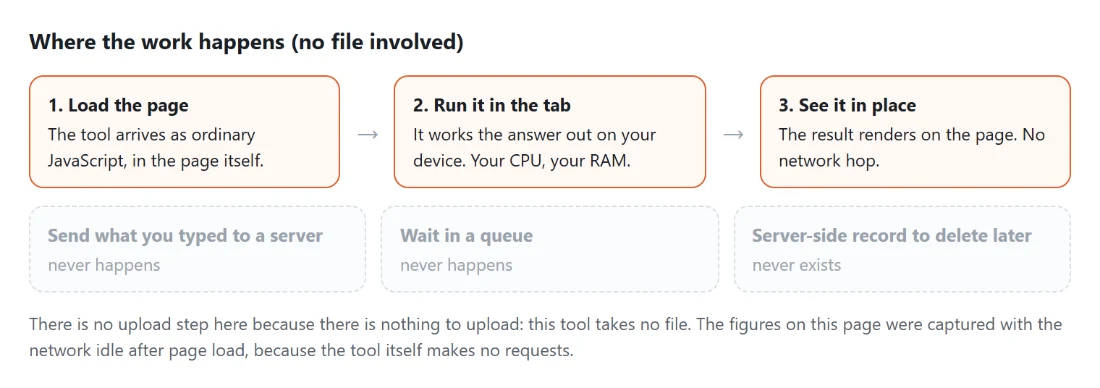
The renderer here is KaTeX 0.18.1, the MIT-licensed typesetting engine Khan Academy built for the web. It runs as ordinary JavaScript in the page, with no WebAssembly and no worker, which is why the preview keeps up with your typing and re-renders on every keystroke.
It implements a large subset of LaTeX’s math mode rather than the whole language. In practice that boundary is easy to feel. \frac, \sqrt, \sum, \int, \lim, \begin{pmatrix}, \begin{cases}, \begin{aligned} and \newcommand all render. \begin{tikzpicture} does not, and reports “No such environment: tikzpicture”. A misspelled command reports “Undefined control sequence” with the offending name, and an unclosed brace reports “Unexpected end of input in a macro argument”. Those messages come straight from the parser rather than being replaced with a generic banner, which makes fixing a long formula much faster than it sounds.
The important consequence is that the preview is a promise. What renders is exactly what exports, because the export path calls the same renderer on the same string.
A palette of sixty-two buttons, and six starting points
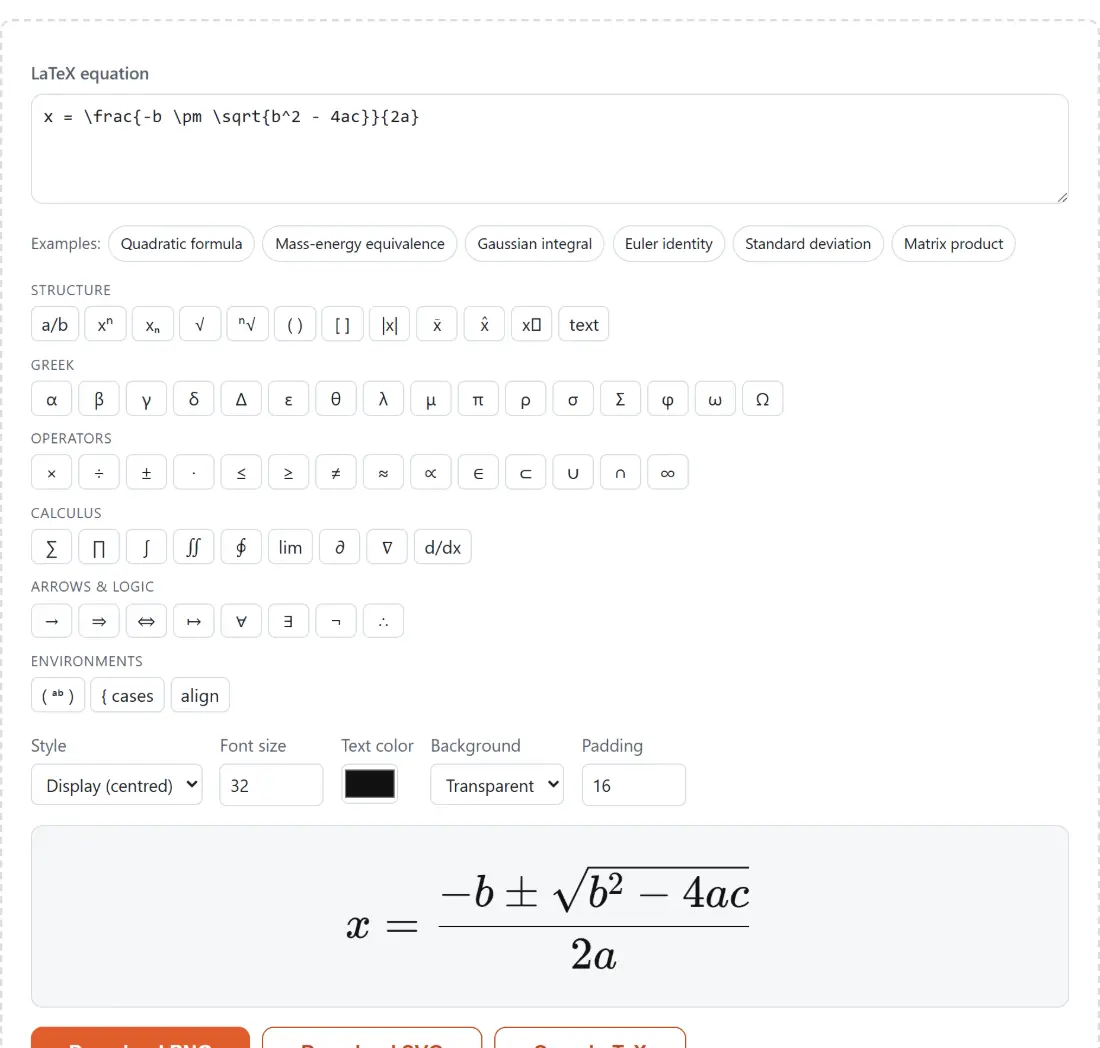
The box does not open empty. It starts on the quadratic formula, so there is something rendering before you have typed anything, and six example chips (quadratic formula, mass-energy equivalence, the Gaussian integral, Euler’s identity, standard deviation and a matrix product) replace the contents in one click.
Under those sit six labeled palette groups: Structure, Greek, Operators, Calculus, Arrows & logic, and Environments. Between them they hold sixty-two buttons. Clicking one inserts its LaTeX at the caret rather than at the end, replacing your selection if you had one, and for structural snippets the caret lands where you need to type next. Pressing the fraction button inserts \frac{}{} and drops the caret inside the numerator, six characters in, so you can type the top of the fraction immediately.
Going from an empty box to a downloaded file
- Type into the box labeled LaTeX equation, or press an example chip to load a complete formula and edit from there.
- Build up the parts you do not remember from the palette. Every snippet is a real, valid fragment, so a click never breaks the preview.
- Choose Style. The options are Display (centred), which gives sums, integrals and fractions their full height, and Inline, the compact form meant to sit inside a line of running text.
- Set Font size (12 to 120), Text color, Background and Padding (0 to 200). Background offers Transparent, which is the default, and Solid color, which reveals a color picker next to it.
- Press Download PNG or Download SVG. The files are named equation.png and equation.svg. Copy LaTeX puts the source itself on your clipboard if what you actually wanted was the code.
PNG and SVG are not interchangeable here
The PNG is a flat raster captured at twice the on-screen size, with a genuinely transparent alpha channel when the background is left transparent. It is the one to use for a slide, a document, a forum post or anything that will be opened by software you cannot predict.
The SVG is more interesting and more limited. KaTeX has no vector output mode of its own, since it lays out glyphs with HTML and CSS rather than drawing paths, so the SVG wraps that same rendered HTML in a foreignObject element together with the stylesheet and fonts. The text stays real, resolution-independent text and the file scales to any size. The catch, stated plainly because it will otherwise waste your afternoon: foreignObject is an HTML-in-SVG feature that browsers implement and standalone vector editors do not. Illustrator, Inkscape and Figma will open the file and show you nothing useful. Use the PNG for those, and the SVG for the web and for anything that will be rendered by a browser engine.
If you need the image as a data URI rather than a file, the exported PNG or SVG can be dropped straight into Image to Base64, which accepts both and hands back ready-made HTML and CSS snippets. For prose that surrounds the equation, Markdown to HTML converts the rest of the document.
The fonts travel inside the export
Both exports embed the typefaces. Before capturing anything, the tool reads the KaTeX font families the live preview actually applied, pulls just those faces out of the stylesheet, and rewrites them as base64 data URIs inside a self-contained document. The PNG is then captured from that document with html2canvas, inside an off-screen frame sandboxed without scripting; the SVG serializes the same document and keeps the embedded faces in the file.
That is why the SVG is heavier than a hand-drawn vector of the same formula and why it renders identically on a machine that has never installed KaTeX, including when it is loaded through an image tag, which is the strict case where an SVG may not fetch anything external. It is also why nothing is requested from a CDN while you work: the fonts are same-origin assets emitted by this site’s own build.
Practical notes for a clean result
Raise the font size rather than scaling the PNG afterwards. Leave a little padding, since a tight bounding box clips descenders and radical hooks in some viewers. Keep the background transparent unless you know the exact color it will sit on, and switch to a solid color when the equation has to stay readable over a photograph.
Display style is the right default for a standalone image; inline style is worth choosing when the picture will be dropped mid-sentence, because it keeps operators at text height instead of towering over the line. For the other export-an-image tools on this site, including the Word Cloud Generator which offers the same PNG and SVG pair, see the generators hub.