Three questions that all sound like one question
Ask a hundred people what a percentage calculator does and you will get one answer. Watch what they actually type and you will get three, and they are not interchangeable.
The first is a slice: what is 10% of 200? Multiply, divide by a hundred, done. The second is a ratio: 50 is what percent of 200? Divide, then scale up. The third is a comparison across time: my rent went from 900 to 1,050, how much is that in percent? Same word, three different formulas, and the middle one is the one people most often reach for when they meant the third.
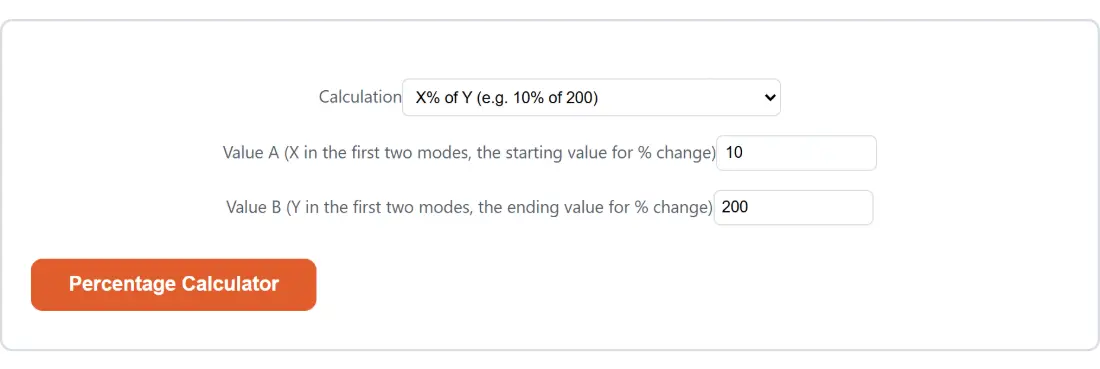
The Calculation dropdown makes you name which of the three you want before anything else happens. That is deliberate. A single box that guesses from context is how a spreadsheet ends up quietly reporting the wrong one of the three and nobody notices until the figure is already in a meeting.
Working out a rent increase from start to finish
- Open the Calculation dropdown and choose Percentage increase/decrease from A to B.
- Put the old figure in Value A (X in the first two modes, the starting value for % change). For the rent example that is 900.
- Put the new figure in Value B (Y in the first two modes, the ending value for % change), so 1050.
- Click Percentage Calculator. There is no upload and no waiting; the arithmetic finishes before the button finishes animating.
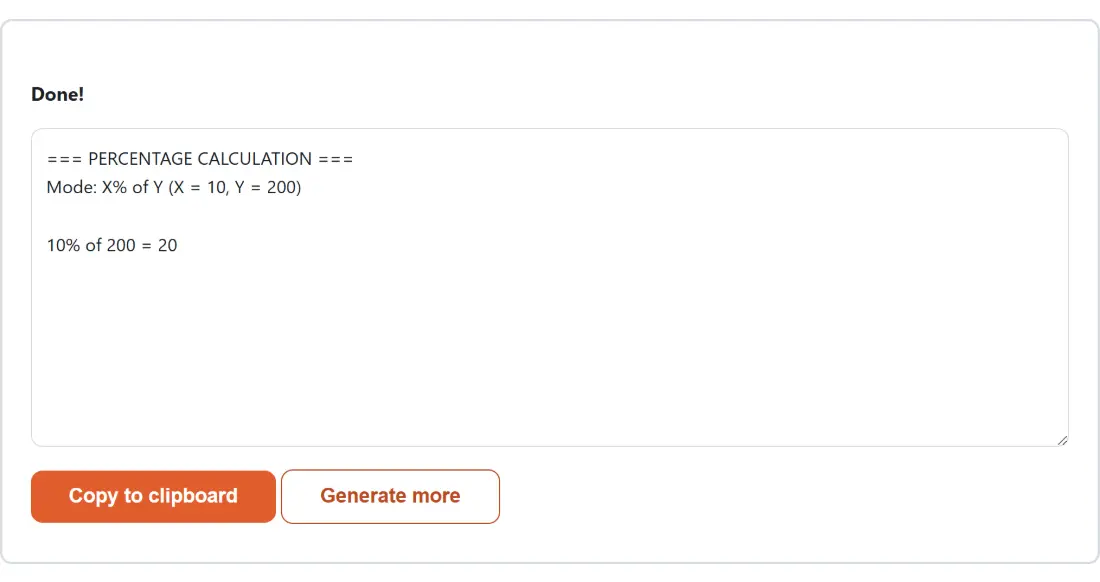
- Read the line under Done!. It restates the mode and both inputs, then gives the answer: from 900 to 1050 = +16.666667% (increase).
- Copy to clipboard takes the whole block, header line included. Generate more clears the result and puts the option boxes back so you can try the next figure.
The result is a block of plain text, not a downloadable file. That suits the job: you are almost always pasting this into a message, a spreadsheet cell or a note, and the header line gives whoever reads it later enough context to know what was calculated.
Increase and decrease are not mirror images
The formula is (B minus A), divided by A, times 100. Everything that surprises people about percentage change comes from that lone A in the denominator.
Go from 100 to 150 and you get a 50% increase, because 50 is half of the starting 100. Come back down from 150 to 100 and you get a 33.333333% decrease, because the same 50 is only a third of the starting 150. A price that rises 20% and then falls 20% does not return to where it began; it lands 4% below. If you need the two directions to agree you are not looking for percentage change at all, you are looking for a ratio, which is what the second mode gives you.
A positive result is labelled an increase, a negative one a decrease, and an exact zero is labelled no change rather than being dressed up as a zero percent rise. Positive answers also carry an explicit plus sign so that a pasted figure cannot be misread as a fall.
Dividing by zero, without a red banner
Two of the three modes can be handed an impossible sum. Asking what percent 5 is of 0 has no answer, and neither does asking how much a value changed from a starting point of 0.
Both cases are caught and turned into a plain sentence that names the problem and tells you which box to change. That sentence appears in the result area, exactly where a number would have been. The reason it works this way is worth knowing: the shell around this tool replaces any thrown error with one fixed, generic apology, so a genuinely useful explanation would have been swallowed before you ever saw it. Folding the message into the output keeps the detail.
The first mode has no such case at all. Dividing by the constant 100 is always safe, so X% of 0 is simply 0.
Six decimals, and the noise they hide
Binary floating point cannot store a tenth exactly, which is why raw arithmetic in a browser occasionally produces answers with a rogue digit fifteen places out. Rounding every result to six decimal places removes that entirely while leaving legitimate repeating figures readable: a third of a hundred prints as 33.333333, not as 33.33 and not as 33.33333333333333. A result that rounds to nothing prints as a plain 0 rather than the negative zero the arithmetic would otherwise hand back.
Six places is also a deliberate ceiling on precision theatre. If your inputs are a rent figure and a rounded new rent figure, the seventh decimal place of the answer was never real information.
When a percentage is the wrong shape of answer
Percentages flatten things. For money split between people, Tip Calculator does the whole job in one pass, with presets at 15, 18, 20 and 25 percent and a split across up to a hundred people. For arithmetic that has to stay exact rather than decimal, Fraction Calculator adds, subtracts, multiplies and divides fractions and will also turn a decimal back into one.
If the two numbers you are comparing are in different units, convert before you calculate: Unit Converter covers length, weight, temperature, volume, area and speed. And for anything with a bracket, a power or a trig function in it, Scientific Calculator is the right box to be typing into. The full set lives on the calculators hub.