TOTP Code Generator

Turn a Base32 secret or an otpauth URI into a live TOTP code with a countdown ring, for testing 2FA integrations. The secret never leaves the page.

🌐 Español

0
Enter a Base32 secret to see a live code

This is a development/testing tool, not a replacement authenticator app. The code above is generated entirely on your device from the secret in the field — nothing is sent to a server, and the secret is never saved anywhere (it lives only in this page's memory and disappears the moment you reload or close the tab).

🔒 Private by design: everything runs locally in your browser and never uploaded to any server.

What a time based code actually is

The six digits an authenticator shows are not stored anywhere and not retrieved from a server. They are computed, on the spot, from two things: a shared secret both you and the service hold, and the current time.

The recipe is short. Take the current Unix time, divide it by the step length, usually thirty seconds, and floor it to get a counter. Compute a keyed hash of that counter using the secret. Take a few bytes from a position determined by the hash’s own last byte, mask off the sign bit and reduce the result to the required number of digits.

The server does exactly the same arithmetic with the same secret and the same clock, which is why the codes match without any communication. It is also why a device with a badly wrong clock fails to authenticate for reasons that look like nothing to do with time.

Generating a code

  1. Paste a Base32 secret into the secret field, or import an otpauth URI, or upload a setup QR image.
  2. Check the algorithm, digits and period. An import fills these in from the URI.
  3. The code appears immediately and refreshes on its own each period.
  4. Watch the ring for how long the current code remains valid.
  5. Use the copy control to put the code on your clipboard.

Why it is a testing tool and not an authenticator

Everything about how this page handles a secret is right for debugging and wrong for daily use.

The secret is typed into a visible field, held in memory only, and discarded on reload. There is no storage, no lock screen, no backup and no sync. If you closed the tab you have to paste it again.

For a developer that is exactly the correct set of properties. You are verifying that your server accepts the codes your library generates, or working out why a user’s codes are being rejected, and you want the secret gone the moment you are done. For your own bank account it is a poor arrangement, because a secret in a browser field is a secret that a screenshot, a shoulder or a shared machine can capture.

Importing rather than typing

Base32 is deliberately awkward to type. Its alphabet excludes the digits zero, one, eight and nine specifically to avoid confusion with letters, which means a paste of a digit heavy string is either correct or obviously invalid rather than subtly wrong. It also means a long secret is tedious and error prone to enter by hand.

So the import path is the one to prefer. An otpauth URI carries the secret and every parameter the service chose, and pasting it configures the whole tool in one action. If all you have is the setup QR image from the enrolment page, upload it and the same URI is read out of it, using the same decoding as QR Code Reader.

The import also refuses things clearly. A counter based URI is named as such rather than dismissed as malformed, because that distinction is the one that actually helps.

The parameters, and when they matter

Almost every service uses SHA-1, six digits and a thirty second period, and the defaults reflect that. SHA-1 here is not a weakness in the way it is for signatures, because the construction depends on the secret rather than on collision resistance.

The other combinations exist because a URI is allowed to specify them, and a testing tool that could only reproduce the common case would fail exactly when you most need it, which is when a service has done something unusual and your codes are being rejected. If you are checking a hash independently, HMAC Generator computes the same keyed hashes directly, and if you need to inspect an encoded value along the way, Base64 Decode is on hand.
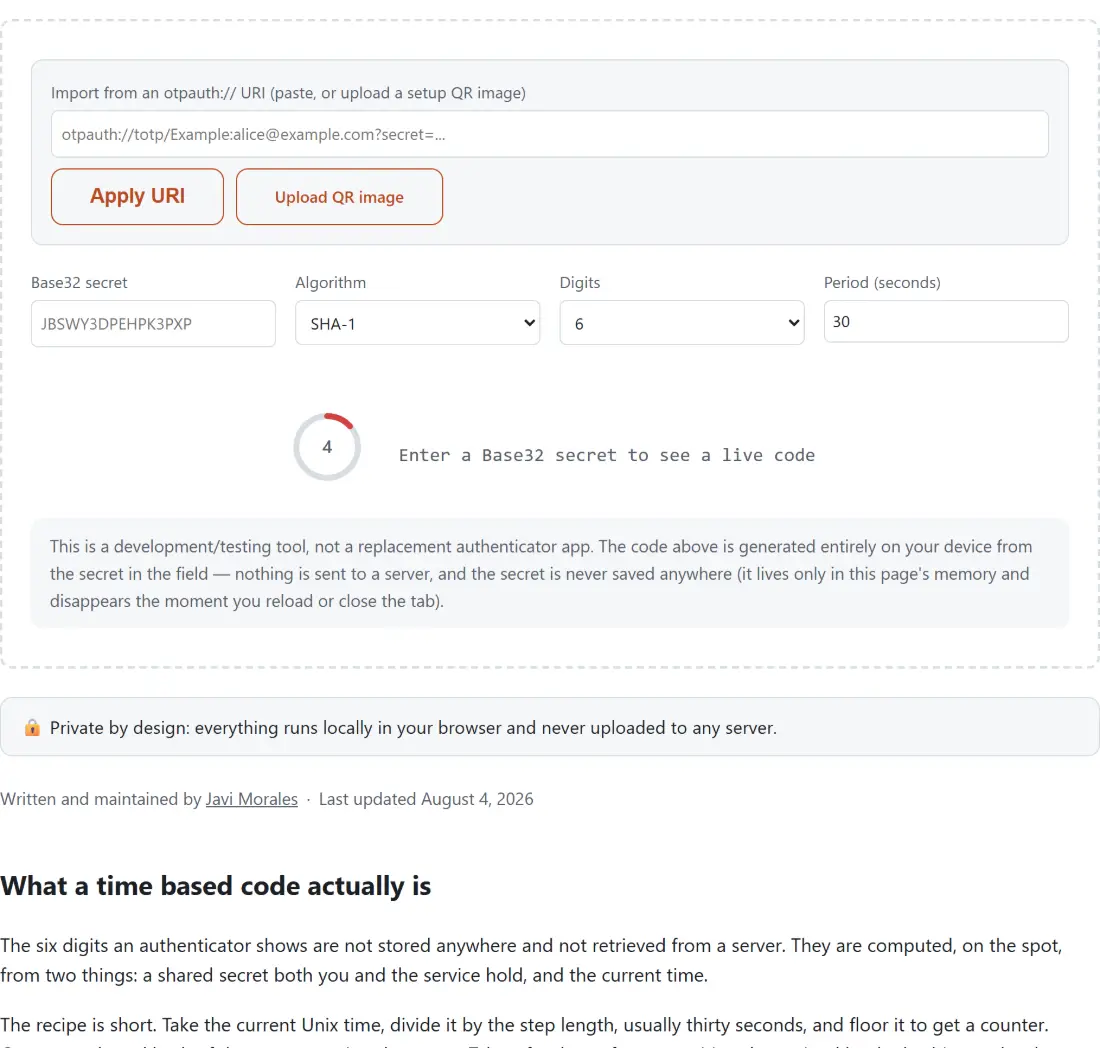
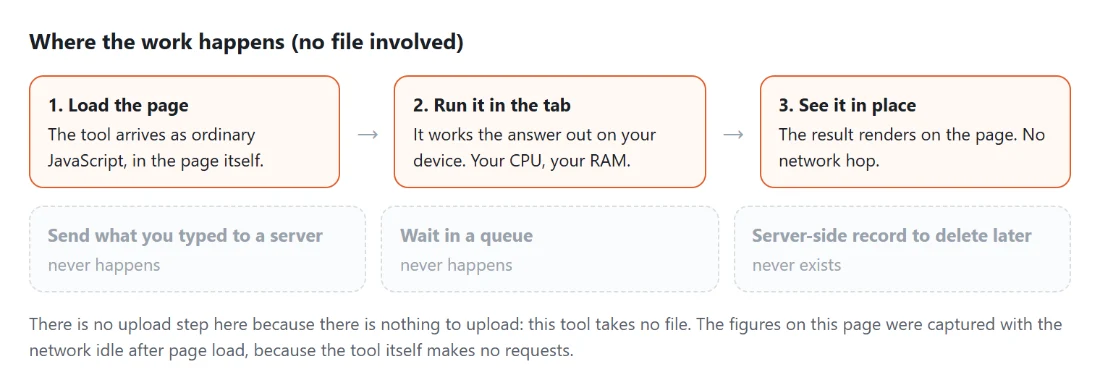
See it in action

Screenshot of the TOTP Code Generator tool with a two-factor code generator seeded from an otpauth:// URI, a scanned setup QR image or a Base32 secret typed directly, with SHA-1, SHA-256 or SHA-512 and 6 or 8 digits
TOTP Code Generator mid-process: a two-factor code generator seeded from an otpauth:// URI, a scanned setup QR image or a Base32 secret typed directly, with SHA-1, SHA-256 or SHA-512 and 6 or 8 digits.
Diagram: where the work happens on a SysFenix page that has no file input at all: the tool arrives as ordinary JavaScript inside the page, works the answer out on your own device and renders it in place, so the upload, queue and server-side record a typical online tool needs never happen
Where the work happens on a SysFenix page that has no file input at all: the tool arrives as ordinary JavaScript inside the page, works the answer out on your own device and renders it in place, so the upload, queue and server-side record a typical online tool needs never happen.

Frequently asked questions

Should I use this instead of an authenticator app?

No, and the page says so under the code. This is a development and testing tool. A real authenticator keeps your secrets in device backed storage, behind a screen lock, and never exposes them as text you can select. Here the secret sits in a visible field on a web page. That is exactly what you want when you are debugging an integration and exactly what you do not want for your own accounts.

Where does my secret go?

Nowhere. It lives only in the page's memory for as long as the tab is open. It is not saved to browser storage, not put in the address bar, and not transmitted, so reloading or closing the tab loses it completely. That is deliberate rather than an omission, because a secret persisted anywhere is a secret that outlives the debugging session you needed it for.

What can I paste in besides a raw secret?

A full otpauth URI, either pasted as text or read from an uploaded setup QR image. Importing that way pulls out the secret along with the algorithm, digit count and period recorded in the URI, so a service using something other than the defaults is configured correctly without you having to read the parameters yourself. The QR path uses the same image decoding as the QR reader elsewhere on this site.

What if I paste a counter-based URI by mistake?

It is refused with a message saying so, and the message distinguishes that case from a URI that is simply malformed. Counter-based one time passwords advance on use rather than on time, so they cannot be generated from a clock and a secret alone. Since these two URI types look nearly identical at a glance, telling them apart explicitly is more helpful than a generic parse failure.

Which algorithms, digit counts and periods are supported?

SHA-1, SHA-256 and SHA-512 for the hash, any positive digit count, and any positive period in seconds. The defaults are SHA-1, six digits and thirty seconds, which is what the overwhelming majority of services use. The others exist because a URI is allowed to specify them and a testing tool that could not reproduce a real URI's settings would be no use.

Is the code generation actually correct?

It is checked against the published reference vectors in the specification, for all three hash algorithms rather than just the minimum one required, and cross checked against an independent implementation built on the platform's own cryptographic library. The hash step itself is shared with the HMAC tool on this site rather than reimplemented, so there is one implementation to be right rather than two to disagree.

What is the ring around the code showing?

The seconds left in the current time step, drawn as a shrinking arc with the number in the middle, and it changes appearance as it runs low. A code is only valid within its window, so knowing you have four seconds left rather than twenty is the difference between pasting it successfully and having it rejected while you wonder why.

Related tools