A keyed hash proves who, not just what
A plain digest tells you a message has not changed. It does not tell you who produced it, because anybody can compute one. HMAC closes that gap by folding a shared secret into the hash computation, twice, through a defined construction of inner and outer padded keys. The result proves two things at once: the message is intact, and whoever produced the signature held the key.
That is why it sits under almost every webhook you will ever integrate. The provider signs the raw body with a secret only the two of you know and sends the digest in a header; your server recomputes it and compares. Request-signing schemes work the same way. The whole mechanism is public, repeatable and offline, which is exactly what makes a page like this useful for debugging one.
Message first, secret second
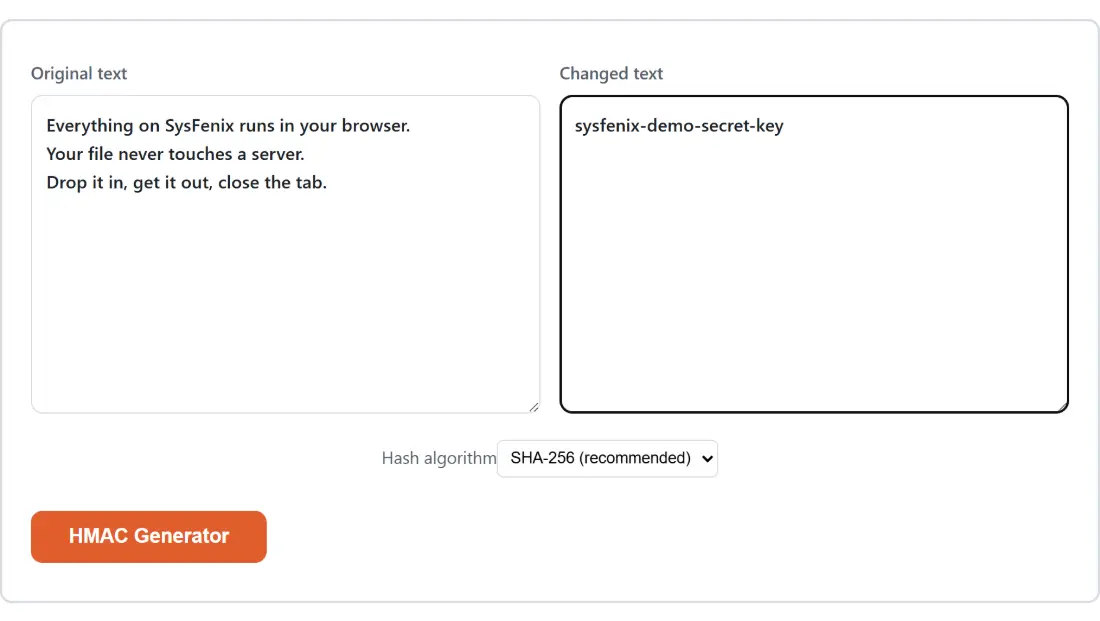
The layout here is the site’s two-textarea comparison shell, reused because no single-box tool can express a message and a key. The labels come with it and are not descriptive of this page. Original text holds the message you are signing. Changed text holds the secret.
Order matters more than it looks. HMAC is not symmetric, so swapping the two boxes does not produce the same digest, it produces a valid signature of the wrong thing. If a comparison fails and both values look right, check that they are in the boxes you think they are.
From two pasted boxes to a digest you can compare
- Paste the exact message into Original text. For a webhook, that means the raw body as received, not a pretty-printed copy.
- Paste the shared secret into Changed text.
- Set Hash algorithm. It opens on SHA-256 (recommended), which is what current providers use; SHA-1, SHA-512 and MD5 are there for systems that predate that consensus.
- Click the action button, which carries this page’s own name, HMAC Generator.
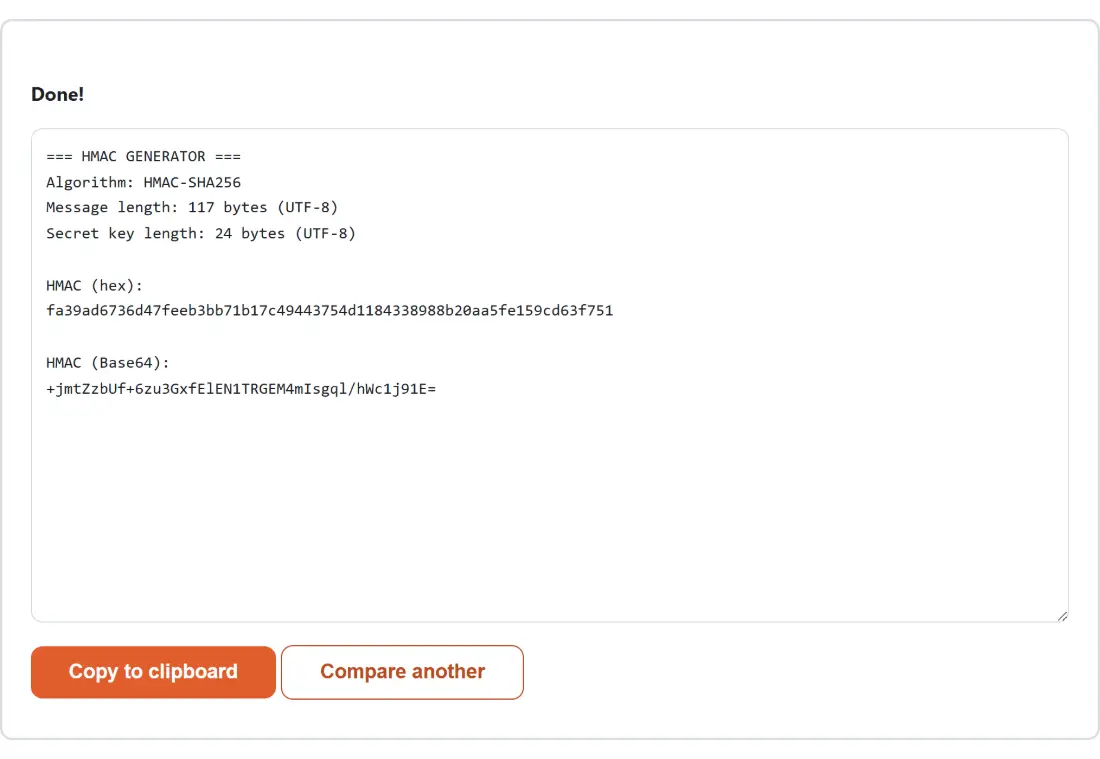
- Read the digest in hex and in Base64, then click Copy to clipboard.
Signing the message {"id":42} with the key whsec_test under SHA-256 returns the hex digest b3ea21c5b739c2a5e8d465ddb8d3cf2b8686ac6a82343abee0d2d2209d149f12, and above it the report notes a 9-byte message and a 10-byte key. Every value in this paragraph came from running the module and checking it against Node’s own crypto.createHmac, not from writing down something plausible.
Hex, standard Base64, and the Base64URL a JWT carries
The same digest is printed twice because providers disagree about how to transport it. The hex form is 64 characters for SHA-256, 40 for SHA-1, 128 for SHA-512 and 32 for MD5, and it is the more common choice in signature headers. The Base64 form is shorter and turns up in older APIs and in anything token-shaped.
Be careful with that second one. The Base64 of the example above is s+ohxbc5wqXo1GXduNPPK4aGrGqCNDq+4NLSIJ0UnxI=, and the plus signs and the trailing equals sign are the giveaway: that is standard Base64. A JWT’s third segment is Base64URL, which replaces plus with minus, replaces slash with underscore, and drops the padding entirely. So this page’s output will never look identical to a token’s signature segment until you make those substitutions. The JWT Generator actually imports this page’s Base64 helper and then runs exactly that conversion on top of it, which is a neat way to see that the difference really is only in the alphabet. Decode a token’s header with the JWT Decoder to confirm which HS algorithm it declares before you try to reproduce its signature by hand.
Where HMAC-MD5 fits, and the gap that made it hand-written
Three of the four algorithms go through the browser’s own Web Crypto API, the same built-in implementation the SHA-256 Hash Generator uses, though that page asks it for a plain unkeyed digest while this one imports the secret as a key and signs with it. MD5 could not go that route, because Web Crypto deliberately does not offer MD5 at all. HMAC is a construction applied on top of a hash rather than a mode of the hash itself, so supporting it meant writing the inner and outer padding by hand around a small MD5 library.
That is the sort of code that fails quietly, and the first attempt did fail: the library’s convenient string API re-encodes its input as UTF-8, which corrupts the raw pad bytes that have to flow back into the hash untouched. Switching to its raw-buffer API fixed it, and the fix was only visible because every algorithm was checked against Node’s own implementation before shipping rather than eyeballed. Note also that this stays a keyed construction and not a password hash. For storing a password, a deliberately slow function is the right instrument, which is what the Bcrypt Hash Generator & Verifier provides.
Whitespace, re-serialised JSON, and other reasons a check fails
When a signature comparison fails, the message is the usual culprit. Frameworks that parse a JSON body and hand you an object have already destroyed the exact bytes that were signed, because re-serialising changes spacing and can reorder keys. Capture the raw body before parsing, or read it from a request log, and paste that. Pretty-printing a payload with the JSON Formatter & Validator will change its digest for the same reason, so keep the formatted copy for reading and sign the original.
Two smaller traps are worth naming. Trailing newlines count, and a copy out of a terminal often adds one. And the secret must be the raw secret string, not a decoded or re-encoded version of it, unless the provider explicitly documents otherwise.
Nothing typed here is transmitted anywhere. The keyed computation happens in the tab, which for a page whose second input is a live credential is the only sensible arrangement, and it is the same reasoning behind the TOTP Code Generator, whose one-time codes are an HMAC of the clock. The rest of the hashing and encoding set lives in the developer tools category, and the complete developer tools guide puts them in order.