Picking a name is a search problem
The difficulty with a username is not inventing one, it is inventing one that is not taken. Every name you would naturally think of, on any platform with a decent user base, went years ago. So the real activity is generating candidates quickly and testing them, and the bottleneck is the generating.
That is what this page is for. Fifty candidates at a time in a consistent style, which you scan, shortlist, and then check on whichever platform you actually care about. Producing candidates and verifying them are separate jobs, and this tool only does the first.
Generating a batch
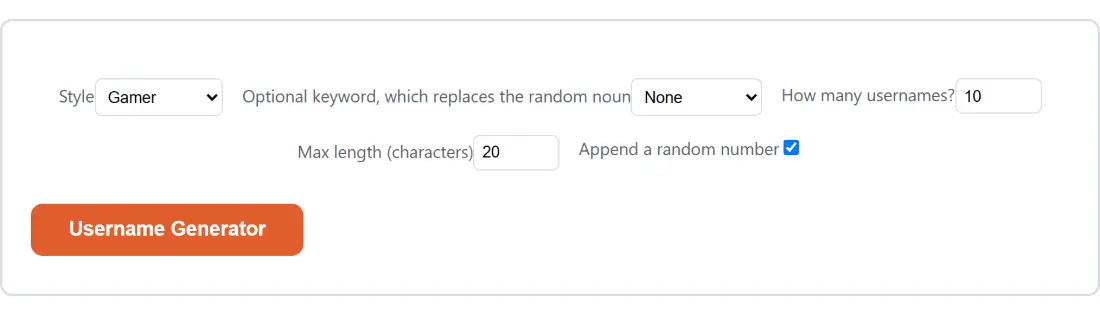
- Pick a Style. It changes the vocabulary entirely, not just the tone.
- Optionally pick a keyword to build the names around a theme.
- Set How many usernames? anywhere from 1 to 50.
- Set Max length (characters) to match the platform you are targeting.
- Leave the number suffix on unless you want cleaner names and expect more collisions.
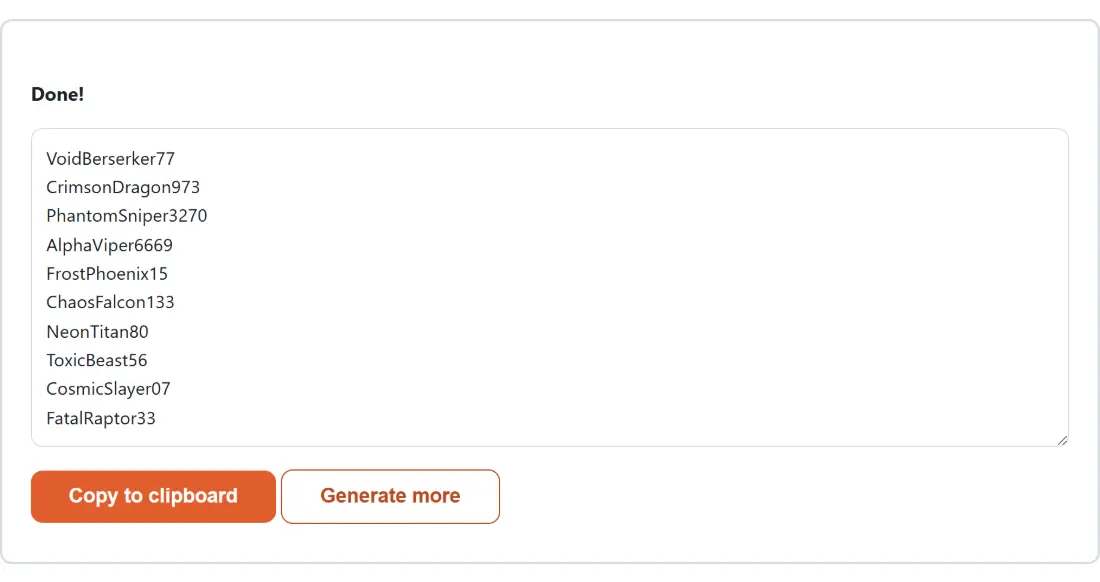
- Generate, scan the list, and copy or download the ones worth checking.
Three separate vocabularies
The styles are not one word list with three filters. Each has its own thirty adjectives and thirty nouns, and the three sets were checked to contain no shared words at all in either half.
That matters because the alternative, which many generators use, is a single pool with a light stylistic tag, and the result is that every style produces recognisably the same names. Here a gamer name and a professional name have nothing in common, which is the whole point of offering the choice.
Thirty by thirty gives 900 pairings per style before the number suffix, and the suffix multiplies that considerably. A batch of fifty from one style is nowhere near exhausting the space, so regenerating gives genuinely new results rather than reshuffling the same handful.
What the number suffix is really for
Names with trailing digits look worse and work better, and the trade is worth being explicit about.
A bare adjective and noun pairing from a nine hundred combination space is very likely to be taken on any large platform, because everybody else’s generator is drawing from a similar vocabulary. Adding two to four digits multiplies the space by enough that a fresh candidate becomes plausible again.
The digits are drawn one at a time and independently, so leading zeros happen. That is deliberate, since real usernames are full of them and a suffix that never started with zero would be subtly recognisable as machine generated.
If you want the cleaner look, turn the option off and expect to check more candidates before one is free.
The length limit, and what happens when it cannot be met
Platforms impose different maximum lengths, and a list of names you cannot use is not a useful list, so the limit is enforced rather than suggested.
It is honoured in three stages. Fresh combinations are tried first, up to thirty of them, because the word banks vary in length and a different pairing often just fits. Failing that, the number suffix is dropped and the retries run again. Only if both stages fail is the name cut to the exact limit, which guarantees the result is never too long even if you set a limit shorter than any pairing can satisfy.
The consequence is that a very tight limit produces some truncated words. That is a visible outcome rather than a silent one, and the fix is to raise the limit or turn off the number.
Related generators
For a password rather than a name, Password Generator and Passphrase Generator use the same unbiased random source with rather more at stake. For an identifier that must be unique rather than merely available, UUID Generator produces them in bulk.
For placeholder text to go with a placeholder identity, Lorem Ipsum Generator fills the gap, and Random Number Generator is the underlying draw exposed on its own. The rest are on the generators hub.