Placeholder text has one job: to occupy the space real copy will eventually take, without tempting anyone in the review meeting to read it. That is why designers reach for pseudo-Latin instead of typing “text text text” a hundred times. Word lengths vary the way real prose does, sentences end at plausible intervals, and the eye slides over it. This page builds that filler on demand, in whatever quantity and shape you need.
Four clicks from an empty tab to a block of filler
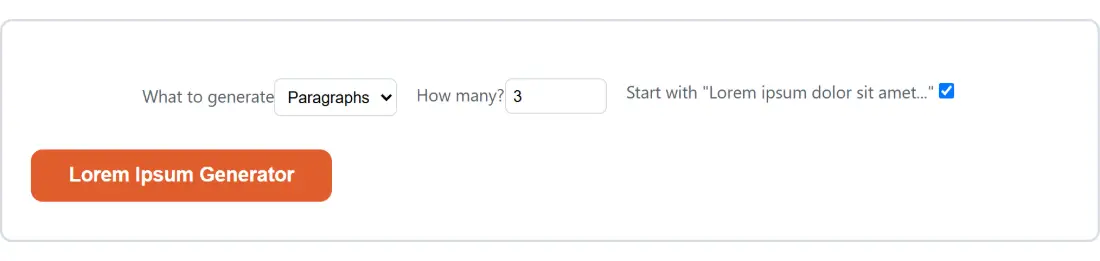
- Set What to generate to Paragraphs, Sentences, or Words.
- Type a number into How many? (the field accepts 1 through 1000).
- Leave Start with “Lorem ipsum dolor sit amet…” ticked for the familiar opening, or untick it for output that is random from the first word.
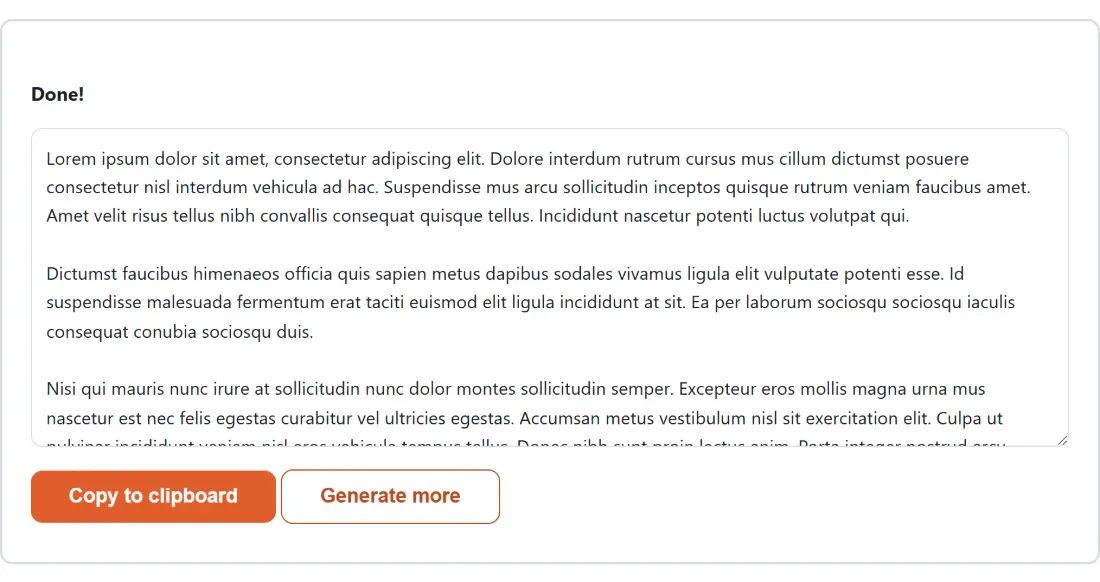
- Click Lorem Ipsum Generator. The text appears in a read-only box below, with Copy to clipboard next to it and Generate more if you want a different draw.
One detail worth knowing before you start: the options and the action button disappear while the result is on screen. Clicking Generate more brings them back, so that is the button you want when you need eight paragraphs instead of three, not a page refresh.
Inside the 191-word bank this generator draws from
There is no dictionary download and no library behind this. The module carries a single flat array of 191 pseudo-Latin words, of which 184 are distinct (seven of them, including nibh and sagittis, appear exactly twice, which simply makes those seven marginally more likely to be drawn). Every random word in your output is one index into that array.
That fixed vocabulary is a feature rather than a shortcut. The bank is not a real Latin passage and the module comment is explicit about it, so there is no source text to attribute and nothing a Latin-reading reviewer can accidentally start parsing. A closed set of nonsense tokens with Latin-shaped morphology gives you texture without meaning, which is the entire point.
Paragraphs, sentences and words are three different shapes
The three units are not just different quantities of the same thing. Each one runs a different assembly path.
- Paragraphs stack 3 to 7 sentences, joined by spaces, with a blank line between paragraphs. This is the shape you want for an article body or a CMS content field.
- Sentences produce one capitalized, period-terminated line each, all joined onto a single run of text. Good for a card description, a pull quote, or a bio field.
- Words produce a bare space-separated list with no capital letters and no punctuation at all. That is the right unit for a button label, a tag, or a table cell, where a trailing period would look wrong.
Each random sentence is 5 to 15 words long and each paragraph holds 3 to 7 sentences, both chosen fresh per sentence and per paragraph. Those ranges are hard-coded, so the only knob you have over total length is the count field. If you need to know exactly how much text you ended up with, paste it into the Word Counter, which reports words, characters, sentences and reading time.
Where the classic opening lands, and where it stops
The checkbox behaves differently in each of the three modes, and the differences are the ones you would want.
In Words mode, the opening is eight lowercase tokens, and it is truncated if you ask for fewer than eight words. In Sentences mode, the first sentence is the full punctuated classic line and the remaining sentences are random. In Paragraphs mode, only the first sentence of the first paragraph is fixed. Nothing repeats the phrase later in the output, which is exactly what you want when a reviewer is scanning a mockup for anything that looks copy-pasted.
Math.random beats crypto randomness for filler text
Two sibling tools on this site, the UUID Generator and the Password Generator, both draw from the browser’s cryptographic random source, because a predictable identifier or a guessable password is a real defect. This module deliberately does not. It calls the ordinary random number function and floors the result into an array index.
The reasoning is written into the source as a comment, and it holds up: filler text has no adversary. Nobody gains anything from predicting which of 191 words comes next. Pulling cryptographic entropy for a thousand paragraphs would cost work and buy nothing. Where a tool here does need unguessable output, it says so on its own page, and you can see the whole set on the generators hub.
What this generator deliberately does not do
There is no HTML mode, so you will not get paragraphs already wrapped in tags. There is no seed field, which means you cannot reproduce a previous run exactly; if a particular block matters, copy it before you click Generate more. Nothing is stored between visits, so a refresh starts you from the default three paragraphs.
It also produces one file’s worth of text at a time rather than a set of varied sample records. If what you actually need is structured prompt scaffolding rather than filler prose, the Prompt Builder is the better fit, and the generators and design tools guide walks through when each of these is the right pick.