Anniversaries are counted from the birth date, never from a walking cursor
Age looks like trivial arithmetic until a leap day turns up. The naive approach, dividing total days by 365.25, drifts. The slightly better approach, stepping a cursor forward a year at a time and re-anchoring on wherever it landed, breaks in a specific and instructive way.
Take someone born on 29 February 2000, evaluated on 29 February 2004, which is exactly four years later on a real leap day. Step-and-re-anchor gets this wrong: the first year added has to clamp 29 February to 28 February because 2001 is not a leap year, every later step then anchors on the 28th, and the answer comes back as four years, zero months and one day. This calculator computes every anniversary from the original date of birth instead, so adding four years to 29 February 2000 lands exactly on 29 February 2004 and the answer is four years, zero months, zero days.
The breakdown itself follows the everyday convention: as many whole years as fit since the birth date, then as many whole months as fit since that year’s anniversary, then the days left over. Your age in whole years goes up on your birthday, which is what anyone asking how old you are means.
Filling in the number fields
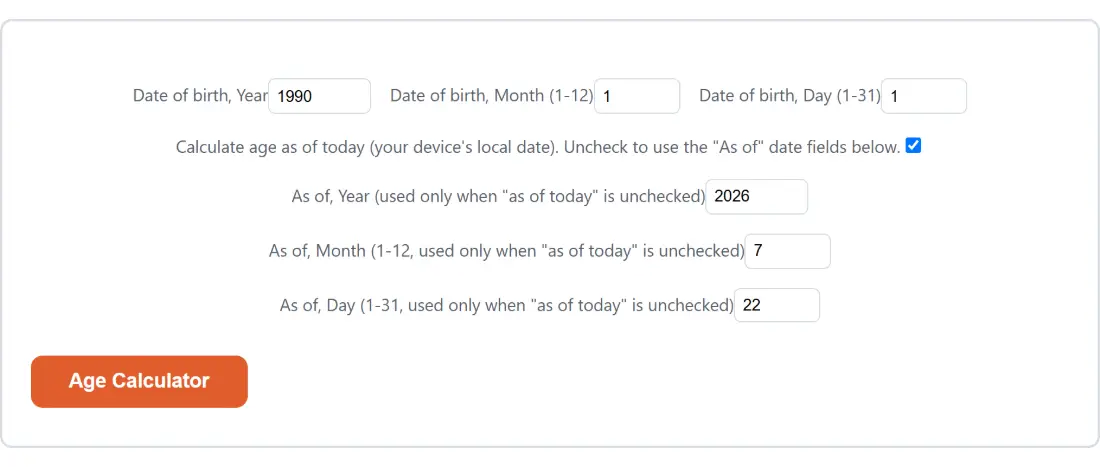
- Set the three date-of-birth fields to your year, month and day. Anything past the end of the month you chose is pulled back to that month’s real last day, so a 31 typed against February becomes the 28th or 29th rather than an error.
- Leave the as-of-today checkbox ticked to measure against your device’s own calendar date, or untick it and fill in the three “As of” fields to measure against some other date.
- Press Age Calculator, the button carrying this page’s own name, and read the report in the box that appears.
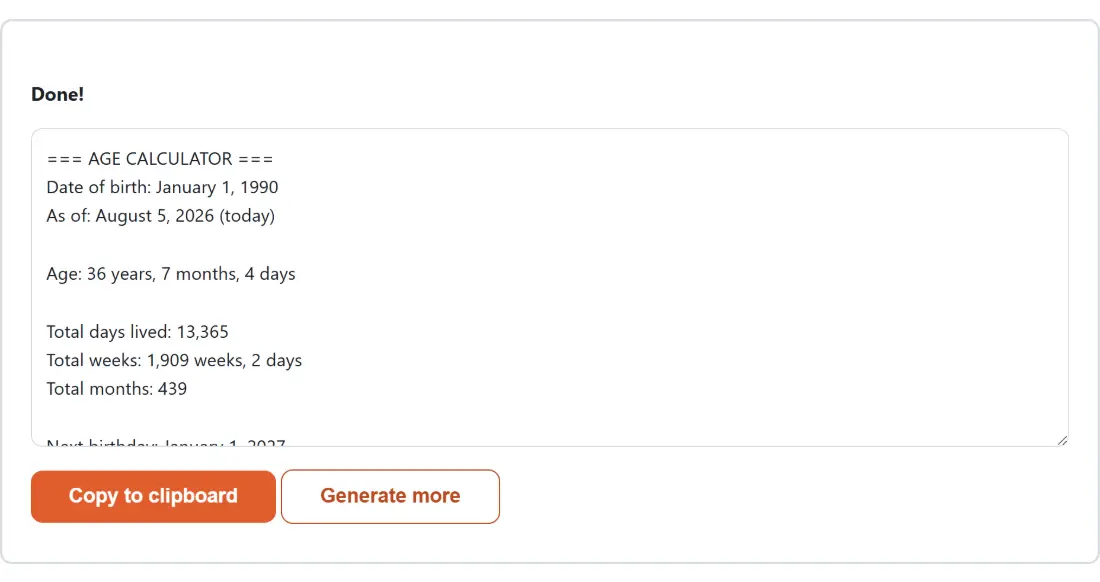
- Use Copy to clipboard to take the text with you, or Generate more to bring the fields back and change something. While a report is on screen the fields are hidden, so that button is how you get back to them.
Line by line, what the report contains
The output is one labelled plain-text block rather than a dashboard, which makes it easy to paste into a document, a form or a message. It opens by restating both dates in a written format, with the measuring date marked as today when the checkbox was left ticked, so you can see at a glance that the fields were read the way you intended.
Then comes the age itself in years, months and days, with each unit correctly singular or plural. Below that sit three cumulative totals: days lived, printed with thousands separators; weeks, given as a whole number of weeks plus the leftover days; and whole months. The weeks line is the one people come back for, because a round week or day number is a genuinely fun thing to catch, and both are exact calendar counts rather than averages.
The block closes on your next birthday, given as a date with the number of days remaining. On the birthday itself it does not report 365 or 366; it says today, because your next birthday is today.
Measuring against a date that is not today
Unticking the as-of checkbox turns this into a general “how old was, or will be” calculator. Backwards, it answers how old someone was on a specific date, which is the question probate paperwork, school enrolment cut-offs and historical research all end up asking. Forwards, it answers how old someone will be at a wedding, a policy date or a retirement date.
Two edge cases are handled explicitly rather than left to produce nonsense. A birth date after the measuring date returns a short note instead of a negative age. A birth date equal to it returns zero across the board. And because the fields are three separate numbers rather than a formatted date string, there is no ambiguity about whether 03/04 means March the 4th or April the 3rd.
For the related question of how much time separates two arbitrary dates, rather than how old somebody is, the Days Between Dates Calculator is the better fit, and it also does business-day counts. If you want a live ticking display down to seconds instead of a static figure, the Countdown to Date page does that, and Dog Age Calculator translates the same idea onto a pet using a real formula rather than the seven-times myth. All of them, and the rest of the date maths, sit under calculators.
February 29, and the convention this page settled on
Leap-day birthdays force a choice, because in three years out of four the date does not exist. This page treats 28 February as the anniversary in an ordinary year, so a leap-day baby turns a year older on the 28th and the count of days until the next birthday points there too. Some jurisdictions use 1 March instead. Both are defensible; what matters is that a tool picks one and applies it everywhere, which this one does, using the same clamping rule that also handles a 31st landing in a 30-day month.
Your date of birth is a common identity-verification answer, which is a good reason not to type it into a page that sends it anywhere. The whole calculation here is plain JavaScript date arithmetic running inside your own browser tab, with no server round trip involved at any point in the calculation.