Filling in the fields
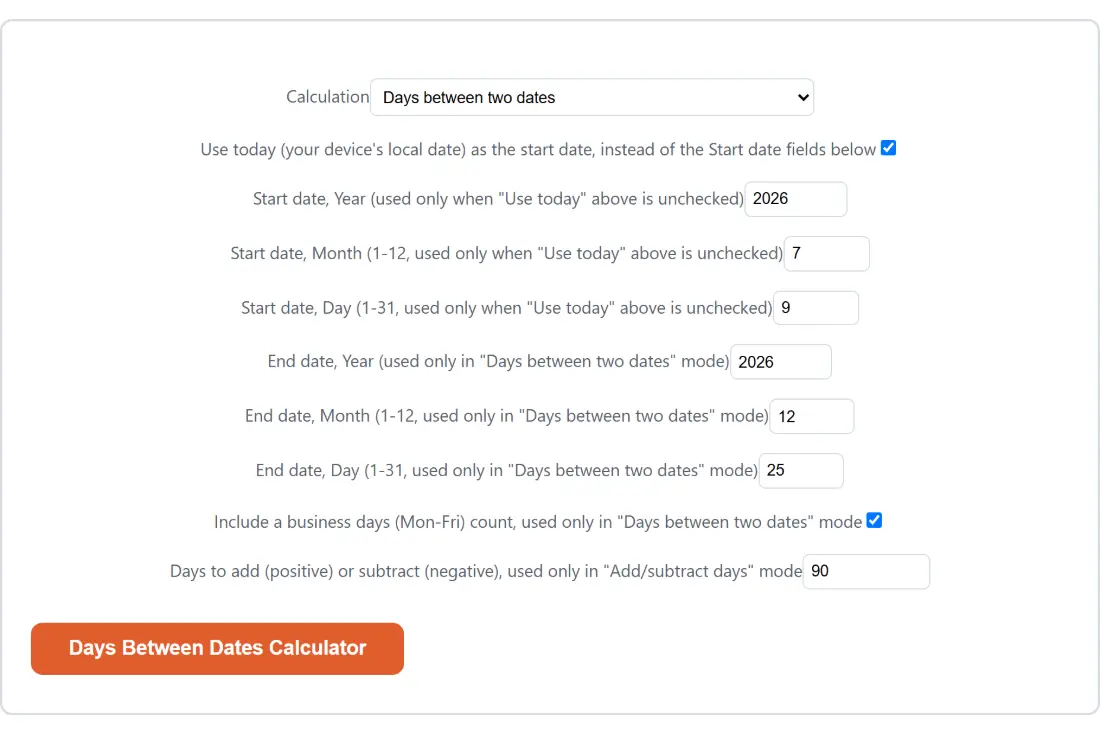
- Leave Calculation on “Days between two dates” for a difference, or switch it to Add/subtract days from a date (e.g. “90 days from today”) for the reverse question.
- Leave Use today (your device’s local date) as the start date, instead of the Start date fields below ticked to start from the current date, or untick it and fill in Start date, Year, Start date, Month and Start date, Day yourself.
- In difference mode, fill in the three End date fields the same way. In add and subtract mode, put a number into Days to add (positive) or subtract (negative) instead.
- Untick Include a business days (Mon-Fri) count, used only in “Days between two dates” mode if you do not want the weekday line in the report.
- Click Days Between Dates Calculator to run it, then use Copy to clipboard for the whole report or Generate more to go back and adjust a field.
Two dates in, four lines of arithmetic out
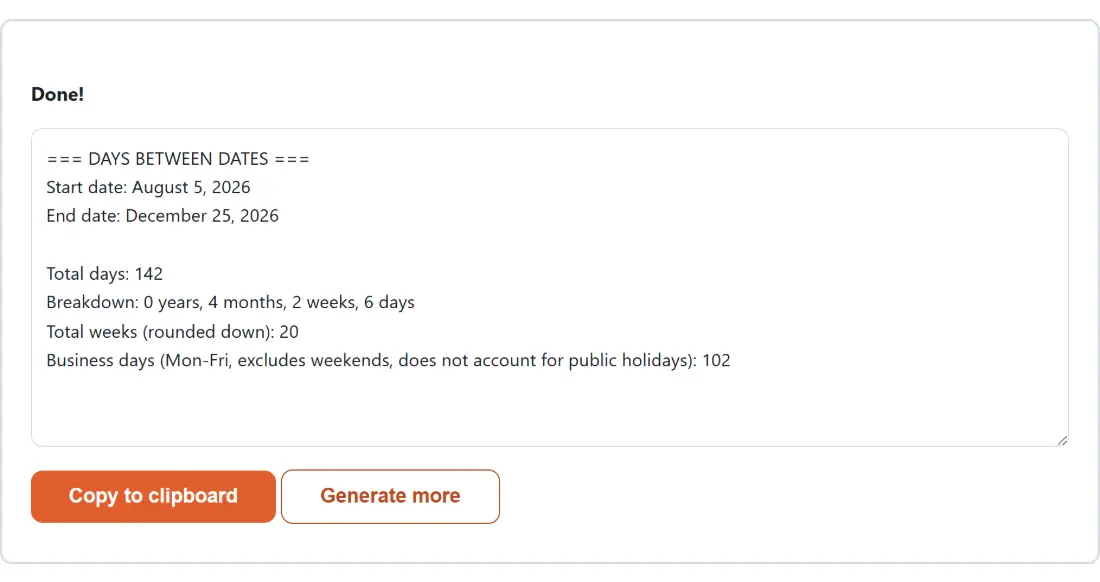
The report is plain text, and it repeats both dates back to you in words before it gives you anything else. That echo is worth reading, because it shows exactly which dates the arithmetic used after any clamping.
Take January 1, 2026 to December 25, 2026 with the business days line switched on. The total is 358 days. The breakdown reads 0 years, 11 months, 3 weeks and 3 days. Total weeks, rounded down, is 51. Business days come out at 256. Four lines, all describing the same span in the units people actually ask for.
Add and subtract mode is shorter. Starting from July 9, 2026 and adding 90 gives October 7, 2026, printed with the direction spelled out underneath so a negative offset cannot be misread. A negative number moves backwards, and the field accepts anything from minus one hundred thousand to one hundred thousand, which is a range of roughly 273 years in either direction.
The gap convention, and when to add one day
Total days is a subtraction, not a tally of the days you would tick off on a wall calendar. That is the right answer for a deadline, an age, a notice period or a countdown, and the wrong answer for anything where both the first and last day count as full days. Hotel nights, for instance, match the gap exactly, while a conference that runs Monday to Wednesday is three days long even though the gap is two.
There is no toggle for this, on purpose. Inclusive counting rules differ between contracts, jurisdictions and industries, so the tool reports the unambiguous figure and leaves the plus one to you. If you specifically want an age rather than a span, the Age Calculator applies the birthday convention directly and does the as-of-date bookkeeping for you.
Greedy breakdown, and why January 31 to February 29 is exactly one month
The years, months, weeks and days line is built largest unit first. It adds as many whole calendar years to the start date as will still fit inside the span, then as many whole months to what is left, then whole weeks, then the leftover days.
Adding a month clamps the day of the month to the target month’s real length rather than rolling over into the next one. That single rule is what makes the awkward cases read sensibly. January 31, 2024 to February 29, 2024 comes out as 29 total days and a breakdown of exactly 1 month, 0 weeks, 0 days, because January 31 plus one month lands on February 29 in a leap year. A naive implementation that rolled over to March 2 would report zero months and a pile of loose days instead.
The consequence to keep in mind is that a month is not a fixed number of days here. Two spans with the same total can break down differently depending on which months they cross, and that is a feature of calendar arithmetic rather than a rounding error.
Business days without a holiday calendar
The weekday line is a plain Monday to Friday count. Every Saturday and Sunday inside the span is skipped and nothing else is. There is no public holiday data behind it, because holidays depend on country, region and sometimes employer, and a wrong holiday list is worse than none.
Treat it as an upper bound on real working days. For shipping estimates and contractual deadlines that is usually what you want anyway, with any national holidays subtracted by hand afterwards. If your question is really about hours worked rather than days elapsed, the Timesheet Calculator totals clock-in and clock-out times, breaks and overtime instead.
Timezones, four-digit years and other edges
Date calculators have a habit of disagreeing with each other by one day, and timezones are almost always the reason. Every date here is handled as a bare calendar date with no time of day attached, and the internal arithmetic is anchored to UTC from start to finish, so the same two dates give the same answer on a laptop in Tokyo and one in Los Angeles.
There is exactly one deliberate exception. The Use today checkbox reads your device’s own local calendar date, because someone asking for ninety days from today means their today, not a UTC value that may already have rolled over. That reading happens once, and everything after it is the same timezone-free arithmetic as any manually typed date.
Two limits are worth knowing. Years below 100 are not handled correctly, as noted in the questions below, so use a year of 100 or above. And a day number larger than the month allows is silently pulled back to the last valid day rather than rejected. For the week number a given date falls into, the Week Number Checker does ISO 8601 properly, and for a live ticking display rather than a static figure there is Countdown to Date. Everything else in this family sits on the calculators hub, including the Unix Timestamp Converter if you need the same instant as an epoch value.