Five symbologies, and what each one will actually accept
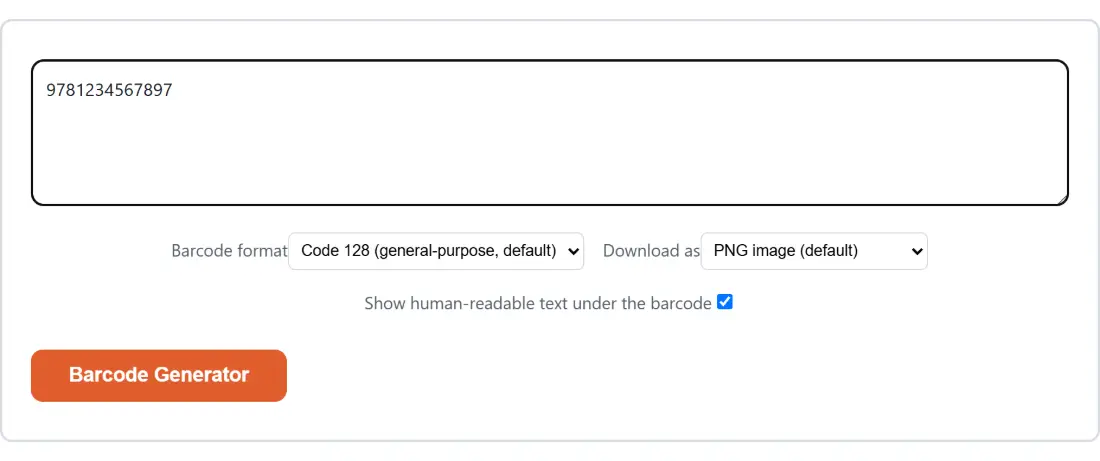
A barcode format is not a style choice. Each symbology defines its own character set and its own length rules, and a scanner configured for one will not read another, so the format dropdown is really a question about which system is going to read the label.
- Code 128 takes ASCII characters: letters in both cases, digits, punctuation and spaces. It is the general-purpose default here, and the encoder runs in its automatic mode, switching between the format’s internal character subsets so that long runs of digits pack more tightly than mixed text. An emoji, or most accented letters, will fail to encode.
- EAN-13 is the retail product code used internationally. Twelve or thirteen digits, nothing else.
- UPC-A is its North American counterpart. Eleven or twelve digits, nothing else.
- Code 39 covers internal inventory, asset tags and industrial labelling. Uppercase A to Z, digits, space, and the symbols
-.$/+%. - ITF, Interleaved 2 of 5, is the shipping carton and pallet format. Digits only, and always an even count of them, because the format encodes them in interleaved pairs.
Check digits, and the one nobody adds for you
EAN-13 and UPC-A both end in a check digit computed from the digits before it, and this is where most failed generations come from. Give EAN-13 twelve digits and the thirteenth is calculated and appended for you. Give it all thirteen and the last one is verified rather than recalculated, so a single mistyped digit anywhere in the number invalidates the whole value. UPC-A behaves identically one digit down: eleven digits get a twelfth added, twelve digits get checked.
That means the safest habit when you are inventing codes rather than copying them is to type the short form and let the check digit be computed. When you are copying a number off an existing package, type all of it and let the check verify your typing, which turns the tool into a proofreader.
Code 39 has an optional check character of its own and this tool does not add it. ITF has no check digit in the form generated here, only the even-digit-count rule.
From a value to a file on disk
- Type or paste the value into the box. The button stays disabled until there is something in it.
- Pick the Barcode format that matches the system reading the label, not the one that looks nicest.
- Set Download as to PNG for documents, spreadsheets and most label software, or SVG when the code is going into a print layout.
- Leave Show human-readable text under the barcode ticked unless you are placing your own caption, in which case untick it to get bars alone.
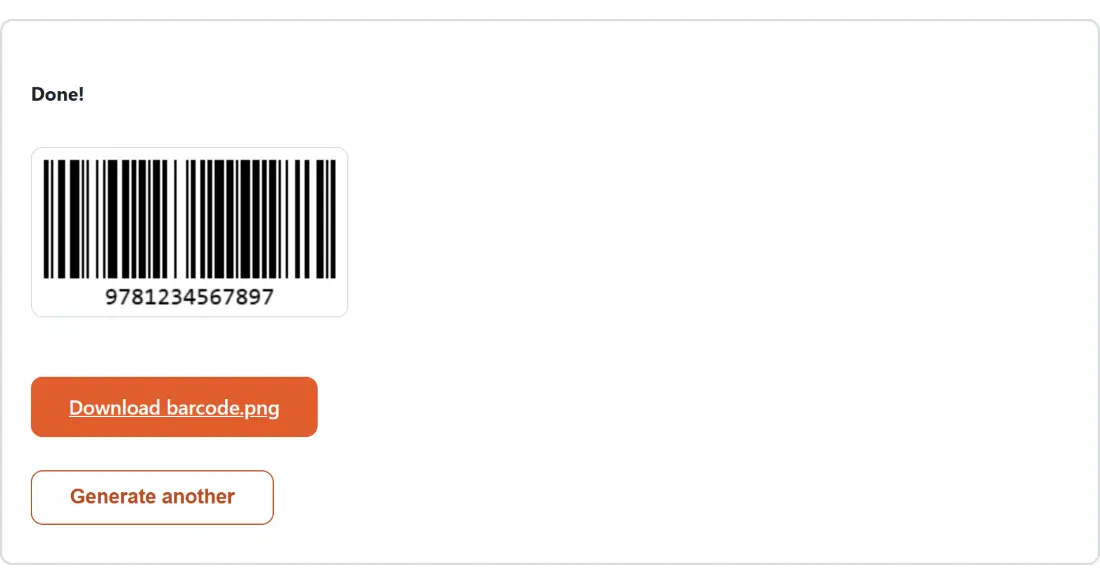
- Click Barcode Generator. The image appears as a preview, with a download link underneath naming the file (
barcode.pngorbarcode.svg) and a Generate another button to start over.
Two pixels per module, a hundred pixels tall
The narrowest bar is drawn two pixels wide and every wider bar is a multiple of that, the bars are a hundred pixels tall, and a ten pixel quiet zone surrounds the whole thing. That quiet zone matters more than it sounds: scanners need the blank margin to find where the code starts and ends, and cropping it off in an image editor is a classic way to break an otherwise valid barcode.
Those three figures are JsBarcode’s own defaults rather than values this tool sets. It passes the library a format and whether to print the human-readable line, and nothing else. They are left alone because they are sensible for a printed label, but it would be wrong to present them as a calibration we performed.
The PNG comes out of a canvas at exactly that size, so scaling it up in a document will soften the bar edges. The SVG describes the same geometry as vectors, which is why it is the right pick for anything that will be printed at a size you have not decided yet. Both carry the same white background, and both include the caption under the bars unless you turned it off.
What a failure to generate is telling you
When a value does not satisfy the chosen format, the page shows one generic message asking you to check the input; the specific reason is written to the browser console rather than to the page. So the message will not name the problem for you, and in practice it is nearly always one of a short list: an EAN-13 or UPC-A number of the wrong length or with a bad final check digit, an ITF value with an odd number of digits, a letter or punctuation mark in a digits-only format, or a non-ASCII character in a Code 128 value. Whitespace at the ends is not on that list, because it is trimmed away before encoding.
The quickest diagnosis is to switch the format to Code 128 and try again. If it generates, the value was fine and the format’s rules were the problem.
One label here, a sheet of codes elsewhere
This page makes one barcode per click, which suits printing a handful of asset tags or checking that a product number encodes cleanly before it goes to a label printer. For volume, the site’s bulk generation is on the QR side rather than the linear side: the Bulk QR Code Generator turns a pasted list or a CSV into many QR codes at once, delivered as a ZIP or a printable sheet, and the single QR Code Generator returns one PNG with a selectable error-correction level. The rest of the code and asset generators are grouped on the generators hub.