QR Code Generator

Turn a URL or any text into a PNG QR code from 100 to 1000 pixels, with four error correction levels. Drawn in your browser, so nothing is logged.

🌐 Español

🔒 Private by design: your text is processed locally in your browser and never uploaded to any server.

What actually gets encoded

A QR code is not a link to a link. It is a grid that literally spells out the characters you gave it, which a scanner reads back and hands to the phone. If you encode a URL, the phone offers to open that URL. If you encode a sentence, the phone shows the sentence.

That plainness is worth stating because a large share of free QR generators do not work this way. They encode a short address on their own domain, which redirects to yours. The code then depends on that company continuing to exist and continuing to point the redirect where you want it, and every scan passes through their logs. Codes printed on menus and flyers have gone dead exactly this way.

Nothing here sits in the middle. The grid is computed in your own browser from the exact string in the box, and the PNG is assembled locally. Your text is not sent anywhere because there is nowhere for it to be sent.

From a URL to a downloaded PNG

  1. Paste your URL or text into the box. The action button stays disabled while the box is empty.
  2. Choose an Error correction level. Medium (~15% recovery, default) is the sensible starting point.
  3. Set Image size (px) anywhere from 100 to 1000. The default of 300 is fine on screen; go higher for print.
  4. Click QR Code Generator.
  5. The code appears as a preview image. Scan it with your own phone before you commit it to anything printed.
  6. Click Download qr-code.png to save it, then rename the file to something meaningful.
  7. Generate another clears both the box and the preview for the next code.

The size you type is the width of the finished PNG in pixels, exactly, and the image is square. Asking for 1000 gives you a 1000 by 1000 file.

Error correction is capacity you spend on damage

Every QR code carries redundant data so a scanner can recover from dirt, creases and glare. The four levels are simply how much of the grid is given over to that redundancy: roughly seven, fifteen, twenty-five and thirty percent.

The part people miss is that redundancy is not free. Raising the level does not add resilience to the same grid; it makes the grid bigger for the same message, because the recovery data has to go somewhere. Encoding a long URL at the highest level can push the code into a much denser version than the same URL at the lowest, and a denser code printed at the same physical size is harder to scan, not easier.

The one case where High genuinely earns its keep is a logo placed over the centre of the code. That is deliberate damage, and about thirty percent recovery is what lets the scanner rebuild the covered modules. For a code that will live on a clean screen or a well-printed card, Medium is enough.

The grid grows in fixed steps as the message gets longer. A twenty character link needs a small grid; add a set of campaign parameters and you may double the number of modules across.

Because the pixel size stays whatever you asked for, doubling the module count halves the physical size of each module. On a phone camera at arm’s length that is the difference between an instant read and three seconds of hunting. The fix is almost never a bigger image; it is a shorter string. Strip the parameters you do not need, or shorten the link before encoding.

If your campaign parameters are the point, build them deliberately with UTM Builder so you keep only the ones you will actually read in a report, then encode the result.

Some payloads have a required syntax that is easy to get subtly wrong by hand. A network credential is one: WiFi QR Code Generator writes the security type and hidden-network flag into the correct format for you. A contact card is another, and vCard QR Code Generator handles that shape.

To produce many codes at once from a list rather than one at a time, use Bulk QR Code Generator. To check what an existing code contains before you trust it, QR Code Reader decodes a saved photo or screenshot. And for retail-style linear codes rather than square ones, Barcode Generator covers Code 128, EAN-13, UPC-A, Code 39 and ITF, with a vector option. The wider set is on the generators hub.
See it in action

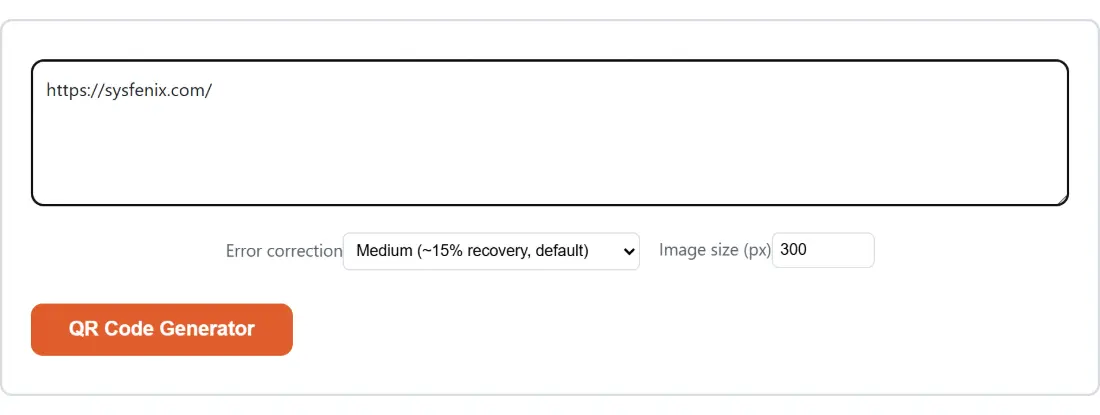
Screenshot of the QR Code Generator tool with the sample input “https://sysfenix.com/”, Error correction set to Medium (~15% recovery, default), Image size (px) set to 300
QR Code Generator mid-process: the sample input “https://sysfenix.com/”, Error correction set to Medium (~15% recovery, default), Image size (px) set to 300.
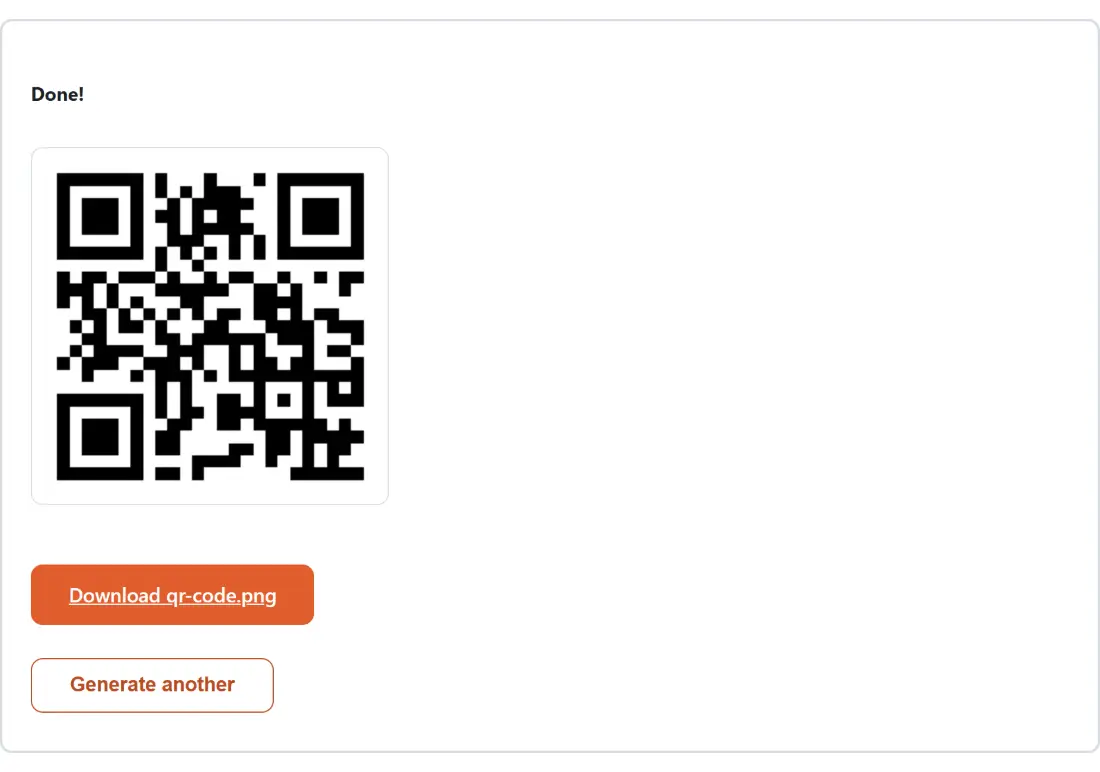
Screenshot of the QR Code Generator result screen showing qr-code.png ready to download (4 KB)
The finished result: qr-code.png ready to download (4 KB). The download link is a local blob URL — the file never leaves your device.

Frequently asked questions

How much can one QR code actually hold?

More than most people expect, and it depends on both the error correction level and what you type. At the lowest level a single code tops out at 7,089 digits, 4,296 uppercase alphanumeric characters, or 2,953 bytes of mixed text. At the highest level those ceilings drop to 3,057, 1,852 and 1,273. Go past the limit for your settings and the code cannot be built at all.

Why does a longer URL produce a denser looking code?

Because more data needs more modules, which is the technical name for the little squares. A short link fits in a small grid; a long one with query parameters needs a much larger grid, and since the image size you asked for stays fixed, each module gets physically smaller. That is the real reason long tracking URLs scan badly on printed material, and shortening the link helps far more than raising the image size.

Which error correction level should I pick?

Medium unless you have a reason. Low squeezes the most data into the smallest grid and suits a clean screen. High reserves about thirty percent of the code for recovery data, which is what lets a code survive a logo pasted over the middle, a fold, or a scuffed sticker. The trade is capacity, since the same text needs a bigger grid at High than at Low.

What size image should I download for print?

Ask for a larger pixel size than you think you need, because print sizing is about physical millimetres rather than pixels. The output is exactly the width you request, square, so 1000 gives you a 1000 by 1000 PNG. A rough working rule is that the printed code wants to be at least a tenth of the distance it will be scanned from, so a poster read at two metres wants a code around twenty centimetres wide.

The button does nothing when the box looks filled. What is wrong?

The action button stays disabled until there is at least one character in the box, and separately the text is trimmed before encoding. So a box containing only spaces or a stray newline passes the first check and then fails the second, and you get a generic message about the input rather than a specific one. Type or paste real content and it will encode.

Is there a redirect or a tracking service in the middle?

No. The code encodes exactly the characters you typed and nothing else, so a scanner that reads it will go straight to your URL. Many free generators quietly wrap your link in their own domain so the destination can be changed or measured later, which also means the code stops working if that service shuts down. There is nothing here to shut down.

Why do I only ever get a file called qr-code.png?

Because the output name is fixed rather than derived from your input, which would otherwise put your URL into a filename. Rename it after downloading. If you are producing a batch and want one file per row of a list, that is a different job and a different tool.

Can I get an SVG instead of a PNG?

Not from this page; it produces a raster PNG only. If you need a vector for a print layout that will be scaled up, generate the PNG at 1000 pixels and trace it, or use a code type that offers vector output directly. A barcode, for instance, is available here as either a raster or a vector file.

How wide is the white border around the code?

Two modules on every side. The published specification suggests four, so if you are placing the code straight onto a busy photograph or a coloured panel, add a little extra white space around it yourself in your layout rather than relying on the built-in margin alone.

Related tools