Two boxes, and which one the key belongs in
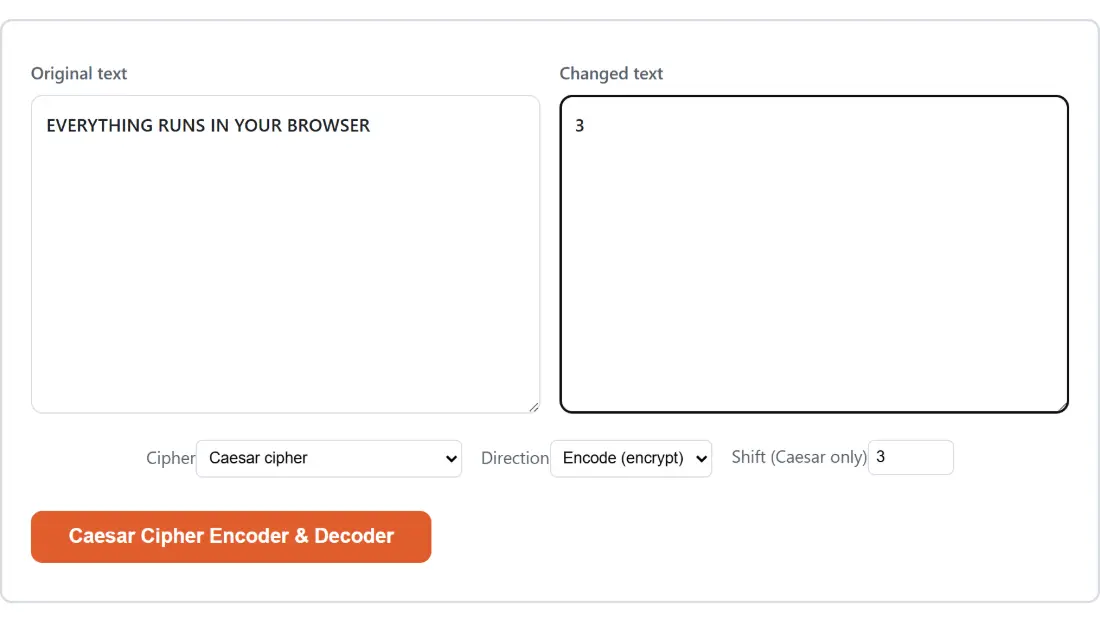
This page borrows the site’s two-textarea layout, the one built for comparing an original against a changed version, so the labels are generic. Put the message you want to encode or decode in Original text. The second box, Changed text, is the Vigenère key and nothing else; Caesar, ROT13 and Atbash never read it, so leaving it empty in those modes is correct rather than an oversight.
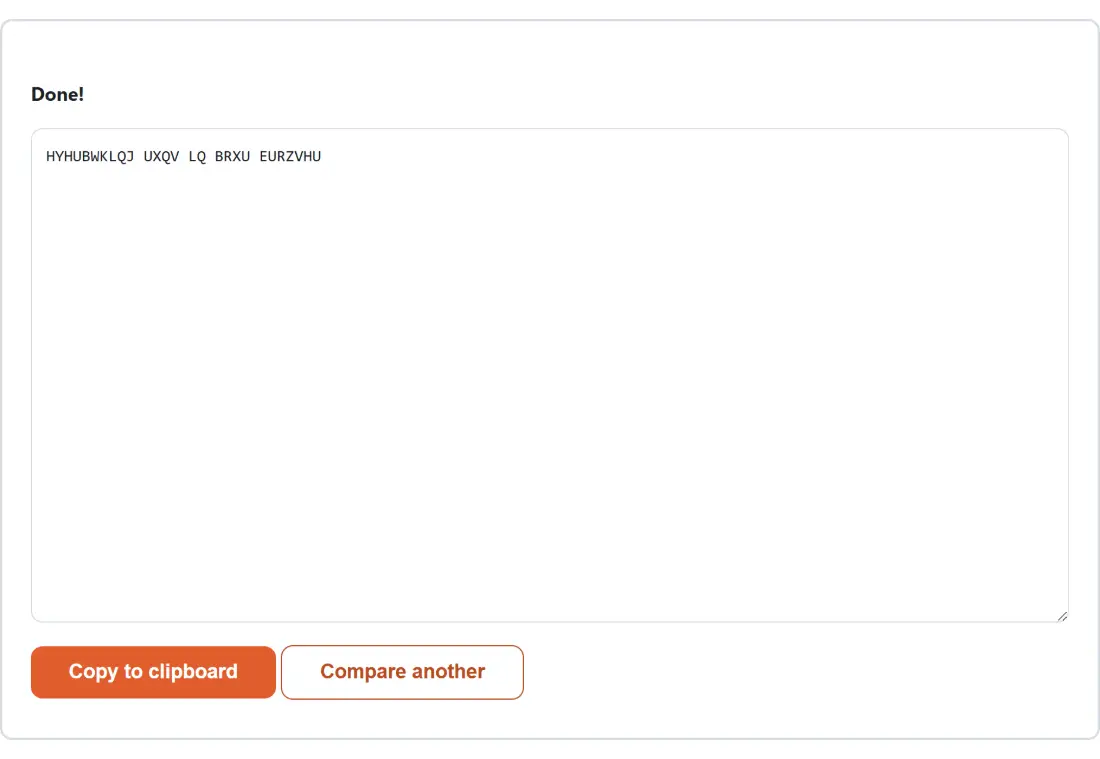
Two consequences of that shared layout are worth knowing before they surprise you. The button that runs the cipher carries this page’s own name instead of the word Encode. And once a result appears, the input boxes and the settings are replaced by the output, with a Copy to clipboard button and a reset button labelled Compare another. Click that to get the form back; it empties both boxes and the output, so copy anything you want to keep first.
Four ciphers, and what each does with the shift and the key
Caesar cipher slides every letter a fixed number of places along the alphabet, wrapping past Z back round to A. The Shift (Caesar only) field takes a whole number from 1 to 25 and starts at 3, the shift Julius Caesar is reported to have used. Encoding shifts forward, decoding shifts back by the same amount, so HELLO at shift 3 encodes to KHOOR and KHOOR at shift 3 decodes to HELLO. No other cipher on this page reads that field.
ROT13 is Caesar nailed to 13. Thirteen is exactly half of twenty six, so applying it twice returns the original, which makes encoding and decoding the same operation: Hello becomes Uryyb, and Uryyb becomes Hello. The Direction setting genuinely makes no difference here, and neither does the shift.
Atbash mirrors the alphabet instead of rotating it, so A becomes Z, B becomes Y, and WIZARD becomes DRAZIW. Like ROT13 it is its own inverse, so the direction setting is again irrelevant.
Vigenère uses a key word to choose a different Caesar shift for each letter. With the key LEMON the first letter shifts by L, the second by E, and the key repeats for as long as the message runs. The textbook example, ATTACKATDAWN with LEMON, gives LXFOPVEFRNHR. Only the letters A to Z in your key are used and case is ignored, so a key typed with punctuation and spaces in it behaves exactly like the bare letters; a key with no letters at all produces an error report instead of output.
Running a message through, from paste to result
- Paste the message into Original text, and in Vigenère mode type the key into Changed text as well.
- Choose the cipher in the Cipher dropdown. Alongside the four ciphers there is a fifth entry that cracks a Caesar message by trying every shift.
- Set Direction to encode or decode, and for Caesar set Shift (Caesar only).
- Click the page’s own button to run it, then take the result with Copy to clipboard.
Nothing happens until you click, and the result replaces the form rather than appearing beside it, so a stray second click cannot quietly re-encode a message that was already encoded.
Letters A to Z, and everything else passing straight through
All four ciphers operate on the twenty six letter Latin alphabet only. Case is preserved, so Hello at shift 3 comes back as Khoor rather than KHOOR. Everything else is copied through untouched: digits, spaces, punctuation, line breaks, emoji, and accented letters. That last group catches people out. Characters like é, ñ and ü are not members of the cipher alphabet, so they survive a round trip unchanged and can quietly leak the shape of a word to anyone reading the ciphertext.
Vigenère handles spacing the classical way, advancing the key only on letters. A space or a comma in the message consumes no key letter, which is why ATTACK AT DAWN with the key LEMON gives LXFOPV EF RNHR: the same letter mapping as the unspaced version, with the spaces simply put back where they were.
Twenty five shifts is not a key space
The crack-it entry in the Cipher dropdown decodes your ciphertext with every shift from 1 to 25 and prints all twenty five candidates as a labelled list, one per line, under a short header telling you to read down it. Exactly one line will be readable, and the shift number on that line is the key. Skimming the list is the entire attack, which is the whole point: a cipher with twenty five possible keys is a puzzle, not protection. The mode always decodes, so the direction setting has nothing to do there either.
Vigenère survives brute force but not analysis, having been reliably breakable since Kasiski published his method in 1863. So these are the right tools for an escape room prop, a geocache hint, a CTF warm-up or a first cryptography lesson, and the wrong tool for anything you actually need kept secret. For that, encrypt a text message with a password derives a key from your passphrase and encrypts with AES-256-GCM, also without sending anything anywhere. For a transformation that is not secrecy at all and is often confused for it, Base64 encode is what people usually mean when they say encoded. And the Morse code translator covers the other classic substitution alphabet, although it decodes only to uppercase, because Morse carries no case information to recover.