Inside the email pattern, and the addresses it walks past
The scan looks for a practical address shape rather than the full RFC 5322 grammar: the usual ASCII
local-part characters, an at sign, a domain, and a final dot followed by at least two letters. That
last requirement is doing quiet work. It is why a Twitter-style @handle never matches, and why an
address that ends a sentence gives back bob@example.com instead of dragging the full stop along
with it.
The trade-off is disclosed rather than hidden. Quoted local parts of the "john smith"@example.com
kind do not match, and neither do internationalized addresses containing accented characters or a
non-ASCII domain. Those forms are rare in the contact lists people actually paste here, and a
pattern strict enough to handle them correctly would drag in false positives everywhere else.
Multi-level endings work fine, so .co.uk and .com.au addresses come through intact.
Turning a reply-all thread into a clean BCC list
The archetypal job for this tool is a forty-message thread with the same twelve people quoted in every reply.
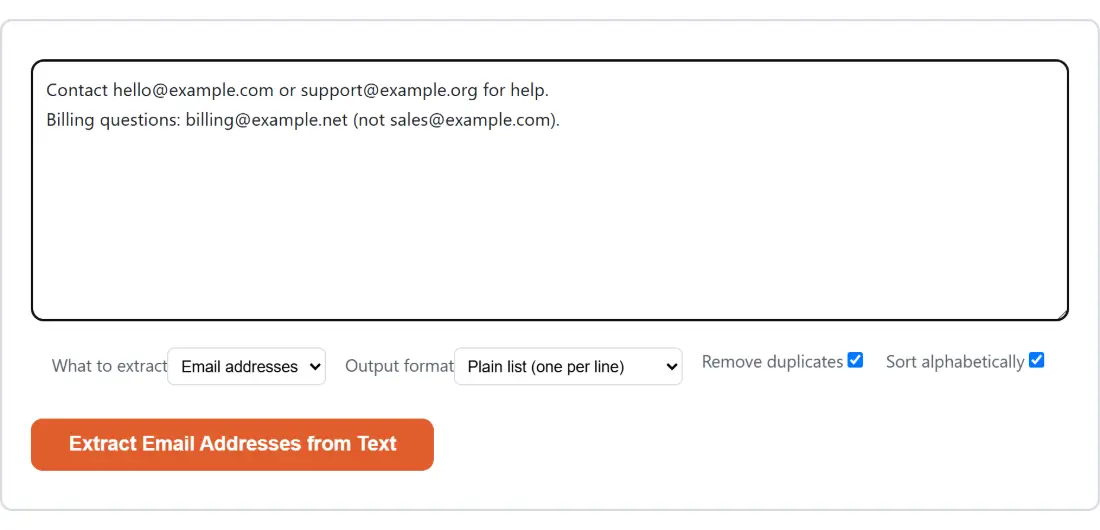
- Paste the whole thread into the box, headers, quoted blocks, signatures and all. Layout does not matter.
- Leave What to extract on Email addresses.
- Set Output format to Plain list (one per line) for something you can drop straight into a BCC field.
- Leave Remove duplicates and Sort alphabetically ticked so the twelve people appear once each, in order.
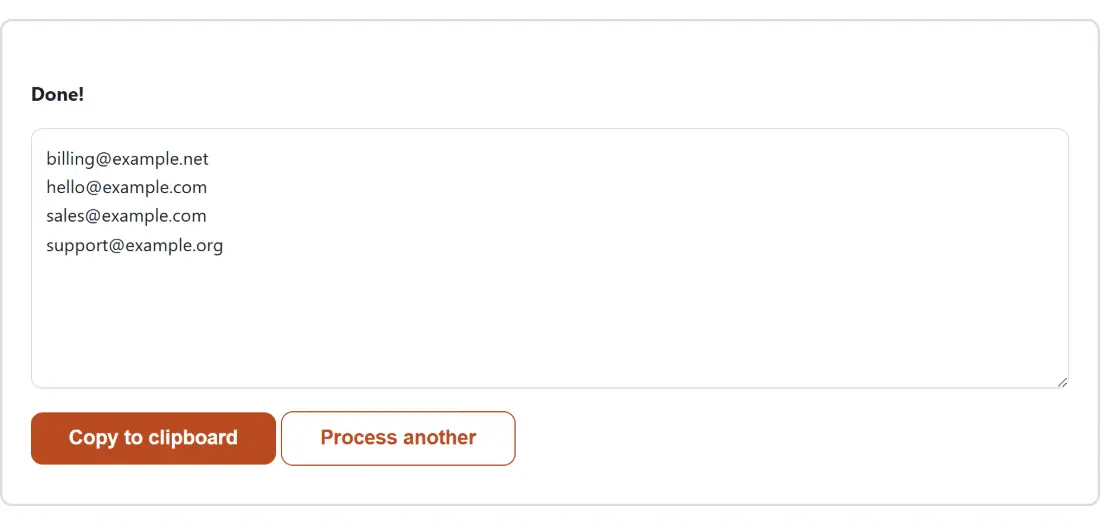
- Click Extract Email Addresses from Text, then Copy to clipboard.
Deduplication is first-occurrence-wins, so the copy that survives is the one your text saw first.
Phone numbers are compared by their digits alone, which means (555) 123-4567 and 555.123.4567
collapse into a single entry with the formatting of whichever appeared first. Links are compared
exactly, since two URLs that differ only in case can genuinely be two different pages.
Grouped by domain versus the CSV column
There is no free-text filter box on this page, so working by domain happens in the output instead, in two shapes.
Grouped by domain prints one block per domain, each headed by the domain and a count, with its
addresses indented underneath. It answers questions like how many people on a list are on free
webmail versus a company domain, at a glance, without a spreadsheet. CSV (with domain column)
emits two columns, the address and the domain, so the same question becomes an ordinary filter once
the text is pasted into a sheet. If you would rather eyeball the table first, save the copied text
as a .csv file and drop it into the CSV Viewer.
Phone numbers have no meaningful domain, so the grouped setting falls back to the plain list for them, and their CSV second column holds the digits instead.
Links and phone numbers out of the same paste
The other two modes reuse the same single pass. URLs / links matches anything starting with
http://, https:// or www., then trims trailing sentence punctuation, so a link cited inside
parentheses or before a comma comes back clean. In grouped mode links are organized by hostname
rather than by the full address.
Phone numbers are the fussiest of the three, and the rules are worth knowing. A candidate may use
spaces, dashes, dots and parentheses, but never a newline or a tab, so two numbers on consecutive
lines can never be glued into one. It is kept only if it holds between 7 and 15 digits, where 15 is
E.164’s own maximum and the 7 is this tool’s own floor, chosen to keep short numeric runs out of
the results, and only if it is not welded to an adjacent letter or digit, which is
what stops an invoice reference like INV12345678 and a fragment of a longer card number from
being reported as phone numbers.
Where a shape-matching regex gets it wrong
A pattern reads shapes, not meaning. A year range, a reference number or a formatted product code can look exactly like a phone number and will be reported as one, so skim the result before you dial anything from it. In the other direction, a mangled address split across a line break is not recovered, because the scan never joins lines.
Nothing you paste is transmitted, which matters more here than on a typical text tool. An extractor that runs on somebody else’s server has been handed a bulk, pre-cleaned contact list, which is the raw material of exactly the industry these lists get sold into. Here the scan is a few lines of JavaScript running against text held in your own tab.
The results box, and getting the list somewhere useful
Output arrives as text in a read-only box with Copy to clipboard underneath it, and a no-match run says so in plain words rather than showing an empty panel. There is no download step, and returning to the form clears both boxes, so copy before you go back.
Where the list goes next depends on the job. For further cleanup, such as stripping blank lines or
sorting a list you assembled from several sources, Remove Duplicate Lines & Sort Text
picks up where this leaves off. If the contacts started life in a phone or mail client export,
Convert VCF to CSV turns the .vcf into columns first, which is often easier than
extracting from the raw card text. And the text hub collects the rest of the paste-in
utilities, including the Word Counter for sizing whatever you just pulled apart.