Six numbers, and why each one is separate
A word counter that gives you one number is answering only one of the several questions people actually arrive with, and the questions have genuinely different answers.
An essay has a word limit. A social post has a character limit including spaces. A translator quotes on characters excluding spaces. An editor cares about sentence and paragraph length as a proxy for readability. A publisher wants a reading time for the top of an article.
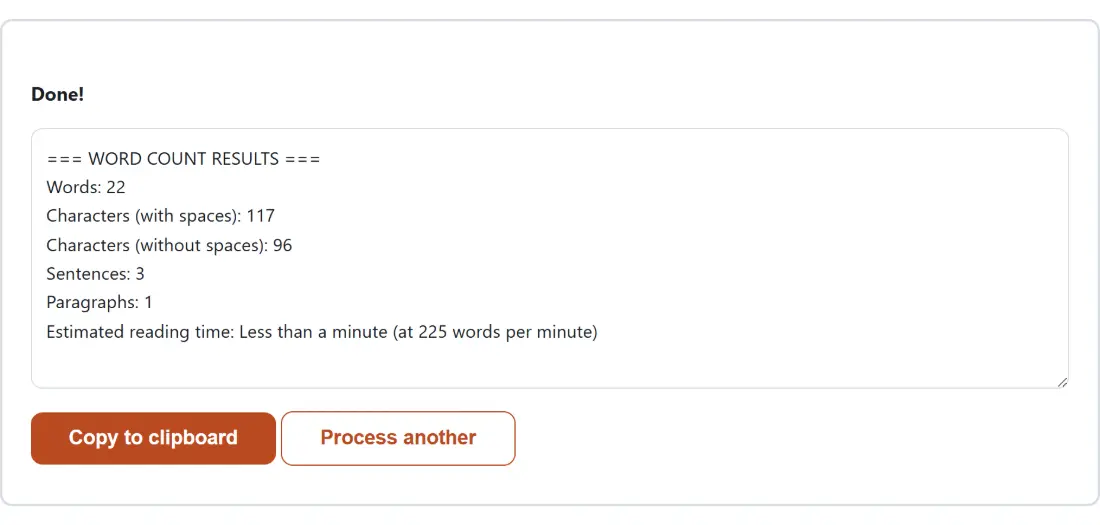
All six figures come out together here, which removes the guessing about which definition a given tool is using.
Counting a text
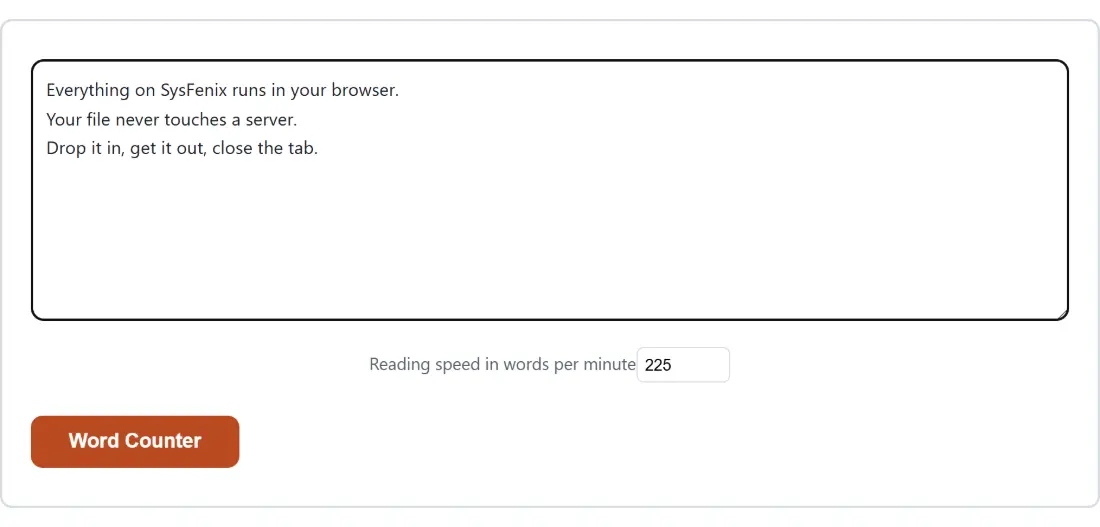
- Paste or type your text into the box.
- Set a Reading speed in words per minute if the default does not match your material.
- Run it and read the report.
The counts that are exact
Words, characters and paragraphs are all computed by clear rules with no ambiguity worth worrying about.
A word is a whitespace separated token. That definition treats a hyphenated compound as a single word, since there is no space inside it, which matches what nearly every word limit assumes.
Characters are counted by Unicode code point rather than by the units the string occupies in memory. That distinction is invisible for ordinary text and matters immediately for emoji, which are stored as two units and are one character to any reader. Both the with spaces and without spaces figures use the same code point aware basis, so they stay consistent with each other.
A paragraph is a block separated by at least one blank line. Extra blank lines collapse, so a loosely formatted document and a tight one give the same answer for the same content.
The count that is a heuristic
Sentence counting is the one figure here that is an estimate, and it is worth understanding why rather than being surprised by it.
The rule is to split on a full stop, exclamation mark or question mark followed by whitespace or the end of the text. That handles ordinary prose correctly and over-counts in three predictable situations: an abbreviation such as a title before a name, an initial in a name, and a decimal number.
The fix would be a dictionary of abbreviations or a trained model, both of which are far larger than the job justifies and neither of which is fully correct either, since sentence boundary detection is a genuinely open problem. A simple transparent rule you can reason about is more useful than an opaque one that is wrong in ways you cannot predict.
In practice, if your text is full of abbreviations, treat the sentence count as an upper bound.
Reading time and the speed to set
Reading time is words divided by the speed, and the speed is the assumption doing all the work.
The 225 default is a common figure for adult silent reading of ordinary prose. It is a reasonable starting point and it is not right for everything. Technical documentation, legal text or anything the reader has to stop and think about is closer to 150. Light content that gets skimmed is closer to 300.
Since the speed is adjustable, the honest use is to set it to match your audience rather than accepting a figure invented for a different kind of text. Anything shorter than a minute is reported as less than a minute rather than rounding to zero.
Related text tools
For a measure of difficulty rather than length, Readability Checker computes grade level scores, and Syllable Counter provides one of their inputs. For platform specific limits, Social Character Counter knows the individual caps and SERP Pixel Counter measures a search snippet in pixels rather than characters.
To count inside a document rather than pasted text, PDF Word Counter reads the file directly, and PDF to Text extracts it first. To see which words dominate, Keyword Density Checker ranks them and Word Cloud Generator draws the picture. The rest are on the text hub.