Autocorrelation on a 4096-sample window
A plucked string is a repeating waveform, and the length of one repeat is the whole answer. This tuner grabs 4096 raw samples of the microphone signal at a time (about 93 milliseconds at a 44.1 kHz device rate) and runs a normalized autocorrelation over them: it slides the captured waveform against itself, looks for the offset where it lines up best with an earlier copy of itself, and turns that offset into a frequency.
Three details make the difference between that idea and a usable tuner. The signal is measured first, and anything below a small amplitude floor is rejected as silence rather than guessed at. Each end of the window is then trimmed inward to the first sample that falls below a fixed amplitude threshold, so the correlation starts and ends on a quiet part of the waveform rather than mid-swing. And once the strongest peak is found, a parabola is fitted through it and its two neighbours, which recovers a fractional sample position, because rounding the peak to the nearest whole sample would quantise your reading in visible steps.
Picking the loudest peak out of a spectrum is the obvious alternative, and it is a poor fit down at guitar pitch. With this window at 44.1 kHz the spectrum bins would be about 10.8 Hz apart, and near a low E at 82.41 Hz that spacing is more than two semitones wide. A string’s harmonics are also frequently louder than its fundamental, which is how spectral peak pickers end up naming a note an octave or two too high.
Getting a clean read from one plucked string
- Pick your instrument in the “Instrument” menu, which offers “Guitar (standard EADGBE)”, “Bass (standard EADG)” and “Ukulele (standard gCEA)”.
- Press ”▶ Start tuner (allow microphone)” and accept your browser’s microphone prompt. The button reads “Starting…” for a moment and then becomes ”■ Stop tuner”.
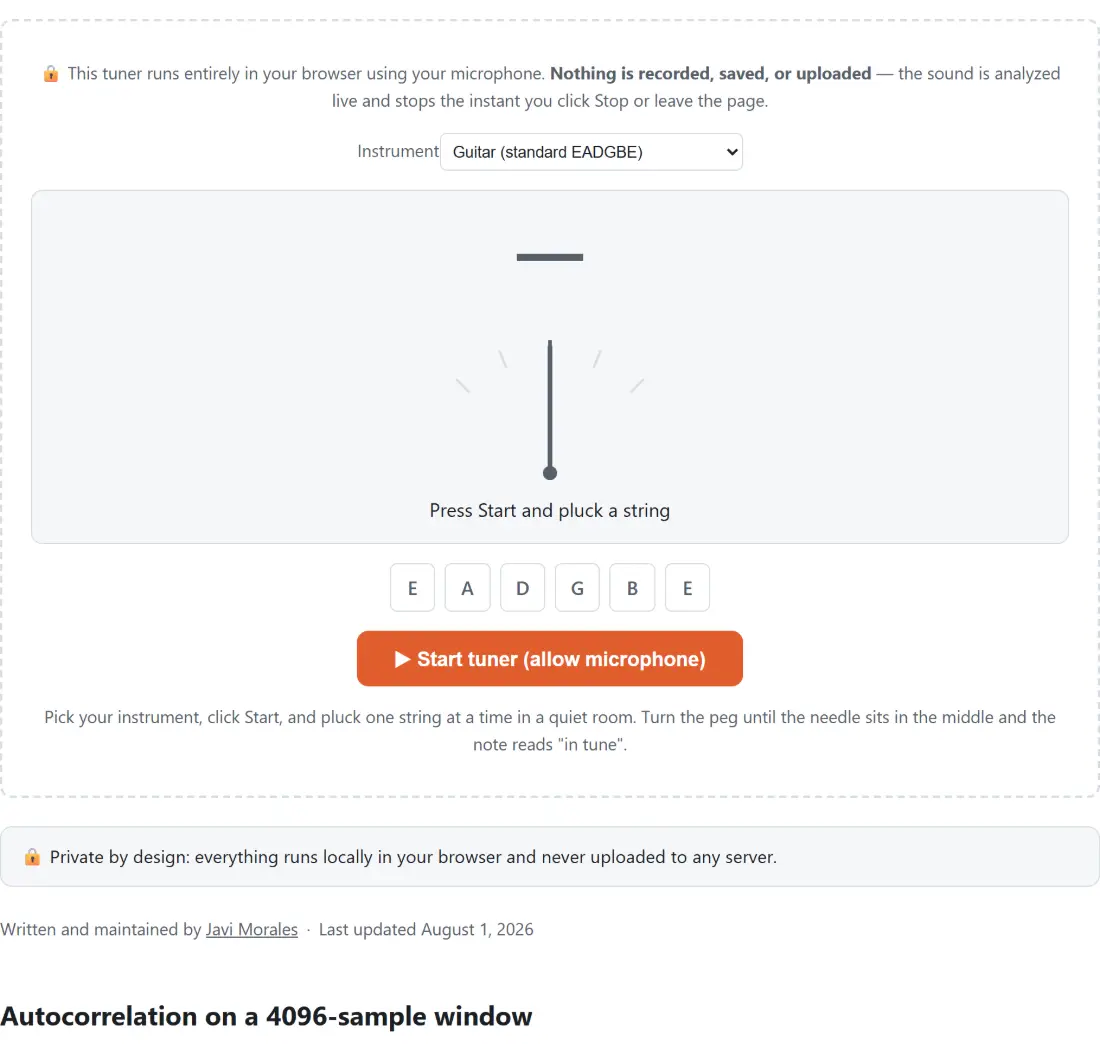
- Pluck one string on its own and let it ring. The large letter is the note being heard, the smaller number under it is the octave, and the detected frequency is printed to one decimal place below the gauge.
- Read the needle. It leans left when you are flat, right when you are sharp, and hits its stop at 50 cents in either direction because beyond that the note has rounded to a different one.
- Turn the peg slowly, arriving at the target from below, until the readout says it is in tune.
- Press ”■ Stop tuner” when you are done, which stops every microphone track and closes the audio context, turning your device’s microphone indicator off.
Fresh strings will not hold any of this for long. New wire stretches for the first few days, so expect to repeat the whole pass several times before it settles.
Cents, the needle, and the five-cent in-tune window
A cent is a hundredth of a semitone, which makes 1200 cents to the octave. The tuner converts the detected frequency into a note plus a cents offset from that note, prints the offset as a whole number with a sign, and rotates the needle proportionally: 50 cents flat swings it to 45 degrees left, 50 cents sharp to 45 degrees right, dead centre to straight up. Tick marks sit at 50, 25, zero, 25 and 50.
Anything within 5 cents of the target counts as in tune and the readout says so. That tolerance is not laziness; it is roughly where the difference stops being audible on a plucked string, and a guitar will drift further than that on its own as the room warms up. Chasing a permanent zero is a way to spend an evening not playing.
Echo cancellation and auto gain are switched off on purpose
The microphone is requested with echo cancellation, noise suppression and automatic gain control all explicitly disabled. Those three are tuned for speech in a video call, and every one of them actively damages a tuner. Noise suppression treats a steady sustained tone as exactly the kind of stationary background it exists to remove. Automatic gain control keeps rewriting the amplitude of a decaying note. Echo cancellation subtracts a model of what it thinks came from your speakers.
Browsers do not all honour those requests in full, so the improvement is best-effort rather than guaranteed, but asking is free and the difference on a laptop microphone is usually obvious.
The 28 Hz to 1400 Hz detection window
Any estimated pitch outside a band running from 28 Hz to 1400 Hz is thrown away before it reaches the display. The floor sits just above the lowest note on a piano and keeps low-frequency rumble, a passing lorry or a hand knocking the desk from being read as a note. The ceiling lands just above F6 at roughly 1397 Hz, which is higher than anything you can fret on a standard guitar neck, and it discards the hiss and squeak that autocorrelation occasionally latches onto in a quiet moment.
When nothing valid arrives for about 350 milliseconds the display resets rather than freezing on the last note it saw. That is why the readout goes blank as a note dies away, and it is intentional: a stale note left frozen on screen is the single most misleading thing a tuner can do.
If a real error occurs, this page tells you what it was instead of showing a generic failure. Missing microphone support, a refused permission prompt and a failure to start the audio engine each produce their own message in a box above the tuner.
Guitar, bass and ukulele presets, and the chromatic fallback
The three presets exist only to decide which row of open strings is drawn and which one gets highlighted. Guitar is E2, A2, D3, G3, B3, E4 at 82.41, 110, 146.83, 196, 246.94 and 329.63 Hz. Bass is the lowest four of those letters an octave further down, at 41.20, 55, 73.42 and 98 Hz. Ukulele is the reentrant standard, so the strip starts with a high G at 392 Hz and then runs C4, E4 and A4, which surprises people who expect it to climb from left to right.
The highlight is chosen by whichever open string is closest in cents, and it always picks one, so it is a hint and never a verdict. The note letter, the octave and the needle are computed independently and chromatically, which is what lets the same page tune a mandolin, a cello or a set of drop-tuned strings that no preset covers. Note names are spelled with sharps only, so an A flat appears as G#.
For everything around the tuning itself, the guitar chord finder shows the shapes and strums them back to you, the metronome covers timing at anything from 30 to 250 BPM with tap tempo, the chord transposer moves a chord sheet into a key your voice or your capo prefers, and the voice recorder captures a take as MP3 or WAV once the instrument is finally in tune. If you would rather match a fixed reference by ear, the tone generator holds a labelled 440 Hz concert-pitch A for as long as you like.