A single frequency, on demand
A tone generator produces one thing: a waveform at a frequency you specify, held for as long as you want it. That sounds unremarkable until you need one, at which point the alternatives are a video with an unknown frequency and compression artefacts, or software you have to install.
The uses are more varied than they look. Finding the frequency of a whine in a room by matching it. Checking the top of your own hearing range. Tuning an instrument against a reference. Exciting a room to hear where it resonates. Producing a known calibration tone for a recording chain. All of them need the frequency to be exact and adjustable while you listen.
Producing a tone
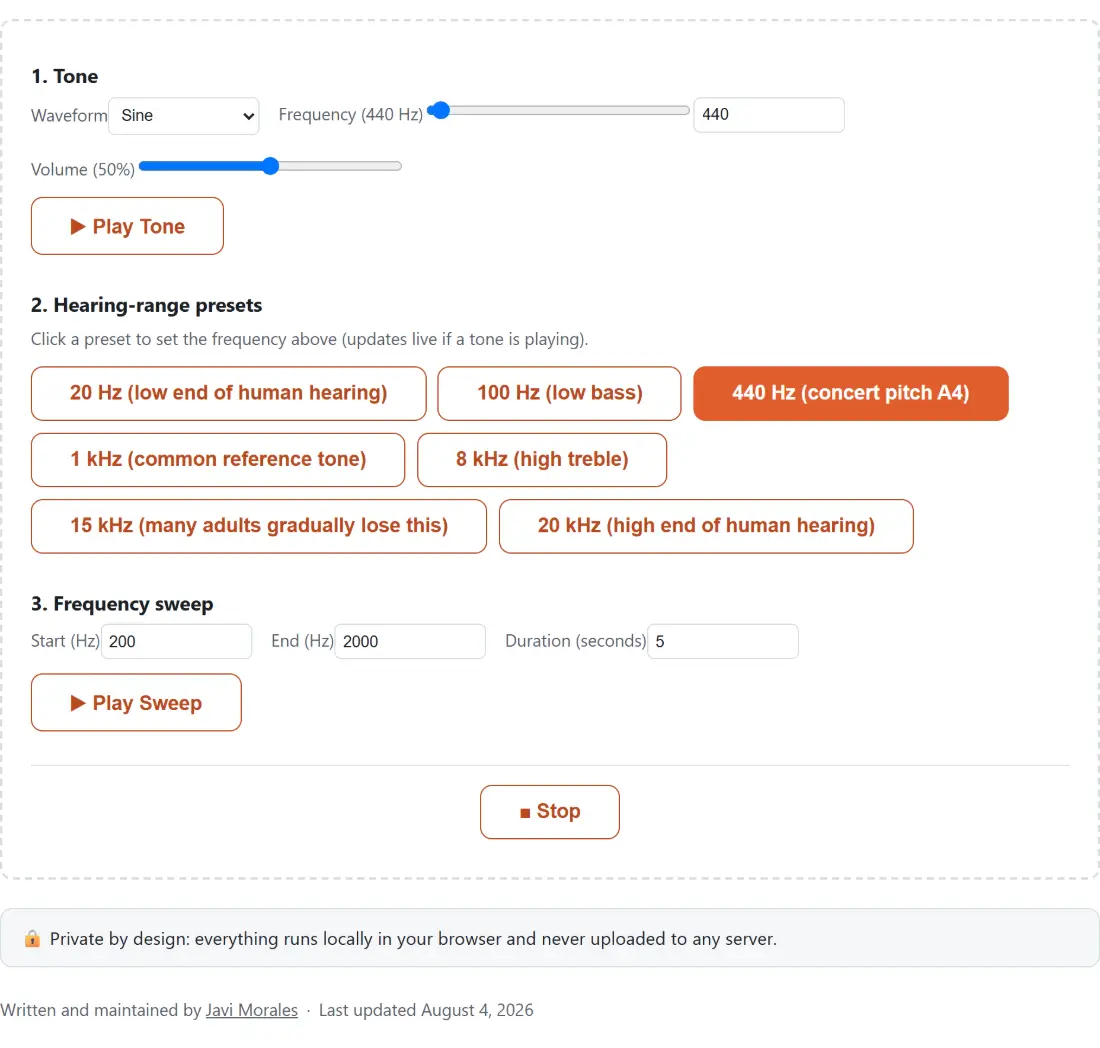
- Choose a Waveform. Sine is the default and is what you want for measuring anything.
- Set the Frequency with the slider or by typing a value in the number field.
- Set the Volume, starting low. High frequencies at high volume are unpleasant and inadvisable.
- Press play. Adjust the frequency freely while it sounds.
- Use a preset button to jump straight to a reference frequency.
- Set a start, an end and a duration in the sweep section, and play the sweep.
- Stop silences whichever of the two is currently running.
Waveform is not a cosmetic choice
The four waveforms sound very different and only one of them is a single frequency.
A sine wave contains its stated frequency and nothing else. If you play 8 kHz as a sine, the only energy present is at 8 kHz. That is what makes it the correct choice for any question of the form can I hear this, or does this speaker reproduce this.
A square wave, a saw and a triangle all contain the fundamental plus a series of harmonics above it, and never anything below it. They sound brighter and more present, which is exactly why they are useful for hearing whether something is playing at all, and exactly why they mislead at the bottom of the range. Play a 40 Hz square through headphones that cannot reproduce 40 Hz and you still hear its harmonics at 120 Hz, 200 Hz and upward, and conclude that the bass is there when only the harmonics are.
At the top of the range the trap works the other way round. The oscillator behind these waveforms is band limited: it generates only the harmonics that fall below half the sample rate of your audio output. On a typical 48 kHz device that ceiling is 24 kHz, and a 15 kHz square’s harmonics would sit at 45 kHz, 75 kHz and beyond, so none of them are produced at all. What you hear is the 15 kHz fundamental on its own, indistinguishable from the sine. Someone who cannot hear 15 kHz hears nothing from either, which is the honest answer rather than a false pass.
The rule survives both cases unchanged: use sine whenever the question is about one specific frequency.
Why the sweep is exponential
Pitch is perceived logarithmically. The interval from 100 Hz to 200 Hz is one octave, and so is the interval from 5 kHz to 10 kHz, even though the second spans fifty times as many hertz.
A sweep that adds a fixed number of hertz per second therefore has nothing to do with how a rise in pitch is heard. It spends most of its time inaudibly creeping through the bass and then covers the entire treble in a fraction of a second.
Ramping the frequency exponentially instead means each octave takes the same amount of time, which is the sweep that sounds like a steady continuous rise and the one that is actually useful for hearing where a system’s response changes. Set the end below the start and the same applies in reverse.
Volume, and a genuine warning
Start quiet. A pure tone at a high frequency and a high level is both very unpleasant and capable of doing real damage, and unlike music it carries none of the cues that normally make you turn something down before it hurts. This applies especially on headphones, where there is no room between the driver and your ear.
The volume control is available while a tone plays, so the safe procedure is to start near the bottom and raise it until you can just hear the tone, which is also the level at which a hearing check is meaningful.
Related audio tools
To confirm that both speakers work and are wired to the correct sides before you trust any measurement, Speaker Test does that in a few seconds. To see the frequency content of what a microphone is picking up rather than what you are sending out, Audio Spectrum Analyzer draws the live spectrum.
For a structured check of your own hearing range rather than free exploration, Hearing Test is the right tool. For a tuning reference tied to an instrument, Guitar Tuner covers that case. For broadband sound rather than a single frequency, White Noise Generator produces the noise colours. The rest are on the audio hub.