Every root moves the same distance, quality untouched
Transposing a chart is mechanical, which is exactly why doing it by hand goes wrong. Every root has to move the same distance, every slash bass has to move with it, and the quality has to survive intact. Miss one chord in a forty-line set and you find out on stage.
This page splits each chord into three parts: a root note, a quality suffix and an optional slash
bass. Only the root and the bass move. The suffix is copied through character for character, so
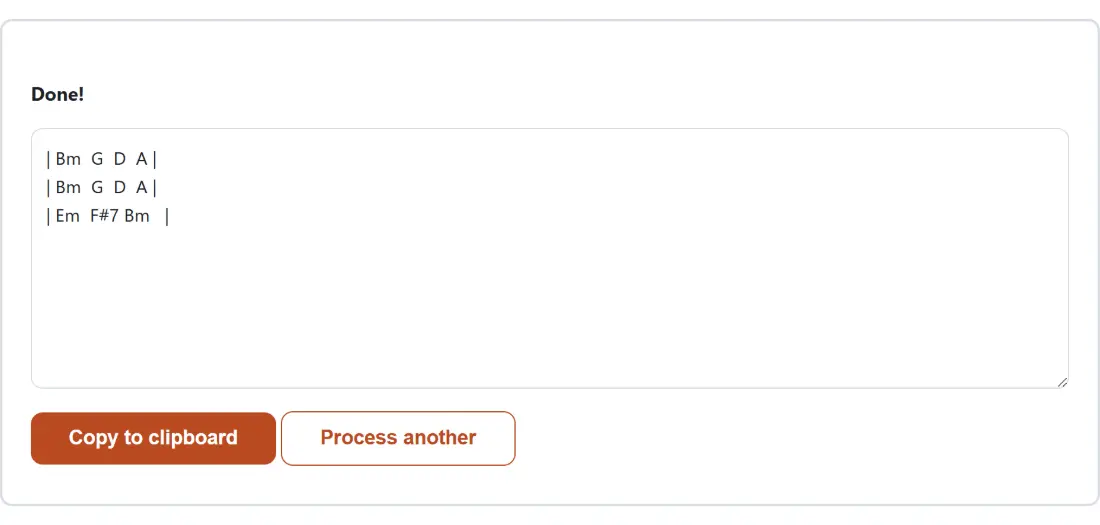
Cmaj7 becomes Dmaj7 at plus two, Gsus4 becomes Asus4, and C/E becomes D/F#. The
arithmetic wraps around the twelve pitch classes properly, so G up five semitones is C rather than
anything invented.
That suffix is checked against a fixed list of real quality tokens (maj, min, m, sus, add,
aug, dim, alt, digits and accidentals) rather than “any letters after a capital A to G”. That
is what lets the tool tell a chord from a word: Bad parses as a B followed by ad, which is not a
legal suffix.
Bracketed chords are safe; a bare line is a judgement call
Bracketed inline chords, as in [C]Twinkle [G]little star, are unambiguous. Only what sits inside
the brackets is examined, and only bracket contents that parse as a chord are rewritten; every other
character on the line comes back exactly as typed. One valid bracketed chord is enough for the whole
line to be handled this way.
A bare line, the “chords printed above the words” layout, carries no marker, so the tool counts. A
line is transposed only if strictly more than half of its whitespace-separated tokens parse as
chords. C G Am F is four out of four and gets rewritten. A big cat sat on the mat is one out of
seven and is left alone despite opening with a capital A. An even split, like Am I, falls on the
safe side and is treated as lyrics.
One failure case is unavoidable: a line consisting of nothing but a single capital A cannot be told
apart from the chord A, and will be transposed. If your sheet uses a bare letter as a section marker,
bracket your chords instead.
Auto spelling reads your first chord as the key
After a transposition the same pitch can be written two ways, since C# and Db are the same note. Pick the wrong one and a guitarist reads it fine while a pianist squints.
On Auto (match the key) the tool takes the first chord it can find, in document order, shifts it by your semitone count, and treats the result as the key. If that key is one conventionally written with flats (F, Bb, Eb, Ab or Db) the sheet is spelled with flats; otherwise with sharps. Transpose into F and you get Bb; transpose into E and you get F# and C#.
That is a documented heuristic rather than music theory, resting on the assumption that a song opens on its home chord. Plenty do not, so if yours starts on the four or the five, force the choice with Sharps (C♯ D♯ F♯ G♯ A♯) or Flats (D♭ E♭ G♭ A♭ B♭).
Setting the shift and getting the sheet back
- Paste the chord sheet into the box, in either layout.
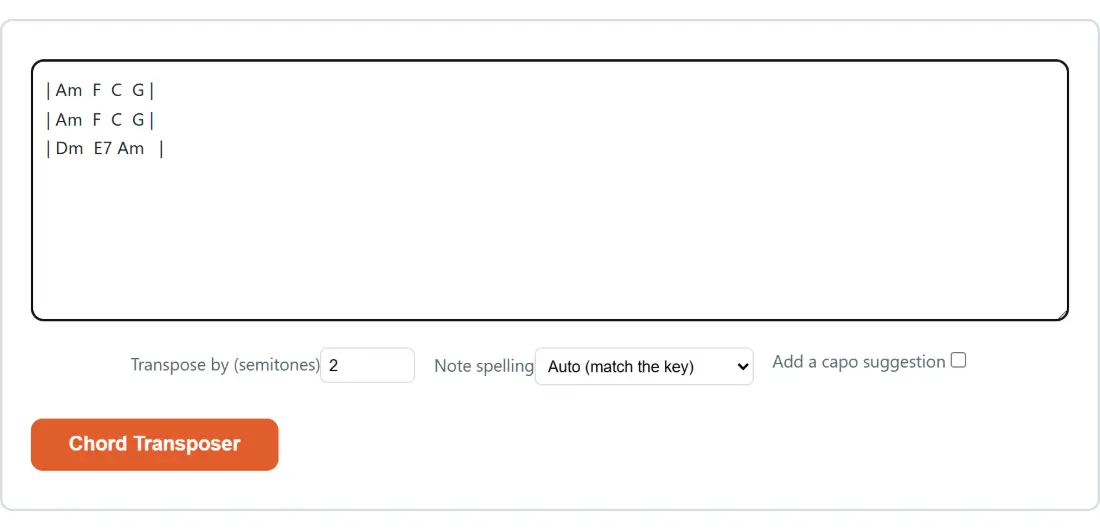
- Set Transpose by (semitones); a positive number shifts up, a negative one shifts down, and it opens on 2.
- Choose a Note spelling, and tick Add a capo suggestion if you want one.
- Click Chord Transposer, then Copy to clipboard.
The capo suggestion picks from five open shapes
Tick the box and a short block is prepended above your sheet, every line starting with a hash so it reads as a comment in ChordPro-style files.
A capo on fret N, playing shapes in key S, sounds in key S plus N. The tool takes the key of your transposed sheet and, for each of the five open-chord-friendly shape keys (C, A, G, E and D), works out the fret that makes those shapes sound in your key. It offers the smallest fret first with up to two alternatives, so a song in Bb comes out as capo 1 with A shapes, then capo 3 with G shapes and capo 6 with E shapes. If your key is already one of the five, it says no capo is needed.
To see the new chords, the Guitar Chord Finder draws real fretboard diagrams and strums them, and the Virtual Piano will play them back. The Online Metronome covers the other half of a practice session.
Where the column alignment gives up
On a “chords above the words” sheet the horizontal position of each chord is load-bearing: it says where in the line the change happens. Transposition threatens that, because chord names change width. C becomes C# and grows a character; Bb becomes B and loses one.
The tool compensates by editing the run of spaces after each chord, widening it when the chord shrank and narrowing it when the chord grew, so the next chord keeps its column. The limit is that a gap can never shrink below a single space, so a chord that grew wider than the whitespace after it can absorb pushes everything later on that line right by the leftover characters, usually a character or two. Bracketed sheets are immune, since their chords sit inline rather than in columns.
Tune up with the Online Guitar Tuner before you play the new key, and the rest of the audio tools sit on one hub.