Root is the only fixed name, everything else comes from a key
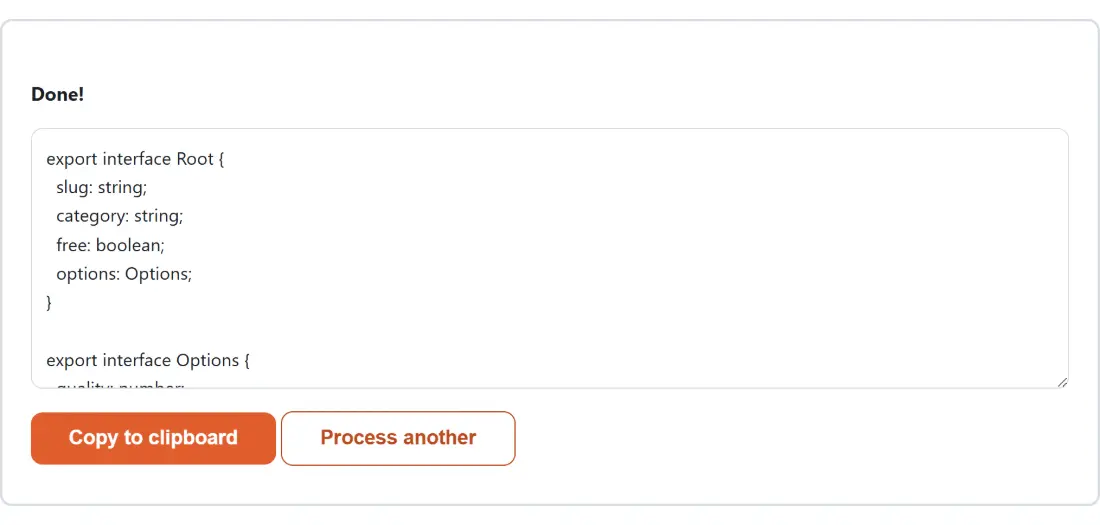
Paste an object and you get an interface called Root. Every other name in the file is derived from the JSON key that held the value. A property whose value is a plain object becomes an interface named after that property, referenced from its parent. A property holding an array of objects becomes a named element type, with the name run through a singularizer first.
Here is an actual sample and its actual output. Given a record with an address object, a friends array of two objects where only the second carries a nickname, and an empty tags array, the defaults produce:
export interface Root {
  id: number;
  name: string;
  active: boolean;
  score: number;
  address: Address;
  friends: Friend[];
  tags: unknown[];
}

export interface Friend {
  id: number;
  name: string;
  nickname?: string;
}

export interface Address {
  city: string;
  postcode: string;
}
Three details are worth pointing at. friends produced an interface called Friend, singular. nickname picked up a question mark because it was absent from the first element. And tags became unknown[] rather than being guessed at, because an empty array says nothing about what belongs in it.
Names collide sometimes, and the generator handles it by counting rather than by nesting. Two different objects both reached through a key called user yield User and User2.
Four controls, and what each one does to the output
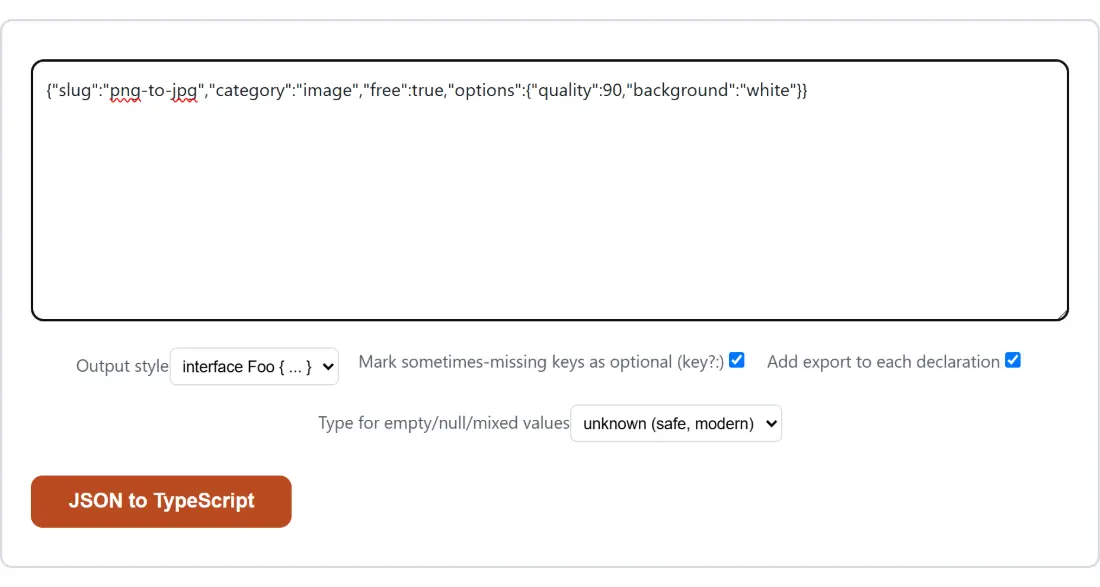
- Paste a JSON object, or an array of objects, into the box above. A real API response beats a hand-written sample, because the extra elements are what teach the generator about optional keys.
- Set Output style to
interface Foo { ... }for the idiomatic declaration, ortype Foo = { ... }if your codebase standardizes on aliases. The members are identical either way; only the wrapper and its trailing punctuation change. - Decide on Mark sometimes-missing keys as optional (key?:), on Add export to each declaration, and on Type for empty/null/mixed values, which offers
unknown (safe, modern)orany. - Click JSON to TypeScript. The generated file replaces the input box; Copy to clipboard takes it, and Process another clears the box for the next payload.
The type-alias route is the one worth trying if the result is destined for a union later. It renders as type Root = { and closes with a brace and a semicolon, which is the form you want if you are going to intersect or union it with something else.
One sample teaches it nothing about optional keys
This is the single biggest thing to understand before trusting the output.
Optionality is inferred by comparing sampled objects with each other, and that comparison only exists where objects sit together in an array. Paste one object on its own and every key at that level comes out present and required, because from the generator’s point of view it has seen the entire universe of examples and none of them was missing anything. Arrays nested inside that object are still compared element by element, so optional keys can appear in the interfaces below Root even when Root itself has none.
Paste three records instead, where one lacks a note, one has note set to null, and one has a real string, and you get note?: string | null. Both facts are recorded, independently. Untick the optional marker and it becomes note: string | null; the null union stays, because nullability was never the same question as optionality.
The practical advice is simple. Give it the whole page of results from your API rather than the first record. Two elements are already far better than one.
Singular names come from a heuristic with known blind spots
The singularizer is a handful of suffix rules, not a dictionary, and it is honest about that. It turns addresses into Address, categories into Category and boxes into Box, which covers most real key names.
It has no answer for an irregular plural. A key called children produces an interface called Children, which compiles perfectly and simply reads a little oddly at the usage site. Rename it if it bothers you. The same applies to any name you would have chosen differently; nothing else in the file depends on the spelling.
Keys are copied verbatim, and quoted when they must be
The type-inference engine here is shared with the JSON to Code generator, which turns the same input into Python, Go, Java, Kotlin, C# or Swift models. The renderers differ on one deliberate point, and it is the interesting one.
Most of those renderers can rename a field to the local convention and still record the original JSON key beside it, through a Go struct tag, a Jackson annotation or a Pydantic alias argument. Not all of them can, which is the point. A plain Python dataclass, that tool’s default target, has no alias mechanism at all, and neither does TypeScript. An interface property name is the JSON key, so a first_name quietly renamed to firstName would stop describing your data and the compiler would never tell you. Keys are therefore kept exactly as they arrived. Anything that is not a valid JavaScript identifier gets quoted instead of altered, so a dashed key renders as "first-name": string; and a key starting with a digit as "2fa": boolean;.
Two neighbours pick up where this stops. To check whether a payload actually matches a contract rather than to describe one sample, the JSON Schema Validator validates against a schema and can also generate one from an example. And if the pasted JSON turns out to need editing before it is worth typing, the JSON Editor gives you a click-to-edit tree, while the JSON Formatter & Validator is the faster stop when you only want to check that the sample parses.