What lands on the page when you press Generate
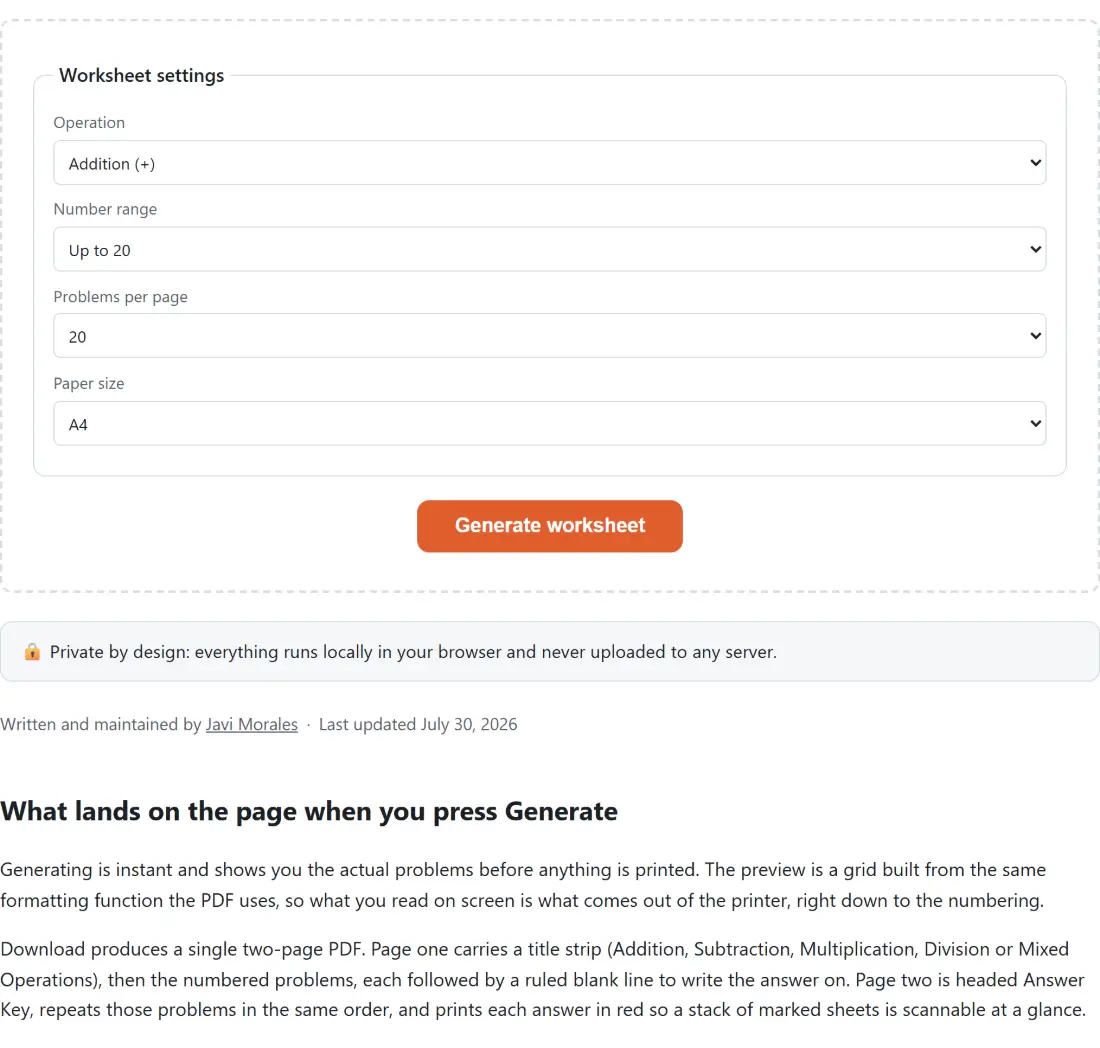
Generating is instant and shows you the actual problems before anything is printed. The preview is a grid built from the same formatting function the PDF uses, so what you read on screen is what comes out of the printer, right down to the numbering.
Download produces a single two-page PDF. Page one carries a title strip (Addition, Subtraction, Multiplication, Division or Mixed Operations), then the numbered problems, each followed by a ruled blank line to write the answer on. Page two is headed Answer Key, repeats those problems in the same order, and prints each answer in red so a stack of marked sheets is scannable at a glance.
The layout adapts to the problem count rather than shrinking a fixed grid. Ten problems or fewer are laid out in two columns, up to eighteen in three, and larger sets in four. Font size is then derived from cell height and held between 11 and 18 points, which is what stops a 30-problem sheet from turning into unreadable fine print or a 10-problem sheet from looking like a poster. Margins are 48 points, and both A4 and Letter are computed from their real dimensions so the printer never rescales anything.
One implementation detail with a visible payoff: the multiplication and division signs are the genuine Unicode characters × and ÷, not the x and / most quick generators substitute. Both live in Helvetica’s WinAnsi encoding, so the PDF renders them correctly without embedding a font, which keeps the whole two-page file down to a few kilobytes.
The three arithmetic bugs we designed out
A math drill generator has exactly three ways to embarrass itself, and each one was a decision here rather than an accident avoided.
Wrong answers on the key. Every problem stores its answer at the moment it is created, from the same arithmetic that produced the operands, and the answer key is rendered from those stored values. The test suite asserts the stored answer against real arithmetic for all four operators, so the key cannot drift out of step with the sheet.
Negative subtraction. Two values are drawn from the range, then the larger becomes the minuend and the smaller the subtrahend. Every subtraction answer is therefore zero or positive, which is the standard grade-school convention. There is no “allow negatives” toggle, and that is a scope decision: negative results belong to a later stage than fact fluency, and a child who hits 4 - 9 on a timed drill loses the thread.
Remainders and division by zero. The naive approach is to draw two numbers and hope they divide, which either produces remainders or spends time rejecting pairs. Instead the quotient and the divisor are generated first, with the divisor floored at 1, and the dividend is their product. Clean division and a non-zero divisor both hold by construction, for every problem, always.
That last choice has one consequence a teacher should know about, because it looks like a bug the first time you see it. On a division sheet the dividend can exceed the range you selected, since it is the product of two numbers from that range. Ask for “up to 10” division and you may well get 72 ÷ 9. The operands being drilled are still inside your range; only the dividend is larger.
Operation, range and count: what each control really changes
Operation picks one of the four operators, or Mixed. Mixed chooses a fresh operator for each individual problem rather than one per sheet, so a single page interleaves all four and a student cannot settle into a pattern. That interleaving is the actual pedagogical difference between Mixed and printing four separate sheets.
Number range offers up to 10, 20, 50 and 100, drawing operands from zero upward. Zero is included on purpose, since 7 + 0 and 0 × 6 are facts children get wrong surprisingly often. The range scales the difficulty far more sharply for multiplication than for addition: multiplication at “up to 100” reaches products near 10,000, which is a written-method exercise rather than a recall exercise. If what you want is one table drilled to automaticity, Times Tables Practice is built for that instead.
Problems per page offers 10, 15, 20, 25 and 30, and it interacts with the layout described above. Twenty is a reasonable timed-drill length for most ages.
From preview to printer
- Choose an Operation, a Number range, a Problems per page count and a Paper size.
- Click Generate worksheet and read the preview.
- Tick Show answer key to check the answers on screen, or click again for an entirely new sheet.
- Click Download PDF, which builds the file from precisely the problems you are looking at.
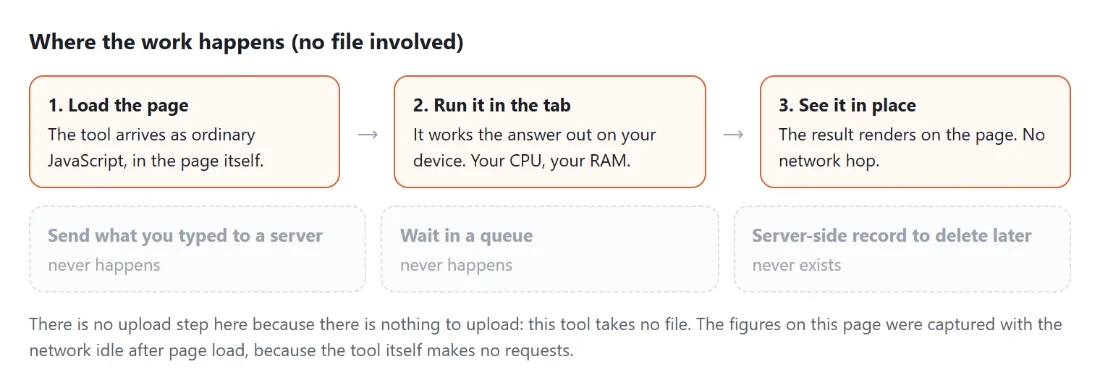
All of that happens inside the browser. The problems are generated locally and the PDF is assembled locally with pdf-lib, the same library behind the Printable Calendar and the Telling Time Worksheets, so no worksheet you make is ever sent anywhere and the page keeps working with the network off.
Why a printed sheet still beats an app for fact fluency
Fluency with basic facts is not busywork; it is the working memory a child needs free when the actual problem arrives. A student who stops to count on their fingers for 7 × 8 has less attention left for the long division, fraction or word problem that the multiplication was only a step inside. Short, frequent drills are how that recall gets automatic.
A paper sheet has properties an app does not. It does not interrupt, it does not reward speed with animation, and it does not know or announce how many were wrong, which for an anxious child is the entire point. It also leaves a physical record of what was actually written, including the crossings-out that show where the thinking went sideways. Since every click of Generate produces a genuinely different sheet, the same settings can supply a week of morning work without a child ever memorising the page instead of the facts.