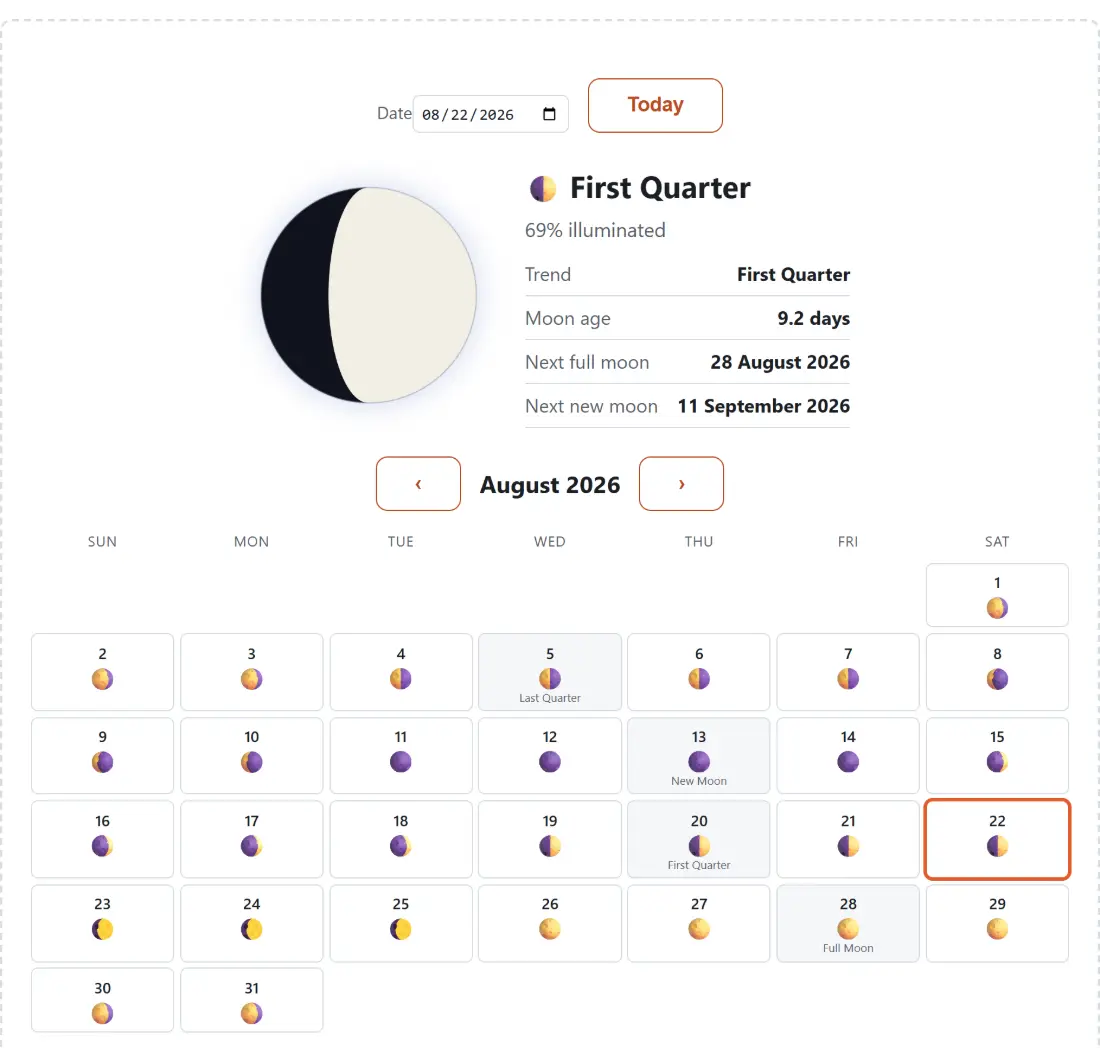
Picking a date and reading the four stats beside the disc
- Open the page. It starts on your device’s own calendar date, so the drawn moon, the phase name and the illumination figure are already the ones for today.
- Change the date in the Date field, or click any day in the grid lower down. The month arrows either side of the month heading step a whole month at a time, and Today brings you straight back.
- Read the four rows next to the disc. Trend says whether the lit part is growing or shrinking, Moon age gives the days elapsed since the last new moon to one decimal place, and Next full moon and Next new moon give the two dates most people came for, written out as day, month and year.
- Scan the calendar grid for the month. Every day carries a small moon glyph, and the days on which a principal phase actually falls carry its name as well.
- Hover a day on a desktop browser for its tooltip, which spells out the date, the phase name and the rounded percentage lit without changing the day you have selected.
One reference new moon, 29.530588853 days, and nothing else
The whole model is two constants. One known new moon, 6 January 2000 at 18:14 UTC, and the mean synodic month of 29.530588853 days, which is the average time from one new moon to the next. Ask for a date, and the tool measures how far that date is from the anchor, divides by the cycle length, and keeps the remainder. That remainder is the moon’s age, and everything else on the page falls out of it.
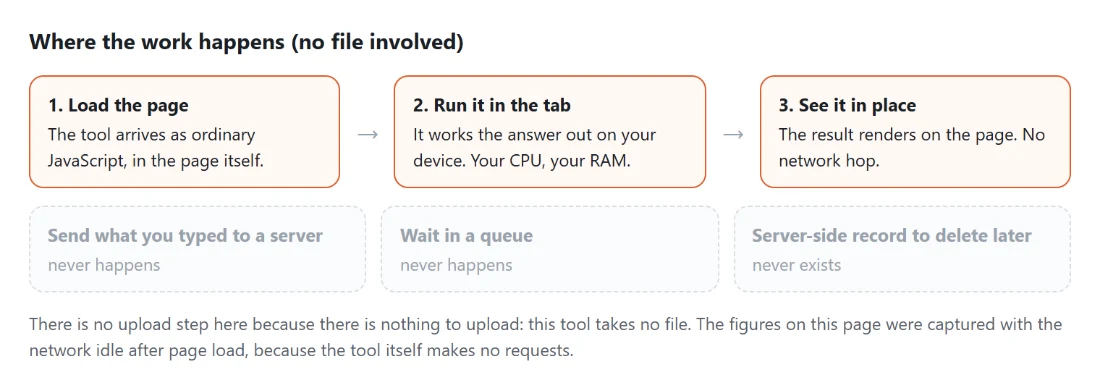
It is worth being blunt about what that buys and what it costs. It buys a page with no data file, no API call and no network dependency of any kind, which answers instantly for any date in either direction. It costs precision, because the real Moon does not travel at a constant rate. Its orbit is an ellipse, so it speeds up near perigee and slows near apogee, and a constant-rate model averages that away. An individual phase instant computed here can therefore sit up to about a day from the true astronomical moment.
For naming tonight’s phase, or finding roughly when next month’s full moon lands, a day of slack changes nothing. For eclipse timing, occultation work or anything where the hour matters, it is not the right tool and no amount of careful wording would make it one.
Illumination follows a cosine, not a straight line
The percentage is not the age scaled linearly. It comes from the standard illuminated-fraction relation: take the position in the cycle as an angle, and the lit fraction is one minus its cosine, halved. That gives exactly zero at new, exactly fifty at each quarter and exactly one hundred at full, which is the reassuring part.
The interesting part is the middle. Because a cosine is flat at its extremes and steep in between, illumination barely moves for the day or two either side of full, then changes fast around the quarters. If you have ever noticed that a full moon looks full for several nights and then seems to shrink quickly, that is the same curve, and it is why photographers planning around a bright moon get more usable nights than the phase names suggest. Planning around the light rather than the Moon itself is the Golden Hour Calculator, which does need a location because sunrise and sunset do.
Dates are the other half of this kind of planning. To count the exact gap between tonight and a full moon several months out, Days Between Dates does that arithmetic directly, and Countdown to Date will sit there ticking towards the night itself.
Two full moons in May 2026, and how the calendar catches them
A month is 30 or 31 days and the lunar cycle is 29.53, so now and then a calendar month swallows two of the same principal phase. Ask this tool for May 2026 and it marks a full moon on the 1st and another on the 31st, the calendar-month sense of a blue moon. August 2026 is the ordinary case: last quarter on the 5th, new moon on the 13th, first quarter on the 20th, full moon on the 28th.
Getting that right needed a second pass over the month. The glyph on each cell comes from the day’s age bucket, which is a window nearly four days wide, so labelling the principal phases from those buckets would smear each one across four calendar days. Instead the labels are computed from the exact phase instants, then matched back to the UTC calendar day each instant falls on, and the search deliberately keeps going after the first hit in a month so a second full moon is not missed.
The grid is on screen only. If you want the month on paper, the Printable Calendar Generator builds a monthly PDF with your choice of paper size and week start, though it prints an ordinary calendar with no moon phases on it, so you would be writing those in yourself.
The disc is drawn for the northern hemisphere
The moon on the page is a real drawing rather than a stock image per phase. A dark circle sits underneath, and the lit region is an SVG path made of two arcs: a semicircle along the bright limb, and a half-ellipse for the terminator whose width is proportional to how far the illumination sits from fifty percent. At exactly half lit that ellipse collapses to zero width and the terminator becomes a straight line, which is precisely what a quarter moon looks like.
Two special cases skip the path entirely. Below half a percent lit the disc is drawn wholly dark, and above 99.5 percent it is drawn wholly lit, because at those extremes the arc geometry degenerates and a plain circle is both simpler and more accurate.
Orientation follows the northern convention: waxing is lit on the right, waning on the left. From the southern hemisphere the same phase appears mirrored, so a crescent drawn here with its bright edge on the right will be on the left in your sky. The phase name, the age and the percentage are all unaffected, since only the picture flips.
The day of slack, and what it rules out
Every date on the page is evaluated at noon UTC. That choice keeps results deterministic and stops a phase label flipping just because a lookup happened near midnight, but it means a viewer many hours away from UTC can disagree with the label by a day on a borderline date. Combined with the mean-cycle approximation, that is the honest error bound: about a day, in both directions, on the phase instants and therefore on the names near a boundary.
Within that bound the tool is genuinely useful for the questions people actually ask, which is when the next full moon lands, whether a camping weekend falls under a dark sky, and what the moon looked like on some date that mattered. Outside it, reach for an ephemeris. The rest of the browser-based calculators sit on the hub, and the online calculators guide explains what each one is and is not built to do.