The exact file the default settings produce
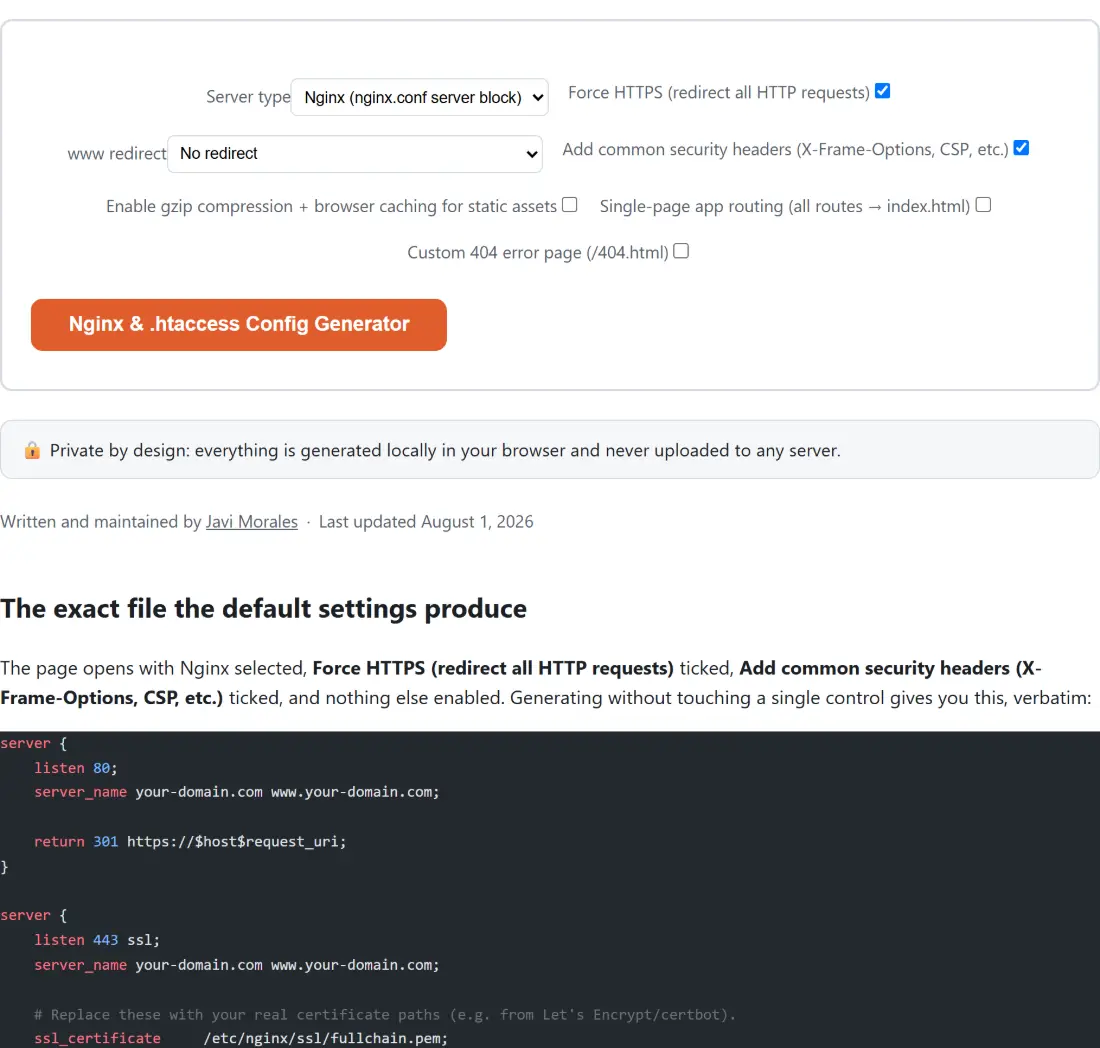
The page opens with Nginx selected, Force HTTPS (redirect all HTTP requests) ticked, Add common security headers (X-Frame-Options, CSP, etc.) ticked, and nothing else enabled. Generating without touching a single control gives you this, verbatim:
server {
    listen 80;
    server_name your-domain.com www.your-domain.com;

    return 301 https://$host$request_uri;
}

server {
    listen 443 ssl;
    server_name your-domain.com www.your-domain.com;

    # Replace these with your real certificate paths (e.g. from Let's Encrypt/certbot).
    ssl_certificate     /etc/nginx/ssl/fullchain.pem;
    ssl_certificate_key /etc/nginx/ssl/privkey.pem;

    add_header X-Frame-Options "SAMEORIGIN" always;
    add_header X-Content-Type-Options "nosniff" always;
    add_header Referrer-Policy "strict-origin-when-cross-origin" always;
    add_header Content-Security-Policy "default-src 'self'" always;
    add_header Strict-Transport-Security "max-age=31536000; includeSubDomains" always;
}
Three things in there are placeholders you must replace: the domain on both server_name lines, and the two certificate paths. Certbot will have written its own paths under /etc/letsencrypt/live/ if you used it.
One thing is absent by design. There is no root, no index and no location block, because the generator has no idea where your files live. This output is a scaffold to paste into a server block, not a config that serves a site by itself.
Where the two servers stop being translations of each other
Switching Server type to Apache is not a syntax rewrite of the same structure. The two servers solve these problems differently enough that the output changes shape.
Nginx gets two server blocks when HTTPS is forced, because that is how the port 80 listener and the port 443 listener are separated. Apache gets no equivalent, since a .htaccess file lives inside a directory and applies to whatever is served from it; the HTTPS upgrade becomes a RewriteCond %{HTTPS} off paired with a RewriteRule.
There is also a conditional the Nginx output does not have. When you turn Force HTTPS off but keep a www redirect, the Apache rule has to preserve whichever scheme the request arrived on, and it does that with %{REQUEST_SCHEME}. That variable exists from Apache 2.4 onwards. With Force HTTPS on, both upgrades are folded into a single redirect to https, so the version question never arises.
Finally, Strict-Transport-Security is only emitted when Force HTTPS is on, on both servers. Advertising a year of HSTS from a site that still answers plain HTTP is the kind of half-configuration that locks visitors out later, so the generator refuses to write it.
Building your config block
- Set Server type to match what your host actually runs. Most VPS and cloud boxes are Nginx; most cPanel-style shared hosting is Apache, where
.htaccessis often the only thing you are allowed to edit. - Adjust the rest. www redirect starts on No redirect, and the three checkboxes Enable gzip compression + browser caching for static assets, Single-page app routing (all routes → index.html) and Custom 404 error page (/404.html) all start unticked.
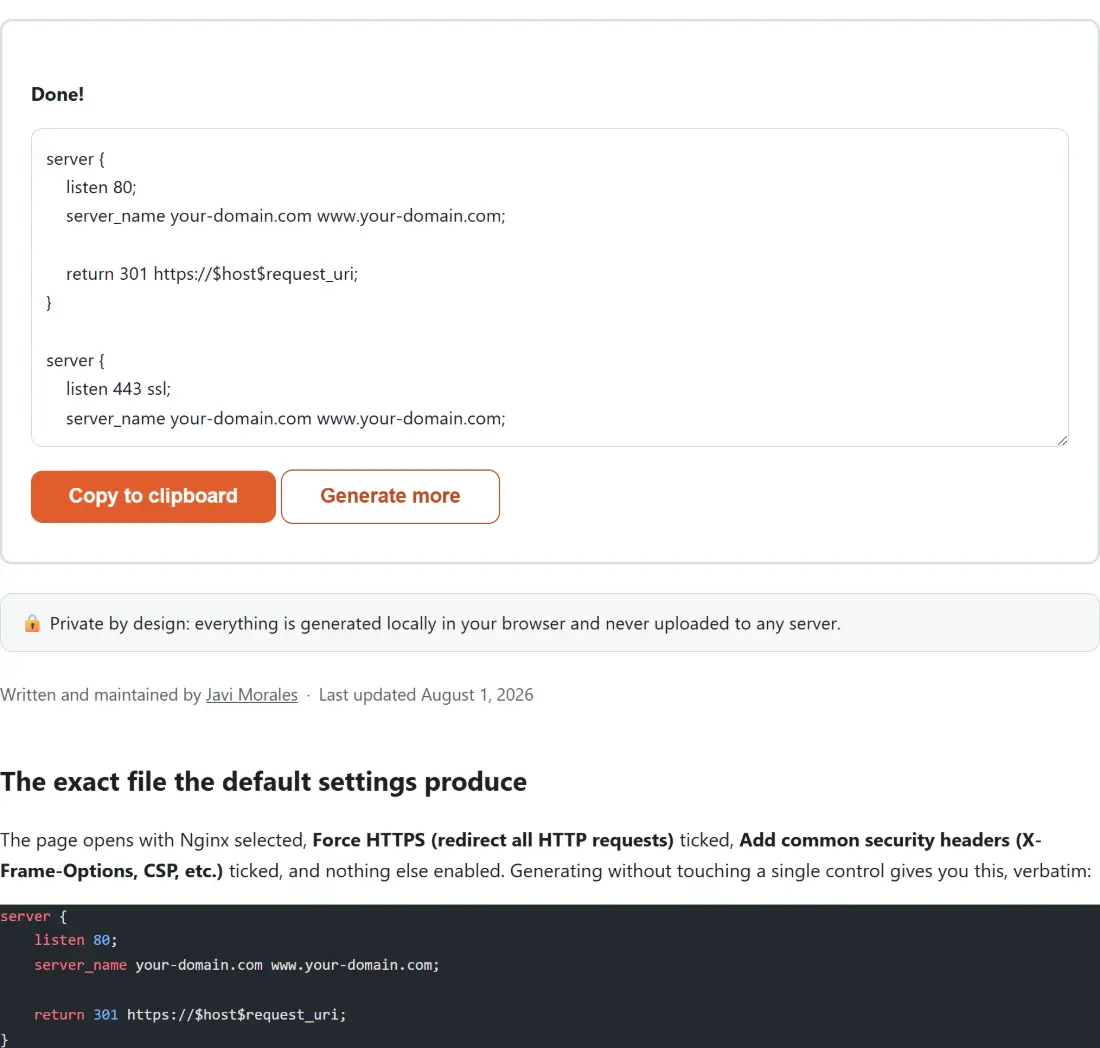
- Click the button, which carries the tool’s own name, Nginx & .htaccess Config Generator. The options and the button are then replaced by a Done! line and a read-only text box holding the config.
- Use Copy to clipboard, paste it into your server block or
.htaccess, and swap the placeholders for real values. To change a setting, click Generate more first, since the options are hidden while a result is on screen.
Two boxes that quietly cancel each other out
Ticking both Single-page app routing and Custom 404 error page produces a file where the 404 page is, for almost every URL, unreachable. The SPA rule rewrites any request that does not match a real file on disk to index.html, and the server has no way to distinguish a mistyped app route from a mistyped image path. Both land on your app shell.
The one place that is not quite absolute is the Nginx caching rules, if you also enable them. They install a regex location for a fixed list of extensions (css, js, jpg, jpeg, png, gif, ico, svg, woff, woff2), and Nginx prefers a matching regex location over the prefix location / that carries the SPA fallback. So a broken link to a .png can still reach the 404. Everything else, on both servers, does not.
If a real 404 page matters more to you than deep-link refreshes, leave SPA routing off and handle unknown routes inside your app instead.
What a text generator cannot check for you
Every fragment here is assembled by JavaScript in your tab, which means the output is composed from known-good directive shapes but has never been parsed by a real nginx -t or loaded by Apache. Syntax is one thing; interaction between rules is another, and no string-builder can reason about your existing config, your installed module list, or whatever other .htaccess files sit above yours in the directory tree. Deploy to staging first, every time.
It is also single-purpose. The sibling robots.txt generator covers crawler rules and includes a tester for individual paths, the .gitignore generator uses the same options-only shell for a repo’s ignore rules, and the CSR generator produces the Certificate Signing Request and private key that the ssl_certificate paths above eventually point at. If you need password protection on a directory, the htpasswd generator writes the bcrypt or MD5-APR1 line that both Apache and Nginx basic auth expect. Once the config is live, the access log analyzer reads the .log file it produces, and the rest of the set lives in developer tools.