Two incompatible systems and a measurement
Shoe sizing is three different ideas wearing one label.
The US and UK scales descend from the barleycorn, an old English unit of a third of an inch, with each full size adding one barleycorn to the last. The EU scale uses the Paris point, two thirds of a centimetre per size. Those two increments do not divide into each other, so no exact conversion between them exists, and every chart in the world resolves the mismatch by rounding somewhere slightly different.
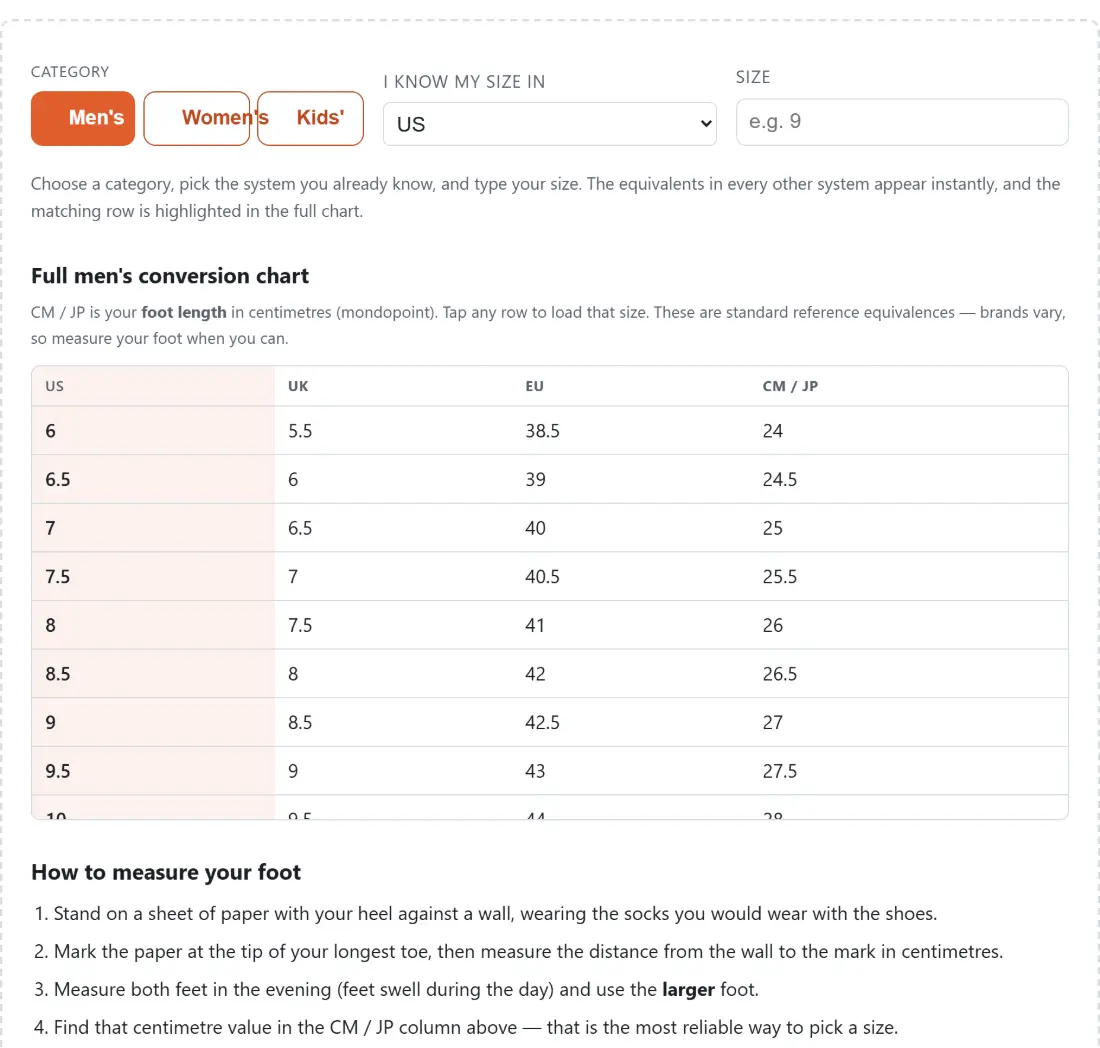
The third idea is mondopoint, which is simply the length of the foot in centimetres. It is the only one of the four columns that measures anything physical. Japanese sizing uses it directly, and it is the column worth trusting.
Because there is no correct formula, the tables here are the curated values published on international conversion charts, cross-checked against the two underlying systems. They are deliberately not tidied into a clean equation, since a clean equation would stop matching what shops actually print on the box.
Converting a size you already know
- Choose a Category. The three buttons are men’s, women’s and kids’, and they are separate scales rather than offsets of one another.
- Set the system you already know using the I know my size in dropdown.
- Type your number into the Size box. Letters and a comma decimal are tolerated, so a European 42,5 or a kids’ 1Y both work.
- Read the equivalents, which appear immediately for every other system.
- Look at the full chart underneath. Your matching row is highlighted, and the column you entered is highlighted too.
- Click any row in the chart to load that size into the box.
- If your value is not on the chart you get a message saying so rather than a nearest guess dressed up as an answer.
Half sizes and values between rows snap to the nearest row. The tolerance is tighter on the US, UK and centimetre columns, where rows sit about half a size apart, and wider on the EU column, where the gaps between published sizes are larger and uneven.
Men’s, women’s and kids’ are three different scales
This is the mistake that costs people a return. The three categories are not the same numbers with an offset, and switching category without re-reading your size gives a shoe that does not fit.
For the same foot length, a women’s US number runs about one and a half sizes above the men’s. Read across the centimetre columns and the relationship is visible: a foot of 25 centimetres appears at men’s US 7 and at women’s US 8.5. The UK relationship differs again, sitting half a size below the US in the men’s chart and two sizes below in the women’s.
Children’s sizing is not an offset of anything. It runs through a toddler range and then restarts at a youth range, so the numbers go up, reset, and climb again. The chart shows the C and Y markers on the US column for exactly that reason, and it covers the span where those labels apply. Beyond the top of it, children are into adult sizes.
Measure, then read across
The widget carries a short foot-measuring guide below the chart, and it is worth following once rather than converting numbers forever.
The reason is that every national size you know is already a conversion of a measurement somebody else took, possibly from a different last, possibly rounded twice. Your foot length in centimetres is not. Once you have it, the centimetre column is a direct lookup into the chart with no conversion error, and it is also the number to give a manufacturer’s own size guide when brands disagree, which they routinely do.
Two practical details matter more than they sound. Measure in the evening, because feet swell over a day and a shoe that fits at nine in the morning can be tight by six. And measure both feet, because most people have one longer than the other, and the shoe has to fit the larger one.
Treat the answer as a starting point
Nothing here is a guarantee of fit and the tool says so. Beyond the chart disagreement, individual brands run their own way, and running shoes, boots and dress shoes from the same maker often differ from each other. Width is not represented at all in any of these systems.
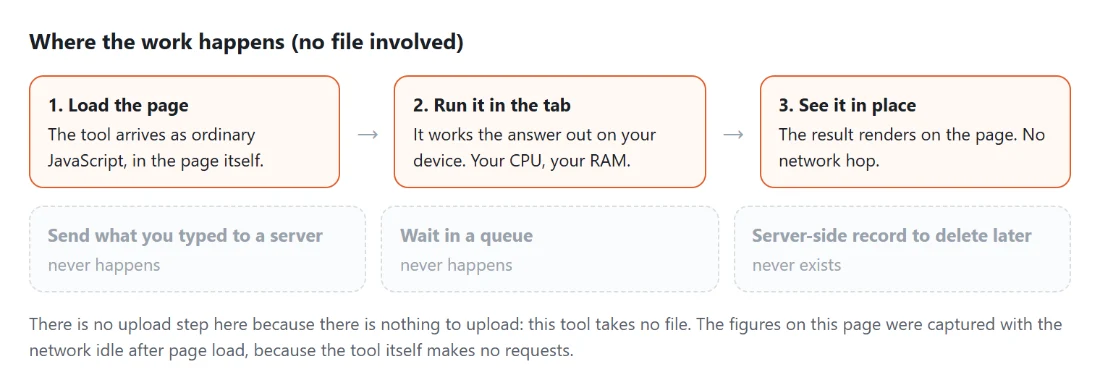
Everything runs from a built-in table inside your browser, so nothing you type is transmitted anywhere.
For other conversions between systems that never quite line up, Unit Converter handles length, weight, temperature, volume, area and speed, and Cooking Converter does the cups and grams problem. If you need to check a measurement without a tape to hand, Online Ruler is calibrated on screen. The rest is on the calculators hub.