A link that opens a conversation
A click to chat link is a plain URL that opens a WhatsApp conversation with a specific number, optionally with a message already typed in. On a phone it opens the app, and on a desktop it opens the web client if the person is signed in.
That makes it the most direct call to action available for a small business. A contact form is a form, an email address invites a wait, and a phone number on a page requires copying it into a dialler. A link that opens a chat with the first sentence already written removes every step between interest and contact.
The pre-filled message is doing more work than it appears to. Most people who want to make contact hesitate over how to begin, and filling in the opening line for them is what converts a click into an actual message.
Building a link
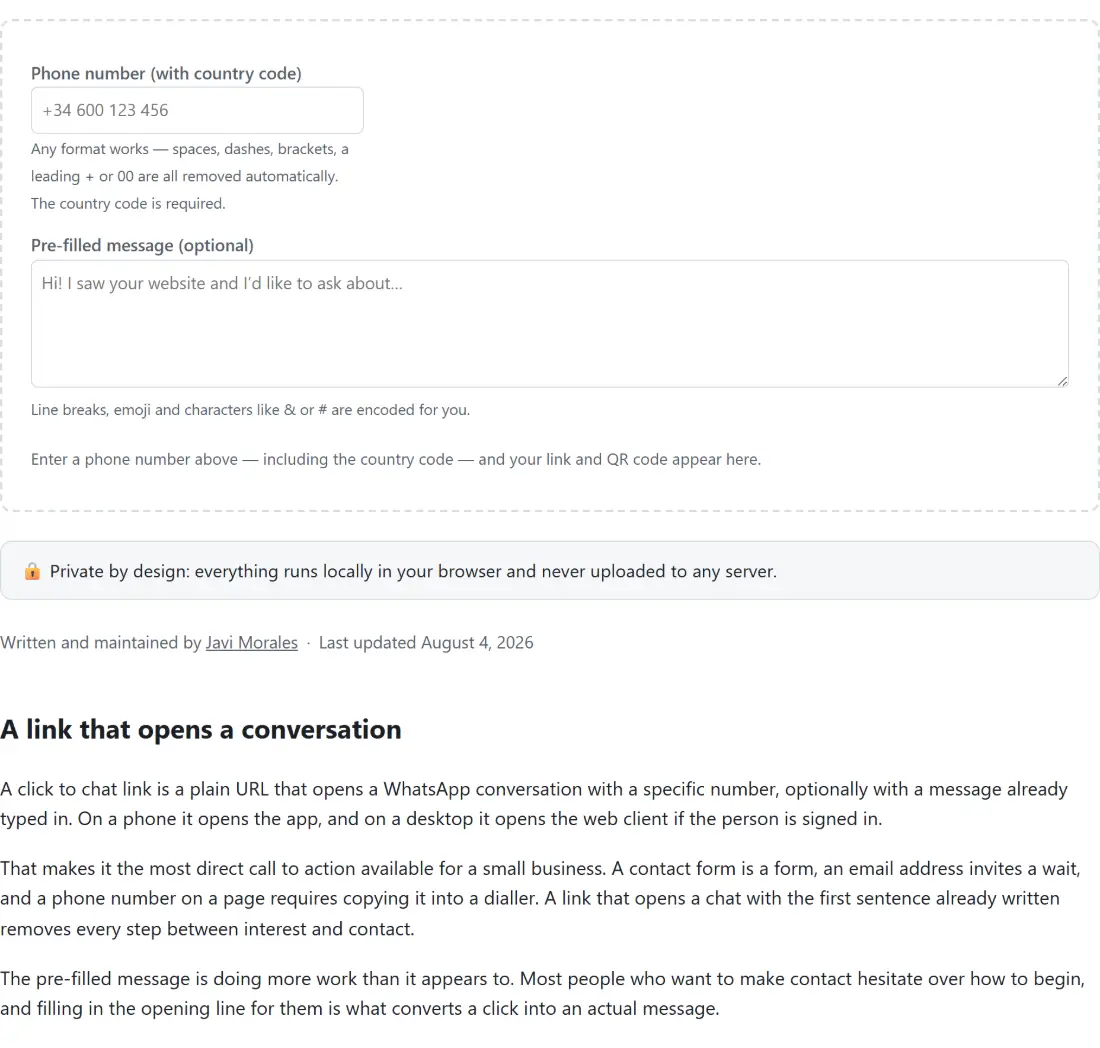
- Enter the phone number, including its country code. Formatting does not matter.
- Read any notes that appear under the field.
- Type the message you want pre-filled. Leave it blank for a bare chat link.
- Copy the generated link, or download the QR code as a PNG.
What the number cleanup does and does not do
Every non digit is stripped, so it makes no difference at all how you format the number. Plus signs, spaces, dashes, brackets and dots are all removed. A leading double zero goes too, since that is the international access prefix and means the same thing as a plus.
One thing is deliberately left alone: a single leading zero. In many countries that is the national trunk prefix, dialled inside the country and dropped when calling from abroad, so removing it would be correct. In others the digits following a country code legitimately start with a zero, so removing it would break the number.
There is no way to tell which case you are in without a database of numbering plans, which this page does not have and will not pretend to. So the zero stays and a note appears telling you to replace it with the country code, which is the honest handling of an ambiguous input.
The notes are a shape check, nothing more
The hints under the number field are based purely on how many digits you typed and whether it starts with a zero. Nothing is verified.
There is no way for a web page to check that a number exists, that anyone answers it, or that it is registered with WhatsApp. Any tool claiming otherwise is either guessing or sending your number somewhere. What a length check can catch is the genuinely common mistakes, namely a number typed without its country code, which comes out too short, and one typed with a country code twice, which comes out too long.
Nothing is ever rejected. The link is built regardless of what the notes say, since the notes might be wrong about an unusual but valid number.
Encoding, and the space problem
Putting a message into a URL means percent encoding it, and there are two encodings that look similar and are not.
Form encoding, used when a browser submits a form, writes a space as a plus sign. That only turns back into a space in software applying form rules. A link opened by a phone app is not a form submission, so a plus sign arrives as a literal plus sign in the message.
Standard percent encoding writes a space properly and also handles newlines, ampersands, hash symbols and non ASCII text including accents and emoji. That is what is used here, which is why a multi line message with an emoji in it arrives intact. If you want to inspect or hand build an encoded value yourself, URL Encode exposes the same operation.
The QR code
The code encodes exactly the string shown in the link box, with no separately assembled second copy, so the two can never disagree. Size and error correction are both adjustable, and higher error correction is worth choosing for anything printed since a code on a poster or a window will get dirty and scuffed.
A long pre-filled message can exceed what a QR code can hold, especially at a high error correction level, in which case the encoder refuses and the page shows why rather than displaying a broken image. Shortening the message fixes it, and the link is unaffected either way.
For a code around something other than a chat link, QR Code Generator handles arbitrary text, WiFi QR Code Generator covers network credentials, and QR Code Reader goes the other way. To add campaign tracking to a link before turning it into a code, UTM Link Builder is the step before this one. The rest are on the generators hub.