XML to JSON Converter

Convert XML to JSON or JSON back to XML in your browser, choosing how attributes are represented, with a clear line and column for a parse error.

🌐 Español

🔒 Private by design: your text is processed locally in your browser and never uploaded to any server.

Two data models that do not quite line up

Converting XML to JSON looks mechanical and is not, because the two formats can express things the other cannot.

XML has attributes, which JSON has no equivalent of. XML distinguishes an element with one child from an element with several, whereas JSON needs to decide upfront whether something is an array. XML allows text and elements to interleave inside one parent, which JSON cannot represent at all. JSON has real number and boolean types, which XML does not.

Every converter therefore makes a set of choices, and different libraries choose differently, which is why two converters can give you different JSON from the same XML. The choices made here are set out below rather than left for you to reverse engineer from the output.

Converting

  1. Choose a Direction.
  2. For XML to JSON, choose an Attribute handling, XML to JSON only mode.
  3. Set an Indent size in spaces.
  4. Paste your document and run it.

The attribute problem, and the two answers

An attribute and a child element are different things in XML and become the same thing, a key, in JSON. Something has to distinguish them.

Prefix mode marks each attribute’s key with an at sign. It is unambiguous, it survives a round trip because the marker identifies which keys were attributes, and it is slightly ugly to read.

Merge mode drops the marker so attributes sit alongside child keys as ordinary properties. It reads better and it carries a genuine hazard: if an attribute and a child element share a name, they collide, and the child element wins because attributes are written first and the child overwrites them. The attribute value is gone, silently.

That is not a bug so much as an unavoidable consequence of merging two namespaces into one, and it is why prefix is the default. Choose merge when you know your document has no such collisions and you want the JSON to read cleanly.

When a single element becomes an array

Repeated siblings with the same tag under one parent become an array in document order. That is what makes a feed of items or a list of records convert into something usable.

A tag appearing only once stays a bare value. This is the choice worth knowing about, because some converters always produce arrays so that consuming code never has to check. That consistency is genuinely valuable when you are writing a parser, and it makes the common case, a document where most elements appear once, considerably noisier to read.

The practical consequence is that consuming code has to handle both shapes. If your feed happens to contain exactly one item, that key is an object rather than a one element array.

Going back the other way

JSON to XML inverts the mapping, and it imposes two requirements that come straight from XML’s own rules.

The top level must be an object with exactly one key, since that key names the root element and a document can have only one root. An object with three keys is refused with a message naming how many were found, and a top level array is refused for the same reason.

A key beginning with an at sign is always written out as an attribute in this direction, regardless of which attribute mode is selected, since the mode only affects the other direction. That is what makes a prefix mode round trip work.

What does not survive

Comments, processing instructions, the document type declaration and the XML prolog are dropped. JSON has nowhere to put them and this is a data converter.

Mixed content is the other casualty. Text interleaved between child elements, as in a sentence with markup inside it, has all its text nodes concatenated into a single value, so their positions relative to the elements are lost. Configuration files, API payloads and feeds essentially never use that pattern, which is why the trade is acceptable here.

If you need the document preserved rather than converted, XML Formatter reformats it without discarding anything.

For the other direction of the configuration world, YAML to JSON converts the format that has largely replaced XML for config. To make the resulting JSON readable, JSON Formatter pretty-prints and validates it, and JSON to CSV flattens it into a table.

For data that started life in a spreadsheet, Excel to JSON is the entry point, and Diff Text compares two converted outputs. The rest are on the dev tools hub.
See it in action

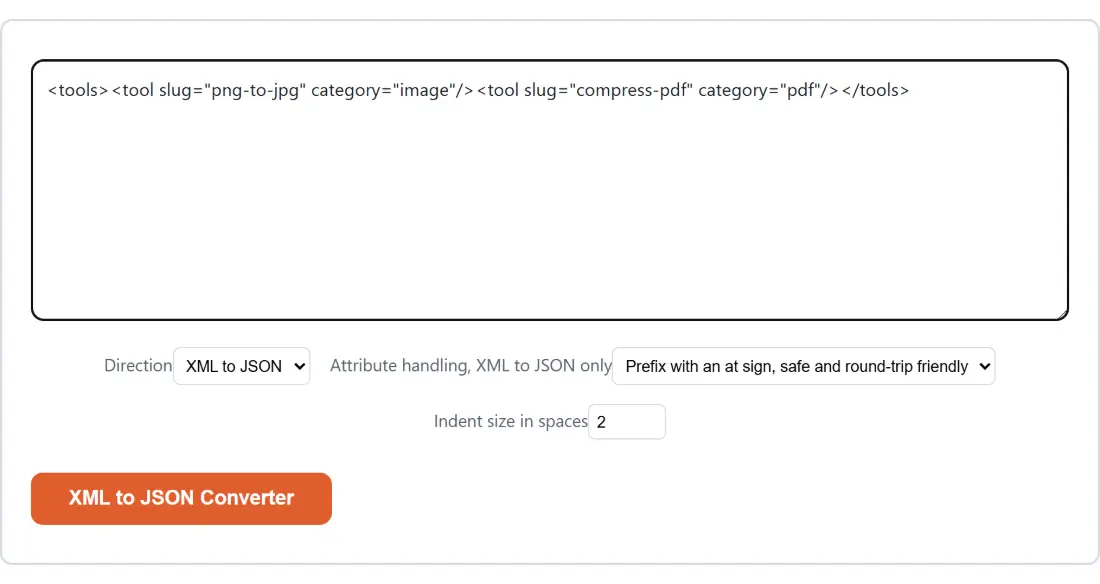
Screenshot of the XML to JSON Converter tool with the sample input “<tools><tool slug="png-to-jpg" category="image"/…”, Direction set to XML to JSON, Attribute handling, XML to JSON only set to Prefix with an at sign, safe and round-trip friendly
XML to JSON Converter mid-process: the sample input “<tools><tool slug="png-to-jpg" category="image"/…”, Direction set to XML to JSON, Attribute handling, XML to JSON only set to Prefix with an at sign, safe and round-trip friendly.
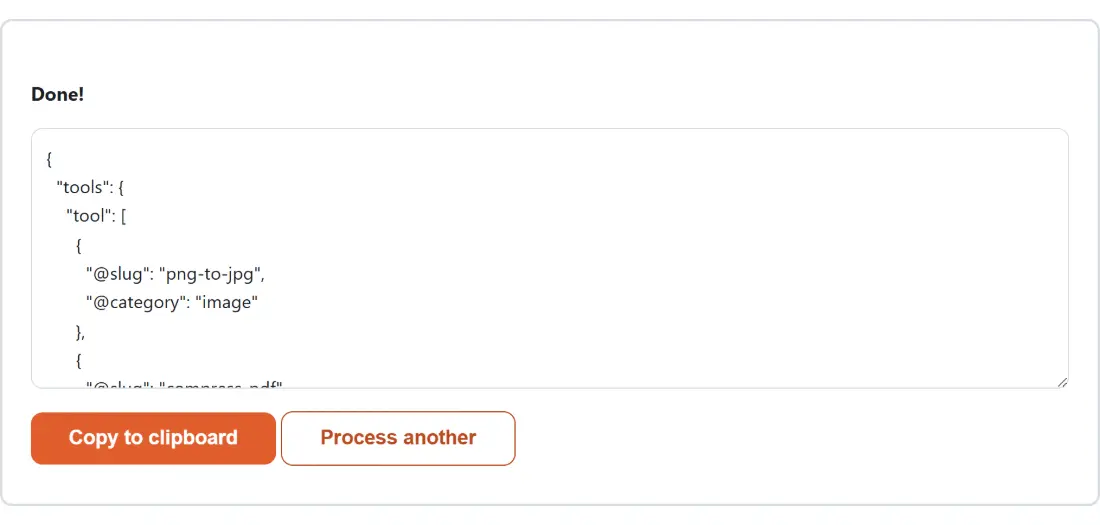
Screenshot of the XML to JSON Converter result screen showing the generated output “{ "tools": { "tool": [ { "@slug": "png-to-jpg", …”
The finished result: the generated output “{ "tools": { "tool": [ { "@slug": "png-to-jpg", …”. The download link is a local blob URL — the file never leaves your device.

Frequently asked questions

What are the two attribute modes and which should I use?

Prefix mode, the default, puts each attribute under a key beginning with an at sign, which keeps attributes visibly distinct from child elements and lets the conversion be reversed. Merge mode drops the prefix and puts attributes alongside child element keys, which reads more naturally and carries a real risk. If an attribute and a child element share a name, the child element wins and the attribute value is lost, because attributes are applied first and the child overwrites them.

How does an element with no attributes and no children convert?

To a plain string rather than an object. A simple element holding only text becomes just that text, and a genuinely empty or self-closing element becomes an empty string. That matches what people expect and keeps the output readable, rather than wrapping every leaf in an object with a text key.

What happens to text on an element that also has attributes or children?

It gets its own text key, but only when there is actual text after trimming. The whitespace that formatting puts between child elements never produces one, so an indented document does not fill with empty text keys. An element with an attribute and some text comes back as an object holding both.

How are repeated elements handled?

Sibling elements sharing a tag name under one parent become a JSON array in document order, which is what makes feeds and record lists convert usefully. A tag appearing only once at that level stays a bare value rather than a one element array. That differs from some libraries which always produce arrays for consistency, and the choice here favours the common single occurrence case reading naturally.

What is lost in the conversion?

Comments, processing instructions, the document type declaration and the XML prolog are all dropped, because this is a data converter rather than a formatter and JSON has nowhere to put them. Mixed content is the other loss, since text interleaved between child elements is concatenated into a single text value and its exact position relative to those elements is not preserved.

What does JSON to XML require of my input?

Exactly one top-level key, which becomes the root element, and that key's value must not be an array since a document can only have one root. Both conditions are checked and each is refused with a message naming the actual problem, including how many keys were found when there is more than one. A key beginning with an at sign is always written back out as an attribute.

Does the round trip come back identical?

Structurally yes for the data, in prefix mode. Attributes go out under prefixed keys and come back as attributes, elements come back as elements, and repeated siblings come back as repeated siblings. What does not come back is anything the conversion dropped, meaning comments, processing instructions and the exact positioning of mixed content. Merge mode is not reliably reversible, since the prefix that identified attributes is gone.

Is my data uploaded?

No. Both directions run in your browser tab. That is worth knowing for this tool in particular, since the XML people convert is usually an API response or a configuration file, which routinely contains credentials, internal hostnames or customer records.

Related tools