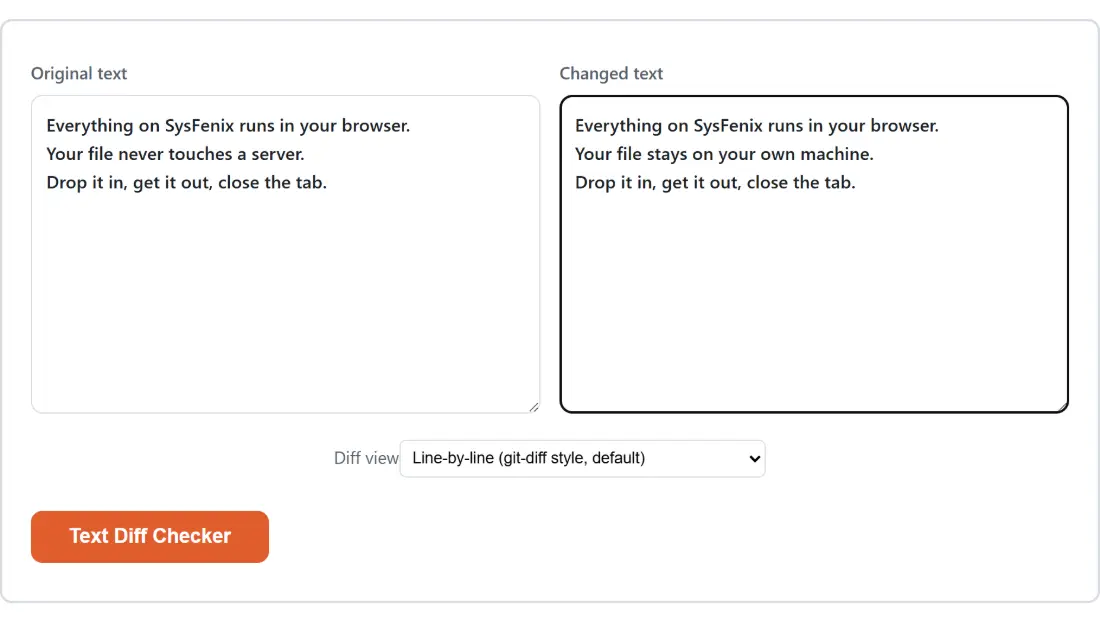
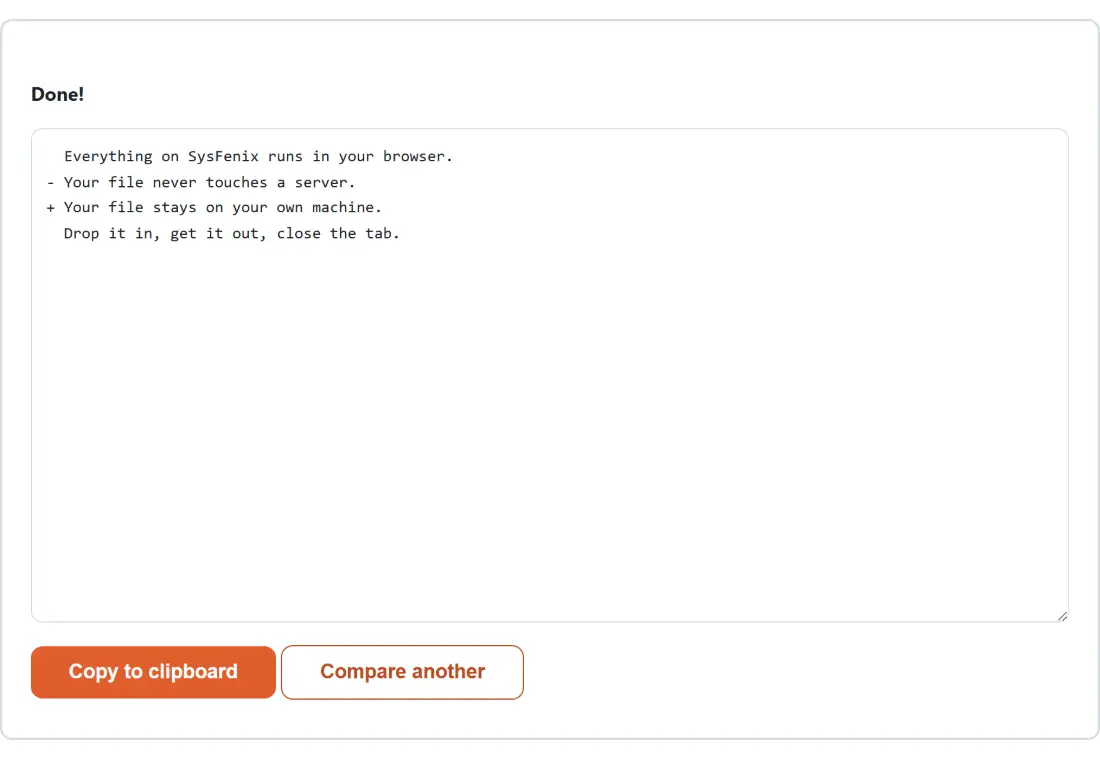
Line mode, and the prefixes it borrows from git
The default view splits both texts on newlines and lines them up, then prints every line once with a two-character prefix. Unchanged lines get two spaces, removed lines get a minus and a space, added lines get a plus and a space. Paste a config file with one value changed and you get exactly what a code review would show you:
- const port = 3000;
+ const port = 8080;
  const host = 'localhost';
  export default { port, host };
Everything is significant in this mode, including leading whitespace. Re-indenting a block from two spaces to four reports every touched line as removed and then added, because as far as a line comparison is concerned those are different lines. That is usually what you want when checking a YAML file or a Python block, and occasionally very much not what you want when reviewing prose.
Word mode wraps changes in wdiff brackets and ignores spacing
Switch the Diff view option to Word-by-word and the text is compared as a stream of words instead. Only the words that changed get marked, wrapped in the notation the old GNU wdiff utility popularized: removed words in [-...-] and added words in {+...+}. A sentence with two edits comes back as The quick [-brown-]{+red+} fox [-jumps-]{+leaps+} over the lazy dog.
There is one behavior here worth knowing before you trust a result. Word mode treats whitespace between tokens as insignificant, which is the underlying library’s documented default. Compare hello there against hello there in this mode and you are told the two texts are identical, because no word token changed. That is right for prose and wrong for anything where spacing carries meaning, so use the line view for those.
Pasting two versions and reading the answer
- Paste the earlier version into Original text and the newer one into Changed text. Only one of the two needs content for the button to activate.
- Set Diff view to Line-by-line for code, JSON, YAML, CSV rows or logs, or Word-by-word for a sentence or paragraph.
- Click Text Diff Checker.
- Read the output. Both input boxes are replaced by the result at this point, so use Copy to clipboard to take the diff away, and Compare another to get the two empty boxes back for a fresh pair.
That last step catches people out. There is no side-by-side panel that stays live while you edit; the comparison is a single operation, and going again means starting from a clean pair of boxes.
What runs under the hood, and the quirk it works around
Both views are built on jsdiff, the long-standing diff package, whose core implements Myers’ 1986 O(ND) difference algorithm. The word view calls its diffWords function directly. The line view does something slightly less obvious: rather than calling the library’s own diffLines, it splits the text on newlines itself and runs diffArrays over the resulting array of strings.
That detour exists for a real reason. The library’s line tokenizer keeps each line’s trailing newline attached to it, which means the final line of a text, having no newline after it, is treated as a different token from the same line appearing mid-document elsewhere. The symptom is a spurious removed-then-added pair on a line that never changed. Splitting on newlines first and comparing bare strings makes that impossible. An empty text is also deliberately treated as zero lines instead of one blank line, which is what keeps a text-against-nothing comparison clean.
When a line diff is the wrong instrument
A line comparison is structural blindness by design: it knows nothing about what the lines mean. Reorder the keys in a JSON object without changing a single value and a line diff reports the whole block as rewritten. That is a real limitation rather than a bug, and it is exactly why JSON Diff exists, parsing both documents and walking them as trees so key order never registers as a change. Two spreadsheets have the same problem for the same reason, which Compare Excel and CSV Files handles cell by cell instead.
Formatting differences cause similar noise. A SQL statement that was reformatted and then edited will drown the real change in layout churn, so run both versions through the SQL Formatter first and compare the normalized output. A list that changed only in order can be put into a stable sequence first with Remove Duplicate Lines and Sort Text, setting its Sort option to Alphabetical; clear its “Remove duplicate lines” checkbox, which is on by default, if repeated entries are meaningful in your list.
Edge results worth recognizing
Identical inputs do not produce a wall of unchanged lines. Both views short-circuit and print the single sentence “No differences found. Both texts are identical.” instead, so this doubles as a fast yes or no check on whether two things really match.
A trailing newline is a real difference. Comparing a\nb against a\nb\n in line mode reports an added empty line at the end, which is honest but occasionally surprising when the two texts came from different editors. And because the comparison itself runs in the tab you are sitting in, neither text is ever uploaded, which is usually the practical reason to reach for it over pasting into a web service. The rest of the dev tools section, including Word Counter for the length side of the same question, follows the same model.