Two problems, one page
XML arrives in two states that need opposite treatment, and this page handles both.
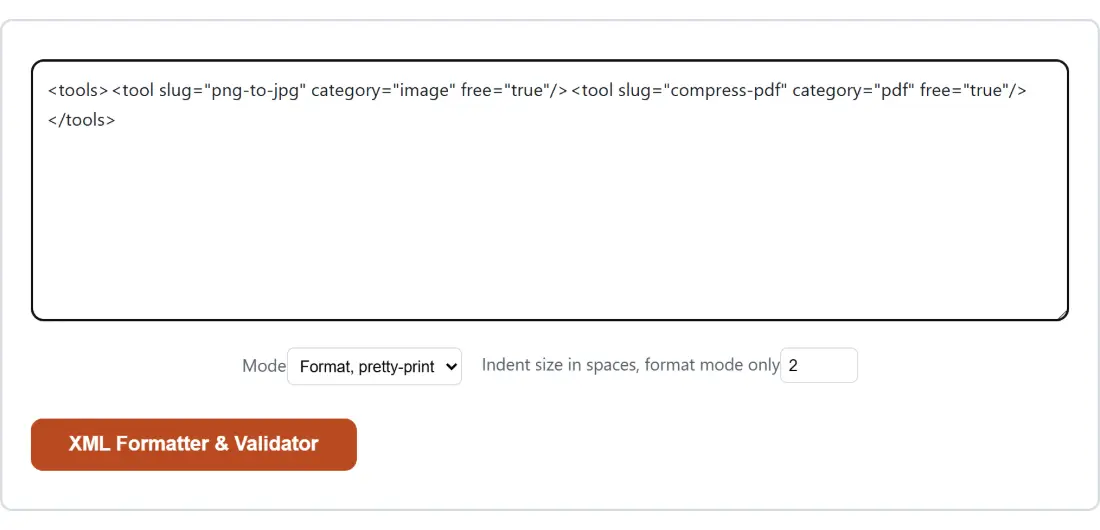
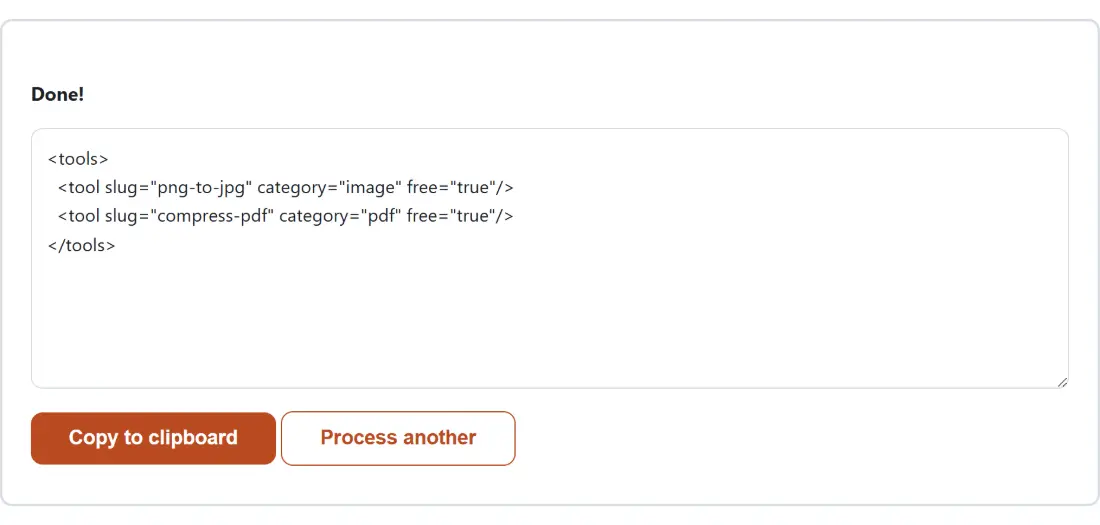
Machine generated XML comes as a single unbroken line, because whitespace between elements costs bytes and no program cares. It is unreadable, and the only way to understand its structure is to reformat it.
XML you are about to send has the opposite problem. Your carefully indented file carries whitespace that means nothing to the receiver and adds to every request, and stripping it is the last step before shipping.
The mode selector picks a direction, and both operations understand the document’s structure rather than manipulating text, which is why neither breaks anything.
Formatting or minifying
- Paste your XML into the box.
- Choose Format, pretty-print or Minify.
- Set an Indent size in spaces, format mode only between 1 and 8.
- Run it, then copy or download the result.
Well formed is not the same as valid
The distinction is worth being precise about, because tools blur it constantly.
A well formed document is syntactically correct XML. Every opening tag has a matching close, elements nest properly rather than overlapping, attribute values are quoted, and reserved characters are escaped. That is what is checked here.
A valid document additionally conforms to a schema that says which elements may appear where, what types their contents are, and what is required. That check needs the schema, which this tool has not been given.
In practice well formedness catches most of what goes wrong with hand edited XML, because the failures are missing closing tags, unquoted attributes and stray characters. A document that passes here and is still rejected by its consumer is a schema problem, not a syntax one.
Errors come with a location
A parse failure is only useful if it tells you where. The result box therefore reports a line and column alongside the parser’s own reason.
Getting that location out is less straightforward than it sounds, because browsers report parse errors as a document rather than as an exception, and each browser family words it differently. Both common phrasings are recognised, and a browser producing something unfamiliar has its raw text passed through unchanged rather than having a plausible looking line number fabricated for it.
Browsers also append a sentence about rendering the page up to the first error, which is a relic of the parser existing to display documents. It is stripped, since it says nothing about your XML.
What formatting deliberately leaves alone
Comments, CDATA sections, processing instructions and the document type declaration are preserved exactly and placed on their own lines. Their contents are structurally meaningful and re-indenting inside them could change what they mean, so the formatter decides only which line they occupy.
Text content inside an element is likewise untouched, since it is data. An element whose only meaningful content is text keeps that text on the same line, which is what makes a formatted data document readable rather than tripling in height.
The honest limitation is genuinely mixed content, where text and child elements interleave inside one parent as they do in a paragraph of markup. That shape has no whitespace preserving pretty print, and it takes the multi line layout with the incidental whitespace changes that implies. Configuration files, API payloads and feeds essentially never use it.
Related tools
For the other structured formats that arrive equally mangled, JSON Formatter and SQL Formatter do the same job, and Minify CSS covers stylesheets. To convert between formats rather than reformat one, XML to JSON goes both ways and YAML to JSON covers configuration files.
Formatting both versions of a document before running Diff Text is the standard trick for comparing two XML files, since it removes whitespace as a source of spurious differences. The rest are on the dev tools hub.