A keyboard when there is no keyboard
The reasons to want a piano on screen are mostly small and practical. Checking what a chord sounds like while writing something down. Finding the melody you have stuck in your head. Playing a reference note for a singer. Showing a child which key is middle C. None of them justifies owning an instrument, and all of them are frustrating without one.
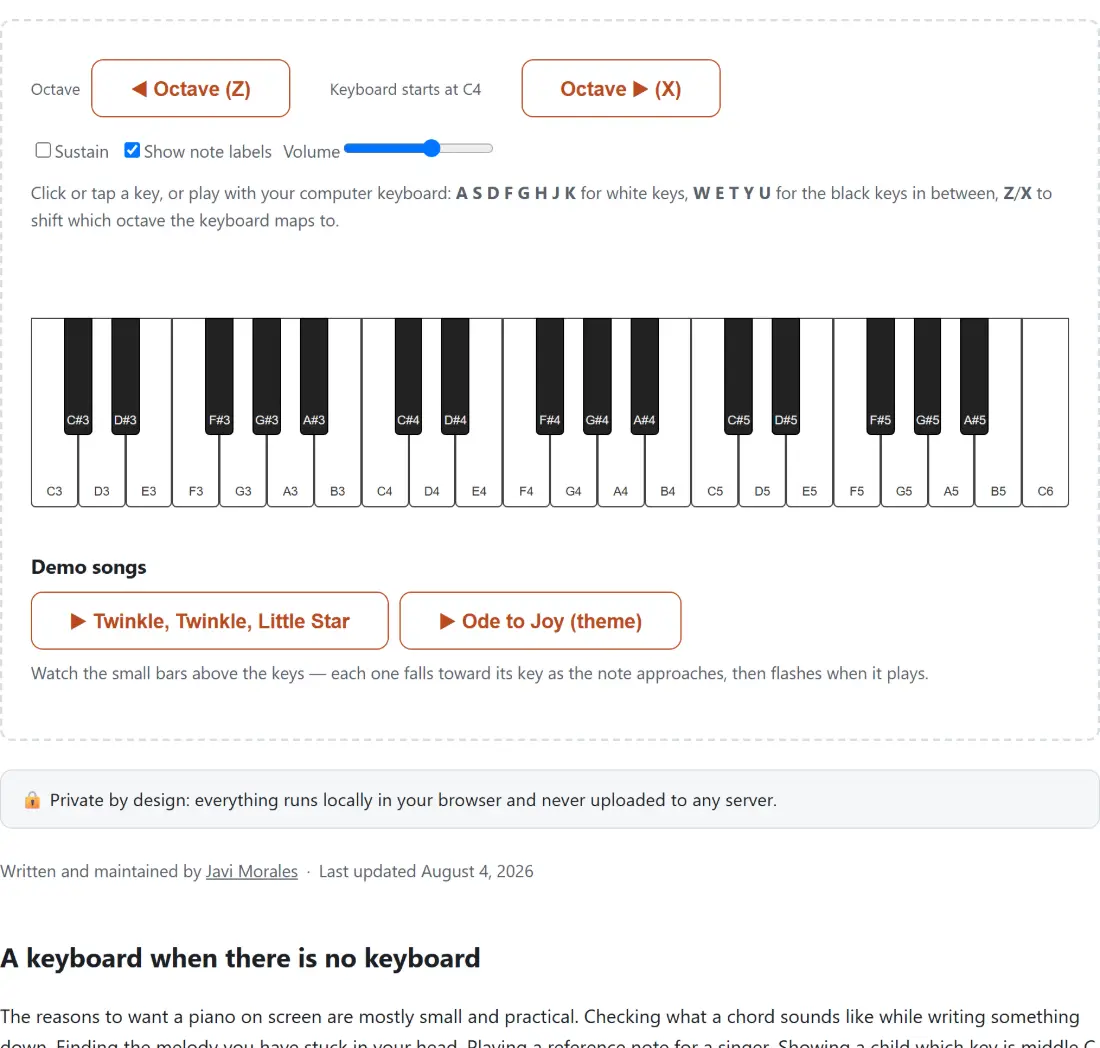
This page gives you three octaves that respond to a mouse, a touchscreen or your computer keyboard, with the note names available on the keys if you want them.
Playing it
- Click or tap any key, or use your computer keyboard.
- The home row from A to K plays white keys and W E T Y U play the black keys between them.
- Press Z or X to move the mapped range down or up an octave. The starting note is shown on screen.
- Turn on Sustain to let notes ring after you release them.
- Turn on Show note labels if you are learning where the notes sit.
- Pick a demo song to watch the falling hints and play along.
The keyboard mapping is a physical analogy
The computer key layout is not arbitrary. The home row runs left to right along the white keys, and the black key letters sit on the row above, in the same gapped pattern the black keys themselves follow. There is no letter between the pairs that have no black key between them, which is what makes the mapping learnable in about a minute.
Because a computer keyboard has far fewer usable keys than a piano, the mapping covers a window rather than the whole instrument, and Z and X slide that window up and down in octave steps. The current starting note is displayed between the two buttons, so a shift never leaves you guessing which octave you are in.
Clicking keys directly works across the full three octaves regardless of where the computer mapping is pointing.
What sustain actually does
Without sustain, a released key stops almost at once. That is technically correct and musically wrong for most playing, because it turns every phrase into a sequence of disconnected blips.
With sustain on, a released note fades over more than a second instead. Notes overlap, chords hold together, and a melody sounds like a melody. It is the same effect as holding down the right pedal on a real piano, and it is the single setting that most changes how the instrument feels to play.
The toggle takes effect immediately, including on notes that are already sounding, so switching it on mid phrase does what you would expect rather than waiting for the next note.
The falling hints, and what they are for
Above the keys is a lane where upcoming notes appear as bars positioned over the key they belong to. Each bar descends as its moment approaches and arrives at the keyboard exactly when the note should be played.
This is the display rhythm games use, and it works for the same reason. Reading notation requires knowing notation. Watching something fall towards the key you need to press requires nothing at all, which makes the two demo songs immediately playable by someone who has never read music.
Demo playback runs on its own audio path, completely separate from the keys you press yourself, so playing along with a demo never cuts it off or gets cut off by it.
Honest about the sound
The notes are synthesised, using a triangle wave shaped by a volume envelope rather than recordings of a real instrument. A convincing piano needs samples of every note at several playing strengths, which is tens of megabytes at minimum, and downloading that to check a chord would be a poor trade.
What you get instead is accurate pitch, immediate response and a tone that is pleasant rather than harsh. For working out a melody, checking an interval or teaching where the notes are, that is entirely sufficient. For recording something you want other people to hear, it is not.
Related music tools
For a guitar rather than a keyboard, Guitar Chord Finder shows fingerings, and Chord Transposer shifts a whole chord sheet into another key. To keep time while you play, Metronome is the companion.
For a single controlled frequency rather than musical notes, Tone Generator covers the full audible range, and Audio Spectrum Analyzer shows what a microphone is picking up. The rest are on the audio hub.