The delimiter sniff that runs before PapaParse sees a row
CSV is a family of formats rather than one, and the separator is the part that varies most. Exports from European locales routinely use semicolons, because the comma is already spoken for as a decimal mark. Anything that came out of a database dump or a log pipeline is as likely to be tab-separated.
So before parsing starts, a small detector takes the first 8000 characters of what you pasted, keeps up to ten non-empty lines, and counts commas, semicolons and tabs in each one, ignoring any that fall inside a quoted field. A candidate only qualifies if it turns up at least once on every sampled line, and a candidate that appears the same number of times on all of them scores highest. Ties go to the comma, which is also the fallback when nothing qualifies at all.
The quote-awareness earns its keep more often than you would expect. A semicolon-separated file whose rows carry quoted values containing commas, which is exactly what happens with an address column, still resolves to semicolon. The winning delimiter is then handed to PapaParse explicitly, so the library never has to guess for itself. Along the way it strips a leading UTF-8 byte order mark, the invisible prefix Excel likes to add, and drops blank lines wherever they appear.
Three separators is the whole list, though. Pipe-delimited data does not survive.
Leading zeros, huge integers and the cells that stay text
Every CSV cell is text. The question is which ones deserve to stop being text, and this is where converters quietly lose data.
With Infer types (numbers, true/false, null) left on, a cell becomes a real JSON number only when its trimmed value is a plain integer or decimal with no leading zero, optionally negative. true and false in any casing become booleans. An empty cell, a whitespace-only cell, and the bare word null in any casing all become JSON null. Everything else stays a string, exactly as it appeared.
That leading-zero clause is the load-bearing one. 0123, 00501 and 007 are all strings on the way out, because the bare numbers 123, 501 and 7 throw away digits that no later step can restore. Integers beyond the range JavaScript represents exactly are held back for the same reason, so 9007199254740993 stays quoted rather than being rounded to a neighboring value. Scientific notation, thousands separators and currency symbols are not recognized as numbers either, and stay text.
Here is a semicolon-separated file with all of those traps in it:
id;name;zip;active
0123;Ada Lovelace;00501;true
7;Grace Hopper;10001;false
With the default options that converts to:
[
  {
    "id": "0123",
    "name": "Ada Lovelace",
    "zip": "00501",
    "active": true
  },
  {
    "id": 7,
    "name": "Grace Hopper",
    "zip": 10001,
    "active": false
  }
]
Note what happened to zip. The padded value kept its zeros and its quotes, while 10001 had no zeros to lose and became a number. That inconsistency inside one column is honest rather than tidy, and it is preferable to the alternative.
Converting a semicolon export into an array of objects
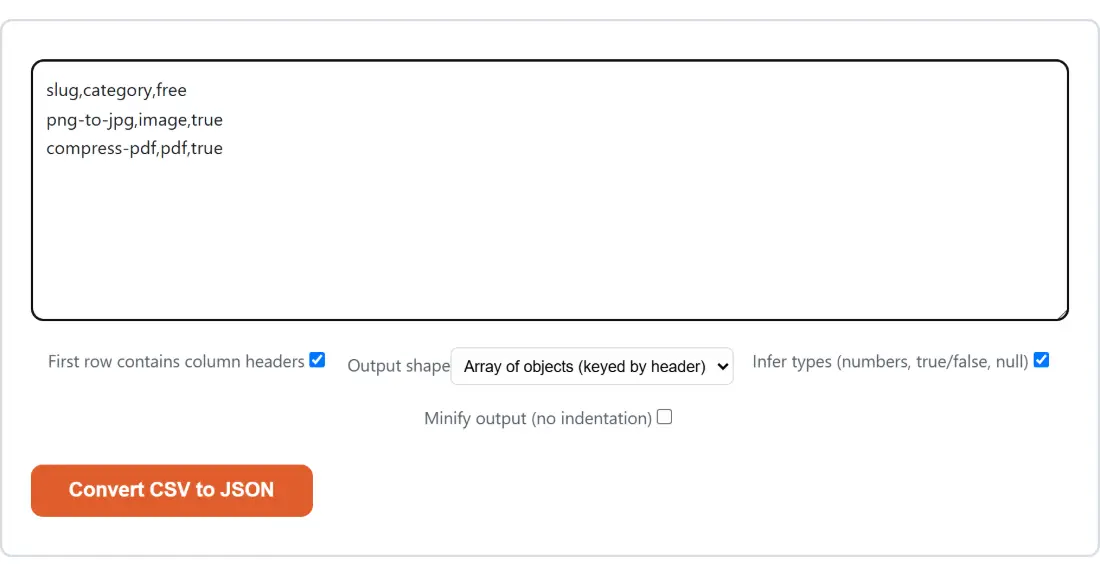
- Paste the CSV, TSV or semicolon-separated text into the box. The delimiter is worked out for you.
- Leave First row contains column headers ticked if your first line names the columns, or clear it if every line is data.
- Set Output shape to either Array of objects (keyed by header) or Array of arrays (rows).
- Leave Infer types (numbers, true/false, null) on to get real numbers and booleans, or clear it to keep everything as strings exactly as written.
- Tick Minify output (no indentation) if you want one dense line instead of two-space indentation.
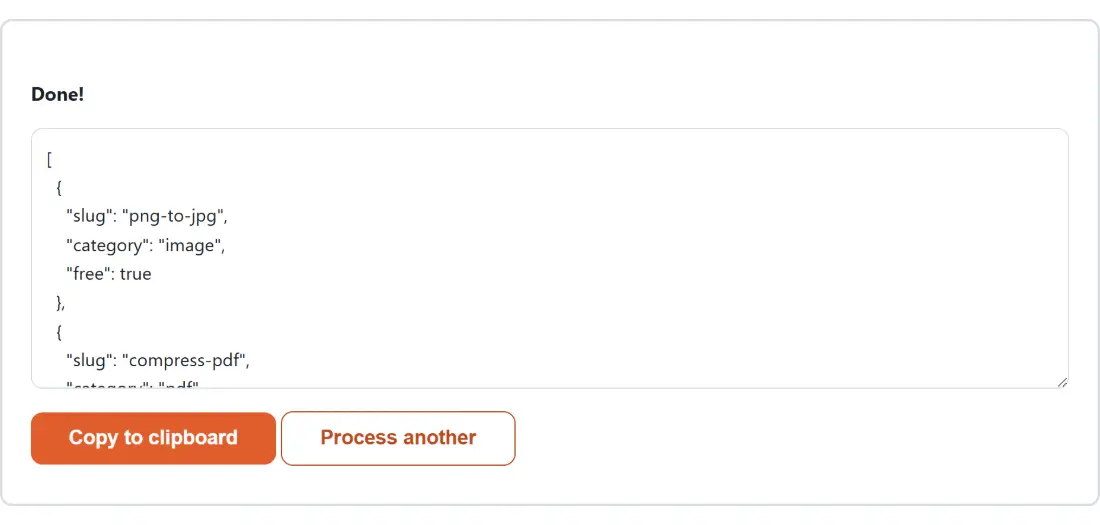
- Click Convert CSV to JSON, then Copy to clipboard, or Process another to run something else.
Ragged rows, blank lines and repeated header names
Real exports are rarely rectangular, so the grid is squared off before anything is serialized. With a header row, the header’s own cell count sets the width: shorter rows are padded, longer rows are trimmed. Without a header row the width comes from the widest line in the file instead, so nothing is discarded and only the short rows get padding.
Padding is not neutral. A padded cell is empty text, and with inference on empty text becomes null, so a three-column header met by a two-cell row produces a third property whose value is null rather than an empty string.
Header names get their own cleanup. A duplicate is suffixed in order of appearance, turning three columns called id into id, id_2 and id_3, because in an array of objects the later key would otherwise overwrite the earlier one. A blank header cell falls back to a positional name, so a,,c yields keys a, column_2 and c. A file that contains only a header row converts to an empty array, which is the correct answer rather than an error.
Keyed objects or positional arrays, and the switch that feeds both
Output shape does one job only: keyed objects or positional lists. The set of data rows is identical either way, and that set is decided entirely by the header checkbox, not by the shape.
Turn the header checkbox off and every line counts as data, including the first. In object mode the keys then become column_1, column_2 and so on, regardless of what the first line actually contains, which is the right behavior for a headerless file and a useful sanity check when you are not sure whether a file has a header at all. In array mode you simply get each row as a list, which is what you want when the column order is the meaning and the names are noise.
Where a paste box stops and the file tools take over
This page is a text box on purpose. There is no dropzone and no download button, only a result you copy, which makes it a fast answer to “what does this data look like as JSON” and a poor fit for a large file.
When the file is the point, the neighbors are better suited. CSV Viewer takes a .csv or .tsv file and gives you a sortable, filterable table instead of a conversion. Convert Excel to JSON reads .xlsx and .xls workbooks directly, several at a time. Convert JSON to CSV is the return journey and accepts .json files in batches.
Two more are worth knowing about. Convert CSV to SQL builds CREATE TABLE and INSERT statements, and it shares this page’s leading-zero rule from the same source file, so a ZIP code that stays quoted here stays a quoted string there too. It does not share the huge-integer guard, so a 17-digit ID is a quoted string here and a bare numeric literal there. And once you have the JSON, JSON Formatter and Validator will validate, re-indent or minify it. Everything else lives on the developer tools hub.