Pasting a command and picking a language
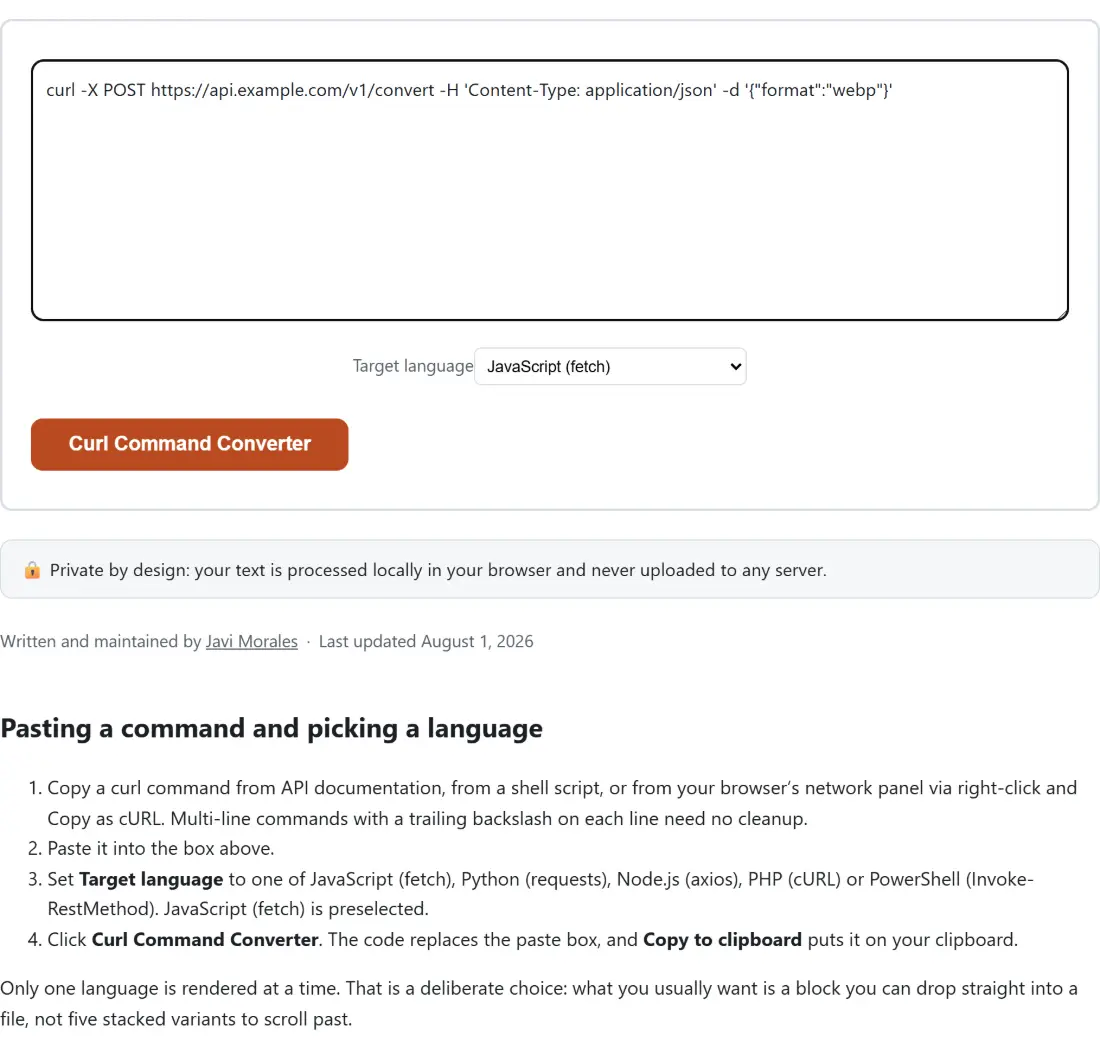
- Copy a curl command from API documentation, from a shell script, or from your browser’s network panel via right-click and Copy as cURL. Multi-line commands with a trailing backslash on each line need no cleanup.
- Paste it into the box above.
- Set Target language to one of JavaScript (fetch), Python (requests), Node.js (axios), PHP (cURL) or PowerShell (Invoke-RestMethod). JavaScript (fetch) is preselected.
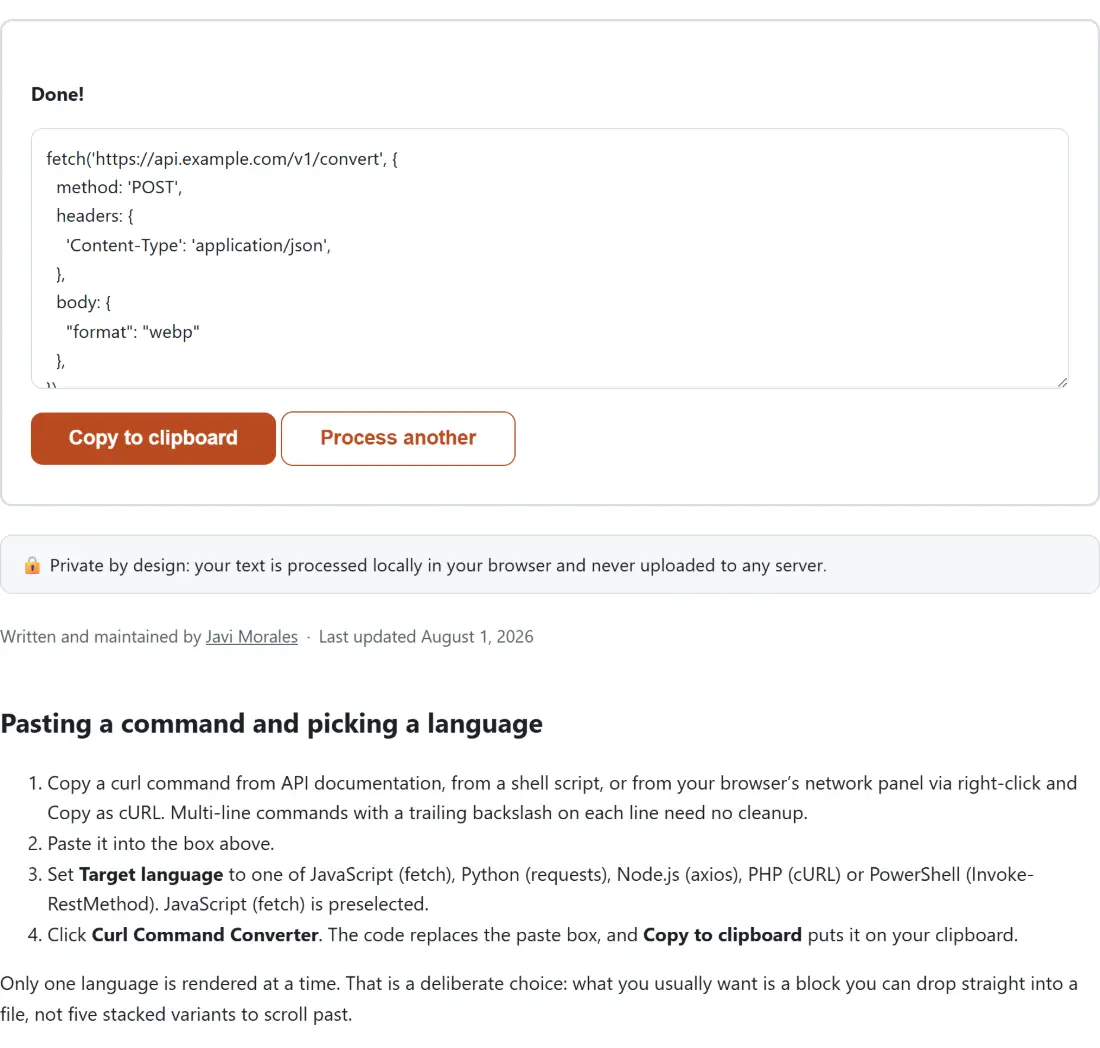
- Click Curl Command Converter. The code replaces the paste box, and Copy to clipboard puts it on your clipboard.
Only one language is rendered at a time. That is a deliberate choice: what you usually want is a block you can drop straight into a file, not five stacked variants to scroll past.
The flags it reads, and the ones it quietly drops
Parsing runs in two stages. First a shell-style tokenizer splits the text the way bash would, which is what makes quoting behave. Inside single quotes nothing at all is special, exactly as in a real shell. Inside double quotes only the handful of escapes bash itself recognises are processed. Outside quotes, a backslash immediately before a newline is treated as a line continuation and both characters vanish.
Then the tokens are read as curl flags:
-Xand--requestset the method.-Hand--headermay repeat. Each value is split at its first colon and both halves are trimmed, and the headers keep the order you wrote them in.-d,--data,--data-raw,--data-binary,--data-asciiand--data-urlencodeall contribute to the body.-uand--userbecome Basic auth.-b/--cookie,-A/--user-agentand-e/--refererare converted into the header each one stands for.- The first bare word that is not a flag value becomes the URL, quoted or not, wherever it sits in the command.
Flags that change how curl behaves without changing the request are recognised and skipped, among them --compressed, -k, -L, -s, -v, -i, -f, -g, -4 and -6. Anything else beginning with a dash is skipped too.
Method selection follows curl, not a default
If the command has no -X, the method is not simply assumed to be GET. A command carrying any data flag becomes a POST, and only a command with no body at all becomes a GET. That mirrors curl’s own behaviour, and it is the single most common surprise for people who expect a converter to hardcode GET.
The Python output goes one step further and uses the bound helper for the method where one exists, so a POST becomes requests.post(url, ...). An unusual method such as PURGE has no helper, so it falls back to requests.request('PURGE', url, ...) instead.
JSON bodies, and the one line to add for fetch
When the body starts with a brace or a bracket and parses as JSON, four of the five outputs print it as a real structure rather than a string, and only PowerShell keeps it as text. Python gets a dict literal with True, False and None spelled the Python way. PHP gets an array literal with arrows, passed through json_encode(). The fetch and axios outputs get the parsed object printed as a JavaScript literal.
That is correct for axios, whose data field serialises an object for you. It is not correct for fetch as written: the Fetch API expects body to be a string, and a plain object would be stringified into something useless. Wrap it yourself:
body: JSON.stringify({
  "sku": "A-19",
  "qty": 2
}),
PowerShell keeps the body as a plain string in every case, which works because Invoke-RestMethod sends it verbatim. If you would rather send a structure there, replace the string with a hashtable and pipe it through ConvertTo-Json. When the body is not JSON at all, for instance form-encoded pairs, every language receives it as a string. Formatting a messy body before you convert it is easier in the JSON Formatter, which will also tell you if it is not valid JSON in the first place.
Quote escaping is different in PowerShell, on purpose
Every generator wraps its strings in single quotes, and the rule for escaping them is not shared. JavaScript, Python and PHP all use a backslash to protect a literal quote or a literal backslash. PowerShell has no escape character inside single quotes at all, so a backslash is always just a backslash and the only way to write a quote is to double it. A body containing it's fine therefore comes out as 'it\'s fine' in Python and 'it''s fine' in PowerShell.
Newlines diverge as well. JavaScript and Python cannot hold a raw newline inside a single-quoted string, so real line breaks are converted into escape sequences. PHP and PowerShell both accept a literal newline, and in PHP the characters backslash and n mean nothing special inside single quotes, so converting them would change the value. They are left alone there.
Known gaps: multipart, encoding and flag order
Multipart form uploads through -F are not converted. Worse, -F is not on the list of flags known to take a value, so its argument is left loose in the command and may be mistaken for the URL if it appears before the real one. The same applies to other value-taking flags that do not affect the request, such as -o. If the output shows a strange URL, delete those flags from the command and convert again.
Percent-encoding is not applied to --data-urlencode values. Cookies handed over with -b are turned into a single header rather than a cookie jar. Nothing is executed here either: you get code to read and run yourself, never a live request.
Two neighbours pair well with this page. A bearer token pulled out of a converted header can be inspected with the JWT Decoder, and a query parameter that really does need escaping can go through URL Encode first. Both live on the developer tools hub along with the rest of the request-debugging set.