The seven fields, and what each one is made from
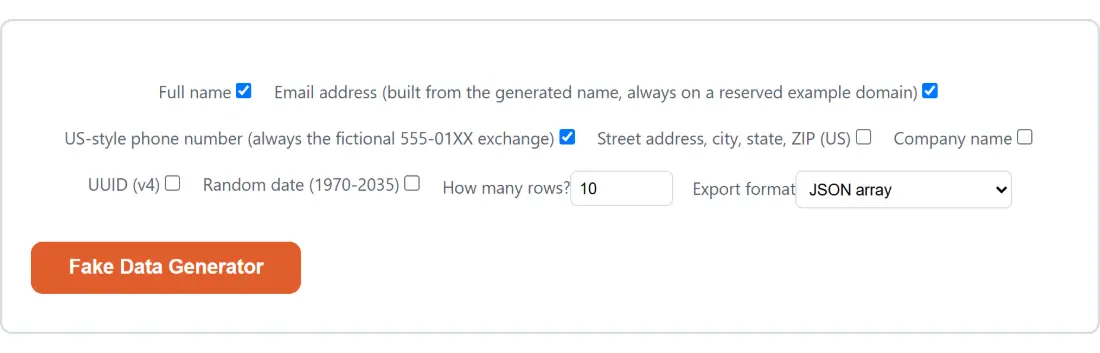
Every row comes out of a fixed vocabulary compiled into the page. There are 62 first names and 60 surnames, so Full name has 3,720 combinations to work with. The email checkbox reuses the same person rather than inventing a second one: the first and last name are lowercased, everything that is not a letter or a digit is stripped, and the two are joined with a dot. A surname like O’Brien becomes obrien, Van Buren becomes vanburen, and the email stays syntactically valid instead of carrying an apostrophe or a space into its local part.
Phone numbers are built as one of 20 real area codes, the 555 exchange, then 01 and two more digits. Addresses stack six independent draws: a house number from 1 to 9999, one of 20 street names, one of 8 suffixes such as St or Blvd, one of 25 city names, one of the 50 state abbreviations plus DC, and a five-digit ZIP. Company name is three parts deep, 20 leading words by 20 trailing words by 6 legal suffixes, which is 2,400 possible companies. UUID (v4) is a direct call to the browser’s own crypto.randomUUID(), the same call behind the dedicated UUID Generator. Random date (1970-2035) picks a whole number of days between 1970-01-01 and 2035-12-31 and formats it in UTC, so the printed day never slides because of the machine’s time zone.
None of those picks use Math.random(). The module imports randomInt from the Random Number Generator, which draws 32-bit words from crypto.getRandomValues and rejects the ones that would skew a modulo, so a 25-item city list is not quietly biased towards its first entries.
Four controls, one click
- Tick the fields you want in each row. Full name, the email checkbox and the phone checkbox are already on when the page loads; Street address, city, state, ZIP (US), Company name, UUID (v4) and Random date (1970-2035) start off.
- Set How many rows?. The box offers 1 to 1000, and anything typed outside that range is pulled back to the nearest end before generation, with fractional counts rounded to the nearest whole row.
- Choose an Export format: JSON array, CSV or SQL INSERT statements.
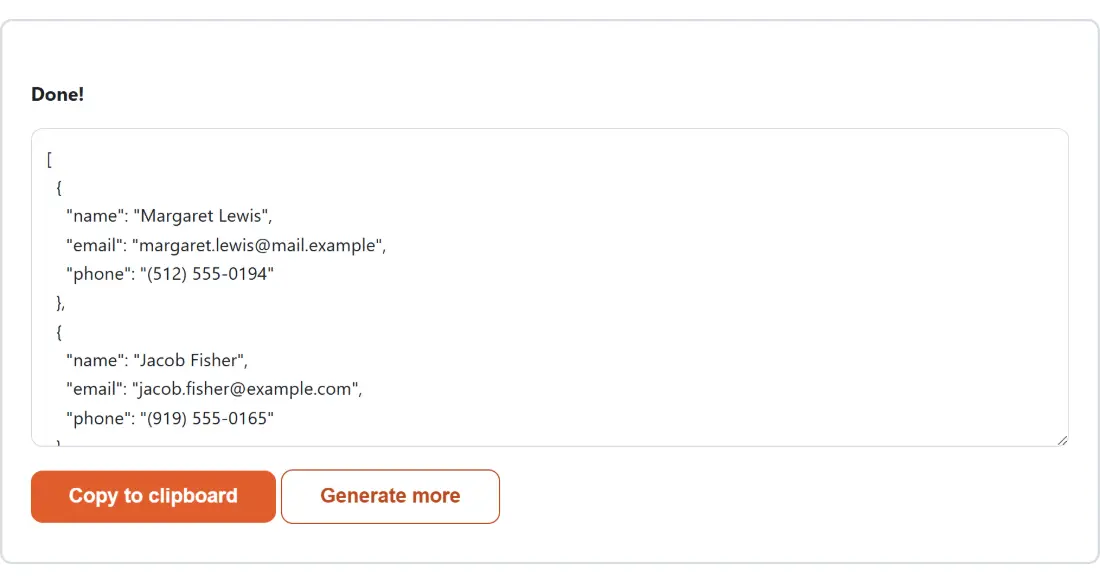
- Press the action button, which carries the tool’s own name, Fake Data Generator. The form is replaced by a read-only box holding the finished text, plus Copy to clipboard and Generate more.
Because the form disappears while the result is on screen, changing a checkbox means clicking Generate more first. That is the shell’s behavior rather than this tool’s, and it applies to every generator page here.
Which export format saves you a step
JSON array is a plain array of objects, indented two spaces. It is the format to pick when the data is heading for a test fixture, a mock response or a seed script written in code. Paste it straight into the JSON Formatter & Validator if you want to reshape or minify it, since that page takes pasted text rather than a file.
CSV writes a header row of field names, then one line per row, with CRLF line endings and RFC 4180 quoting borrowed from the JSON to CSV converter, whose escaping function this module imports directly rather than reimplementing. The address field is the one that regularly needs it: a value such as 123 Oak St, Salem, OR 97301 comes back wrapped in double quotes because of its commas. To browse the result in the CSV Viewer, save the copied text with a .csv or .tsv extension first, because that page checks the file name before it parses anything.
SQL INSERT statements writes one statement per row against a table called fake_data, with the columns always in the tool’s own field order rather than the order you ticked the boxes.
Fictional by construction, not by luck
Two fields are deliberately incapable of colliding with something real. The 555 exchange with a station number in the 01 block is the range that has been reserved for film, television and test data for decades, so a generated number is unroutable. The five email domains all sit in RFC 2606 reserved space, three under the example.com, example.org and example.net documentation names and two under the reserved .example top-level domain, so no registrar will sell any of them and a generated address cannot deliver to anyone. That is what makes this output safe to paste into a public bug report, a screenshot or a shared demo database, in a way that a scrubbed copy of production data never quite is.
Where the bundled vocabulary runs out
The lists are small and honest about it. Ask for 1000 rows and you will see the same cities and company words repeatedly, because 25 and 2,400 are the real ceilings. Addresses are not geographically consistent, as noted in the FAQ below. Names skew heavily towards common US and Hispanic surnames, so this is not a good source of test data for internationalization work, where you specifically want scripts, accents and long names that break layouts. For placeholder prose rather than tabular records, the Lorem Ipsum Generator is the better neighbor on this site.
Copy to clipboard is the only way out
There is no download button here. The generated text lives in the box on the page until you copy it or leave. One consequence worth knowing before you experiment: if every field checkbox is unticked, the run fails, and the shared generator shell replaces the module’s specific complaint with a single generic sentence about something going wrong, sending the real message to the browser console instead. So a failed generation with nothing ticked is not a mystery, it is the shell being terse. Tick at least one field and it runs.