Three segments, and two of them are just JSON
A JSON Web Token looks like an opaque credential and is nothing of the sort. It is three chunks of Base64URL joined by dots: a header naming the signing algorithm, a payload of claims, and a signature over the first two. The first two carry no encryption whatsoever. Anyone holding the token can read them, which is exactly why a decoder is a five-second job rather than a cryptographic one.
Doing it by hand is not hard, it is just tedious in a way that adds up. Split on the dot. Remember that Base64URL swaps the plus and slash characters for minus and underscore, and usually drops the padding, so a naive decode throws. Then convert whatever integers you find in the payload from seconds-since-1970 into something a human can reason about. This page does those three steps and prints the result in one block.
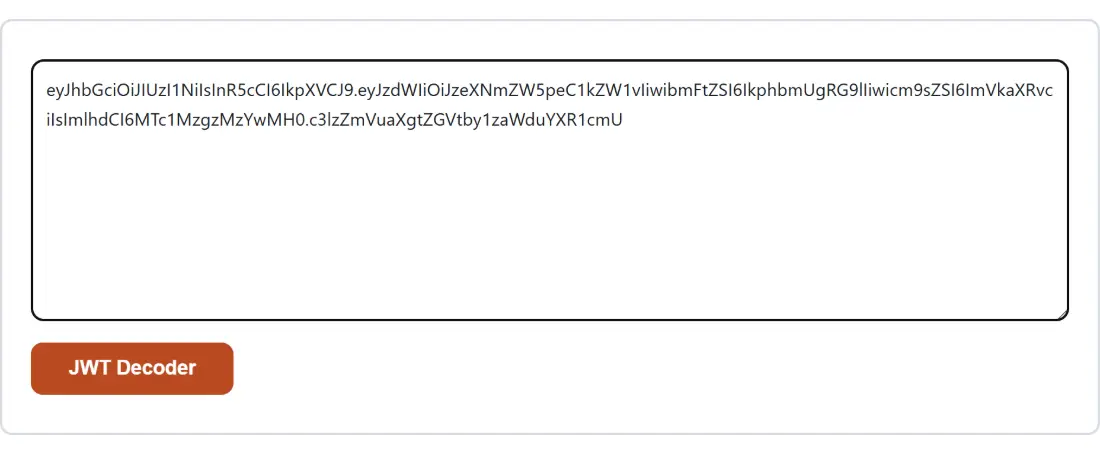
Paste a token and read the report
- Paste the whole token into the box, all three dot-separated parts, exactly as it came out of an Authorization header, a cookie or a log line. Surrounding whitespace and a trailing newline are trimmed for you.
- Click JWT Decoder. The button carries the tool’s own name because this layout labels its action button with the page title.
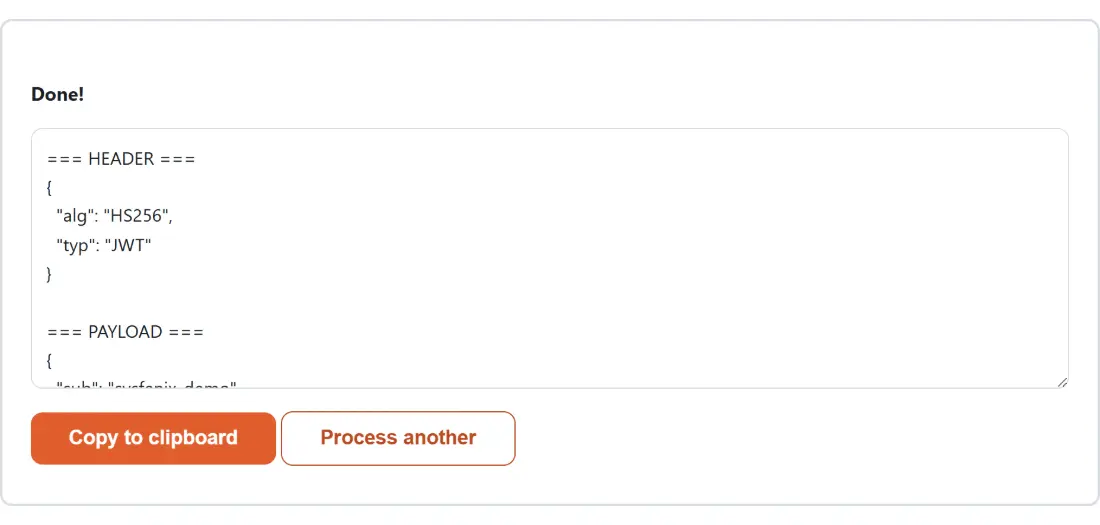
- Read the output, then click Copy to clipboard to take it away, or Process another to clear the box for the next token.
Inside the notes block
The output has three labelled sections. Header and payload are printed as pretty-printed JSON with two-space indentation, exactly as the decoded bytes parsed. The notes section underneath is where the interpretation lives, and it only reports what is genuinely there.
Three time claims are recognised, exp, iat and nbf, and each is annotated only if it is
present and holds a finite number. If none of them is, the notes say so in one line rather than
inventing a date. A separate verdict line appears only when exp is a number, and it is compared
against your own device clock at the moment you click. Decode the well-known example token that
carries an issue time of 1516239022 and an expiry an hour later, and the notes open like this,
with the raw signature segment printed on the line after:
=== NOTES ===
Expires (exp): 2018-01-18T02:30:22.000Z
Issued at (iat): 2018-01-18T01:30:22.000Z
This token is EXPIRED.
That verdict is a convenience, not a security check. A backend that accepts an expired token has a validation bug this page cannot see, and a token this page calls current can still be rejected by an issuer whose clock differs from yours.
Decoding is not verification, and the gap is the whole point
The signature is the only part that certifies anything, and checking it needs the shared secret for an HMAC algorithm such as HS256, or the issuer’s public key for RS256 and ES256. A generic page in your browser has neither and should not be inviting you to paste a production signing secret into it. So the third segment is reproduced as-is, flagged as not decoded and not verified.
If you do already hold the secret for an HMAC-signed token, you can do the arithmetic yourself: take the first two segments including the dot between them as the message, run them through the HMAC Generator with the same secret, and compare. Its Base64 output uses the standard alphabet, so swap plus for minus, slash for underscore and drop the trailing equals signs before the two strings will match character for character.
Multi-byte claims, and the decoder underneath
Segment decoding reuses the same routine that powers Base64 Decode, which is why awkward input survives it. Whitespace is stripped, the URL-safe alphabet is normalised back to standard Base64, missing padding is restored based on the length remainder, and the resulting bytes go through a strict UTF-8 decoder rather than being read one byte per character. A display name with an accent or a non-Latin script comes back intact instead of as mojibake, and bytes that are not valid UTF-8 are reported rather than silently mangled.
The four questions a decoded token usually settles
Most visits are one of a handful of questions. Which scopes did the identity provider really put in this access token. Why does the API insist the session is over, when the app thinks it just logged in. Does the header declare the algorithm the backend expects, or did something downgrade it. Did the custom claim the mobile team swears they are sending actually arrive.
All of those are read-only questions, which is why this page is deliberately read-only. When you
need to go the other way and mint a token, the JWT Generator takes a header, a
payload and a secret and signs a real one; it reads the same === HEADER === and === PAYLOAD ===
marker lines this page emits, so those two sections carry across once you drop the notes block from
the bottom and add a secret section of your own. Pretty-printing an awkward claim value on its own is a
job for the JSON Formatter & Validator, and if a token arrived inside a shell
command, the Curl Command Converter will untangle the request around it.