Watts, kilowatt-hours and the arithmetic underneath the report
An appliance’s label brags in watts. Your utility bills in kilowatt-hours. Most bad guesses about running costs live in the gap between those two units, and closing it takes exactly one pair of lines:
kWh consumed = (watts / 1000) * hours
cost = kWh * price per kWh
That is the whole engine. A 100 W device left on for five hours consumes half a kilowatt-hour, and at fifteen cents a unit that is seven and a half cents of electricity. The report applies those two lines at three time scales and then repeats them for standby draw.
One detail worth knowing before you read the totals. The monthly and yearly figures use the average calendar rather than round numbers, so a year is 365.25 days and a month is the 30.438 days derived from it. The difference against a flat 30 and 365 is small, but it means the yearly line matches what twelve real bills add up to instead of drifting by a day every year.
What a 1500 W space heater actually costs over a winter
Portable heaters are the appliance people underestimate most, so they make a good walkthrough.
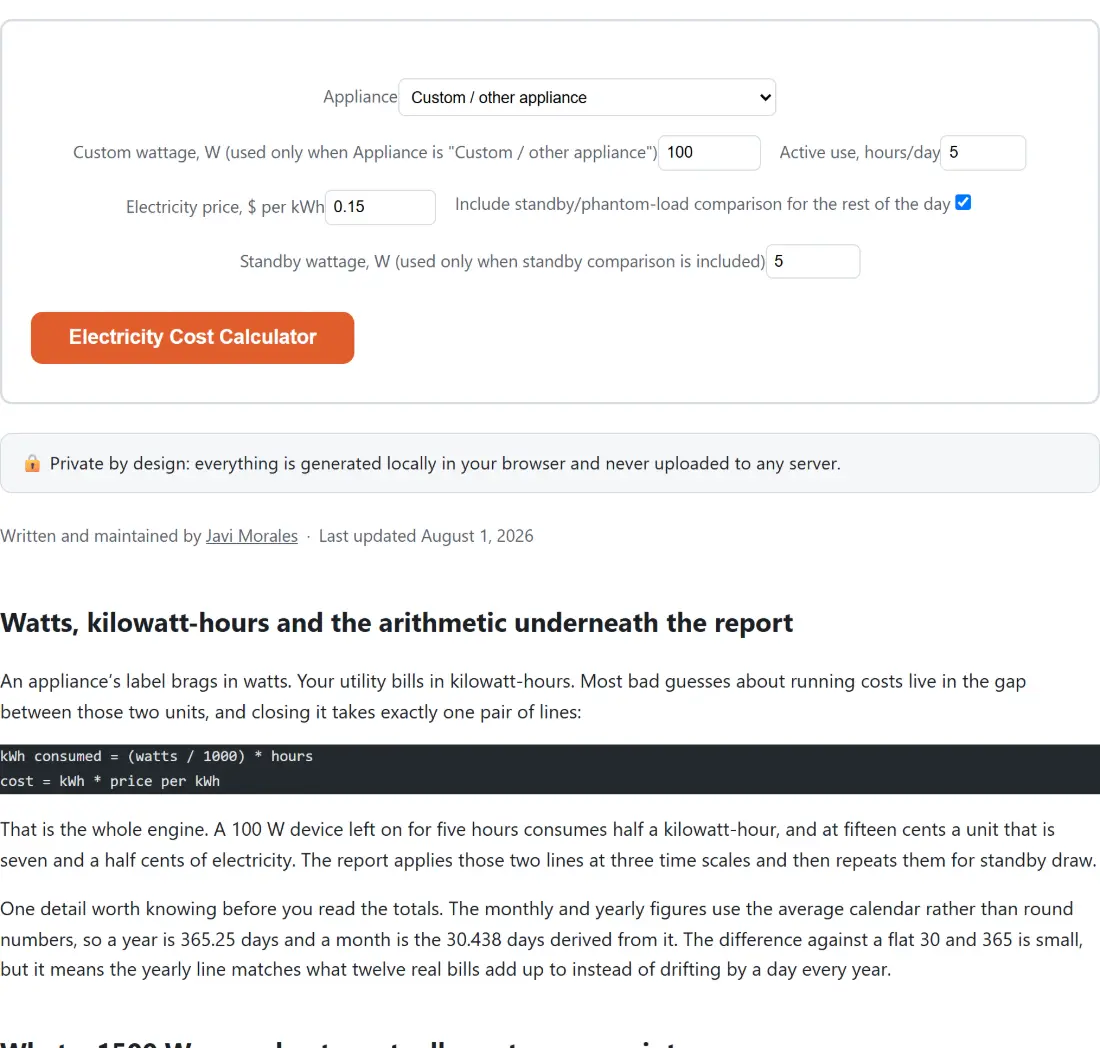
- Choose Space heater (~1500 W) from the Appliance list. If your own device is not on the list, leave it on Custom / other appliance and type the figure into the Custom wattage, W field, whose label spells out that it is used only for that appliance choice.
- Set Active use, hours/day to 4 and put your own tariff into Electricity price, $ per kWh. This example uses 0.15.
- Leave Include standby/phantom-load comparison for the rest of the day ticked, with the Standby wattage, W field, whose label notes it is used only when that comparison is included, on its default of 5.
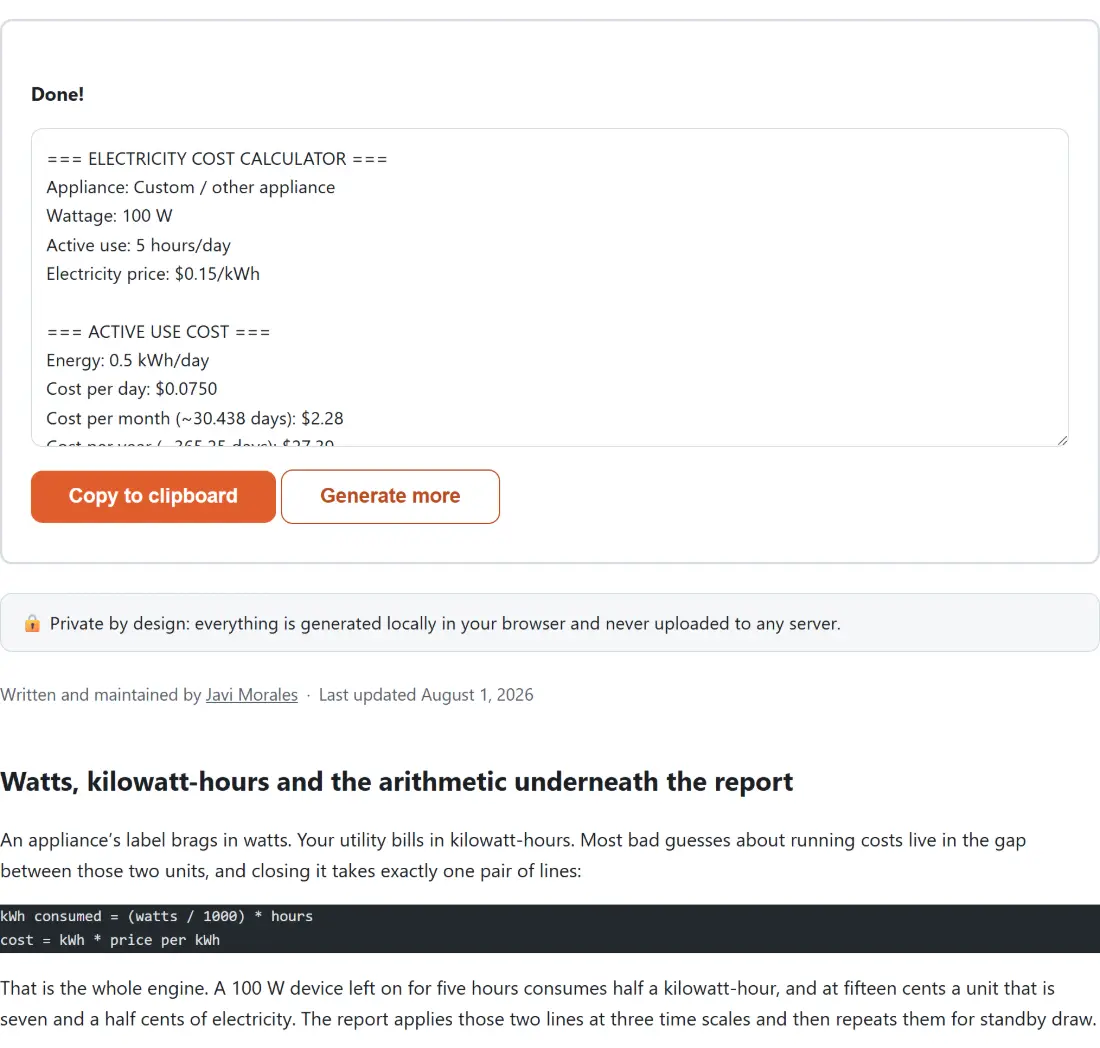
- Click Electricity Cost Calculator. The plain-text report replaces the options, with Copy to clipboard and Generate more underneath it.
Run precisely that and the ACTIVE USE COST block reads 6 kWh a day, $0.90 a day, $27.39 a month and $328.73 a year. Four hours a day of one portable heater is a $328.73 line item you never see itemized, because it arrives blended into twelve separate bills. The standby block adds $0.0150 a day for the remaining twenty hours, $5.48 across the year, and the combined total lands at $334.20. Nothing you type is sent anywhere; the arithmetic happens in the page you already have open.
Nameplate wattage versus what a compressor really draws
The wattage silk-screened onto an appliance is usually its peak, not its average. That distinction is the difference between a useful estimate and a fantasy for anything with a thermostat, because a compressor spends much of its life switched off.
The refrigerator preset exists because of exactly that. Instead of the 150 W to 400 W a fridge’s rating plate tends to claim, it uses 63 W, which is a commonly cited 1.5 kWh a day spread flat across 24 hours. Run that preset at 24 hours a day and $0.15 per kWh and you get 1.512 kWh a day, $0.23 a day and $82.84 a year, which is in the right neighborhood. Feed the nameplate figure in instead and the yearly total is off by a factor of several. The same caution applies to freezers, heat pumps, well pumps and any air conditioner sized for a room bigger than it is heating.
For the heaters and the window AC unit the presets are closer to a continuous draw while the appliance is actually running, so enter the hours the element or compressor is working rather than the hours anybody is in the room.
The other twenty-one hours, and what they cost
Standby draw is not typed in here, it is derived. Whatever is left of the 24 hour day after your active hours is treated as standby time, which makes double counting structurally impossible and puts a number on the part of the bill nobody thinks about.
A game console makes the point. Three hours a day of actual play at 150 W costs $24.65 a year. The other 21 hours, sitting at a 5 W idle so it can wake up quickly, cost $5.75 a year, taking the total to $30.41. Close to a fifth of the yearly cost of that console is the console doing nothing. Multiply that across a living room full of always-plugged electronics and the phantom load stops being a rounding error.
A 50 W homelab box has a completely different cost shape
Most appliances are used in bursts. A home server, a NAS or a mini PC running a few containers is the opposite, and the yearly figure surprises people who only ever look at the wattage. The homelab preset at 24 hours a day and $0.15 per kWh works out at 1.2 kWh a day, $0.18 a day, $5.48 a month and $65.75 a year. Standby time is zero in that scenario, so those lines correctly print $0.00 and the total equals the active figure.
That is the number worth having in mind before adding a second box or a rack of spinning disks. If you are budgeting a home network more broadly, the Download Time Calculator covers the other side of the same setup, and the rest of the calculators hub has the everyday arithmetic tools that sit alongside it.
Where this estimate stops being trustworthy
The presets are commonly cited ballparks, not readings from your specific model, and the report says so in its own closing note. A plug-in power meter is the only way to get a real figure for a device that matters to you, and it usually pays for itself the first time it proves an assumption wrong.
Three more limits are worth stating plainly. The inputs are clamped, so wattage above 5000, an hours figure above 24 or a price above 10 are pulled back to those bounds rather than accepted. The model assumes a constant draw for the hours you give it, which is fair for a heater and rough for a laptop or a gaming PC whose consumption tracks its workload. And the currency symbol is generic, so whatever unit your tariff is in is the unit every figure comes back in. Standing charges and fixed daily fees are not included either, because they do not change with usage.
For related everyday sums, the Percentage Calculator handles the before-and-after comparison when you swap an appliance, the Unit Converter turns an unfamiliar measurement into one you can reason about, and the Fuel Cost Calculator applies the same style of honest per-unit arithmetic to a car instead of a wall socket.