Every property the file carries, and the ones it does not
An .ics file is plain text with a rigid grammar, and it is easy to write one that looks fine and imports wrong. This generator writes a deliberately small set of properties and nothing beyond it. The calendar wrapper carries VERSION:2.0, a product identifier and CALSCALE:GREGORIAN. The single event inside always carries a unique identifier, a timestamp, a start, an end and a summary, and gains a location, a description and a repeat rule only when you have filled those fields in.
What is absent matters just as much. There is no attendee or organiser property, so this produces a shareable event rather than a meeting invitation that expects RSVPs. There is no alarm component, so the reminder you get is your own calendar’s default. And there is no embedded time zone definition block, which has a real consequence for repeating events that the last section spells out.
Filling in the event
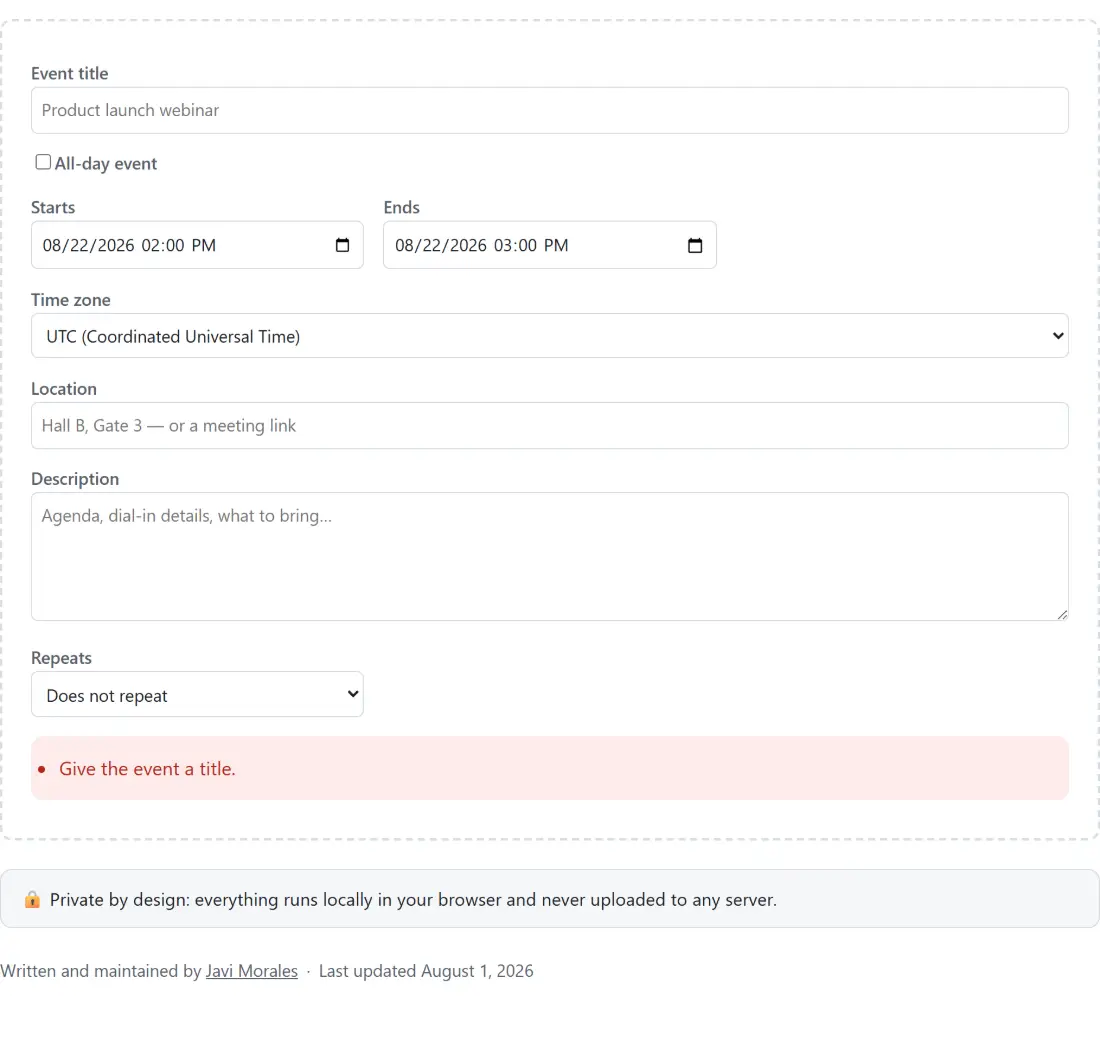
- Type the Event title. Until the form parses, the page shows a list of plain sentences telling you what is still missing instead of offering a broken download.
- Set Starts and Ends, or tick All-day event and give First day and Last day (included) instead.
- Choose a Time zone. The picker opens on your browser’s own zone when it can detect one, adding it to the twenty built-in choices if it is not already among them, and keeps Floating at the top of the list.
- Add a Location and a Description if you have them, and set Repeats to Every day, Every week, Every month or Every year if the event happens more than once.
- Press Download .ics file, use Copy file text to inspect exactly what was written, or open one of the Add to calendar links.
A UTC instant, a floating time, or a bare date
RFC 5545 defines more than one way to write a moment, and picking the wrong one is how events end up an hour out. This generator uses three of them, and the line under the buttons always tells you which one your current settings produced.
Pick a real zone and the wall time you typed is converted to the instant it represents and written in UTC form. Nine in the morning in Madrid on 1 August 2026 becomes DTSTART:20260801T070000Z. Every calendar on earth then resolves that to the correct local time, which is what you want for anything people in different countries will attend.
Pick Floating and the same input becomes DTSTART:20260801T090000, with no trailing marker and no zone attached. That means nine o’clock on whatever clock the reading device happens to be set to. It is the right choice for a daily habit, a personal reminder or a stand-up that everyone attends where they are, and the wrong choice for a cross-border meeting.
Tick All-day event and you get neither. All-day events use a bare date value with no time and no zone, so a single day on 1 August is written as DTSTART;VALUE=DATE:20260801. If you need to sanity check what a given instant means somewhere else before committing to it, the time zone converter is the tool for that, and it is not a coincidence: the zone list and the wall-time conversion this generator uses are imported straight from it rather than rewritten. Watching several cities at once is the world clock’s job.
Folding at 75 octets, escaping commas, and the end date that is a day late
Three details of the format cause most hand-written files to fail, and all three are handled here.
The end date is exclusive. A one-day all-day event on 1 August is written with a start of 20260801 and an end of 20260802, because iCalendar’s end marks the first moment that is no longer part of the event. The form asks for the last day the way a person would say it out loud and adds the extra day itself. Putting your last day straight into the end field is the classic bug that makes every all-day event show up a day short.
Text values need escaping. Commas, semicolons and backslashes carry structural meaning, so a location like Hall B, Gate 3; Calle Mayor 1 is written as LOCATION:Hall B\, Gate 3\; Calle Mayor 1. A multi-line description collapses into escaped breaks inside one property. A colon is deliberately left alone, since only the first colon on a line separates the name from the value.
Lines are folded at 75 octets. That limit counts UTF-8 bytes, not letters, and a continuation line starts with a space that itself counts toward it. The folder walks whole code points, so an accented character or an emoji is never sliced in half across a break.
What the Google and Outlook buttons actually carry
The add-to-calendar links are real provider URLs, not tracking redirects. The Google button opens calendar.google.com/calendar/render with action=TEMPLATE and your title, dates, description and location as query parameters, using the same compact date forms the file uses. The two Outlook buttons open the compose deep link on outlook.live.com for a personal account and outlook.office.com for a work or school one, with an all-day flag added when the event is date-valued. All of them open a pre-filled create-event form that the reader still has to save.
There is one asymmetry the page is upfront about. Google’s link carries the repeat rule; Outlook’s compose link has no parameter for one, so a repeating event sent through an Outlook button arrives as a single occurrence. The note under each button says so when your event repeats. Apple Calendar is listed alongside the others but has no link behind it, because Apple publishes no equivalent web endpoint and inventing one would only produce something that fails. On macOS, iOS and iPadOS the supported route is the file itself.
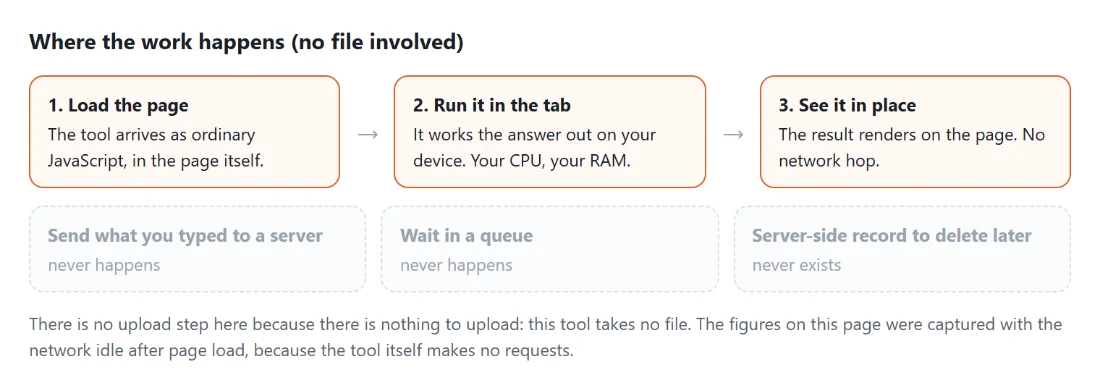
None of this leaves your device until you choose to click. The form, the conversion and the download are all built by JavaScript in your own tab. If you are dropping one of these links into a footer, the email signature generator is the neighbouring tool for that, and the rest of the generators cover the other build-a-thing-from-a-form jobs.
Repeat rules and the hour they lose at a clock change
Set Repeats and the file gains a rule. You can let it run forever, stop it after a number of occurrences, or stop it on a date, and those are the only options offered precisely because they are the only ones the writer can produce. Eight weekly occurrences come out as RRULE:FREQ=WEEKLY;COUNT=8.
Stopping on a date is subtler than it looks, because the cut-off value has to match the type of the start. For an all-day event it is a bare date. For a zoned event the chosen day is taken to its last second locally and then converted, so a daily Madrid event ending on 31 August 2026 emits UNTIL=20260831T215959Z. Without that, an occurrence on the final day would fall outside the window and quietly disappear.
Here is the honest caveat. A repeating event pinned to a UTC instant keeps the same UTC time all year, while your local offset moves at a daylight saving transition, so the local start slides by an hour once the clocks change. Writing it any other way would need a full time zone definition block spelling out that zone’s transition rules, which this generator does not emit. If the wall clock matters more than cross-border accuracy, choose Floating. For counting down to one fixed moment rather than scheduling a series, the countdown to date tool does that instead.