Keyword density is one of the oldest numbers in search marketing and one of the most misused. It is simply how often a word or phrase appears relative to the length of the text, and knowing that ratio for your own draft is genuinely useful. Chasing a particular value for it is not. This page reports the ratio and leaves the judgement to you.
Three rankings from one pass over your text
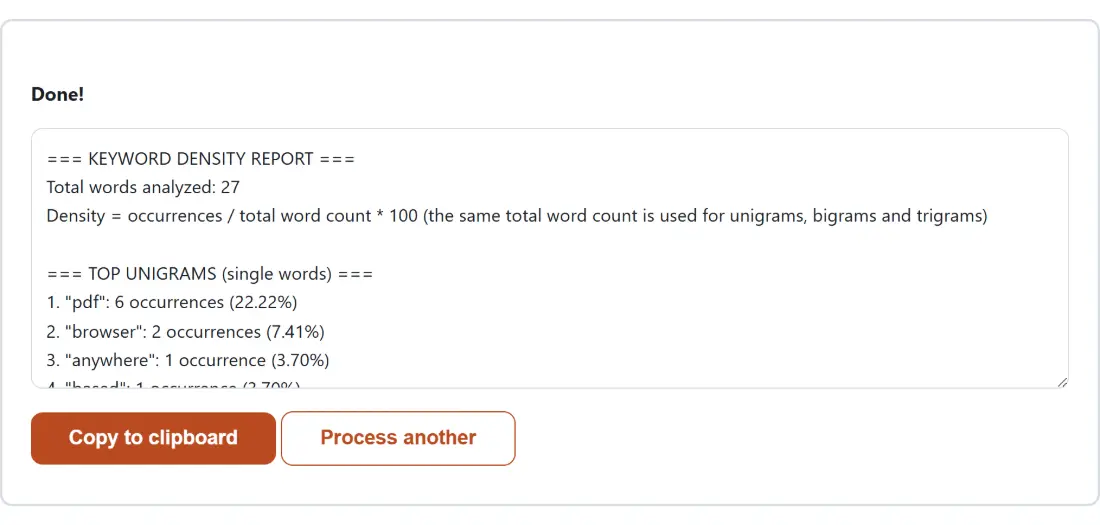
The report is split into three labeled sections. The first ranks single words, the second ranks two-word phrases, and the third ranks three-word phrases. Linguists call those unigrams, bigrams and trigrams, and the reason all three are shown together is that the phrase you actually care about is rarely a single word. Nobody optimizes a page for “checker”. They write about a “keyword density checker”, which only shows up as a unit in the three-word list.
Each row carries the raw occurrence count as well as the percentage, and the count is the number worth reading first. A phrase at 3.33% in a thirty-word paragraph appeared once. The same 3.33% in a two-thousand-word article means it appeared sixty-six times, which is a completely different editorial situation.
Every percentage shares one denominator
Density here is always occurrences divided by the total number of word tokens in the whole text, times one hundred. The same total is used for all three sections, and the report prints it at the top as “Total words analyzed” so you can check the arithmetic yourself.
That choice is worth naming because it is not the only convention in circulation. A text with thirty words contains thirty unigram positions but only twenty-nine bigram positions and twenty-eight trigram positions, so a tool that divides each section by its own number of positions will show slightly higher percentages for longer phrases. Neither approach is wrong, but mixing them makes numbers from two different tools incomparable. One shared denominator means a bigram at 13.33% and a unigram at 13.33% on this page really did occur the same number of times.
Stop words are removed from one section only
The single-word ranking filters out a hand-picked list of common English function words: articles, prepositions, pronouns, auxiliaries and similar connective glue. Without that filter the top of every unigram list would be “the”, “of” and “and” on every text ever written, which tells you nothing.
The two-word and three-word rankings deliberately skip that filter, because a real phrase usually needs a function word to exist at all. Strip the connectives first and “terms and conditions” becomes “terms conditions”, a phrase nobody has ever searched for. The same word list, and the same tokenizer, are imported directly by the Word Cloud Generator on this site, which is why its “Remove common words” checkbox produces exactly the same filtering you see here.
A worked example with the real numbers
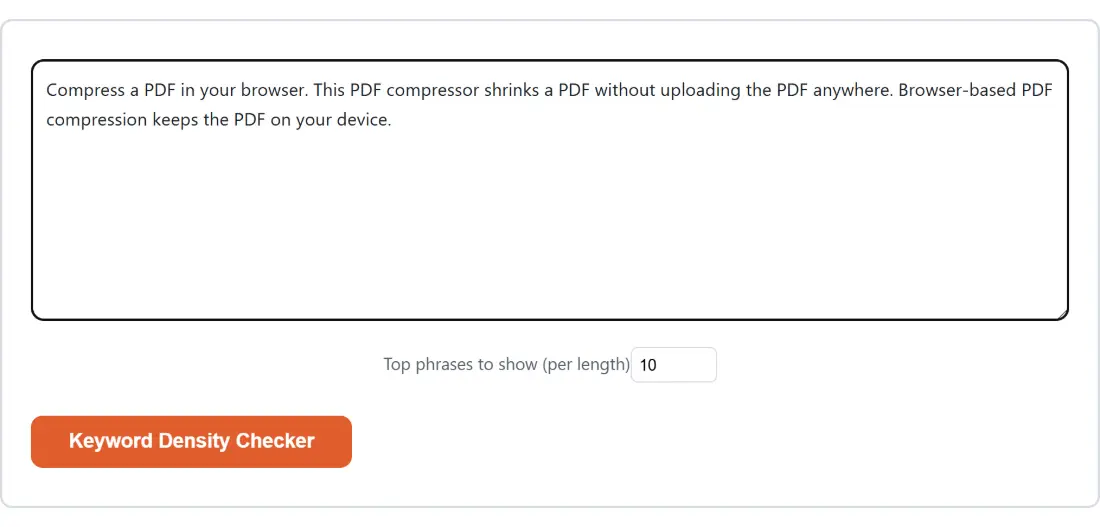
Paste this paragraph in and set the option to 5:
Our keyword density checker shows the keyword density of any draft. A
keyword density checker is not a ranking tool. Use the keyword density
checker to spot a repeated phrase.
The report opens with “Total words analyzed: 30” and then ranks “density” and “keyword” at 4 occurrences and 13.33% each, “checker” at 3 and 10.00%. The bigram section leads with “keyword density” at 4 occurrences and 13.33%, and the trigram section leads with “keyword density checker” at 3 occurrences and 10.00%. Notice that “density” and “keyword” tie on count and are then ordered alphabetically, and that every percentage divides by the same 30.
Running a draft through the checker
- Paste your text into the box. A whole article, a landing page, a product description or a single paragraph all work the same way.
- Set Top phrases to show (per length) if ten rows per section is not what you want. The field accepts 5 to 25.
- Press Keyword Density Checker. Counting happens immediately and the box is replaced by the finished report.
- Read the counts before the percentages, then press Copy to clipboard to take the report somewhere else, or Process another to clear the box and start again.
Hyphens, apostrophes and model numbers
A token here is a run of letters, digits and apostrophes. That has consequences worth knowing before you read a report closely.
Digits count, so “iPhone 15” is tokenized as “iphone” and “15” and the pair shows up as a real bigram. An apostrophe inside a word survives, so “isn’t” stays one token rather than splitting into two, but a quote mark wrapped around a word is trimmed off so a quoted ‘great’ still matches every other “great” in the text. Hyphens are not word characters at all, so “state-of-the-art” arrives as four separate tokens and can appear as part of a longer phrase. Matching is case-insensitive throughout, so a phrase at the start of a sentence and the same phrase mid-sentence are counted together.
Density is a symptom, not a target
Repeating a phrase to hit a number is keyword stuffing, and search engines have been penalizing it for well over a decade. What a frequency report is actually good for is catching the things you did not mean to do: the transition phrase you used eleven times in one article, the product name you wrote out in full in every sentence, the target phrase you were sure you had covered that turns out to appear once.
Run the same draft through the Readability Checker if the repetition turns out to be a symptom of long, samey sentences, and check the title and description separately with the SERP Pixel Width Checker, since those are measured in pixels rather than words. More editing tools for the same pass are collected on the text tools hub and in the text tools guide.