Case Converter

Convert text to UPPERCASE, lowercase, Title Case, Sentence case, camelCase, snake_case or kebab-case in your browser. Nothing you paste leaves the tab.

🌐 Español

🔒 Private by design: your text is processed locally in your browser and never uploaded to any server.

Seven styles that split into two very different jobs

The Convert to dropdown offers UPPERCASE, lowercase, Title Case, Sentence case, camelCase, snake_case and kebab-case, and it is worth noticing that those seven are really two groups doing unrelated work.

The first four are text transforms. They walk your input and change letters, but every space, line break, comma and full stop stays exactly where it was, so a paragraph goes in and a paragraph of the same shape comes out. The last three are identifier builders. They tear the input apart into words and glue it back together with no spaces at all, which is exactly what you want for a variable name and exactly what you do not want for prose. Feed a two-page article into camelCase and you get one enormous unbroken token, because camelCase has no concept of a line or a sentence to preserve.

That split explains most of the surprises on this page. Everything below is really a consequence of it.

Capitalizing every word, including the small ones

Title Case here capitalizes the first letter of every run of letters and lowercases the rest of that run. There is no exception list: “the”, “of”, “a” and “and” all get capitals, so “the lord of the rings” comes back as “The Lord Of The Rings”. AP and Chicago style would keep those short words lowercase mid-title, and this tool deliberately does not attempt that, because the exception lists differ between style guides and a wrong guess is worse than a predictable rule.

Sentence case is the more interesting one. It lowercases the entire input first, then puts a capital at the start and after every full stop, question mark and exclamation point. That means every sentence in a long paste gets its own capital, not just the first one, which is what makes it the right tool for text typed with caps lock stuck on. The same rule mangles abbreviations, though: “e.g. this” comes back as “E.G. This”, because each of those dots reads as a sentence ending.

Running a conversion from paste to clipboard

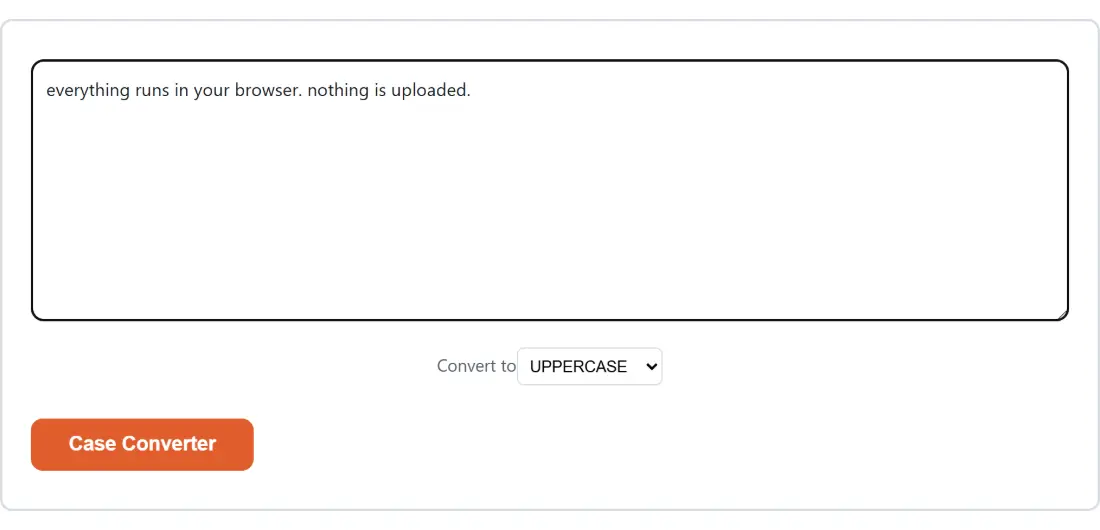
  1. Paste your text into the box. The button stays disabled until there is something in it.
  2. Choose a style from Convert to. It starts on UPPERCASE.
  3. Click Case Converter.
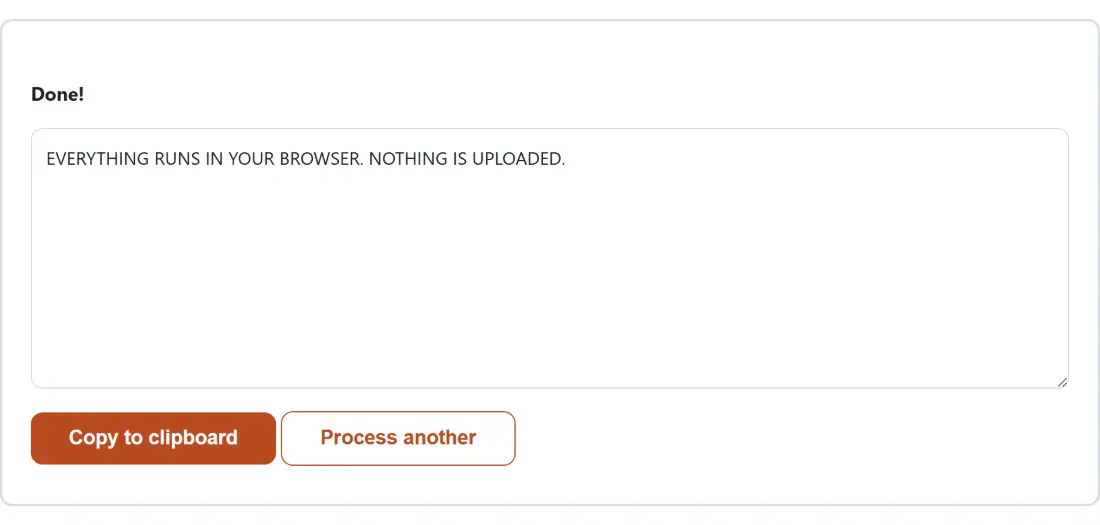
  4. Take the result with Copy to clipboard, or click Process another to clear everything and start again.

Nothing is uploaded and no file is involved: the conversion is a string transformation running in the page you already loaded, which is why it is instant on a paste of any size your browser will hold. It also keeps working with the network off once the page is open.

Turning a phrase into an identifier

For camelCase, snake_case and kebab-case the input is first broken into words and then rejoined. Separators split, a lowercase-or-digit followed by a capital splits, and the tail of a capital run splits when a capitalized word follows it. Between them those three rules let you convert in any direction: paste my-variable-name and ask for camelCase to get myVariableName, or paste myVariableName and ask for snake_case to get my_variable_name. The same handling is why XMLHttpRequest splits sensibly into three words instead of one.

The cost of that flexibility is that once a word has been split, nothing remembers what it looked like before. Every word is re-cased on output, so an acronym does not survive: XML becomes xml at the start of a camelCase result and Xml anywhere else. There is no option to preserve it, because by the time the joining step runs, the information is gone.

The checks worth doing before you trust the output

Two habits save real time here. First, if the text contains anything beyond plain ASCII letters and digits, run it and read the result rather than assuming: the identifier modes drop accented characters entirely, and Title Case will capitalize after an apostrophe. Second, if you are cleaning up a list rather than a phrase, do the line-level work first with Remove Duplicate Lines & Sort Text, which handles duplicates, sorting, whitespace trimming and empty lines, and only then run the case pass over the tidy result.

When the goal is readable prose rather than an identifier, a case conversion is the first step and not the last. Following it with the Grammar Checker catches the sentence that reads oddly now that the capitals moved, and the wider text tools cover encoding, comparison and formatting once the casing is settled.
See it in action

Screenshot of the Case Converter tool with the sample input “everything runs in your browser. nothing is uplo…”, Convert to set to UPPERCASE
Case Converter mid-process: the sample input “everything runs in your browser. nothing is uplo…”, Convert to set to UPPERCASE.
Screenshot of the Case Converter result screen showing the generated output “EVERYTHING RUNS IN YOUR BROWSER. NOTHING IS UPLO…”
The finished result: the generated output “EVERYTHING RUNS IN YOUR BROWSER. NOTHING IS UPLO…”. The download link is a local blob URL — the file never leaves your device.

Frequently asked questions

What does Title Case do to a word with an apostrophe in it?

It capitalizes the letter after the apostrophe, because Title Case works on runs of letters and an apostrophe ends a run. So "don't" comes back as "Don'T" and "o'brien" as "O'Brien". The second one is what you wanted and the first one is not, and the tool has no way to tell them apart. If your text is full of contractions, Sentence case is usually the mode you actually want, or fix the handful of affected words by hand afterwards.

Do accented letters survive a conversion to camelCase, snake_case or kebab-case?

No, and this is the sharpest edge on the page. Those three modes split the input on anything that is not a plain ASCII letter or digit, and an accented character counts as "not a letter" for that purpose, so it is treated as a separator and disappears. "café au lait" becomes caf_au_lait in snake_case, not cafe_au_lait. UPPERCASE and lowercase keep every letter your text can hold, whatever the script, so Polish ł becomes Ł and Czech š becomes Š correctly. Title Case is the one mode with a limited alphabet, the Latin-1 accented range (é, ñ, ü and their neighbours); a letter outside it ends a word run, so "słowo" comes back as "SłOwo". Sentence case has no word concept at all, but the test that decides which letter starts a sentence covers that same limited range, so it never puts the capital on ł or š and slides it onto the next letter it does recognize, turning "łódź" into "łÓdź". Only the three identifier styles drop these characters outright. Check the output before pasting it into code.

Does Sentence case work on Greek, Cyrillic or other non-Latin scripts?

It lowercases them, but it will not capitalize them. The rule that decides where a sentence starts only recognizes basic Latin letters and the accented Latin range, so text in a script outside that range simply comes back lowercased with no capitals added. Title Case behaves the same way and leaves such text alone entirely. The identifier modes, as above, will strip those characters rather than transliterate them.

Where exactly does the converter decide one word ends and the next begins?

In three places, for the three identifier modes only. Any run of characters that is not an ASCII letter or digit is a separator, so spaces, hyphens, underscores, punctuation and line breaks all split. A lowercase letter or a digit immediately followed by a capital splits, which is how myVariableName becomes three words and user2Name becomes two. And the end of a capital run splits when it is followed by a capital plus a lowercase letter, which is what turns XMLHttpRequest into XML, Http and Request rather than one long word.

Why did abc123def stay in one piece when converting to snake_case?

Because a digit only creates a boundary when a capital letter follows it directly. In abc123def the digits sit between two lowercase runs with no case change anywhere, so the splitter sees a single word and snake_case returns abc123def unchanged. It is a known consequence of splitting on separators and case transitions rather than on character classes, and it is why an identifier that mixes numbers and words is worth reading before you use it.

Can I run the same text through a second style without pasting it again?

Not in place. Once a conversion finishes, the input box, the style dropdown and the button are replaced by the result and its two buttons, so there is nothing left to re-run. Click Process another to get the input box back, then paste again. If you expect to want several styles, copy the source text before your first conversion so you can paste it straight back in.

Related tools