The patterns matched before anything gets counted
The engine underneath this page is zxcvbn, the estimator Dropbox published and which now lives on as a maintained TypeScript rewrite. It does not count character classes. It runs a set of matchers over the string and looks for the shortcuts an actual cracking rig would take: entries from a large list of leaked and common passwords, ordinary dictionary words, first and last names, keyboard walks such as qwerty and 1qaz2wsx, repeats and runs, dates and years, and the letter substitutions people believe are clever.
The output of all that is one number, the estimated guesses needed. Everything else in the report is derived from it. The score is a coarse bucket of that estimate, with the boundaries at a thousand, a million, a hundred million and ten billion guesses, mapped to the labels Very Weak, Weak, Fair, Strong and Very Strong.
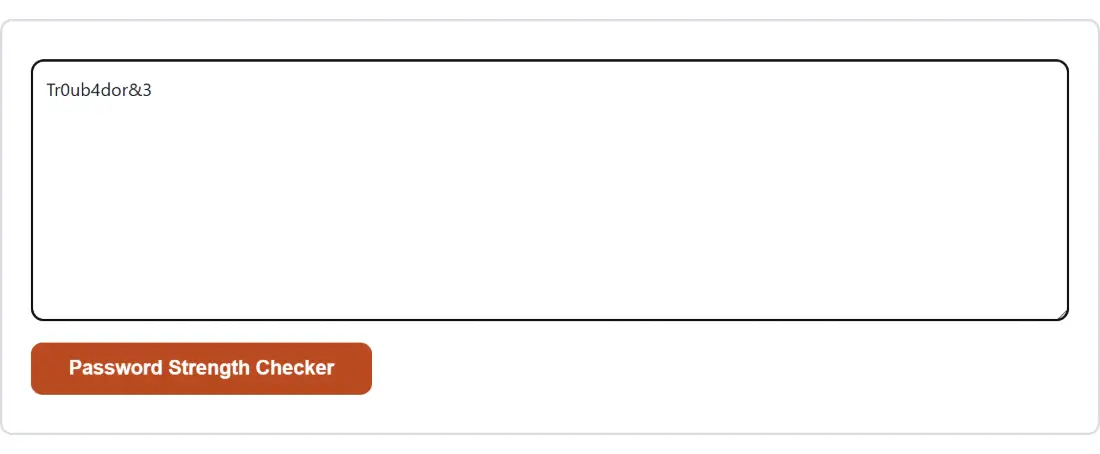
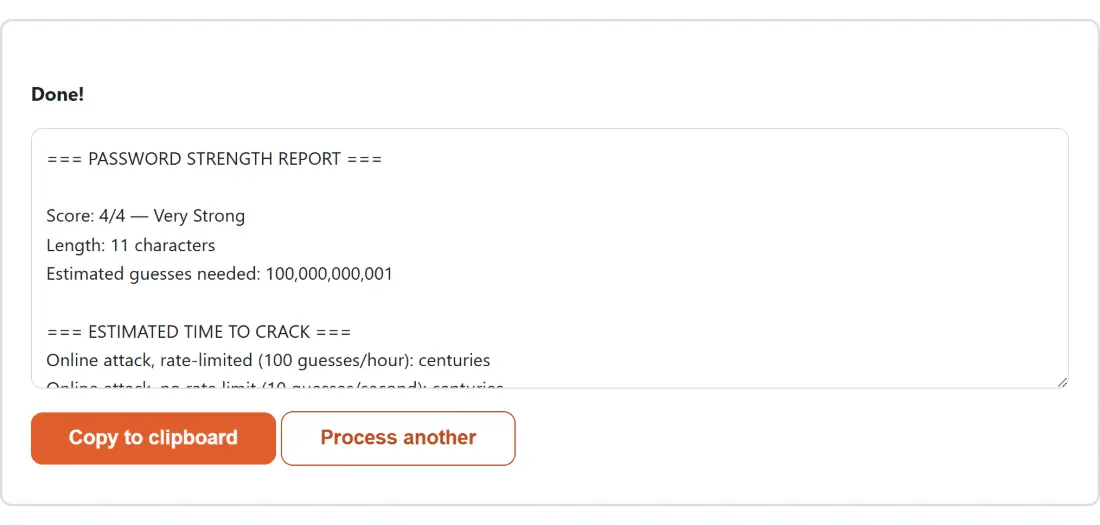
That bucketing explains a result that looks wrong at first glance. Paste the phrase from the famous XKCD comic with its words glued together and it scores four out of four on 6,272,293,312,000 guesses. Paste the leetspeak example from the same comic and it also scores four out of four, on 100,000,000,001 guesses. The score cannot tell those two apart because both sit above the top boundary. The crack-time rows can, and do.
Checking a candidate before you commit to it
- Type or paste the password into the box. The action button stays disabled while the box is empty.
- Click Password Strength Checker. There are no options to set on this page.
- Read the score line first, then the length and the estimated guess count directly under it.
- Work down the four rows under the estimated time to crack heading, which cover a rate-limited login form at 100 guesses an hour, an unthrottled form at 10 a second, an offline attack against a slow hash such as bcrypt at 10,000 a second, and an offline attack against a fast hash at 10 billion a second.
- Read the feedback block at the bottom for the specific warning and suggestions, or the line saying no specific issues were found.
- Use Copy to clipboard to keep the report, or Process another to bring the input box back for the next candidate.
Score 4 out of 4 and ten seconds are not a contradiction
Four real results, run through this exact build, make the point better than any explanation:
password123     0/4 Very Weak  797 guesses            fast hash: less than a second
P@ssw0rd!       1/4 Weak       11,100 guesses         fast hash: less than a second
Summer2026!     2/4 Fair       10,010,000 guesses     fast hash: less than a second
Tr0ub4dor&3     4/4 Very Strong  100,000,000,001      fast hash: 10 seconds
Every one of those falls in under a minute to somebody who has stolen a badly hashed database. The top-scoring one takes ten seconds. A score of four means the password beat the estimator’s pattern library, not that it is out of reach, and the bottom crack-time row is the honest reading of that. For comparison, one five-word phrase from the Passphrase Generator, Sibling-Arson-Ebony-Mutilator-Equipment-8, comes back at 4.96e+29 guesses with all four of its rows reading centuries.
The feedback block is where the real value sits for a password you invented. The leetspeak example draws a warning that it resembles a common password plus a suggestion to stop swapping symbols for letters, which is exactly the belief that produced it. The seasonal example draws a suggestion to capitalize more than the first letter. Neither is generic advice; both name the pattern that was actually matched in that string.
The report line by line, and the one thing it leaves out
The block that appears is plain text with three labelled sections. The header carries the score out of four with its word label, the character count, and the estimated guesses formatted with thousands separators up to a quadrillion and in scientific notation above that. Then come the four crack-time rows, then the feedback.
What never appears anywhere in it is the password. Only its length is reported. That is deliberate, and it is what makes the report safe to paste into a chat window or attach to a ticket when you are explaining to somebody why their choice was rejected.
Where the estimator deliberately lowballs a random string
Generate a sixteen-character password with the Password Generator and check it here. That page reports 95 bits of entropy. This page reports 1.00e+16 guesses, which is around 53 bits. Neither is lying.
The generator knows the pool it drew from and can compute the true size of the space. The checker cannot know that, so for any stretch of characters it fails to match against a pattern it assumes ten possibilities per character and multiplies. On a genuinely random string that assumption is far too pessimistic. On a human-invented one it is far more realistic than counting character classes, because humans do not produce uniform strings. The practical rule that falls out of it: judge machine-made passwords by the generator’s figure, and judge your own inventions by this page.
Once a password has passed
A score is not storage. If you are building something that has to keep passwords, the Bcrypt Hash Generator & Verifier will produce a real bcrypt hash at a chosen cost factor and verify one you already have, which is the row of this report labelled slow hash made concrete. To lock a file behind a password you have just vetted, Encrypt a File with a Password derives an AES-256-GCM key from it with 600,000 PBKDF2 rounds.
Plain hashing tools such as SHA-256 Hash Generator belong to a different job entirely, checksums and signatures rather than password storage, and the rest of the set sits on the developer tools hub.