Two generically labelled boxes, and which one takes the password
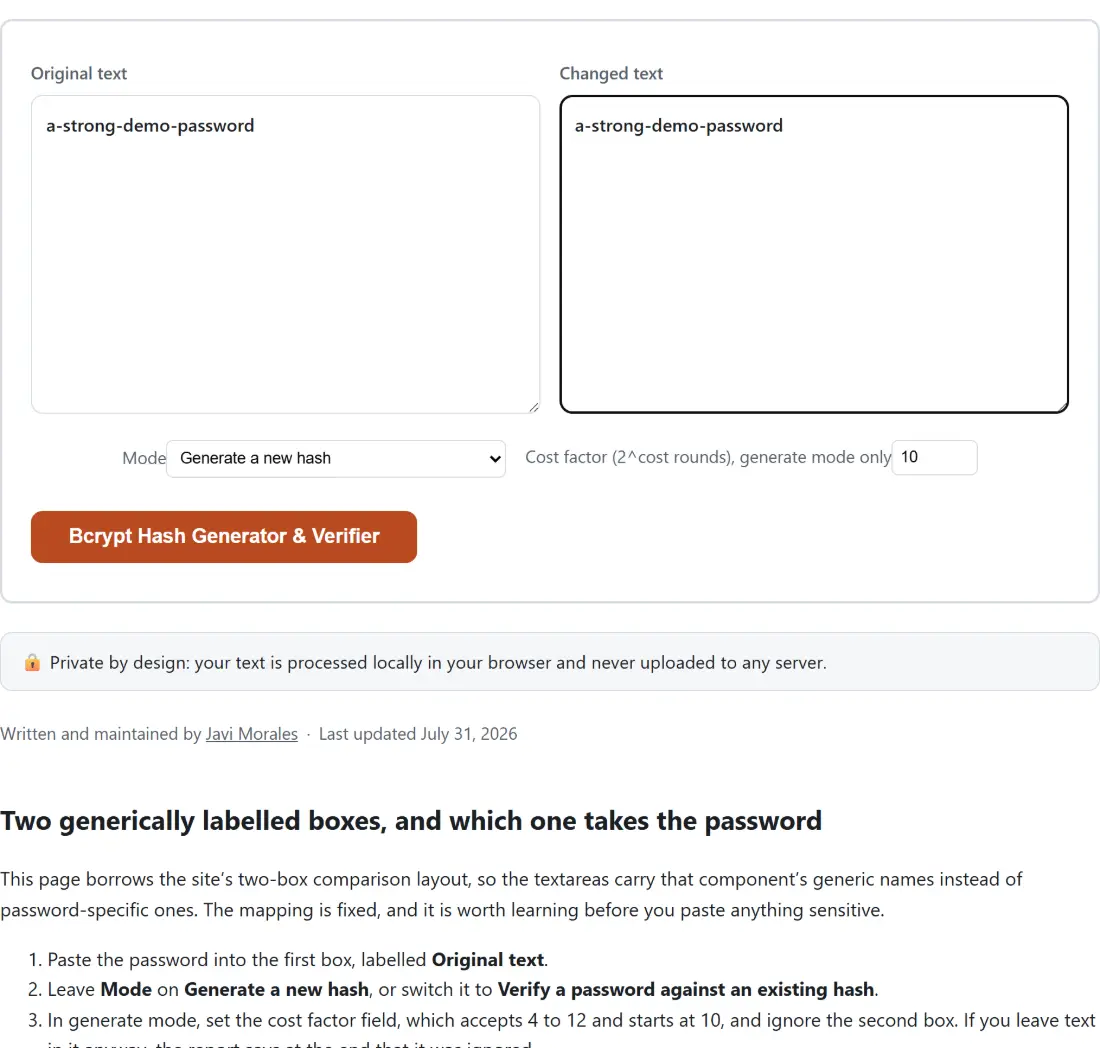
This page borrows the site’s two-box comparison layout, so the textareas carry that component’s generic names instead of password-specific ones. The mapping is fixed, and it is worth learning before you paste anything sensitive.
- Paste the password into the first box, labelled Original text.
- Leave Mode on Generate a new hash, or switch it to Verify a password against an existing hash.
- In generate mode, set the cost factor field, which accepts 4 to 12 and starts at 10, and ignore the second box. If you leave text in it anyway, the report says at the end that it was ignored.
- In verify mode, paste the bcrypt hash you are checking against into the second box, labelled Changed text.
- Click Bcrypt Hash Generator & Verifier. The result appears in a read-only panel with Copy to clipboard underneath it.
The button stays disabled until at least one of the two boxes has something in it.
Every hash carries its own salt
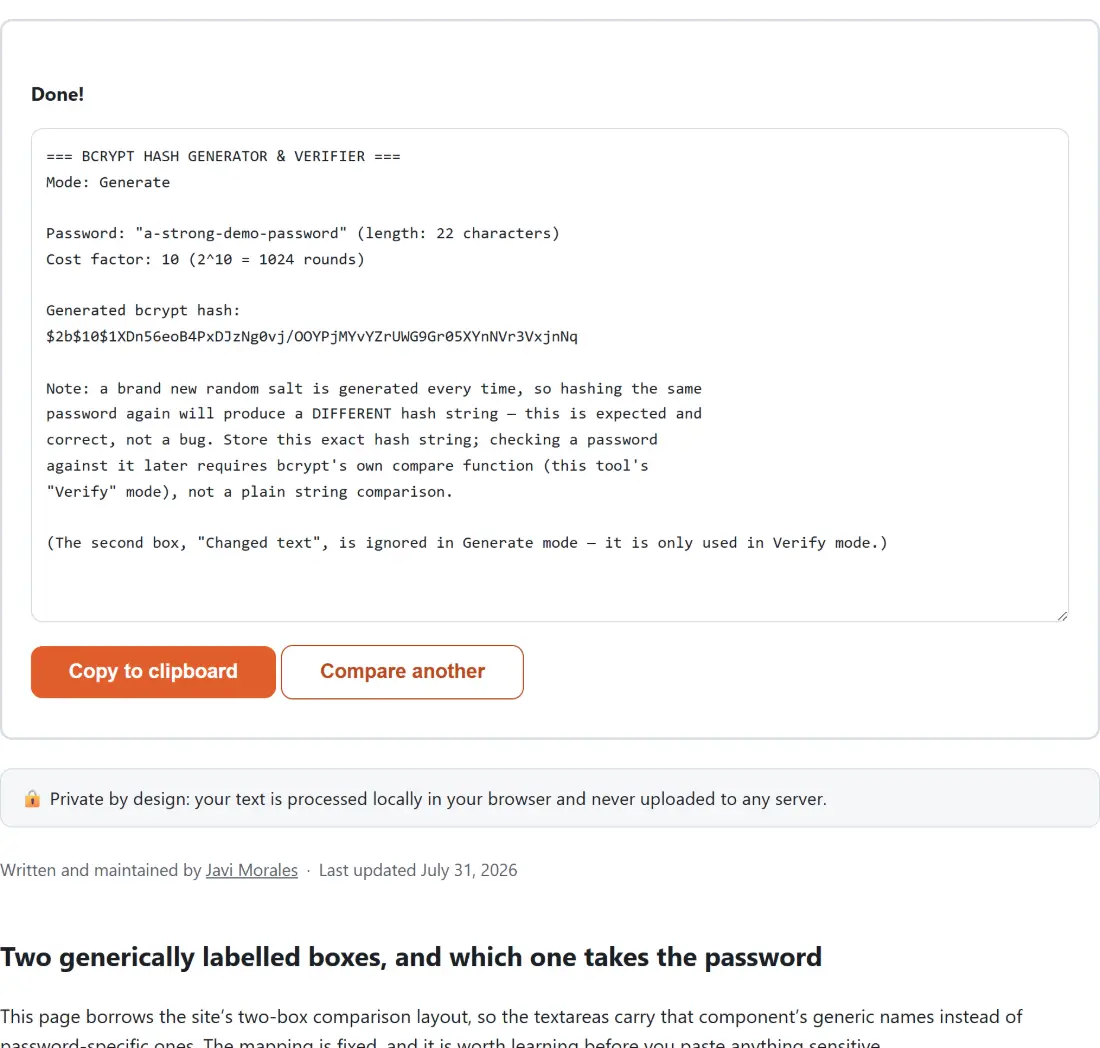
Generate a hash for the same password twice and you get two different strings. That is bcrypt working, not failing. A fresh random salt is generated on every call and stored inside the output, which is why a bcrypt hash is 60 characters rather than a bare digest: a $2 variant marker, a two-digit cost factor, then 53 characters holding the 22-character salt and the 31-character digest together.
Two consequences follow, and both catch people out in real code. You can never check a password by comparing hash strings, because the stored hash was made with a salt your fresh hash will not reuse; you have to hand the password and the stored hash to bcrypt’s own compare function, which is precisely what verify mode does here. And a stolen table of bcrypt hashes resists precomputed rainbow tables, because every row was salted differently and has to be attacked on its own.
Cost 10 by default, and why the field stops at 12
The cost factor is an exponent. The work performed is 2 to the power of the cost, so each step of +1 roughly doubles the time a single hash takes. Slowness is the feature: an attacker who steals the database pays the same price per guess that you paid per login, which is the whole distinction between a password hash and a checksum.
The field accepts 4 to 12 and starts at 10, a common real-world default. The ceiling is there because this is a pure-JavaScript bcrypt running inside your tab rather than native code on a server. Timings measured against this exact library while the tool was built put cost 12 near a fifth of a second and cost 18 near thirteen seconds for one hash; your machine will land somewhere else, but the doubling behaves the same, and a capped field beats an accidental multi-minute freeze. Values that are fractional or outside the range are rounded and clamped into the 4 to 12 window before hashing. The asynchronous library API is used rather than the blocking one, and no request leaves the page at any point.
Reading the report the tool prints
The output is a labelled plain-text block, not a bare hash, and it repeats your input back at you. Generate mode echoes the password in quotes with a character count, states the cost factor and the number of rounds it expands to, prints the hash on its own line, and appends a note about the changing salt. Verify mode echoes the password and the hash under test, prints the cost factor it read back out of that hash, and finishes with one of MATCH, NO MATCH or INVALID HASH FORMAT.
That third status exists for a specific reason. The underlying compare function does not object to most malformed hashes; it simply answers “no”, which is indistinguishable from a wrong password. So the shape is checked first, after trimming surrounding whitespace, and a string that fails that check is reported as a format problem instead of a mismatch. In one respect that shape check is looser than the library it guards: it accepts a $2x version marker, which the library itself rejects as an invalid revision, so such a hash reaches neither status and surfaces as the shell’s generic error notice instead. Note also that the character count is over code points rather than bytes, which only matters if you are near bcrypt’s own 72-byte input limit with multi-byte characters.
Bcrypt against the fast hashes on this site
SHA-256 and the MD5 generator here exist to fingerprint pasted text. They are fast by design, and that speed is exactly what disqualifies them for password storage, because speed is the attacker’s budget too. Bcrypt is deliberately slow, salted per row, and tunable upward as hardware improves.
For the jobs either side of this one: the password generator produces the random string you would then hash, the password strength checker estimates how long a given password would survive a guessing attack before you commit to it, and the htpasswd generator wraps this same bcrypt library into a complete username:hash line for an Apache or Nginx basic-auth file, reusing this page’s own cost bounds and default.