The default choice, and why it earned that
When somebody says hash without qualifying it, they almost always mean SHA-256. It is the general purpose cryptographic hash of the current era, and it got there by not breaking.
Published in 2001 as part of the SHA-2 family, it has been under continuous public scrutiny for over two decades with no practical attack against its collision resistance. In that time its predecessor SHA-1 was broken outright and its predecessor MD5 was broken thoroughly enough to be a teaching example. SHA-256 survived, and that track record is the actual argument for using it.
You will find it holding up TLS certificate chains, software signing, package manager integrity checks and blockchain systems. If you need a hash and have no specific reason to choose something else, this is the one.
Producing a digest
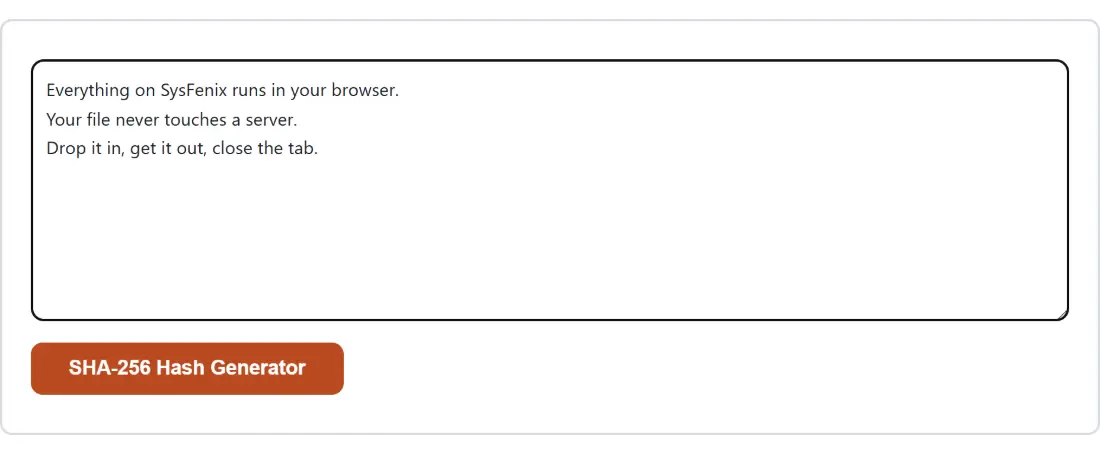
- Paste or type your text into the box. The action button stays disabled while it is empty.
- Click SHA-256 Hash Generator.
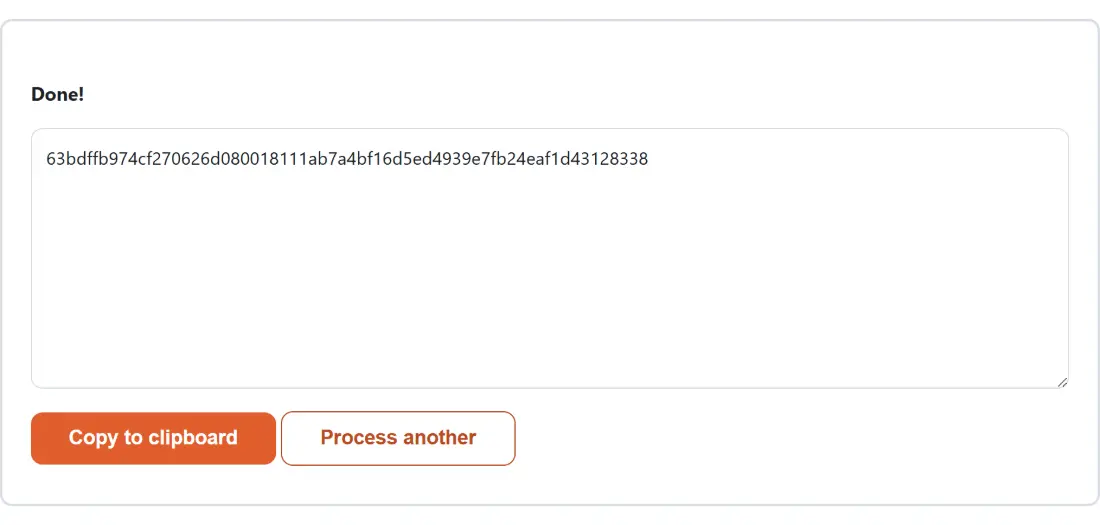
- The sixty-four character digest appears in the read-only box below a Done! line.
- Click Copy to clipboard to take it.
- Process another clears both boxes.
Everything is computed by the browser’s own cryptographic implementation, reached through the standard interface every modern browser provides. No hashing library is shipped with the page, and nothing you type is transmitted.
One way means one way
The most common misunderstanding about hashing is that it is a kind of encryption you have lost the key to. It is not.
Encryption is reversible by design. It transforms data with a key so that the same key can transform it back, because getting the original back is the entire purpose. A hash has no key and no inverse. It compresses arbitrary input into a fixed 256 bits, and the information required to reconstruct the input is thrown away during the calculation rather than hidden.
That is why no tool anywhere offers to reverse one. What sites advertising SHA-256 decryption actually do is look your digest up in a table of previously computed values for common inputs. That works for the word password and for nothing that was not already in somebody’s list.
Where SHA-256 is the wrong tool
Two cases are worth naming, because using SHA-256 for either is a common and genuine mistake.
Password storage is the first. SHA-256 is fast, deliberately, and speed is precisely what you do not want when an attacker has your database and is guessing. A modern graphics card runs billions of SHA-256 operations a second. Password storage needs a function that is slow and salted on purpose, which is what Bcrypt Generator provides.
Authentication with a shared secret is the second. Sticking a key on the front of a message and hashing the result is a construction with known weaknesses. HMAC Generator implements the correct combination of key and message, which is what API request signing schemes actually specify.
The avalanche property, and what it means in practice
Change one bit of the input and roughly half the output bits change. That is a design goal rather than an accident, and it has a practical consequence people sometimes miss.
Digests cannot be compared for partial similarity. Two documents differing by a single comma produce digests with no visible relationship whatsoever, so there is no such thing as a close match. A digest comparison answers exactly one question, identical or not, and any tooling built on the assumption that similar inputs give similar hashes is broken.
It also means whitespace matters. A trailing newline picked up when copying from a terminal produces a completely different digest, which is by far the most common reason two people hashing the same text disagree.
Related tools
For a file rather than typed text, File Checksum reads the raw bytes, which is the correct way to verify a download. For matching a value produced by older systems, SHA-1 Hash Generator and MD5 Hash Generator are the compatibility pages, both with their own warnings attached.
For a random secret rather than a digest, Password Generator and UUID Generator draw from the browser’s cryptographic random source. And for converting a digest into another base, Base Converter handles the arithmetic. The rest is on the dev tools hub.