MD5 broke in 2004, and it stayed broken
A hash function squeezes any input, a word or a novel, into a fixed-length fingerprint that is cheap to compare and impractical to reverse. MD5 produces 128 bits of it, written out as 32 hexadecimal characters. It has been the default choice in an enormous amount of software since the early nineties, and it has been cryptographically dead for over twenty years: practical collision attacks, meaning two different inputs deliberately engineered to land on the same digest, were demonstrated in 2004 and have only got cheaper since.
That distinction matters because it decides what this tool is for. A collision attack requires an adversary who gets to choose both inputs. It does not help a corrupted download, a truncated copy or a flipped bit on a failing disk, none of which are trying to fool you. MD5 still detects accidents perfectly well. It detects nothing at all when someone is actively trying to slip a substitute past you, which is why it must never appear anywhere near password storage, signatures, certificates or code signing.
Where spark-md5 fits, since browsers refuse to ship MD5
Every modern browser has a built-in hashing API, and it deliberately excludes MD5. The digest method accepts SHA-1, SHA-256, SHA-384 and SHA-512 only. The SHA-256 Hash Generator on this site is therefore a handful of lines calling straight into the browser, and the SHA-1 Hash Generator is the same shape.
MD5 has to be implemented in JavaScript instead. This page uses spark-md5, a small library with no native or WebAssembly dependency, loaded and executed inside the tab. Before writing a word of this article I ran the module against Node’s own MD5 implementation to make sure the two agree on more than ASCII, including multi-byte input: the word café hashes to 07117fe4a1ebd544965dc19573183da2 under both, and 日本語 hashes to 00110af8b4393ef3f72c50be5b332bec under both. The library converts strings to UTF-8 before hashing, so no manual encoding step is needed.
Producing a digest, step by step
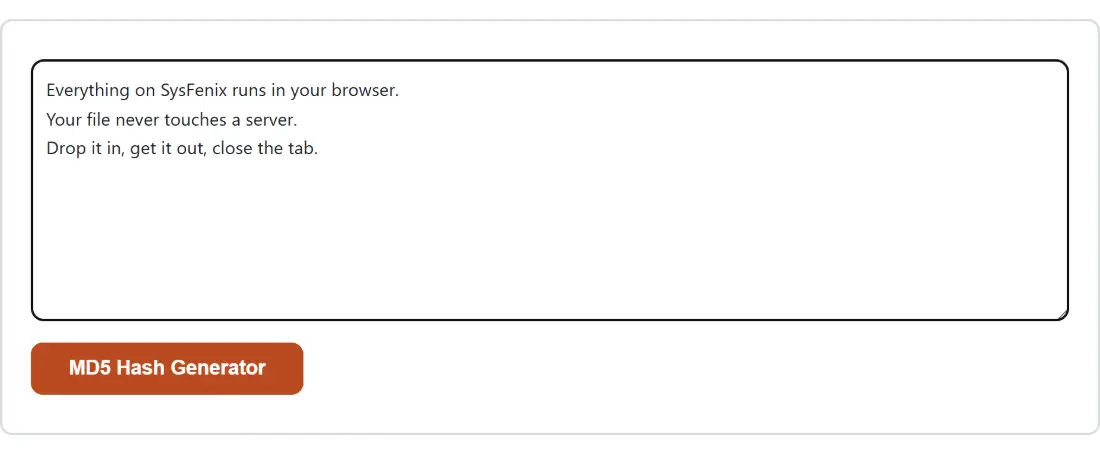
- Paste whatever you want fingerprinted into the box above. A short identifier, a config value, a copied line from a manifest, or a wall of text all work the same way.
- Press MD5 Hash Generator. The button carries the page title verbatim, because the shared paste-in shell uses the title as its action label. It stays grayed out until the box has at least one character in it.
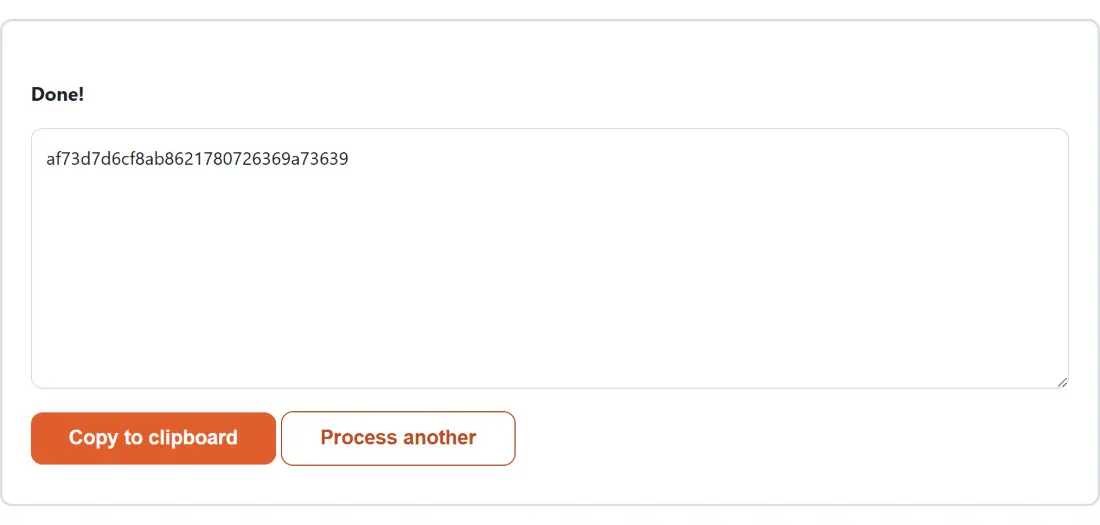
- Read the 32 hex characters out of the read-only box that replaces the input, and press Copy to clipboard to take them.
- Press Process another when you want to clear the result and hash something else.
Spaces, newlines and accents change the whole digest
A hash has no concept of “nearly the same”. Change one byte and the output is unrecognizable, which is exactly what makes it useful for spotting corruption and exactly what makes near-miss comparisons so frustrating. hello hashes to 5d41402abc4b2a76b9719d911017c592. Add a single newline after it and you get b1946ac92492d2347c6235b4d2611184 instead. Add a space rather than a newline and it is f814893777bcc2295fff05f00e508da6. Capitalize the H and it is 8b1a9953c4611296a827abf8c47804d7.
Most mismatch reports come down to one of those. Command-line hashing utilities read a file byte for byte, and text files almost always end with a newline that your editor never showed you. If a digest computed here refuses to match one produced elsewhere, check the invisible characters at the end before you suspect the algorithm.
Hashing a paste is not the same as hashing a file
This page hashes text. It has no dropzone, and the paste box is wrapped into an in-memory text file behind the scenes purely so it can run through the same processing contract every file-based tool here uses. That is fine for a string, and wrong for an ISO image.
For real files, use File Checksum Verifier instead. It accepts any file type, reads the bytes through a real stream rather than loading the whole thing into memory, and can take a second .txt file containing the expected hash so it prints a match or mismatch verdict for you. One thing to watch: its Algorithm dropdown defaults to SHA-256, so switch it to MD5 explicitly when you are checking against a legacy MD5 manifest.
The narrow set of jobs MD5 is still fine for
Legacy inertia is the honest answer to why anyone still needs this. Old file manifests, aging package repositories, database columns literally named md5, and scripts written before the attacks were public all still expect the value, and rewriting them is often not on anyone’s roadmap. Computing a matching digest to satisfy one of those systems is a legitimate use, as is confirming a copy or download did not get mangled in transit, and as is checking two blocks of text are byte-identical without reading them side by side.
Anything with an adversary in it belongs elsewhere. Hash passwords with Bcrypt Hash Generator and Verifier, which is salted and deliberately slow. Authenticate a message with HMAC Generator, which folds a shared secret into the digest. And if you are simply choosing a hash for something new today, take SHA-256 and move on. The rest of the developer tools cover the encoding, formatting and generation utilities that usually sit around this one in a workflow.