Nine bits, two ways of writing them down
A Unix file mode is nine permission bits arranged as three groups of three: read, write and execute
for the owner, the same trio for the group, then the same trio for everyone else. Octal notation
collapses each trio into a single digit by adding read as 4, write as 2 and execute as 1, so 7 is all
three and 5 is read plus execute. Symbolic notation spells the same trio out as rwx with a dash
wherever a bit is off. 755 and rwxr-xr-x are the same nine bits.
An optional fourth octal digit sits in front for the special bits, using the same additive trick: setuid is 4, setgid is 2 and the sticky bit is 1. That is what makes 4755 different from 755, and because the leading digit is nearly always zero, most modes you will ever type are three digits.
The problem is not that either notation is hard, but that people write scripts in one and read
ls -l output in the other, so the translation happens in your head at precisely the moment you are
already debugging something else.
From a pasted mode to a copyable chmod line
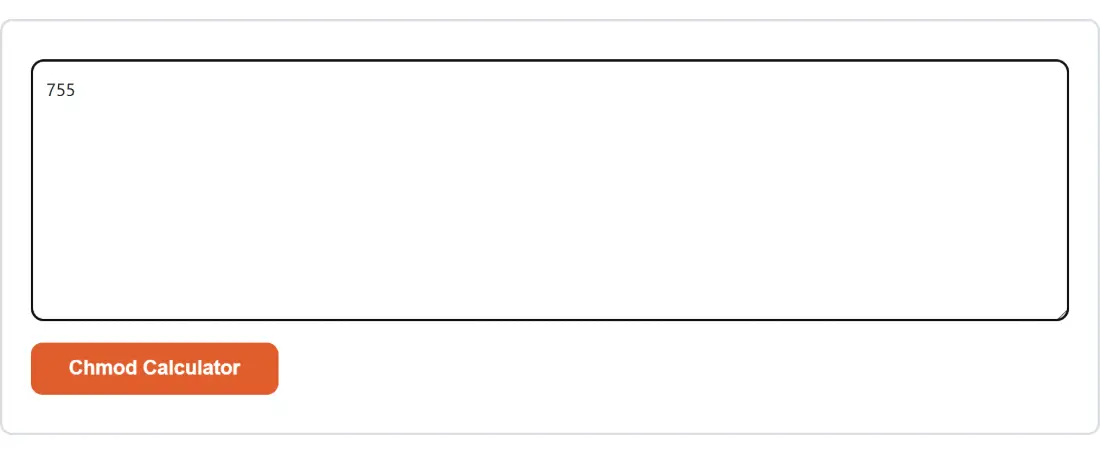
- Paste one mode into the box: three or four octal digits, or a nine-character symbolic string.
- Click Chmod Calculator.
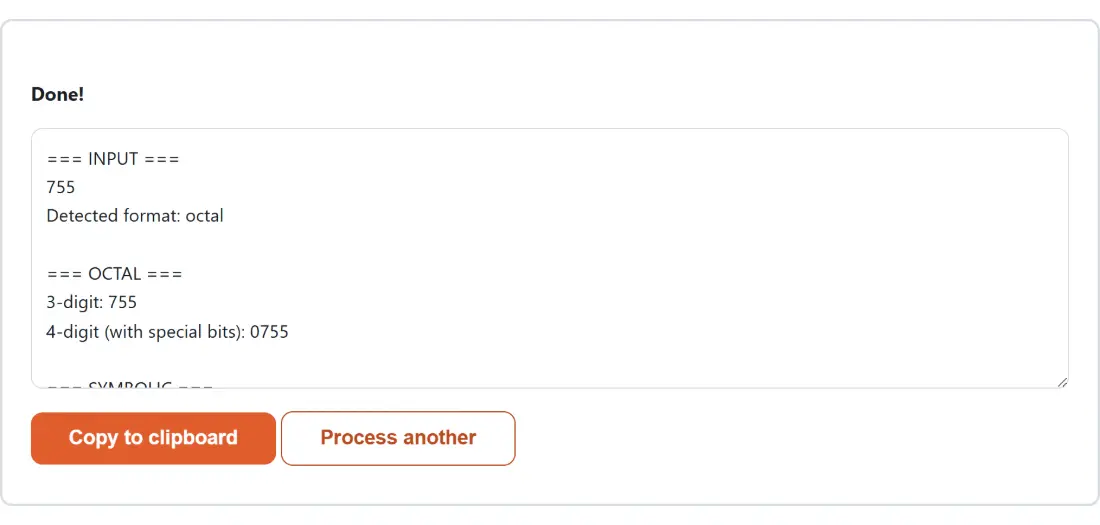
- Read the labelled sections, then use Copy to clipboard to take the whole report.
The report is one plain-text block split into labelled sections. It echoes your input and the format
it detected, gives both the three-digit and four-digit octal forms, gives the symbolic string, breaks
the mode down per group in words, spells out which special bits are set and what each one does,
prints a ready chmod <value> filename line, and finishes with a reference table of common modes.
The command uses four digits only when a special bit is genuinely present, so you get
chmod 755 filename for a plain mode and chmod 4755 filename when setuid is on.
To convert again you click Process another, which clears the box. The pasted value does not survive a run, so keep the original somewhere if you were comparing two modes side by side.
Pasting the whole ls -l column, leading letter and all
The permission column ls -l prints is ten characters, not nine: a leading type marker (- for a
regular file, d for a directory, l for a symlink) followed by the nine permission characters.
Ten-character input is accepted and that first character is simply dropped, so you can select
-rwxr-xr-x straight out of a terminal without trimming it down first.
Leading and trailing whitespace is stripped before anything is judged, so a value copied with a
trailing space still works. Everything else is refused: two digits, five digits, a digit above 7, a
symbolic string with a stray character, and the relative syntax chmod itself understands.
Special bits share the execute column
Symbolic notation does not add characters for setuid, setgid and the sticky bit. It overloads the execute slot of whichever group each one belongs to, and uses letter case to say whether the underlying execute bit is also set. Lower case means the special bit and the execute bit are both on; upper case means the special bit is on and execute is not.
- setuid takes the owner’s execute slot, as
sorS. - setgid takes the group’s execute slot, as
sorS. - the sticky bit takes the other’s execute slot, as
torT.
So 4755 comes out as rwsr-xr-x, while 4644, the same setuid bit on a file with no execute bits
anywhere, comes out as rwSr--r--. The case is doing real work there, and misreading it is the
easiest way to draw the wrong conclusion about a mode. This page converts both directions, including
every combination where a special bit is set but the matching execute bit is off.
A mode it cannot parse comes back inside the output
Most tools here surface a failure as a banner carrying one generic sentence, because the shared shell
replaces whatever the code threw. This one deliberately never throws. When the input does not parse,
it assembles the report anyway, with your input echoed back and an ERROR section carrying the real
explanation of what was expected. The message that tells you why 78 or u+x was refused actually
reaches you, instead of being swallowed. That is the entire reason the result is built as text rather
than raised as an exception.
The modes worth recognising on sight
The reference table at the end of every report is short on purpose. 644 for an ordinary file the
owner edits and everyone reads. 755 for a script or a directory. 600 for anything private, an SSH
key or a .env file. 700 for a private directory. 664 and 775 for the group-writable equivalents
when a team shares a group. 400 for read-only even to its owner. And 777, the mode that should make
you stop and ask what you were actually trying to fix, since a narrower value usually solves the same
problem.
Once permissions are settled, the neighbouring server-admin pages tend to come up next: the Crontab Expression Generator for the schedule, the IP Subnet Calculator for the addressing, and the htpasswd Generator for a basic-auth file. If it is the arithmetic itself you want to double-check rather than the permissions, the Number Base Converter will take an octal value into binary and back.