Which box the username goes in, and why it is called Original text
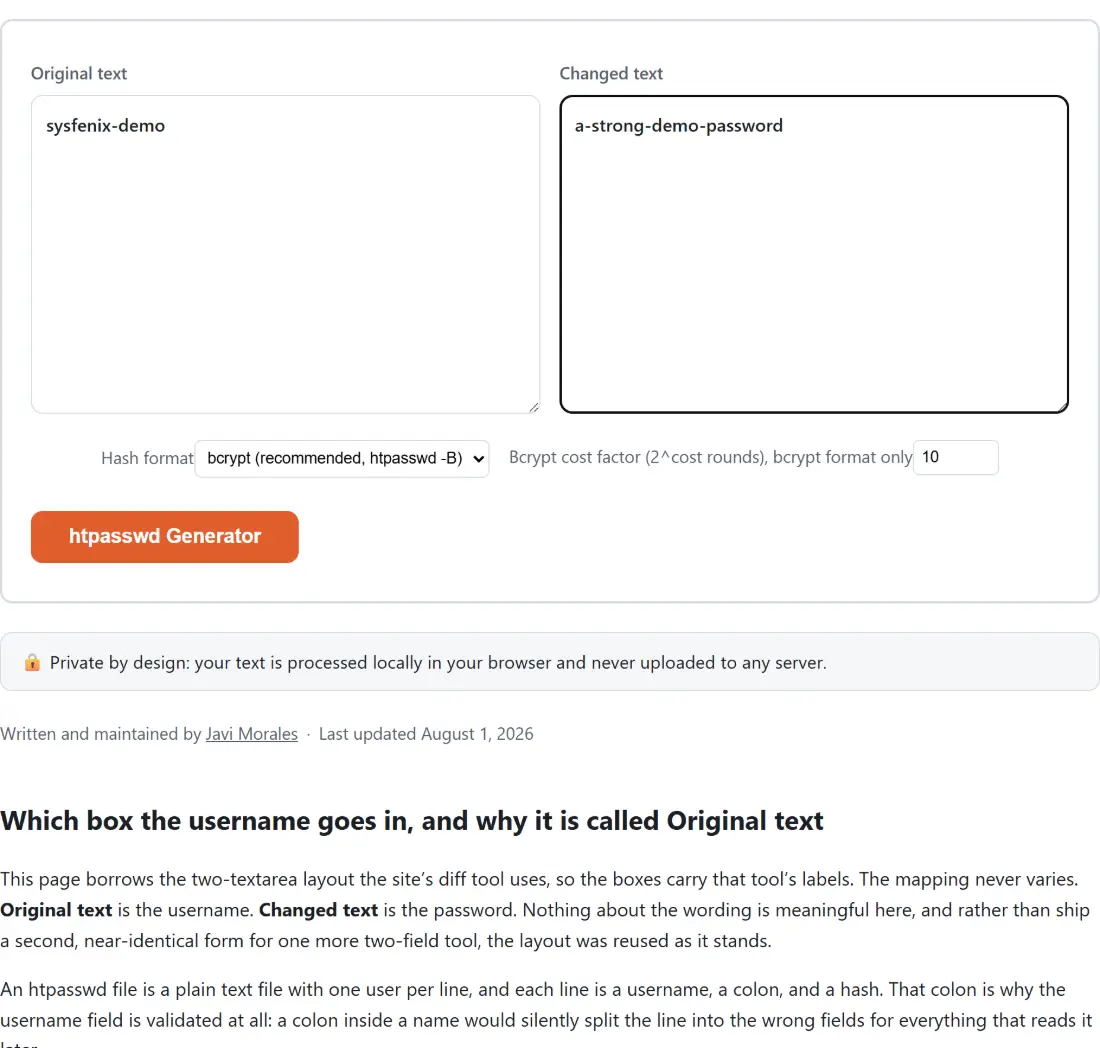
This page borrows the two-textarea layout the site’s diff tool uses, so the boxes carry that tool’s labels. The mapping never varies. Original text is the username. Changed text is the password. Nothing about the wording is meaningful here, and rather than ship a second, near-identical form for one more two-field tool, the layout was reused as it stands.
An htpasswd file is a plain text file with one user per line, and each line is a username, a colon, and a hash. That colon is why the username field is validated at all: a colon inside a name would silently split the line into the wrong fields for everything that reads it later.
Filling the boxes and pasting the line into your server
- Paste the account name into the box labelled Original text.
- Paste the password into the box labelled Changed text.
- Leave Hash format on bcrypt (recommended, htpasswd -B), or switch it to MD5-APR1 (legacy, htpasswd -m) if something on your server insists on it.
- Set Bcrypt cost factor (2^cost rounds), bcrypt format only if you want something other than 10. The field is bounded at 4 and 12, anything outside that range is pulled back into it, and the whole option is ignored on the MD5-APR1 path.
- Click the action button, which carries this page’s own name, htpasswd Generator, then Copy to clipboard.
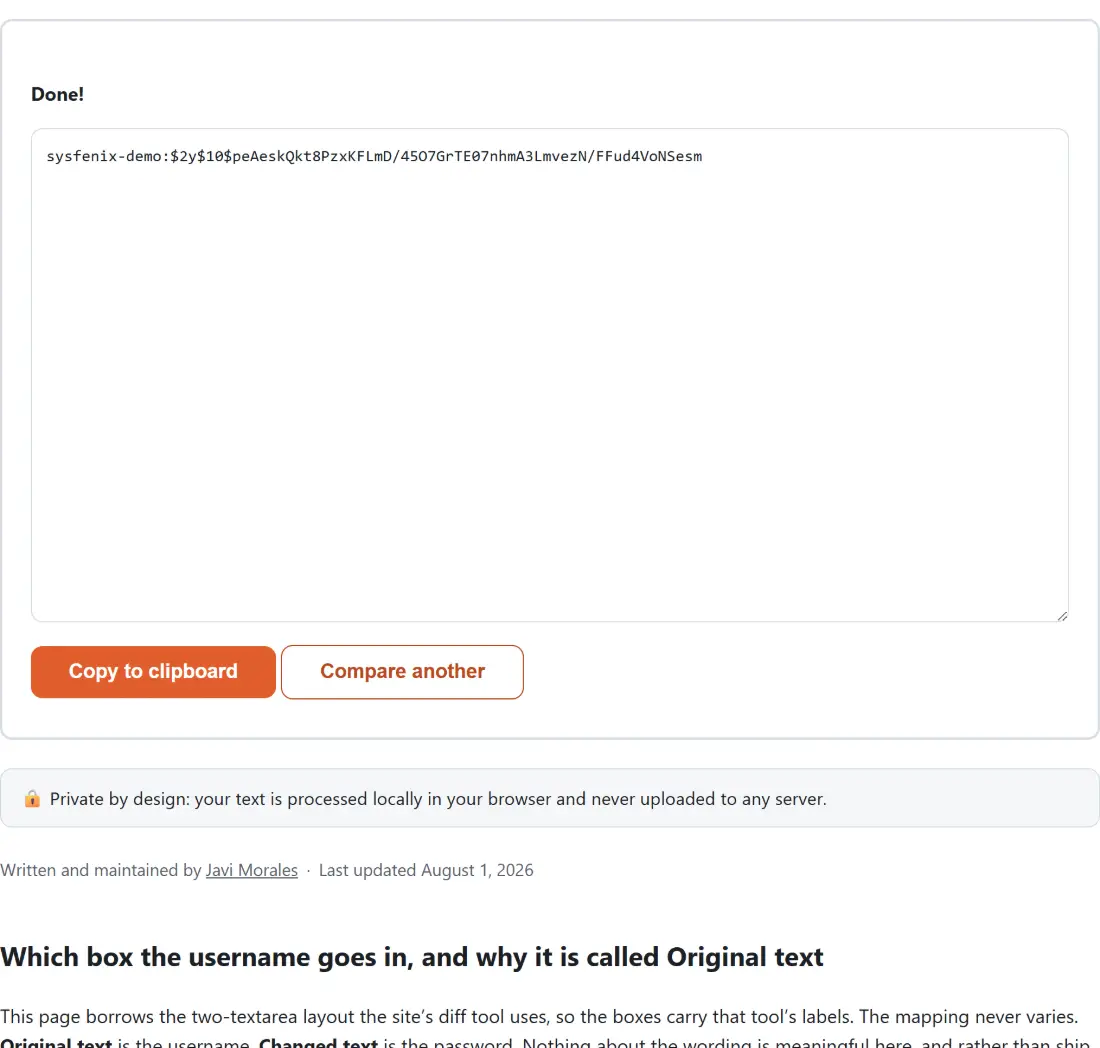
The result box holds exactly one line and nothing else, because that box is what the copy button targets and htpasswd files have no comment syntax to absorb explanatory text. Paste it as a new line into your password file, then point Apache’s AuthUserFile or Nginx’s auth_basic_user_file at that file.
Cost 10 by default, and what raising it buys
Bcrypt’s cost factor is an exponent: each step up doubles the work. The value here comes straight from the site’s Bcrypt Hash Generator & Verifier, which the module imports its bounds and default from rather than picking its own, so the two pages cannot drift apart. Ten is bcrypt’s long-standing real-world default. Twelve is the ceiling, and that cap is deliberate rather than arbitrary: this is a pure JavaScript implementation with no native code behind it, and the bounds were set from timings measured against this exact library so that one click never turns into a long wait.
For a basic-auth file guarding a staging site, ten is a sensible answer and you can leave the field alone. What matters more than the exact number is that the cost is recorded inside the hash, so Apache keeps verifying old lines correctly after you raise it for new ones.
The $apr1$ format, and why it is not a plain MD5
Pick MD5-APR1 and you get a string that starts with $apr1$, followed by an eight-character salt, another dollar sign, and 22 characters of digest. That is Apache’s own variant of the classic MD5-crypt scheme, the one htpasswd -m writes. It is not the 32-character hexadecimal digest you would get from the MD5 Hash Generator; it salts the input, folds the password length into the mix in a famously odd loop, and then stretches the result through a thousand further MD5 rounds before encoding it in a crypt-style alphabet.
That makes it enormously stronger than a bare MD5 of a password, and still much weaker than bcrypt, because the thousand rounds are fixed forever while bcrypt’s cost is a dial. Keep it for compatibility, not for new work.
Checking the algorithm against openssl passwd -apr1
There is no maintained, correctly-licensed package that implements this specific variant, so it was written by hand from the reference algorithm, which is the sort of code that can be subtly wrong and still look plausible. The check was therefore done against a completely separate implementation. Calling the module’s own hashing function with the password secret123 and the fixed salt abcdefgh returns $apr1$abcdefgh$aQ26yFH6V5G5PJBY/utXg/, and running openssl passwd -apr1 -salt abcdefgh secret123 on the same machine returns that identical string.
You cannot reproduce that from the page itself, and it is worth saying why: the tool draws a new random eight-character salt on every single run, so the fixed-salt comparison had to be made by calling the function directly. Salt reuse would be the bug, not the feature. Several more fixtures covering an empty password, a password longer than sixteen bytes and a multi-byte UTF-8 password are pinned in the test suite for the same reason.
What the tool refuses to do, and what the box says instead
Three inputs are rejected before any hashing happens, and each one comes back as readable text in the result box rather than as a failure. An empty username is refused and names the box to fill. A username containing a colon is refused, because that character is the field separator. An empty password is refused and names its box too. Every one of those is written as report text on purpose, since the shared layout replaces any thrown error with a single generic sentence and would otherwise swallow the explanation.
Leading and trailing spaces around the username are trimmed away before the line is built. The password is not trimmed, because a space can legitimately be part of a password, so watch for one arriving with a paste.
Credentials worth generating on the machine that uses them
Plenty of sites offering this exact function compute the hash on their own backend, which means typing a real server password into a form and posting it somewhere. Everything here runs in the tab, which is the only defensible design for a page whose entire input is a credential. The same reasoning drives the SSH Key Generator and the SSL CSR Generator, both of which mint private key material locally.
Two neighbours are worth a moment while you are here. The password file itself should not be world-readable, and the Chmod Calculator translates between the octal and symbolic notation you will need for that. If you are protecting a site rather than a directory, the Nginx & .htaccess Config Generator writes the surrounding server block. The wider developer tools category has the rest.