The exact Dockerfile the default settings produce
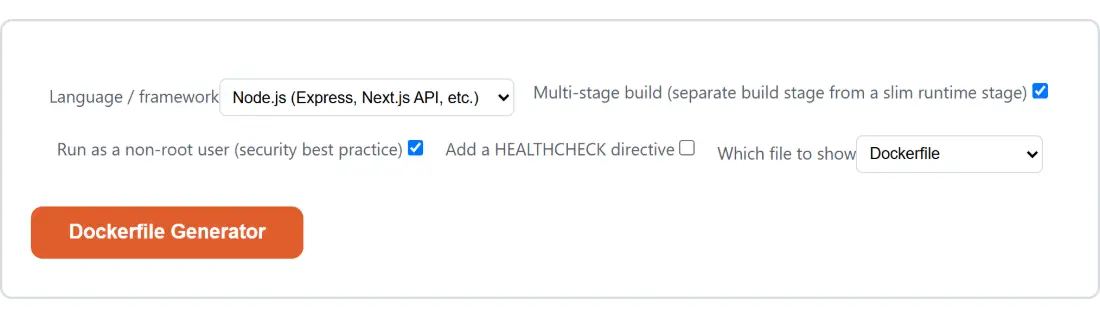
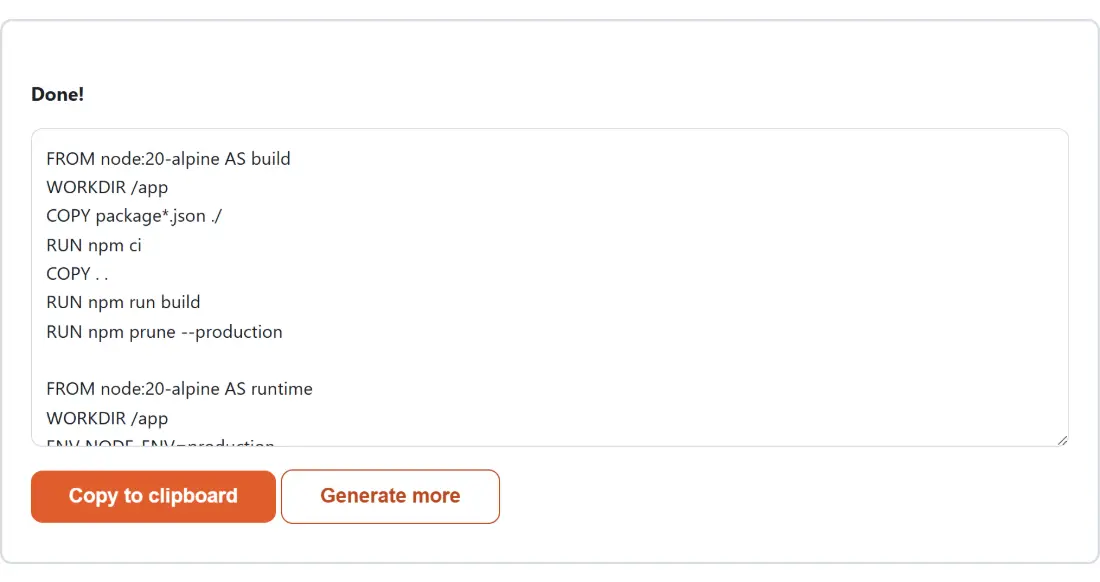
Nothing is hidden behind an abstraction here, so it is worth seeing the output before you decide whether it fits. Leave every option alone (Node.js, multi-stage on, non-root on, healthcheck off) and this is what lands in the box:
FROM node:20-alpine AS build
WORKDIR /app
COPY package*.json ./
RUN npm ci
COPY . .
RUN npm run build
RUN npm prune --production

FROM node:20-alpine AS runtime
WORKDIR /app
ENV NODE_ENV=production
COPY --from=build /app/node_modules ./node_modules
COPY --from=build /app/dist ./dist
COPY --from=build /app/package*.json ./
USER node
EXPOSE 3000
CMD ["node", "dist/server.js"]
Sixteen instructions, and every one of them is doing something specific. The runtime stage never sees your dev dependencies, your compiler or your source tree, only the pruned module folder, the built output and the package manifest. It runs as the unprivileged node account that the official Alpine image already ships, so no user has to be created.
Layer cache order, and why the manifest is copied on its own
The most valuable detail in that file is the least visible one. package*.json is copied and installed before the rest of the source is copied in. Docker caches each instruction against the content of what it copied, so if you edit a source file and rebuild, the expensive install layer is reused untouched and only the last few instructions re-run. Copy everything at once instead and every single rebuild reinstalls the whole dependency tree.
The same ordering appears in every preset. Python copies requirements.txt and installs from it before the application arrives, into a virtualenv at /opt/venv when multi-stage is on. Go copies go.mod and go.sum and runs the module download first. PHP copies composer.json and composer.lock before anything else. It is the one habit that separates a container build that takes seconds from one that takes minutes.
Port 8080 is not a style preference
Linux will not let an unprivileged process bind any port below 1024. That rule is the reason a naive attempt to harden a web container fails: add a user switch on top of a stock Nginx or Apache image and the container dies at startup with a permission error on the socket, which reads like a file permissions problem and is not one.
So when the non-root option is on, the PHP and static-site presets do the full job rather than half of it. The generated file patches the server’s own configuration to listen on 8080, fixes ownership of the directories the server process needs to write to, and only then switches user. That is the same technique the official unprivileged Nginx image uses internally, applied by hand to a stock base image. Node, Python and Go are untouched by any of this, since their conventional ports already sit above the line.
Generate the Dockerfile, then the compose file, then the ignore file
- Choose your Language / framework from the five presets.
- Set Multi-stage build (separate build stage from a slim runtime stage), Run as a non-root user (security best practice) and Add a HEALTHCHECK directive to taste.
- Leave Which file to show on Dockerfile and click Dockerfile Generator, then Copy to clipboard.
- Click Generate more, switch Which file to show to docker-compose.yml, and generate again. Repeat once more for .dockerignore.
The healthcheck deserves a note. It probes every 30 seconds with a 3 second timeout and three retries, and the probe command is chosen for the base image rather than assumed. Alpine-based presets use the busybox wget that is already there; the Debian-based Python image has neither curl nor wget, so it uses the interpreter itself; the PHP image uses the php binary for the same reason. No preset installs an extra package just to answer a health probe.
Assumptions baked in that your project may not share
This is a template composer, not a project scanner, so it cannot see your repository. The Node preset assumes an npm run build script that emits into dist/ and an entry point at dist/server.js, or server.js at the root if you turn multi-stage off. Python assumes requirements.txt and app.py. Go assumes a module with a main package in the repository root. The static-site preset assumes a Node build producing dist/, so a site with no build step at all should have multi-stage switched off. Every one of these is a one-word edit once you have pasted the file in.
The .dockerignore is worth generating too, and not only for tidiness. It keeps .git, .env, the README and the Docker files themselves out of the build context, plus the per-language noise such as node_modules/ or __pycache__/. A smaller context uploads faster and, more importantly, stops a local node_modules from shadowing the one built inside the image. If you are setting up the repository at the same time, the .gitignore Generator covers the parallel job for Git.
A generator, not a linter
Everything above is composed from well-established idioms and assembled by plain JavaScript in your tab, with no Docker daemon anywhere in the loop. That means the output is syntactically standard and follows the patterns in the official image documentation, but it has never been built or run against a real engine. Treat it as a strong starting point: run docker build, start the image, and if you switched the healthcheck on, confirm the container reports healthy before any of this goes near production.
When the container needs routing rules or security headers of its own, the Nginx & .htaccess Config Generator produces the matching server configuration. To turn the generated compose file into JSON for a script, paste it into the YAML to JSON Converter. For a scheduled backup or rebuild alongside the service, the Crontab Expression Generator builds the expression, and the systemd Service Generator covers the case where you would rather run the thing natively. More of these live on the developer tools hub.