A .gitignore is three unrelated lists in one file
Hardly anyone’s ignore file is about one thing. There is the language or runtime, which drops build output and dependency folders into the working tree. There is the operating system, which sprinkles its own metadata wherever you happen to open a folder. And there is the editor, which keeps per-project state right next to your code. Three lists, three origins, usually assembled from memory once and never looked at again.
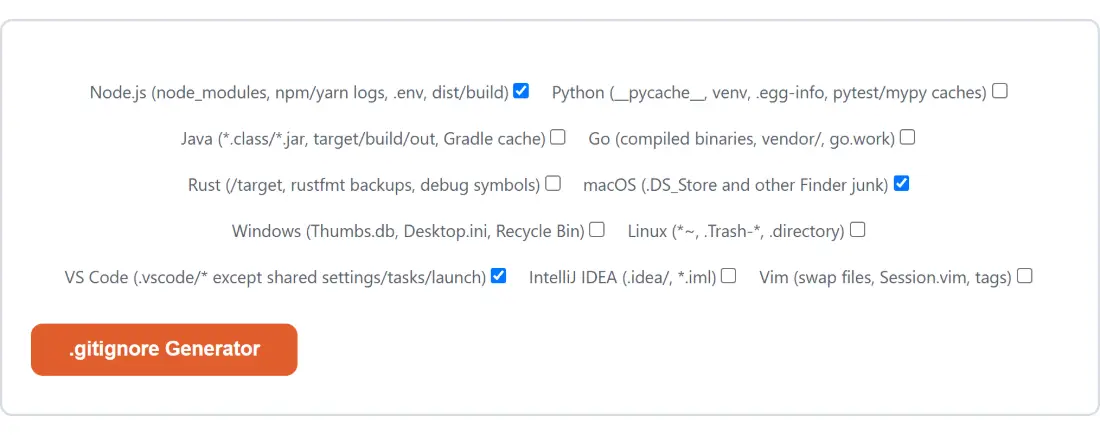
That is why this page is a column of tick boxes instead of a text field. You describe the machine and the project, and the generator writes those separate lists out as one file with a labelled section for each. Node.js, macOS and VS Code are ticked when the page loads, which covers a very common setup, but they are only a starting position.
Ticking the boxes and reading what comes back
- Tick every box that applies. The labels name what each template covers, so Node.js (node_modules, npm/yarn logs, .env, dist/build) and Rust (/target, rustfmt backups, debug symbols) tell you the shape of the section before you generate anything.
- Click the action button, which carries this page’s own name, .gitignore Generator.
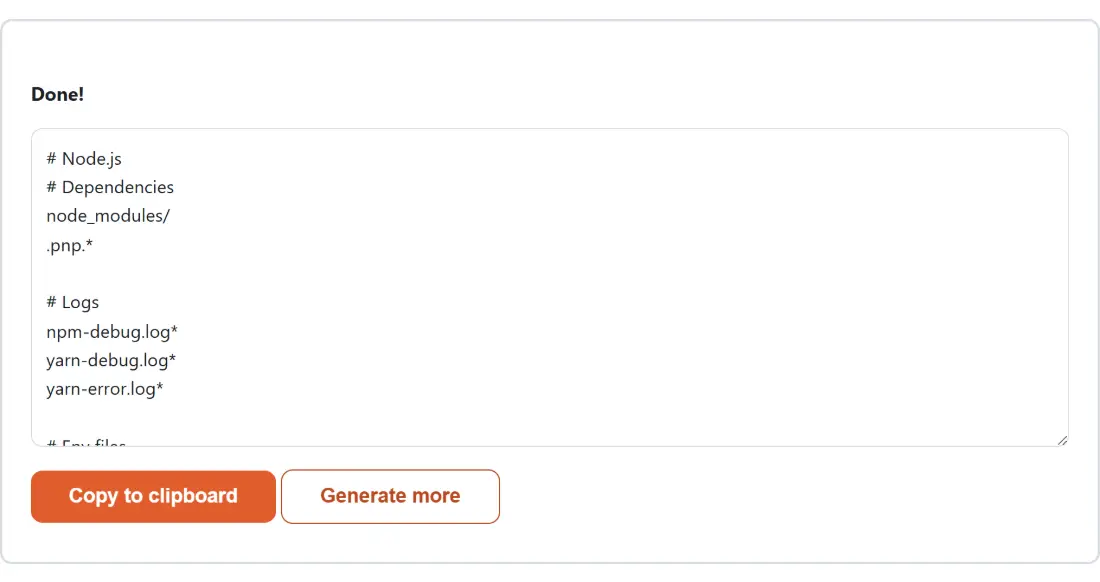
- Read the result in the box that replaces the form. Each template you ticked appears as its own commented section.
- Click Copy to clipboard, paste into a new file called
.gitignoreat the root of the repository, and commit it. - Click Generate more to bring the boxes back and try a different combination.
There is no download step, and there is nothing to fetch either, so the text appears the moment you click. Untick everything and the box comes back with a single comment line asking you to tick at least one template and run it again, which is friendlier than handing you a blank file.
Curated patterns, not a live mirror of github/gitignore
The templates are hand-written into the page, covering Node.js, Python, Java, Go, Rust, macOS, Windows, Linux, VS Code, IntelliJ IDEA and Vim. Each one is a high-confidence subset of the patterns that ecosystem’s standard file is famous for, and the honest framing matters here: this is not a byte-for-byte copy of GitHub’s own github/gitignore repository, and it does not update when that repository does. It cannot, because there is no network call behind the button.
For most projects that gap does not matter, since the patterns everyone actually relies on have been stable for years. When you need one ecosystem’s exact current file, go to the source repository and take it whole. When you need a sensible combination of five ecosystems in one file in a single pass, this is faster.
What the dedupe pass removes, and the empty headers it leaves
Sections are written in a fixed order, and any real ignore pattern that has already appeared is skipped the second time. Tick Java and IntelliJ IDEA together and out/ appears once, under Java, because the Java section was written first. Tick Node.js and Python together and Python loses its build/, dist/ and .env lines for the same reason.
Comments are treated differently on purpose: they are section labels, not rules, so two templates using the same wording both keep theirs. That has one visible consequence worth knowing about. If a template’s only pattern under a heading was already claimed by an earlier section, the heading survives with nothing beneath it. Python’s environment-file heading does exactly that when Node.js is also ticked. The file is still correct, and the orphaned comment is one keystroke to delete.
Committing it, and the trap of files Git already tracks
An ignore rule is not a delete. Git applies it only to files it is not already tracking, so adding .env to the file does nothing at all if .env was committed last month. That is the single most common surprise around this file, and the fix is to remove the path from the index and commit that removal before the new rule has any effect. For anything secret, assume it is compromised the moment it reaches a shared branch, because history keeps it.
The other habit worth forming is checking the diff. Regenerating a baseline for an old, drifted file is a good idea, but the project-specific lines somebody added over the years are exactly the ones you cannot afford to lose. Paste the old file and the new one into the Text Diff Checker and merge deliberately rather than overwriting.
Where .gitignore stops and .dockerignore begins
These two files look alike and answer different questions. This one decides what Git records; a .dockerignore decides what gets sent to the Docker daemon as build context, which is a size and cache concern rather than a history one. The Dockerfile Generator produces that second file, selected through its “Which file to show” dropdown, and its Node.js output covers .git, node_modules/, .env and a handful of build directories independently of anything you tick here.
New repositories tend to need a few of these at once, so it is worth knowing what else is nearby. The Nginx & .htaccess Config Generator builds the server rules, the README Generator handles the front door, and the rest of the developer tools category covers formatting, hashing and encoding. The complete developer tools guide walks through how they fit together.
One implementation note, since it explains an oddity you may notice: the module hands the shell a file named .gitignore, but the generator shell only ever reads that file’s text into the result box. The name never reaches you. It is dead weight, kept because every tool on this site returns the same shape, and it is dead precisely because the generator layout offers a copy button and no download path for that name to end up on.