One box, four sections, and the marker lines that split them
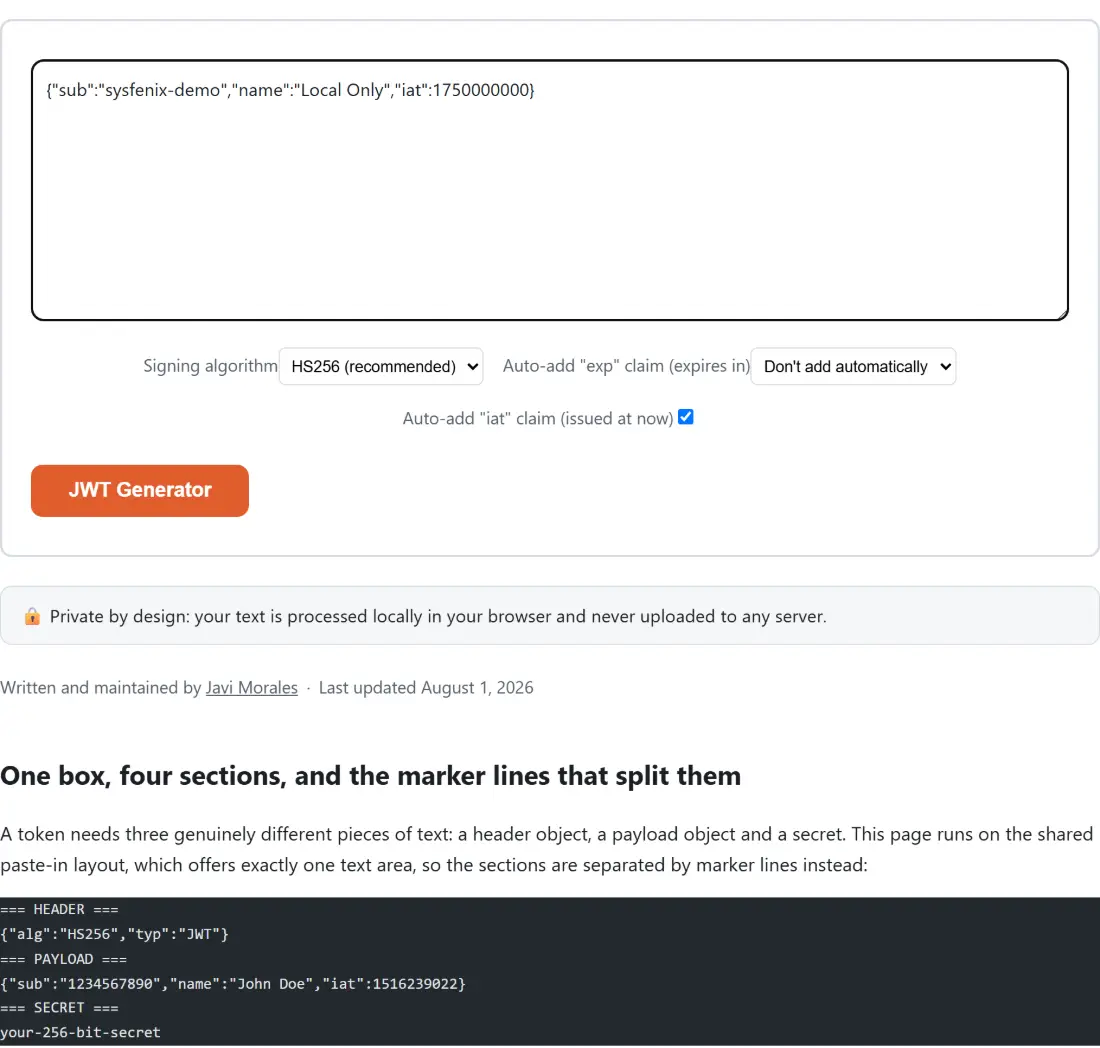
A token needs three genuinely different pieces of text: a header object, a payload object and a secret. This page runs on the shared paste-in layout, which offers exactly one text area, so the sections are separated by marker lines instead:
=== HEADER ===
{"alg":"HS256","typ":"JWT"}
=== PAYLOAD ===
{"sub":"1234567890","name":"John Doe","iat":1516239022}
=== SECRET ===
your-256-bit-secret
Payload and secret are required. Header is optional, and leaving it out generates a minimal one
naming the algorithm you chose. A fourth optional === SUBJECT === section writes the sub claim
without you editing the payload JSON by hand, and it overwrites any sub already in there, since
typing one is an explicit instruction.
Two details are worth knowing before they surprise you. Marker matching is case-insensitive and tolerates surrounding whitespace, and anything you type above the first marker is thrown away. If the same marker appears twice, the later section wins outright: the parser starts a fresh buffer each time it sees a marker, so the earlier content is discarded rather than concatenated.
Signing a token from scratch
- Paste your sections into the box using the marker lines above.
- Choose a Signing algorithm. HS256 (recommended) is the default and the one nearly every backend expects; HS384 and HS512 change only the digest size.
- Optionally pick a duration under Auto-add “exp” claim (expires in). It starts at Don’t add automatically, so no expiry is invented unless you ask for one.
- Leave Auto-add “iat” claim (issued at now) ticked to stamp the current time into the payload, or untick it if you want the payload to stand exactly as written.
- Click JWT Generator. The button takes its label from the page title, the way every paste-in tool on this site does.
- Copy the result. The output holds the full token first, then the header and payload JSON that were actually signed, then a short notes block.
The iat and exp helpers only ever fill a gap
Neither helper overwrites a claim you supplied. Issued-at is written only when the payload has no
numeric iat. Expiry is written only when the payload has no numeric exp, and its base is your
own iat when one exists, falling back to the current clock when it does not, so the pair stays
internally consistent rather than drifting apart by however long you spent editing.
The subject section behaves differently on purpose, and it is the one thing here that does overwrite.
Give it a value and it replaces sub unconditionally, because there is no reading of “I typed a
subject” that means “unless the payload disagrees”. With a payload of {"sub":"old"}, a subject of
new-user, the issued-at helper on and a fifteen-minute expiry, the signed payload comes out as
subject new-user, iat at the current second and exp exactly 900 seconds later.
Reproducing the published reference token
Base64URL is not Base64, and the difference is where homegrown signing goes wrong: minus for plus, underscore for slash, and no padding at all. Get one of those three wrong and you get a token that looks entirely plausible and fails every real verifier.
So the pipeline was checked against a token whose exact value is published and quoted everywhere.
Paste the classic demonstration header and payload with the secret your-256-bit-secret, leave every
option at its default, and the output is that published token, signature segment included, closing
with a notes block whose first two lines read:
=== NOTES ===
Algorithm: HMAC-SHA256 (HS256)
Secret key length: 19 bytes (UTF-8)
Note that the issued-at helper stays out of the way there, because that reference payload already
carries its own iat. Vectors for the two longer digests, and for a secret and payload containing
multi-byte UTF-8, were computed separately in Node and are pinned in the test file.
To convince yourself rather than take the claim on trust, decode the token with the JWT Decoder and check the round trip, then recompute the signature yourself in the HMAC Generator, using the token’s first two segments and the dot between them as the message. That page prints standard Base64, so apply the three Base64URL substitutions before comparing. Encoding a segment by hand with Base64 Encode needs the same adjustment, for the same reason.
HMAC only, and where that leaves you
Everything is signed with a shared secret through the browser’s native Web Crypto implementation, so both the party issuing and the party verifying need the same string. RS256 and ES256, where a private key signs and a public key verifies, are not offered.
Two more limits worth stating. This builds tokens, it never parses one back into editable fields, so
amending an existing token means decoding it first, editing the claims and pasting them back here.
And a token is only as trustworthy as the secret behind it, so a test secret should stay a test
secret. Claims that want a unique identifier pair well with the UUID Generator,
and an exact exp value is easiest to work out in the
Unix Timestamp Converter.
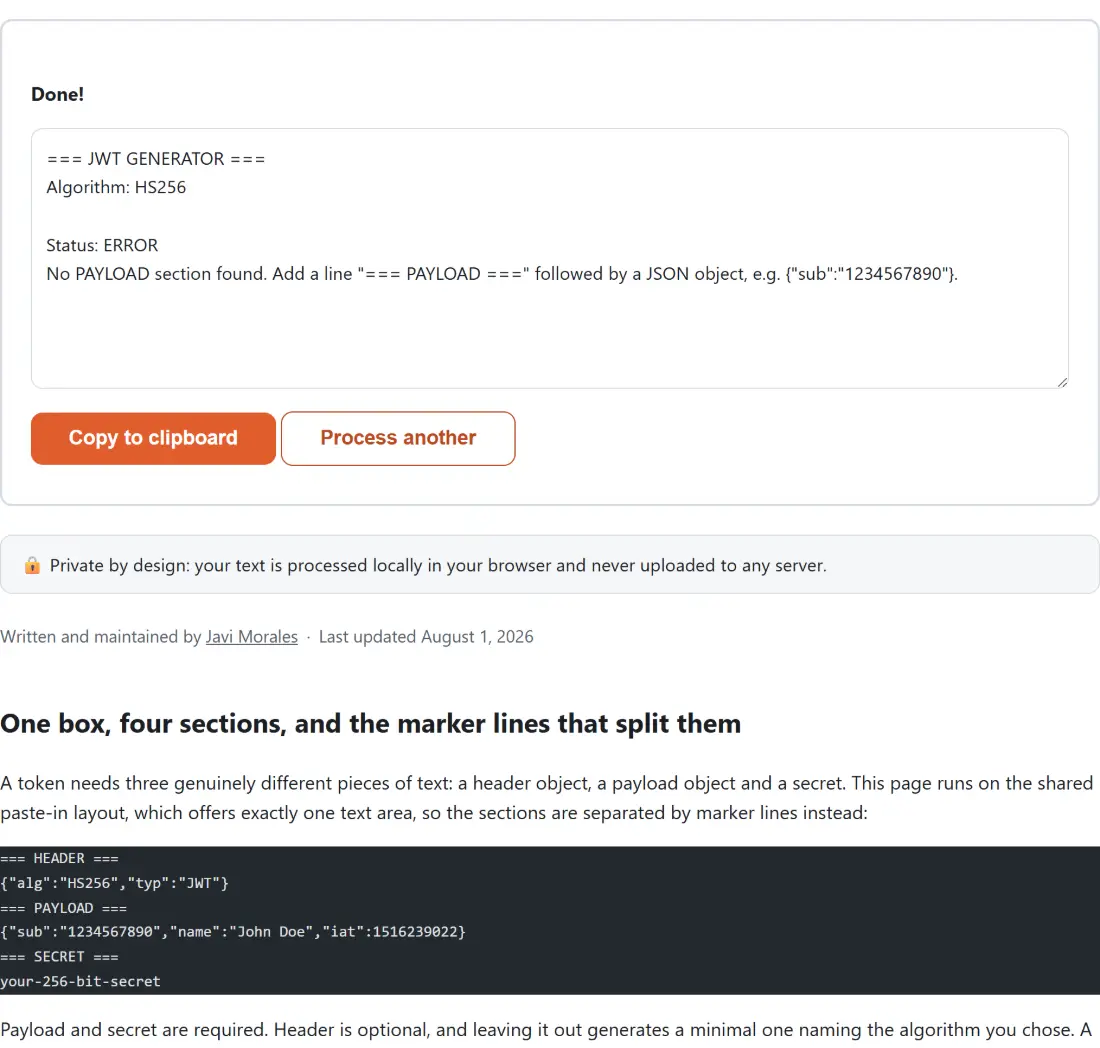
Mistakes arrive as a report, not as a banner
The shared layout collapses any error thrown by a tool into one generic sentence, which for this tool would hide the only thing you needed to read. So the report builder never throws. Every failure comes back as ordinary output with a status line and a specific explanation: a missing payload section tells you which marker line to add and shows an example object, a missing secret names its own marker line and where the key goes on the next one, and malformed JSON is reported with the parser’s own complaint, which carries the character position whenever the engine supplies one. A header or payload that parses into an array rather than an object is refused explicitly too, since neither is a legal JWT segment.