Convert Stereo to Mono

Downmix MP3, WAV, M4A, OGG or FLAC to a single mono channel, averaged or taking one side only. Output is a 192 kbps MP3. Nothing is uploaded.

🌐 Español

Drop your file here (.mp3, .wav, .m4a, .ogg, .flac)

πŸ”’ Private by design: your files are processed locally in your browser and never uploaded to any server.

Two very different reasons to go mono

Almost everyone who converts stereo to mono is solving one of two problems, and they want opposite things from the tool.

The first is a size or compatibility problem. A podcast episode, a lecture recording, an audiobook chapter or a voice memo has no meaningful stereo content, so carrying two channels is wasted space. Folding them together is tidy housekeeping and the result should sound the same.

The second is a broken recording. An interview came back playing in one ear only, because a lapel microphone was plugged into a single input and the other channel recorded silence. Here the goal is rescue, and the naive fix makes it worse. That is why this page has three modes rather than a single button.

Converting a file

  1. Drop an MP3, WAV, M4A, OGG or FLAC onto the box. One file at a time.
  2. Choose a Downmix mode. Average is the default and is correct for real stereo.
  3. If the audio plays in one ear only, pick the mode matching the ear where you can hear it.
  4. Run it and download the result, which is an MP3 named after your file with a mono suffix.

Why averaging is the wrong repair for a dead channel

The instinct with a one sided recording is to combine both channels, since combining is what going mono means. Work through the arithmetic and the problem is obvious.

An average takes half of each channel. If the left channel holds your interview and the right holds nothing, the result is half of the interview plus half of nothing, which is the interview at roughly half its former level in a single channel. The audio is now in both ears, which feels like progress, and it is six decibels quieter than it was, which is not.

Taking one channel and discarding the other keeps the recorded level intact. The trade is that anything genuinely present on the discarded side is gone, which is exactly what you want when that side was silence and exactly what you do not want for music.

Why the output is always an MP3

Some conversions on this site copy the compressed data straight through without touching it. This one cannot. Combining channels means arithmetic on the actual audio samples, which means decoding the file, mixing, and encoding again.

Given a re-encode is unavoidable, the choice is what to encode to, and the tool standardises on MP3 at 192 kbps rather than trying to match your input. That rate is comfortably transparent for speech and holds up well for music, and MP3 plays everywhere without argument. The consequence to be aware of is that a lossless input does not stay lossless. If that matters, keep the original alongside the mono copy, and if you specifically want a controlled MP3 conversion from a WAV, WAV to MP3 is the tool built for that with a bitrate you choose.

What to do after, or instead

If the underlying complaint is that a recording is too quiet rather than one sided, converting to mono will not help and Normalize Audio or Boost MP3 Volume will. If the problem is your hardware rather than the file, confirm it first with Speaker Test, which drives each channel independently and settles the question in about ten seconds.

Mono is also the sensible input format for anything that reads speech rather than plays it, so converting first is a reasonable step before running a file through Transcribe Audio to Text. To separate a song into its parts rather than merge its channels, Vocal Remover is a different operation entirely. The rest are on the audio hub.

See it in action

Screenshot of the Convert Stereo to Mono tool with sysfenix-sample.wav (517 KB) loaded, Downmix mode set to Average both channels (standard, for real stereo music and audio)
Convert Stereo to Mono mid-process: sysfenix-sample.wav (517 KB) loaded, Downmix mode set to Average both channels (standard, for real stereo music and audio).
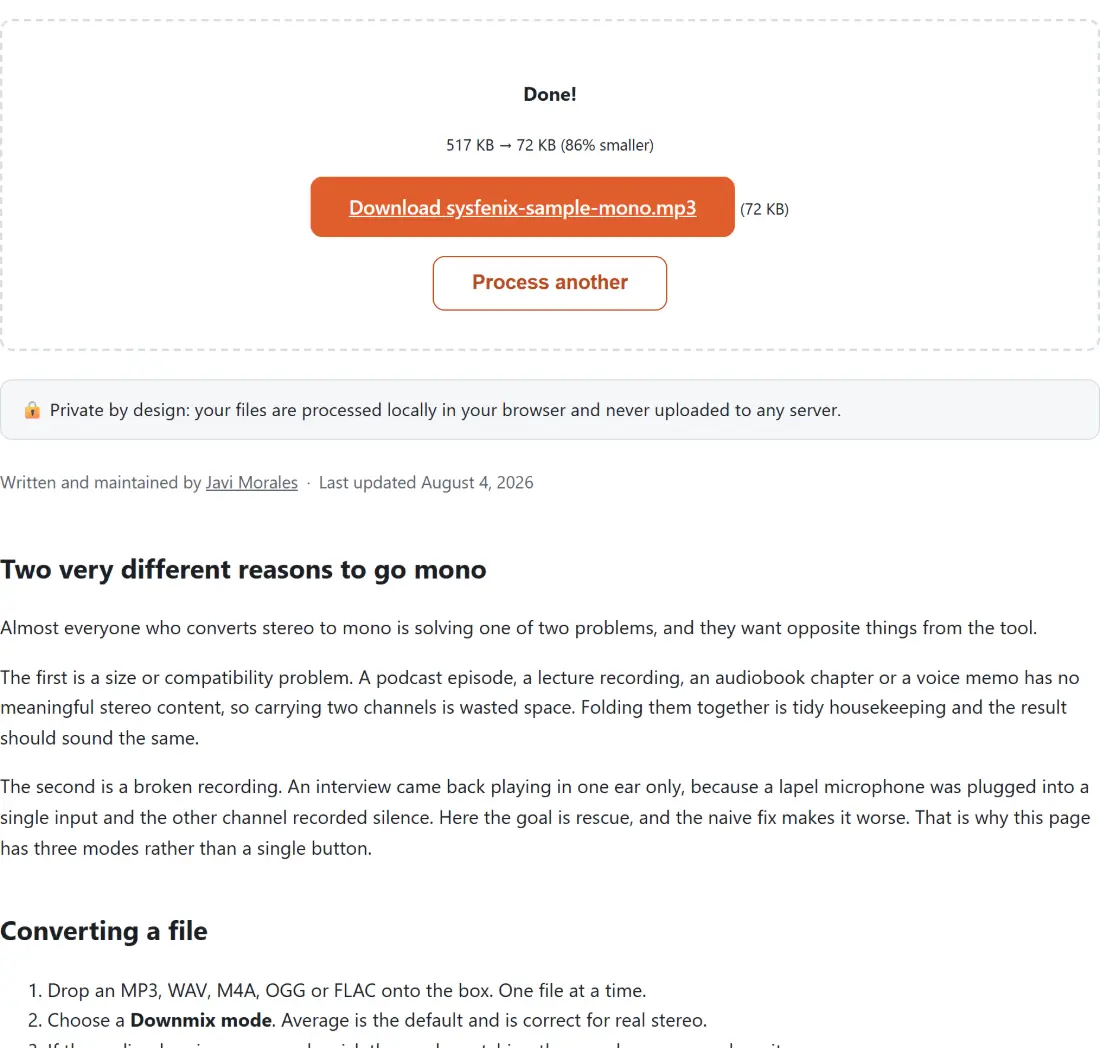
Screenshot of the Convert Stereo to Mono result screen showing sysfenix-sample-mono.mp3 ready to download (72 KB, 86% smaller)
The finished result: sysfenix-sample-mono.mp3 ready to download (72 KB, 86% smaller). The download link is a local blob URL β€” the file never leaves your device.

Frequently asked questions

Why are there three modes instead of one?

Because averaging is the wrong fix for the most common reason people arrive here. Averaging is correct for genuine stereo, where both channels carry real but different audio and you want them combined. It is wrong for a recording where one channel is silent, because averaging real audio with silence just halves the volume and leaves you with a quiet mono file rather than a fixed one. The single channel modes discard the dead side entirely, which is the actual repair.

How do I tell which single channel mode I need?

By where the sound is. If you only hear audio in your right ear, the content is on the right channel, so choose right channel only. If you only hear it on the left, choose left. The option labels state the symptom rather than the channel for exactly this reason, since it is easy to reason backwards from a symptom to the wrong side under pressure.

What comes out, and in what format?

Always an MP3 at 192 kbps, whatever you put in, named after your original file with a mono suffix. Downmixing has to decode the audio to combine the channels, so unlike a trim there is no way to avoid a re-encode, and rather than guess at a target format the tool standardises on MP3 at a rate that is transparent for speech and good for music. Feeding it a WAV or a FLAC therefore means accepting lossy output.

Will the file get smaller?

Usually yes, but not for the reason people expect. Mono carries half as many samples as stereo, so at a given bitrate the encoder has half as much to describe. In practice the saving is smaller than half, because stereo encoders already exploit how similar the two channels are. If your source was a large WAV or FLAC the drop will be dramatic, but that is mostly the MP3 encoding rather than the mono conversion.

Does the averaged mode make the result quieter?

Not for real stereo content. Averaging with equal weight on both channels keeps a signal that appears in both at the same level, which is where most of a mixed recording sits. What does drop is anything that existed on only one side, since it is now sharing the channel at half strength. That is inherent to any downmix, not specific to this tool, and it is also why a mix with a hard panned instrument sounds quieter after folding to mono.

Can two mono files be turned back into stereo here?

No. This is a one way tool. Once the channels are combined the separation is gone, and no amount of processing recovers it, so keep your original if there is any chance you will want the stereo version back. There is no stereo widening or channel splitting mode on this page.

Related tools