What a formatter is for, and what it is not for
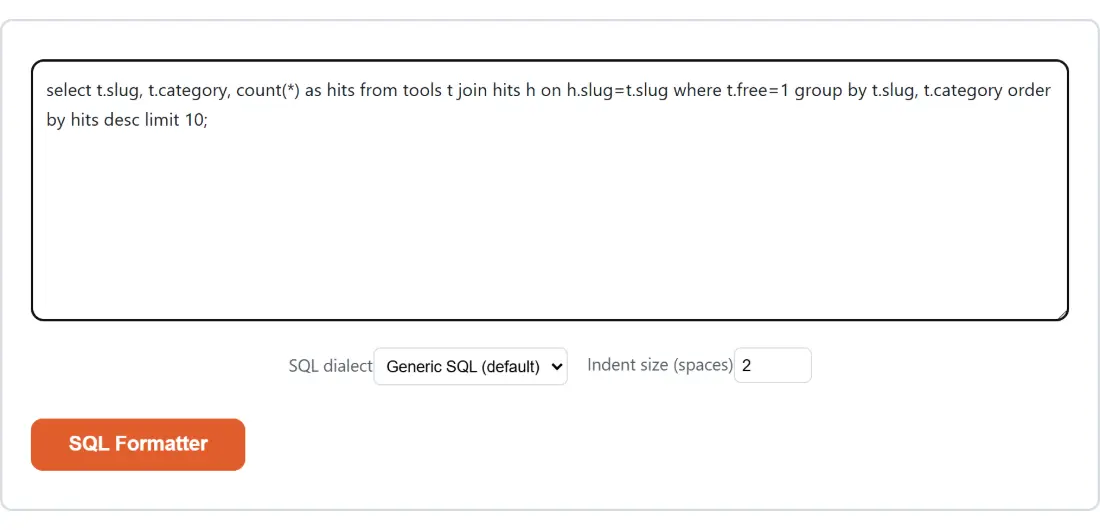
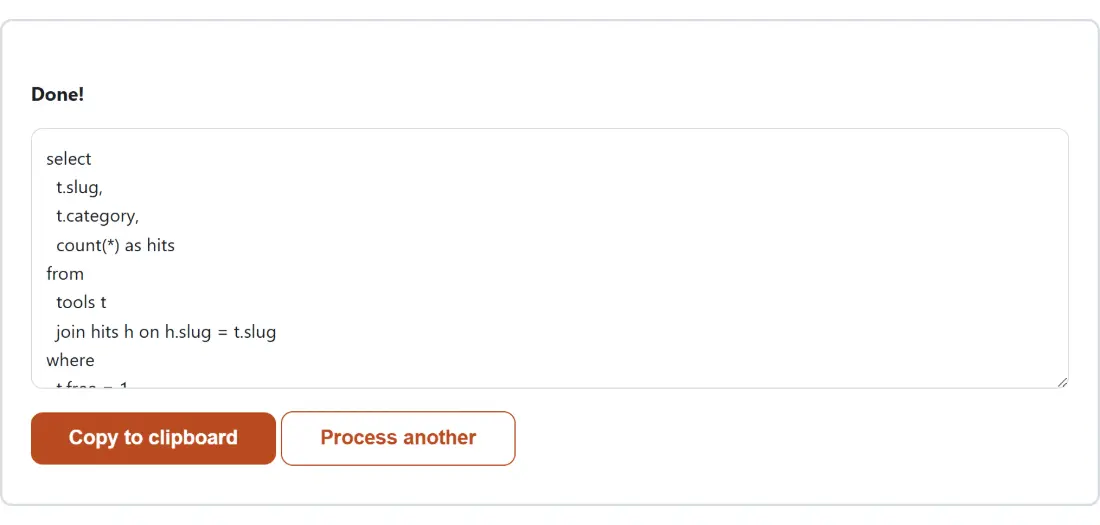
A SQL formatter solves one problem: a query that arrived as a single unreadable line, usually copied out of an application log, an ORM’s debug output or a colleague’s message. Reformatting it puts each clause on its own line and indents the parts that nest, which is the difference between a query you can reason about and a wall of text you skim.
What it does not do is check the query. This distinction gets blurred by tools that call themselves validators, so it is worth stating plainly here. The grammar behind this page is intentionally permissive, and it will happily format text that no database would run. Its no-complaints response tells you the punctuation balances, and nothing more than that.
Formatting a query
- Paste the query, or a whole script of several statements, into the input box.
- Choose a SQL dialect. Leave it on generic unless the query uses syntax specific to one database.
- Set Indent size (spaces) between 2 and 8.
- Run it and read the formatted result.
- Copy the output, or download it as a .sql file.
Dialects, and why generic is the default
The dialect setting picks which grammar parses your query. Five are available: a generic dialect-agnostic grammar, PostgreSQL, MySQL, SQLite and T-SQL for SQL Server.
Generic is the default on purpose. The most common situation for anyone reaching for an online formatter is holding a query whose origin they did not choose and do not necessarily know, and for ordinary selects, joins, subqueries and common table expressions the generic grammar handles it correctly. Switching dialect is worth doing when the query contains something that only one database supports, where a dialect-aware grammar recognises the construct rather than tripping over it.
If a stray or unrecognised value ever reaches the dialect setting it resolves to generic rather than being passed through to the library, which would otherwise raise a configuration error instead of a formatting one.
Indent width in practice
Two spaces is the default and it suits most queries. Four is worth choosing when the query nests several levels deep, because at two spaces a subquery inside a subquery inside a case expression becomes hard to trace by eye. Eight is available and is mostly useful when the result has to survive being pasted somewhere that collapses or re-tabs whitespace.
The field is clamped rather than validated: a value below two becomes two, a value above eight becomes eight, and a fractional value is rounded. So there is no way to produce an output with broken indentation by mistyping the field.
When it refuses, and what the refusal tells you
A failed parse does not throw the query away. The result box shows a short line naming the token that stopped the parser and the line and column it reached, which in practice points almost straight at the missing bracket or the stray character.
The most common cause by far is a query copied out of a log where a quote or a parenthesis got truncated. The second most common is a template placeholder that was never substituted, leaving something like a bare question mark or a named parameter that the grammar cannot place. Comparing the broken copy against a known good one with Diff Text is often faster than reading it again.
Related formatting tools
For the other two structured formats that arrive equally mangled, JSON Formatter and XML Formatter do the same job with real validation behind them, since both of those grammars are strict in a way SQL’s is not. YAML to JSON covers configuration files, and CSV to SQL goes the other way by turning tabular data into insert statements. The rest are on the dev tools hub.